

🎉NEWCapSolver for AI agents-MCP, agent tools, and SDK integrations

Lucas Mitchell
Automation Engineer
Published Sep 15, 2026
Updated Sep 15, 2026 · min read
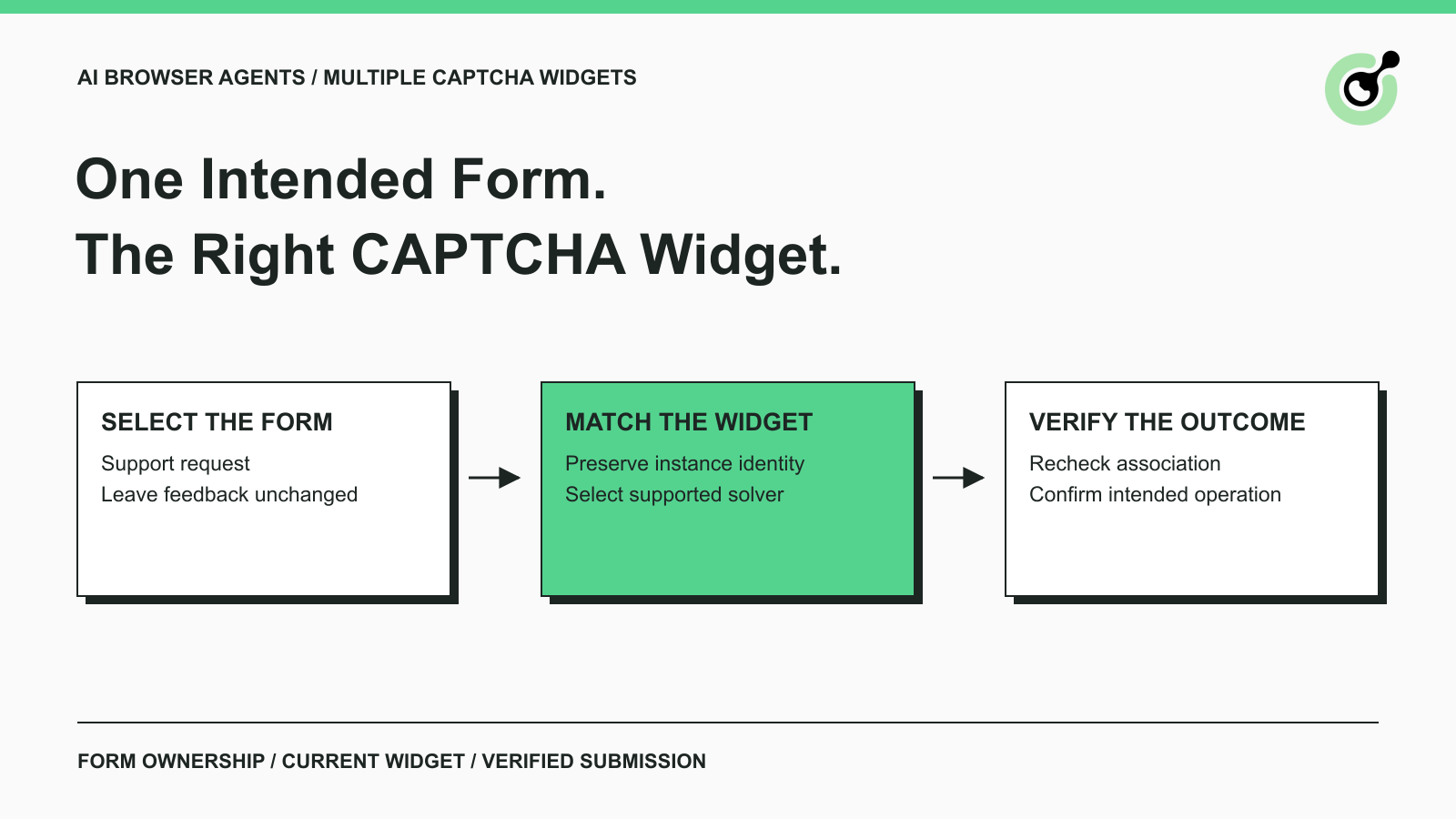
An AI browser agent should select the intended form first, identify its current CAPTCHA widget, and keep that association through solving and application verification.
Consider an owned support portal with two forms on the same page: a support request and optional product feedback. An authorized QA agent is testing the support request. Completing the feedback CAPTCHA would not satisfy the task, even if both forms use the same provider and look similar.
A CAPTCHA solver such as CapSolver belongs after the agent has established which supported challenge the intended form requires. The solver provides an answer for the selected CAPTCHA task; the application integration remains responsible for routing that answer correctly.
This is a workflow and QA design guide for pages your team owns or is authorized to test. It describes the records, stage boundaries, and checks needed for multiple widgets. It does not claim to provide a tested, drop-in SDK integration for arbitrary pages.
A reliable workflow needs an explicit task scope, an owned form-to-widget mapping, and a way to inspect the application's verification outcome.
Start with a test page containing the actual layout variants your application supports. Record the intended form and the allowed operation. The agent should not infer that every visible submit button is part of its task.
The page owner should expose stable form identifiers and retain the widget handles created by the provider's public integration. For reCAPTCHA, those handles are part of the client-side lifecycle. They are distinct from the service's general role in checking automated interactions.
You also need a supported solver task, credentials stored outside page content, a bounded waiting policy, and a backend outcome the QA harness can observe. If your application uses a CAPTCHA format that the selected solver path does not support, stop at that boundary rather than guessing an alternative task.
Prefer owner-controlled testing facilities for ordinary form logic. Where a permitted test specifically evaluates a real solver path, label that test separately so a simulated CAPTCHA result cannot be mistaken for end-to-end service verification.
The first stage turns the agent's requested action into one explicit form and widget association.
The input is the allowed operation, such as sending a synthetic support request on the staging portal. The operation identifies the support form through the application's stable identifier and obtains the widget reference maintained by that component. The output is a form reference plus the current widget instance, not simply “a CAPTCHA exists.”
Google's reCAPTCHA v2 display documentation shows explicit rendering and multiple widgets. Rendering returns a widget ID; methods such as getResponse and reset accept a widget ID, and omitting it uses the first widget by default. That default can be wrong for a page whose intended operation belongs to another form.
Cloudflare's Turnstile client-side rendering guide also describes explicit widget rendering and lifecycle management. Use the appropriate provider's API and retained handle rather than transferring method assumptions between providers.
If more than one widget maps to the form, or the mapping is missing, the stage should fail with an actionable diagnostic. DOM order is not sufficient evidence of ownership. Save the form reference, page generation, and mapping outcome for inspection; do not save token values in the diagnostic record.
The second stage gives each identifier a single meaning so asynchronous work cannot confuse a page component with a remote solver task.
| Identifier | What it represents | What it must not replace |
|---|---|---|
| Form reference | The owned application operation | Provider task ID |
| DOM container ID | The page element containing a widget | Provider's runtime widget handle |
| Provider widget ID | A rendered widget instance | CAPTCHA site key |
| Site key | Provider integration configuration | Unique identity of a form attempt |
| Solver task ID | A remote solve request, when returned | Browser element or form identifier |
| Application attempt reference | One execution of the intended operation | Every later retry on the same page |
These labels form a proposed application record, not a provider response schema. Keep the original value and type of each handle rather than normalizing every identifier into an interchangeable string.
Two widgets can share configuration and still belong to different forms. Consequently, selecting by site key alone is insufficient when the owned page deliberately reuses that configuration. The application needs the form association it established in the previous stage.
Attach a page or component generation to the record. A dialog can close and reopen with a new widget instance while preserving its visible title. The generation lets later stages detect that a familiar-looking form is no longer the instance that started the solve attempt.
The third stage converts the selected widget association into supported solver information while preserving its connection to the intended form.
The CapSolver Core SDK reference distinguishes several operations: detect(page) returns CAPTCHA types, get_captcha_info(page) returns CAPTCHA information records, and solve(info) returns a solution. The documented token-mode coverage includes reCAPTCHA v2, reCAPTCHA v3, and Turnstile; it does not cover clicking image grids or dragging sliders.
The reference also describes browser fill-back metadata such as container_id, callback, and binded_button_id. Treat those as evidence to reconcile with the owned form mapping. A detected type alone is not a count of widget instances, and a list's first entry is not proof that it belongs to the agent's task.
Inspect the information available on your own page, including its frame and rendering behavior. If the detector does not expose enough evidence to select one intended widget, stop for an integration correction. Do not silently expand the task to all challenges on the page.
The stage's output is one selected information record plus the application association that explains why it was chosen. Its failure boundary is ambiguity or unsupported coverage. Useful evidence includes the selected provider type and the mapping decision, with secrets and solution tokens omitted.
Redeem Your CapSolver Bonus Code
Boost your automation budget instantly!
Use bonus code CAP26 when topping up your CapSolver account to get an extra 5% bonus on every recharge — with no limits.
Redeem it now in your CapSolver Dashboard
The fourth stage accepts a solver result only while the selected form and widget association remain current.
Before requesting the solution, mark the attempt as waiting on its selected CAPTCHA information. When the asynchronous operation returns, recheck the page generation and widget association. If the support dialog has closed or its CAPTCHA has refreshed, the original result must not be reassigned to the feedback form.
CapSolver documents solve_on_page as a page-level pipeline returning results that include information, solution, fill status, and error. Its listed options do not include a widget selector. Do not describe that method as a form-scoped operation unless your own verified integration establishes the required scope. The manual solve(info) stage returns a solution; result delivery alone does not establish that the correct form was filled.
In an owned application, route the answer through the component integration that already owns the widget. Keep that application-specific step separate from provider detection. A global “latest token” variable makes it difficult to explain which form a result belongs to and can conceal cross-form mistakes.
The output of this stage is a disposition: handed to the intended current component, no longer needed, or rejected because the association changed. Record which disposition occurred before moving to submission. A solver error should leave the unrelated feedback widget untouched.
The final stage verifies the support request itself and records enough context to distinguish solver, routing, and application failures.
Google's server-side response verification guide requires verification of the response token and states that tokens are single-use and expire after two minutes. Those rules should not be confused with a solver's separate result-retrieval window. The owned application must perform its provider-specific backend verification.
The QA harness should then inspect the application's actual completion signal. For the support portal, that might be a test request reference returned by the owned backend. A green widget or a filled response field alone cannot establish that the correct support request was accepted.
Store a compact outcome containing the test case reference, form reference, widget generation, solver disposition, backend verification disposition, and intended-operation result. These are proposed application fields. Avoid storing raw solution tokens, real support-message contents, or credentials in routine logs.
When the test fails, preserve the last successful stage. “Widget mapping missing,” “solver returned an error,” and “application rejected the submission” call for different fixes. This stage history makes investigation more useful than one undifferentiated CAPTCHA error.
A useful test matrix changes widget order and lifecycle while keeping the intended form operation constant.
| Owned-page test case | Expected workflow behavior |
|---|---|
| Feedback widget appears before support widget | Agent still selects the support form's widget |
| Both forms share a site key | Form association determines selection |
| Support dialog closes during solving | Result is recorded as no longer needed |
| Support widget refreshes during solving | Old result is not assigned to the replacement |
| Unrelated widget reports an error | Agent does not switch its intended operation |
| Intended form has no unique widget mapping | Workflow stops before a solver request |
| Backend rejects the submitted response | Test reports verification failure, not success |
Run the matrix with controlled fixtures first, then separately test the supported real integration where permitted. Fixture tests establish local routing behavior; they do not prove that an external solver or provider verification service works.
This problem differs from launching several independent solver tasks at once. The existing guide to handling multiple reCAPTCHA challenges concurrently covers concurrent task processing. On a page with several widgets, the harder requirement is preserving the relationship between one intended action and its specific widget.
Assemble the workflow in that order: select the form, retain its widget association, choose supported solver information, route the result, and verify the application's outcome. Add CapSolver at the solver stage once those ownership checks are clear and testable.
Q: Does detecting reCAPTCHA tell an agent which form to submit?
Detection does not establish the intended form. The agent needs the application's task scope and an explicit form-to-widget association before requesting a solution or submitting anything.
Q: Can two widgets on the same page share a site key?
A page can reuse integration configuration across widgets, so a site key should not be treated as a unique form-attempt identifier. Use the widget instance and the owned form mapping together.
Q: Can I select the first CAPTCHA information record?
Select the first record only if the owned page mapping verifies that it is the intended widget. Position in a list does not establish ownership, and page changes can alter which component appears first.
Q: Should an AI agent solve every CAPTCHA it discovers?
An agent should solve only the supported challenge required by its permitted operation. Unrelated widgets remain outside that task, even when they are visible on the same page.
Q: What should happen when the page changes while solving?
The workflow should recheck its page and widget association before using the result. If the original component was replaced or the attempt ended, record the result as unused and stop that attempt rather than routing it elsewhere.
Lucas Mitchell
Automation Engineer
Helping browser automation recover and continue.
ABOUT THE AUTHOR
Keep parallel browser agents from mixing CAPTCHA results. Map task IDs to page owners, reject stale responses, and test routing before applying a solution.

Choose a CAPTCHA API or MCP for your AI agent by comparing task control, tool discovery, result handling, and browser responsibilities before you integrate.
