Playwright Browser Automation: CAPTCHA Solve Guide

Ethan Collins
Pattern Recognition Specialist
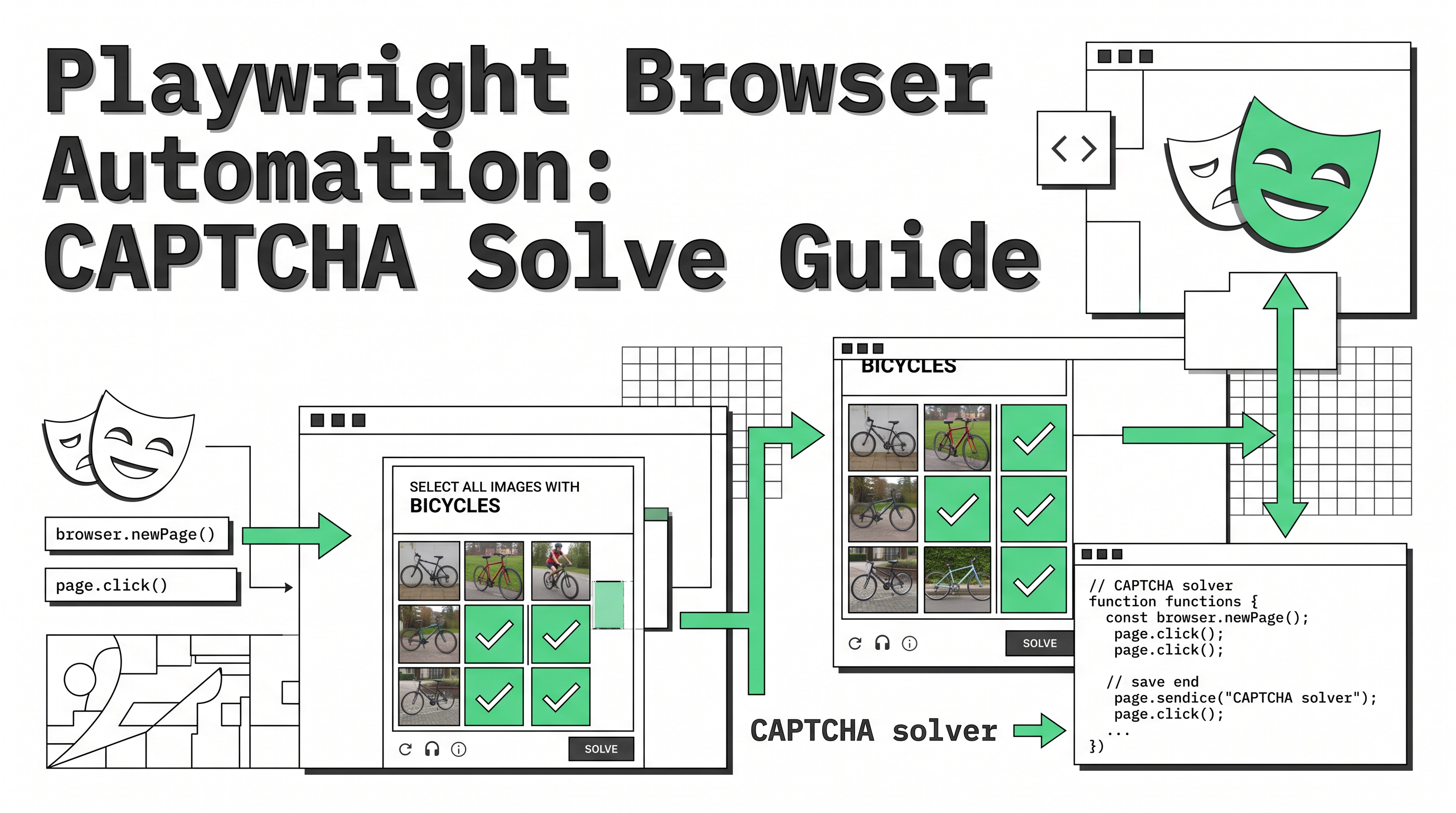
TL;DR: This guide shows how to bypass CAPTCHAs in Playwright browser automation using AI-powered solving. Learn how to automatically handle reCAPTCHA and Cloudflare Turnstile challenges with working code examples. View CapSolver's Playwright Integration
When building browser automation with Playwright, encountering CAPTCHA challenges is a common obstacle that can halt your workflows. Whether you're scraping data, running automated tests, or collecting market intelligence, these challenges interrupt the automation process and require manual intervention—defeating the purpose of scripting in the first place.
This guide covers how to integrate AI-powered CAPTCHA bypass into your Playwright automation, enabling seamless handling of reCAPTCHA and Cloudflare Turnstile challenges without breaking your workflow.
Why CAPTCHAs Appear in Playwright Automation
CAPTCHAs appear when websites detect behavior that differs from typical human browsing patterns. Common triggers include:
- Headless browser detection: Automated browsers may expose webdriver properties or lack certain browser features
- Rapid navigation patterns: Fast clicking, scrolling, or page transitions that don't match human timing
- High request frequency: Sending many requests in a short time window
- Clean browser fingerprints: New browsers without accumulated cookies or history may be flagged
- Repeated access patterns: Identical sequences of page visits look robotic
For developers using Playwright for legitimate automation tasks, understanding why CAPTCHAs appear helps in both preventing them and handling them gracefully when they do occur.
How AI-Powered CAPTCHA Bypass Works
AI-powered CAPTCHA solving services like CapSolver use machine learning and computer vision to automatically recognize and solve challenges. The workflow integrates seamlessly into Playwright automation:
- Detection: Your script identifies a CAPTCHA challenge on the page
- Submission: Challenge data (site key, page URL) is sent to CapSolver's API
- Processing: AI models solve the challenge (typically 3-10 seconds)
- Response: A solution token is returned
- Execution: Your script submits the token to complete verification
This automated approach eliminates manual intervention and keeps your automation running continuously.
Industry data shows that AI-powered solutions achieve 95-99% accuracy rates for common challenge types, making them reliable for production automation workflows.
Setting Up CapSolver with Playwright
First, install the required dependencies:
bash
npm install playwright capsolverInitialize the CapSolver client with your API key:
javascript
const CapSolver = require('capsolver');
const capSolver = new CapSolver({ apiKey: 'YOUR_API_KEY' });
Bypassing reCAPTCHA v2 with Playwright
reCAPTCHA v2 typically presents checkbox challenges or image selection tests. Here's a complete integration:
javascript
const { chromium } = require('playwright');

async function solveRecaptchaV2Example() {
    // Initialize CapSolver
    const CapSolver = require('capsolver');
    const solver = new CapSolver({ apiKey: 'YOUR_API_KEY' });

    // Launch browser
    const browser = await chromium.launch({ headless: false });
    const page = await browser.newPage();

    try {
        // Navigate to target page
        await page.goto('https://example.com/login');

        // Detect reCAPTCHA v2
        const siteKey = await page.evaluate(() => {
            const element = document.querySelector('[data-sitekey]');
            return element ? element.getAttribute('data-sitekey') : null;
        });

        if (siteKey) {
            console.log('reCAPTCHA v2 detected, solving...');

            // Solve via CapSolver
            const solution = await solver.recaptcha({
                websiteURL: page.url(),
                websiteKey: siteKey,
                isEnterprise: false
            });

            // Set solution token
            await page.evaluate((token) => {
                const textarea = document.getElementById('g-recaptcha-response');
                if (textarea) textarea.value = token;
            }, solution.gRecaptchaResponse);

            // Trigger callback if exists
            const callback = await page.evaluate(() => {
                const el = document.querySelector('[data-callback]');
                return el ? el.getAttribute('data-callback') : null;
            });

            if (callback) {
                await page.evaluate((cb) => {
                    eval(cb + '()');
                }, callback);
            }

            console.log('reCAPTCHA v2 bypassed successfully');
        }

        // Continue with your automation
        await page.fill('#username', 'user@example.com');
        await page.fill('#password', 'password123');
        await page.click('#login-btn');

    } catch (error) {
        console.error('Error:', error.message);
    } finally {
        await browser.close();
    }
}

solveRecaptchaV2Example();
Bypassing reCAPTCHA v3 with Playwright
reCAPTCHA v3 runs silently in the background and returns a score rather than presenting visual challenges. Here's how to handle it:
javascript
const { chromium } = require('playwright');

async function solveRecaptchaV3Example() {
    // Initialize CapSolver
    const CapSolver = require('capsolver');
    const solver = new CapSolver({ apiKey: 'YOUR_API_KEY' });

    // Launch browser
    const browser = await chromium.launch({ headless: false });
    const page = await browser.newPage();

    try {
        await page.goto('https://example.com/dashboard');

        // Extract reCAPTCHA v3 site key
        const siteKey = await page.evaluate(() => {
            const scripts = document.querySelectorAll('script[src*="recaptcha"]');
            for (const script of scripts) {
                const src = script.src;
                const keyMatch = src.match(/k=([^&]+)/);
                if (keyMatch) return keyMatch[1];
            }
            return null;
        });

        if (siteKey) {
            console.log('reCAPTCHA v3 detected');

            // Solve with score requirement
            const solution = await solver.recaptcha({
                websiteURL: page.url(),
                websiteKey: siteKey,
                isEnterprise: false,
                pageAction: 'homepage'
            });

            console.log('Token received, score:', solution.score);

            // Store token for API requests
            await page.evaluate((token) => {
                window.__captchaToken = token;
            }, solution.gRecaptchaResponse);

            // Use token in subsequent requests
            const response = await page.evaluate(async (token) => {
                const res = await fetch('/api/user-profile', {
                    headers: { 'X-Recaptcha-Token': token }
                });
                return await res.json();
            }, solution.gRecaptchaResponse);

            console.log('Data retrieved:', response);
        }

    } catch (error) {
        console.error('Error:', error.message);
    } finally {
        await browser.close();
    }
}

solveRecaptchaV3Example();
Bypassing Cloudflare Turnstile with Playwright
Cloudflare Turnstile appears as an invisible challenge or widget-based verification. Here's a complete approach:
javascript
const { chromium } = require('playwright');

async function solveCloudflareTurnstileExample() {
    // Initialize CapSolver
    const CapSolver = require('capsolver');
    const solver = new CapSolver({ apiKey: 'YOUR_API_KEY' });

    // Launch browser with stealth settings
    const browser = await chromium.launch({ headless: false });
    const context = await browser.newContext({
        viewport: { width: 1920, height: 1080 },
        userAgent: 'Mozilla/5.0 (Windows NT 10.0; Win64; x64) AppleWebKit/537.36 (KHTML, like Gecko) Chrome/120.0.0.0 Safari/537.36'
    });
    const page = await context.newPage();

    try {
        await page.goto('https://example-protected.com/', {
            waitUntil: 'domcontentloaded',
            timeout: 30000
        });

        // Check for Cloudflare challenge
        const isCFChallenge = await page.evaluate(() => {
            return document.title.includes('Just a moment') ||
                   document.querySelector('#cf-challenge') !== null;
        });

        if (isCFChallenge) {
            console.log('Cloudflare challenge detected');

            // Wait for challenge to render
            await page.waitForTimeout(2000);

            // Detect Turnstile widget
            const siteKey = await page.evaluate(() => {
                const turnstile = document.querySelector('.cf-turnstile');
                return turnstile ? turnstile.getAttribute('data-sitekey') : null;
            });

            if (siteKey) {
                console.log('Turnstile detected, solving...');

                // Solve Turnstile
                const solution = await solver.turnstile({
                    websiteURL: page.url(),
                    websiteKey: siteKey
                });

                console.log('Token received');

                // Inject token into page
                await page.evaluate((token) => {
                    // Create or update the token field
                    let tokenField = document.querySelector('[name="cf-turnstile-response"]');
                    if (!tokenField) {
                        tokenField = document.createElement('input');
                        tokenField.type = 'hidden';
                        tokenField.name = 'cf-turnstile-response';
                        document.body.appendChild(tokenField);
                    }
                    tokenField.value = token;

                    // Trigger any callbacks
                    const turnstile = document.querySelector('.cf-turnstile');
                    if (turnstile && turnstile.dataset.callback) {
                        window[turnstile.dataset.callback](token);
                    }
                }, solution.token);

                // Wait for challenge to clear
                await page.waitForTimeout(3000);
                console.log('Cloudflare Turnstile bypassed');
            }
        }

        // Verify page loaded
        const title = await page.title();
        console.log('Page title:', title);

    } catch (error) {
        console.error('Error:', error.message);
    } finally {
        await browser.close();
    }
}

solveCloudflareTurnstileExample();
Complete Automation Workflow Example
Here's a complete example combining detection, solving, and retry logic for production use:
javascript
const { chromium } = require('playwright');
const CapSolver = require('capsolver');

class PlaywrightAutomation {
    constructor(apiKey) {
        this.solver = new CapSolver({ apiKey });
    }

    async detectAndSolve(page) {
        // Check for reCAPTCHA v2
        const reCaptchaV2Key = await page.evaluate(() => {
            const el = document.querySelector('[data-sitekey]');
            return el?.getAttribute('data-sitekey');
        });

        // Check for Cloudflare Turnstile
        const turnstileKey = await page.evaluate(() => {
            const el = document.querySelector('.cf-turnstile');
            return el?.getAttribute('data-sitekey');
        });

        if (reCaptchaV2Key) {
            console.log('Solving reCAPTCHA v2...');
            return await this.solveRecaptchaV2(page, reCaptchaV2Key);
        }

        if (turnstileKey) {
            console.log('Solving Cloudflare Turnstile...');
            return await this.solveTurnstile(page, turnstileKey);
        }

        return null;
    }

    async solveRecaptchaV2(page, siteKey) {
        const solution = await this.solver.recaptcha({
            websiteURL: page.url(),
            websiteKey: siteKey
        });

        await page.evaluate((token) => {
            const textarea = document.getElementById('g-recaptcha-response');
            if (textarea) textarea.value = token;
        }, solution.gRecaptchaResponse);

        return solution;
    }

    async solveTurnstile(page, siteKey) {
        const solution = await this.solver.turnstile({
            websiteURL: page.url(),
            websiteKey: siteKey
        });

        await page.evaluate((token) => {
            let tokenField = document.querySelector('[name="cf-turnstile-response"]');
            if (!tokenField) {
                tokenField = document.createElement('input');
                tokenField.type = 'hidden';
                tokenField.name = 'cf-turnstile-response';
                document.body.appendChild(tokenField);
            }
            tokenField.value = token;
        }, solution.token);

        return solution;
    }

    async run(url, steps) {
        const browser = await chromium.launch({ headless: false });
        const page = await browser.newPage();

        try {
            await page.goto(url);

            // Check and solve CAPTCHA if needed
            await this.detectAndSolve(page);

            // Execute your automation steps
            for (const step of steps) {
                await step(page);
            }

        } finally {
            await browser.close();
        }
    }
}

// Usage example
const automation = new PlaywrightAutomation('YOUR_API_KEY');

automation.run('https://example.com/form', [
    (page) => page.fill('#name', 'John Doe'),
    (page) => page.fill('#email', 'john@example.com'),
    (page) => page.click('#submit')
]).then(() => console.log('Automation completed'))
  .catch(err => console.error('Error:', err));
The web scraping market is experiencing significant growth as organizations prioritize data-driven decision making, making automated solutions increasingly important for modern development workflows.
For more detailed examples, see the complete Playwright integration documentation and learn how to integrate CapSolver with Playwright.
Frequently Asked Questions
Can Playwright automatically bypass CAPTCHAs?
Yes, by integrating with AI-powered CAPTCHA solving services like CapSolver, Playwright can automatically detect and solve challenges. The solution token is submitted programmatically, allowing automation to continue without manual intervention.
How long does AI CAPTCHA bypass take with Playwright?
AI-powered solving typically completes in 3-10 seconds for most challenge types. This is significantly faster than human-powered alternatives, which can take 10-45 seconds including queue time.
Does CapSolver support reCAPTCHA v3?
Yes, CapSolver supports reCAPTCHA v3 with configurable minimum score requirements. You can set the score threshold (0.1-0.9) based on your needs for different challenge strictness levels.
How do I prevent CAPTCHAs in Playwright?
While you can't eliminate CAPTCHAs entirely, you can reduce their frequency by using stealth browser settings, randomizing timing between actions, rotating user agents, and using residential proxies. However, some websites will always present challenges regardless of precautions.
What happens if CAPTCHA solving fails?
Implement retry logic with exponential backoff for failed attempts. CapSolver handles most challenges successfully, but complex variations may occasionally require multiple attempts. Proper error handling ensures your automation remains resilient.
Can I use CapSolver with other automation tools?
Yes, CapSolver provides SDKs and API support for Playwright, Puppeteer, Selenium, and direct browser extensions. The integration approach is similar across tools with minor syntax differences.
Is using CAPTCHA solving services safe?
Yes, when used responsibly for legitimate automation purposes. CapSolver is committed to ethical technology practices and provides services that help developers automate their own authorized workflows more efficiently. Always ensure your automation activities comply with target website terms of service and applicable laws. Review CapSolver's compliance guidelines for best practices.
More
AutomationAug 31, 2026
Search Intent Drift Monitoring for AI SEO Workflows
Build search intent drift monitoring with Search Console data, controlled SERP observations, intent labels, confidence gates, evidence, and safe automation.
AutomationAug 21, 2026
How to Add Gumloop CAPTCHA Solving to Web Workflows
Build Gumloop CAPTCHA solving with a verified HTTP contract, controlled recovery branch, retry budget, browser-state checks, and human fallback.
