ReCAPTCHA in Ecommerce Scraping: A Compliance-First Guide

Rajinder Singh
Deep Learning Researcher
TL;DR
- ReCAPTCHA appears when ecommerce sites need stronger trust checks.
- Treat recaptcha as a workflow signal, not only a puzzle.
- Check permission, robots.txt, terms, and data scope first.
- Reduce avoidable challenges through pacing and stable sessions.
- Use official APIs or feeds whenever they exist.
- Use CapSolver only for legitimate automation and permitted data work.
- Keep logs, rate limits, and escalation rules for every crawler.
Introduction
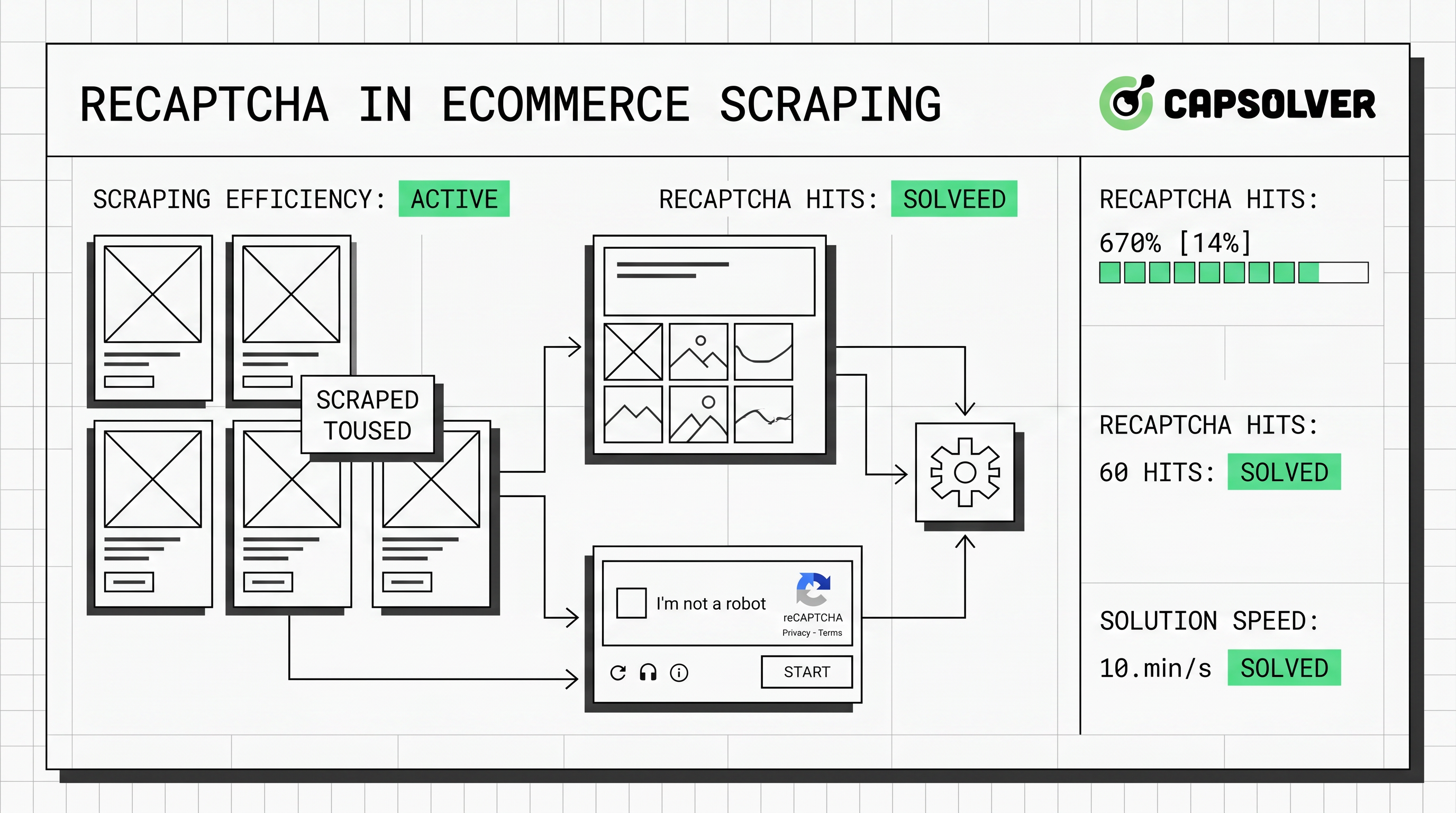
ReCAPTCHA in ecommerce scraping should be handled with a compliance-first process. The right response is not more aggressive crawling. It is a cleaner workflow that respects permissions, reduces noisy traffic, and uses a documented solving step only when allowed. This guide is for data engineers, SEO teams, pricing analysts, and growth teams collecting public ecommerce data responsibly. It explains why ReCAPTCHA appears, when to slow down, and when CapSolver fits a legitimate process.
Why Ecommerce Crawlers Meet recaptcha
ReCAPTCHA appears because ecommerce sites protect valuable customer and business flows. Product pages, search pages, carts, and logins all carry commercial risk. Google describes reCAPTCHA as a service that protects websites from spam and abuse by using advanced risk analysis to distinguish humans from bots through signals and scores Google reCAPTCHA documentation.
Ecommerce teams add recaptcha because automated traffic is now common. Thales and Imperva reported automated traffic reached 51% of web traffic in 2024. They also reported that harmful automated activity represented 37% of internet traffic, while API-directed attacks reached 44% of advanced bot traffic 2025 Imperva Bad Bot Report. That context explains why sites challenge unusual crawling patterns quickly.
ReCAPTCHA is also common near payment and account flows. Google Cloud says Transaction Defense for reCAPTCHA helps protect payment transactions against carding attacks and fraudulent transactions Google Cloud Transaction Defense. A crawler touching cart, checkout, or account pages faces stricter checks than public product monitoring.
First Rule: Confirm the Data Is Allowed
Compliance comes before technical changes. A crawler should collect only public, permitted, and necessary data. It should avoid login-only pages, private customer data, checkout steps, and restricted areas without explicit authorization.
The Robots Exclusion Protocol also matters. RFC 9309 says robots.txt gives service owners a way to control how crawlers access URI space, and crawlers are requested to honor those rules RFC 9309 Robots Exclusion Protocol. Robots.txt is not the only legal test. Still, responsible crawlers should parse it before running.
Before handling recaptcha, document four items. Define the business purpose, source pages, data fields, allowed paths, terms, request limits, concurrency, and retention. This makes recaptcha handling a governed data process.
CapSolver’s guide on what reCAPTCHA is can help stakeholders understand the challenge type.
Diagnose the Type of recaptcha
Diagnosis should happen before code changes. recaptcha v2 often appears as a checkbox or visual challenge. recaptcha v3 usually returns a score without user interaction, so the page may degrade, block an action, or ask for a stronger check later. Google notes that reCAPTCHA v3 returns a score so site owners can choose an action without showing a challenge to users Google reCAPTCHA v3 overview.
| Situation | Likely Meaning | Recommended Response |
|---|---|---|
| Challenge appears after many fast requests | Traffic pattern looks abnormal | Lower concurrency and add pacing |
| Challenge appears only on login or checkout | Page is high risk | Stop unless explicitly authorized |
| Challenge appears on public product pages | Session or request pattern needs review | Stabilize cookies and reduce bursts |
| v3 score causes empty or degraded pages | Trust score is low | Review browser context and request cadence |
| Challenge appears after redirects | Flow state is inconsistent | Preserve session and page order |
This diagnosis also controls cost. A calmer crawler often triggers fewer challenges and returns cleaner ecommerce data.
Comparison Summary
A useful ecommerce crawler starts with the least intrusive option. The table below compares common choices.
| Approach | Best Use Case | Compliance Notes | Operational Risk | Cost Profile |
|---|---|---|---|---|
| Official API or merchant feed | Partnered data access | Best option when available | Low | Predictable |
| Public page crawling with pacing | Public product and price monitoring | Respect robots.txt and terms | Medium | Low to medium |
| Browser automation | JavaScript-heavy product pages | Avoid restricted flows | Medium | Medium |
| Human review queue | Rare high-value checks | Strong audit trail | Low | Higher labor cost |
| CapSolver integration | Permitted automation that encounters recaptcha | Use only for lawful, benign workflows | Medium | Usage-based |
The table shows a practical point. recaptcha should be an exception path inside a crawler that respects rules and limits.
Build a Cleaner Ecommerce Scraping Workflow
A cleaner workflow reduces avoidable recaptcha events. Start with page selection. Crawl only public and allowed category or product pages. Avoid adding items to carts, submitting forms, or opening account pages unless the business owns the account and has permission.
Next, control traffic shape. Use modest concurrency, backoff rules, and stable scheduling. Ecommerce sites are sensitive during sales, launches, and holiday spikes. A crawler that respects those windows is less likely to create operational strain.
Session handling matters as well. Keep cookies consistent during a short crawl. Do not mix unrelated page flows inside one session. A product discovery path should not suddenly request checkout pages. That pattern can make recaptcha appear.
Track challenge rate, empty pages, HTTP codes, price parse failures, and duplicates. A rising recaptcha rate is an early warning.
If your team is choosing between direct crawling and official data access, this CapSolver article on web scraping versus APIs is a useful internal discussion link.
Where CapSolver Fits
CapSolver fits when a legitimate automation process meets recaptcha after compliance checks. It is useful for SEO audits, ad verification, and benign crawlers when the target data is permitted. CapSolver’s own position states that illegal, fraudulent, or abusive activity is prohibited, and it lists SEO, ad verification, benign crawlers, and business growth scenarios as intended uses CapSolver compliance statement.
That position matters. A CapSolver integration should never target private accounts, payment steps, restricted content, or clearly disallowed data.
CapSolver is especially relevant when your crawler already follows a respectful cadence but still meets recaptcha on allowed public pages. It can help maintain a stable workflow without forcing manual work for every challenge. For a focused ecommerce scenario, see CapSolver’s guide on how to solve CAPTCHAs when scraping ecommerce websites.
Official CapSolver Code Reference
The following code follows the CapSolver official documentation for reCAPTCHA v2. Do not change the task type or parameters without checking the current docs. Use this only in permitted workflows and with a valid API key.
python
# pip install requests
import requests
import time

# TODO: set your config
api_key = "YOUR_API_KEY"  # your api key of capsolver
site_key = "6Le-wvkSAAAAAPBMRTvw0Q4Muexq9bi0DJwx_mJ-"  # site key of your target site
site_url = "https://www.google.com/recaptcha/api2/demo"  # page url of your target site


def capsolver():
    payload = {
        "clientKey": api_key,
        "task": {
            "type": 'ReCaptchaV2TaskProxyLess',
            "websiteKey": site_key,
            "websiteURL": site_url
        }
    }
    res = requests.post("https://api.capsolver.com/createTask", json=payload)
    resp = res.json()
    task_id = resp.get("taskId")
    if not task_id:
        print("Failed to create task:", res.text)
        return
    print(f"Got taskId: {task_id} / Getting result...")

    while True:
        time.sleep(1)  # delay
        payload = {"clientKey": api_key, "taskId": task_id}
        res = requests.post("https://api.capsolver.com/getTaskResult", json=payload)
        resp = res.json()
        status = resp.get("status")
        if status == "ready":
            return resp.get("solution", {}).get('gRecaptchaResponse')
        if status == "failed" or resp.get("errorId"):
            print("Solve failed! response:", res.text)
            return


token = capsolver()
print(token)
The official CapSolver documentation says to create the task with createTask and retrieve the result with getTaskResult. It also explains that fields such as websiteURL and websiteKey are required for the task. For more implementation context, read CapSolver’s official-style guide on how to solve reCAPTCHA in web scraping using Python.
Redeem Your CapSolver Bonus Code
Boost your automation budget instantly!
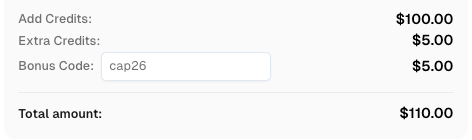
Use bonus code CAP26 when topping up your CapSolver account to get an extra 5% bonus on every recharge — with no limits.
Redeem it now in your CapSolver Dashboard
Practical Controls for Production
Production ecommerce scraping needs controls that non-engineers can audit. Create a crawler policy before deployment. The policy should name the data owner, allowed domains, allowed paths, maximum concurrency, maximum daily requests, retention period, and escalation contact.
Use a recaptcha encounter rate as a key metric. If the rate rises above a defined threshold, reduce crawl speed or pause. If challenges appear on restricted flows, stop the job. If a target changes its robots.txt or terms, review the crawler before continuing.
Keep the data narrow. Price, availability, title, image URL, and public review count may be valid for some business cases. Customer names, private reviews behind login, cart tokens, and account data should stay out of scope unless the site owner has authorized access.
This is also where a fallback queue helps. A crawler can store unresolved pages for review instead of retrying repeatedly. That single design choice lowers load, lowers cost, and keeps recaptcha handling defensible.
For additional engineering patterns, CapSolver’s article on three ways to solve CAPTCHA while scraping can support implementation planning.
Common Mistakes to Avoid
The first mistake is treating recaptcha as only a technical obstacle. It is often a sign that the crawler is too broad, too fast, or outside the intended flow. Fix the workflow before adding tools.
The second mistake is ignoring page context. Ecommerce sites treat search, product, cart, login, and checkout pages differently. Your crawler should do the same. Public product monitoring has a different risk profile from account automation.
The third mistake is missing audit logs. Every recaptcha event should record the URL group, timestamp, crawler version, response code, and action taken.
The fourth mistake is using stale code. recaptcha implementations change. CapSolver documentation should be the source for code structure, task types, and required fields.
Conclusion and CTA
ReCAPTCHA in ecommerce scraping is best handled through governance, diagnosis, and careful tooling. Start with permission checks, robots.txt, terms, and data minimization. Then reduce avoidable challenges with pacing, stable sessions, and limited scope. If recaptcha still appears in a lawful and permitted automation workflow, CapSolver can provide a practical solving layer based on official documentation.
If your team needs a controlled way to handle recaptcha during ecommerce data collection, review the CapSolver documentation, define your compliance rules, and test on low-volume public pages first. A responsible crawler should collect only what it needs, stop when rules change, and leave a clear audit trail.
FAQ
Is it legal to handle recaptcha during ecommerce scraping?
It depends on permission, data type, jurisdiction, and site terms. A safer workflow uses public allowed pages, honors robots.txt, avoids private data, and follows documented limits. Legal review is wise for commercial projects.
Why does recaptcha appear on product pages?
ReCAPTCHA can appear when request volume, session history, browser context, or traffic timing looks unusual. It may also appear because the site applies strict protection to pricing and availability pages.
Should I solve every recaptcha I see?
No. A high recaptcha rate usually means the crawler needs review. Slow down, reduce scope, check allowed paths, and use solving only for permitted exception cases.
Can CapSolver help with ecommerce scraping?
Yes, CapSolver can help when a legitimate ecommerce automation workflow encounters recaptcha. Use it only for lawful, benign, and permitted data work, and follow the official documentation.
What should I monitor after deployment?
Monitor recaptcha rate, status codes, parse errors, volume, path groups, and unresolved queues. Pause the crawler when thresholds are exceeded.
More
reCAPTCHAAug 13, 2026
How to Solve reCAPTCHA v3 with Playwright: Complete Guide
The reliable way to implement playwright recaptcha v3 is to pause the permitted browser task at the verification checkpoint, recover inside the same Playwright page, and resume only after the original action passes its own assertion. CapSolver provides the official `capsolver-core` browser pipeline for detection, parameter reading, solving, and fill-back. Playwright remains responsible for navigation, form state, credentials, and test assertions. This separation avoids stale

reCAPTCHAJul 16, 2026
