How to Solve AWS WAF Challenge Without a Browser: A Technical Guide

Ethan Collins
Pattern Recognition Specialist
TL;Dr:
- Solving AWS WAF challenges without a browser eliminates the need for resource-heavy headless browsers like Puppeteer.
- The process requires extracting specific cryptographic parameters from the 405 status code response.
- CapSolver's API handles the complex JS execution and decryption required to generate a valid aws-waf-token.
- Integrating a browserless solver can reduce infrastructure costs by up to 80% while increasing automation speed.
Introduction
Automating data collection from websites protected by Amazon Web Services often leads to a significant technical hurdle: the AWS WAF challenge. Traditionally, developers have relied on headless browsers to execute the required JavaScript and solve these puzzles. However, as bot traffic now accounts for nearly 50% of all internet activity according to the Imperva Bad Bot Report 2025, security measures have become more aggressive. Running a full browser instance for every request is not only slow but also incredibly expensive at scale. This guide focuses on a more efficient approach: how to solve AWS WAF challenge without a browser. Understanding how to solve AWS WAF challenge without a browser is essential for modern web scraping. By using a token-based API strategy, you can bypass these security layers with minimal overhead and maximum reliability.
The Architecture of AWS WAF Challenges
To solve a challenge without a browser, you first need to understand what happens when a request is intercepted. Mastering how to solve AWS WAF challenge without a browser requires a deep dive into the 405 status code. AWS WAF typically uses two main methods to verify traffic: a silent JavaScript challenge and a visible CAPTCHA. When your scraper hits a protected resource, the server may return a 202 or 405 status code. Each of these requires a different set of parameters to be resolved. Understanding these responses is the first step in building a browserless solution.
Status Code 202 vs 405
The status code returned by the server dictates the complexity of the challenge you need to solve. A 202 status code usually indicates a simpler JavaScript-only challenge, whereas a 405 status code means a full CAPTCHA or a more complex interrogation is required.
| Status Code | Challenge Type | Required Parameters |
|---|---|---|
| 202 Accepted | Silent JS Challenge | awsChallengeJS URL |
| 405 Method Not Allowed | Full CAPTCHA / Interrogation | awsKey, awsIv, awsContext, awsChallengeJS |
For developers looking to scale, identifying these codes programmatically is essential. You can learn more about the specifics of these responses in our detailed guide on how to handle AWS WAF 405 status code.
Why Go Browserless?
The shift toward browserless solving is driven by the need for efficiency. Many developers are now asking how to solve AWS WAF challenge without a browser to save on server costs. This is why learning how to solve AWS WAF challenge without a browser has become a top priority. Headless browsers consume significant CPU and memory, often requiring specialized infrastructure to run reliably. In contrast, a browserless approach uses standard HTTP clients like Python's requests or Node.js's axios to communicate directly with a solving API. This method can reduce infrastructure costs by up to 80% while increasing the speed of each request cycle.
Bypassing the JavaScript Execution Requirement
The main hurdle in a browserless environment is the execution of the AWS challenge script. This script is designed to collect browser fingerprints and solve cryptographic puzzles. By using a service like CapSolver, you offload this execution to a specialized server. The API takes the raw parameters from the AWS response and returns the final aws-waf-token without ever needing to render a page. This is a core component of any modern webscraping tools explained guide.
Step-by-Step Browserless Integration
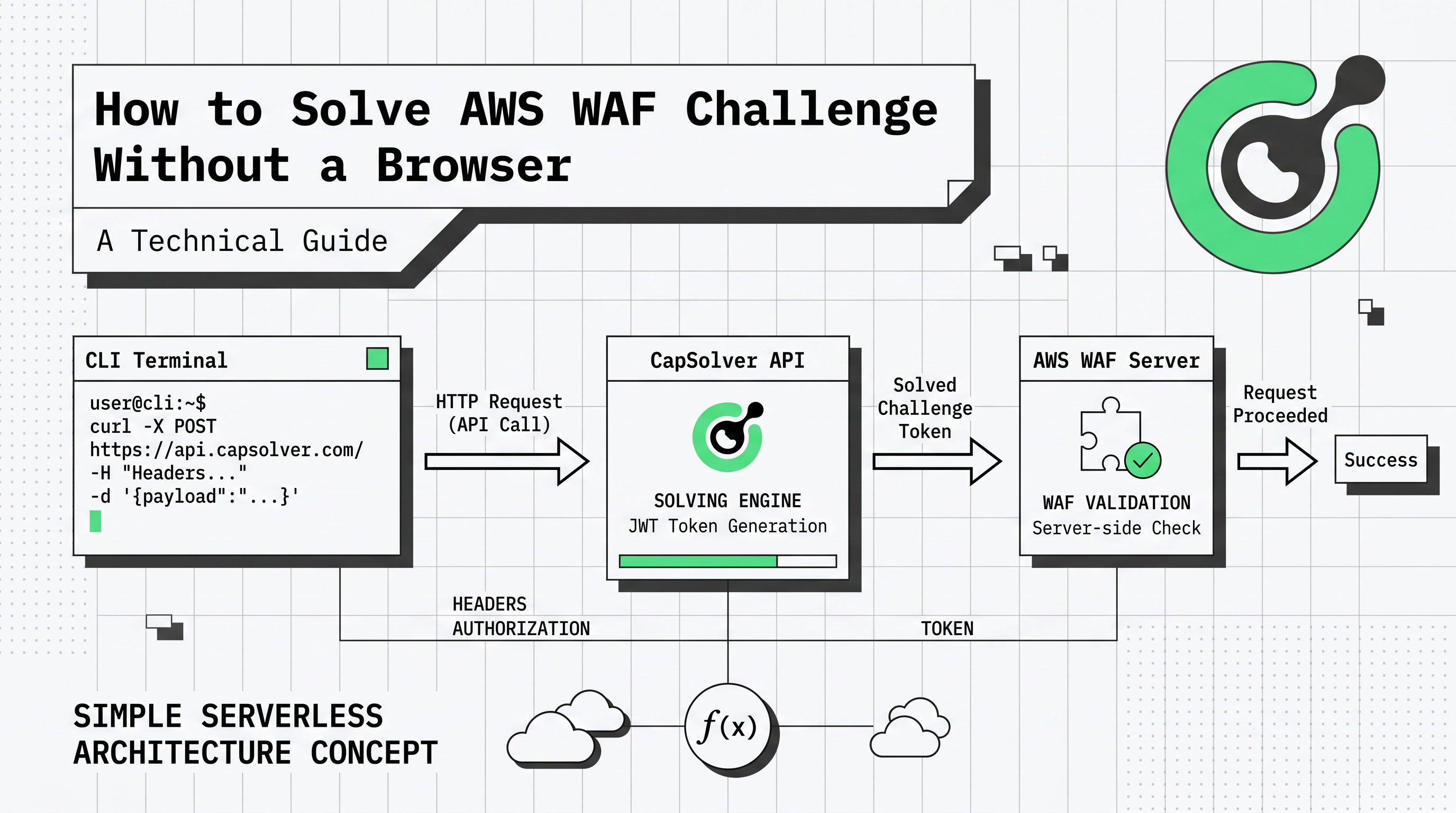
Implementing a browserless solution involves three main phases: interception, solving, and injection. This is the standard workflow for how to solve AWS WAF challenge without a browser. By following this method, you can effectively learn how to solve AWS WAF challenge without a browser. This workflow ensures that your automated scripts can maintain a valid session even when faced with aggressive AWS WAF rules.
Step 1: Intercepting the Challenge
When your script receives a 405 response, you must parse the HTML to find the encrypted challenge parameters. These are typically found in the script tags or as metadata within the page. You will need to extract the awsKey, awsIv, and awsContext, along with the URL of the awsChallengeJS file.
python
import requests
from bs4 import BeautifulSoup

def extract_aws_parameters(url):
    response = requests.get(url)
    if response.status_code == 405:
        soup = BeautifulSoup(response.text, 'html.parser')
        # Example extraction logic (actual implementation depends on page structure)
        aws_key = soup.find('input', {'id': 'aws-waf-key'})['value']
        aws_iv = soup.find('input', {'id': 'aws-waf-iv'})['value']
        aws_context = soup.find('input', {'id': 'aws-waf-context'})['value']
        js_url = soup.find('script', {'src': True})['src']
        return aws_key, aws_iv, aws_context, js_url
    return None
Step 2: Creating the Solving Task
Once you have the parameters, you submit them to the CapSolver API. For a browserless setup, the AntiAwsWafTaskProxyless is often the best choice as it uses an internal proxy pool optimized for AWS.
python
def create_capsolver_task(api_key, website_url, aws_key, aws_iv, aws_context, js_url):
    payload = {
        "clientKey": api_key,
        "task": {
            "type": "AntiAwsWafTaskProxyless",
            "websiteURL": website_url,
            "awsKey": aws_key,
            "awsIv": aws_iv,
            "awsContext": aws_context,
            "awsChallengeJS": js_url
        }
    }
    response = requests.post("https://api.capsolver.com/createTask", json=payload)
    return response.json().get("taskId")
This request returns a taskId. You then poll the getTaskResult endpoint until the status is ready. For more technical details on this process, refer to the AWS WAF token solving guide.
Step 3: Retrieving the Result
Polling the result is a critical part of the browserless workflow. You should implement a loop with a short delay to check the status of your task.
python
import time

def get_task_result(api_key, task_id):
    payload = {
        "clientKey": api_key,
        "taskId": task_id
    }
    while True:
        response = requests.post("https://api.capsolver.com/getTaskResult", json=payload)
        result = response.json()
        if result.get("status") == "ready":
            return result.get("solution").get("cookie")
        time.sleep(3)
Step 4: Injecting the Token
The final step is to take the token returned by the API and add it to your HTTP client's cookie jar. The cookie must be named aws-waf-token. Once this cookie is present, subsequent requests to the protected website will be validated as legitimate traffic.
python
def make_protected_request(url, token):
    cookies = {'aws-waf-token': token}
    response = requests.get(url, cookies=cookies)
    return response.text
Advanced Strategies for High-Volume Automation
For enterprise-level scraping, simply solving the challenge is not enough. You must also manage your fingerprints and proxies to avoid being flagged by AWS's behavioral analysis.
Proxy Management and Fingerprinting
Even without a browser, AWS WAF can analyze the headers and TLS fingerprints of your requests. It is recommended to use high-quality residential proxies and to rotate your user-agent strings frequently. If you are also dealing with other security layers, you might find our guide on best proxy services helpful for maintaining a comprehensive automation strategy.
Monitoring and Feedback
Implementing a feedback loop is vital for long-term success. By using the feedbackTask endpoint, you can inform the solving service whether a token was successful. This data helps improve the solving algorithms and ensures higher success rates for your specific target site. This level of integration is a hallmark of a professional AWS solver.
Conclusion
Learning how to solve AWS WAF challenge without a browser is a game-changer for developers who need to scale their automation. Once you know how to solve AWS WAF challenge without a browser, you can run thousands of concurrent tasks. By moving away from resource-heavy headless browsers and adopting a token-based API approach, you can achieve faster, more cost-effective results. CapSolver provides the necessary tools to handle the complex decryption and JS execution required by AWS, allowing you to focus on your core data collection tasks
FAQ
-
Is it possible to solve AWS WAF challenges using only Python requests?
Yes, by using a solving API like CapSolver, you can extract the challenge parameters and receive a valid token that can be used with the Pythonrequestslibrary. This completely removes the need for a browser. -
What is the difference between AntiAwsWafTask and AntiAwsWafTaskProxyless?
AntiAwsWafTaskrequires you to provide your own proxies, which the solver will use to interact with AWS.AntiAwsWafTaskProxylessuses CapSolver's internal proxy pool, which is often more convenient for browserless setups. -
How long does it take to get an aws-waf-token?
On average, the solving process takes between 5 and 15 seconds, depending on the complexity of the challenge and the current network latency. -
Can I use this method for other AWS services?
This method is specifically designed for websites protected by AWS WAF. If the target site uses other AWS security features, the parameters and task types may vary. -
Where can I find the full API documentation?
The complete technical reference for all task types and endpoints is available in the CapSolver API documentation.
Deep Dive: The Mechanics of Token Generation
To truly master how to solve AWS WAF challenge without a browser, one must delve into the cryptographic exchange that occurs during the challenge phase. This is the most technical aspect of how to solve AWS WAF challenge without a browser. AWS WAF does not just check for a valid cookie; it validates the entire lifecycle of the token. This includes checking the timestamp, the IP address that generated the token, and the specific context of the request. When you use a browserless solver, the API must simulate this entire environment to produce a token that the AWS servers will accept as legitimate.
The Role of Fingerprinting in Browserless Environments
Even in a browserless setup, fingerprinting remains a critical factor. AWS WAF uses advanced heuristics to detect anomalies in the HTTP stack. This includes analyzing the order of headers, the specific TLS version and cipher suites used, and even the TCP/IP window size. A professional solving service handles these nuances by ensuring that the token generation process mimics a real browser's fingerprint as closely as possible. This is why using a specialized AWS solver is far more effective than attempting to write a custom script from scratch.
Scaling Your Browserless Solution
As your automation needs grow, you will likely encounter rate limiting and more aggressive IP-based blocking. To mitigate this, it is essential to integrate your browserless solver with a robust proxy management system. Rotating your proxies and ensuring they are geographically aligned with your target website's audience can significantly improve your success rates. For more tips on optimizing your setup, check out our recommendations for the best proxy services for web scraping.
Future-Proofing Your Automation
The landscape of web security is constantly shifting. AWS frequently updates its WAF rules and challenge logic to stay ahead of automated tools. Staying informed about these changes is the only way to ensure your scrapers continue to function. By relying on a service that actively maintains its solving engines, you future-proof your infrastructure against these updates. Whether it is a new version of the JS challenge or a more complex AWS interrogation, a dedicated API provider will handle the technical heavy lifting, allowing you to focus on extracting value from the data you collect.
More
aws wafJul 23, 2026
How to Solve AWS WAF in LangChain with CapSolver
Build an authorized AWS WAF LangChain workflow with CapSolver tools, response detection, policy gates, session handling, retries, and verification.
aws wafJun 04, 2026
AI Agent Blocked by AWS WAF CAPTCHA: Diagnosis and Fix
AI agent blocked by AWS WAF CAPTCHA? Learn causes, log signals, token checks, browser fixes, and safe CapSolver integration for automation workflows.

