
🎉NEWCapSolver for AI agents-MCP, agent tools, and SDK integrations

Nikolai Smirnov
Software Development Lead
Published Nov 26, 2026
Updated Nov 26, 2026 · min read
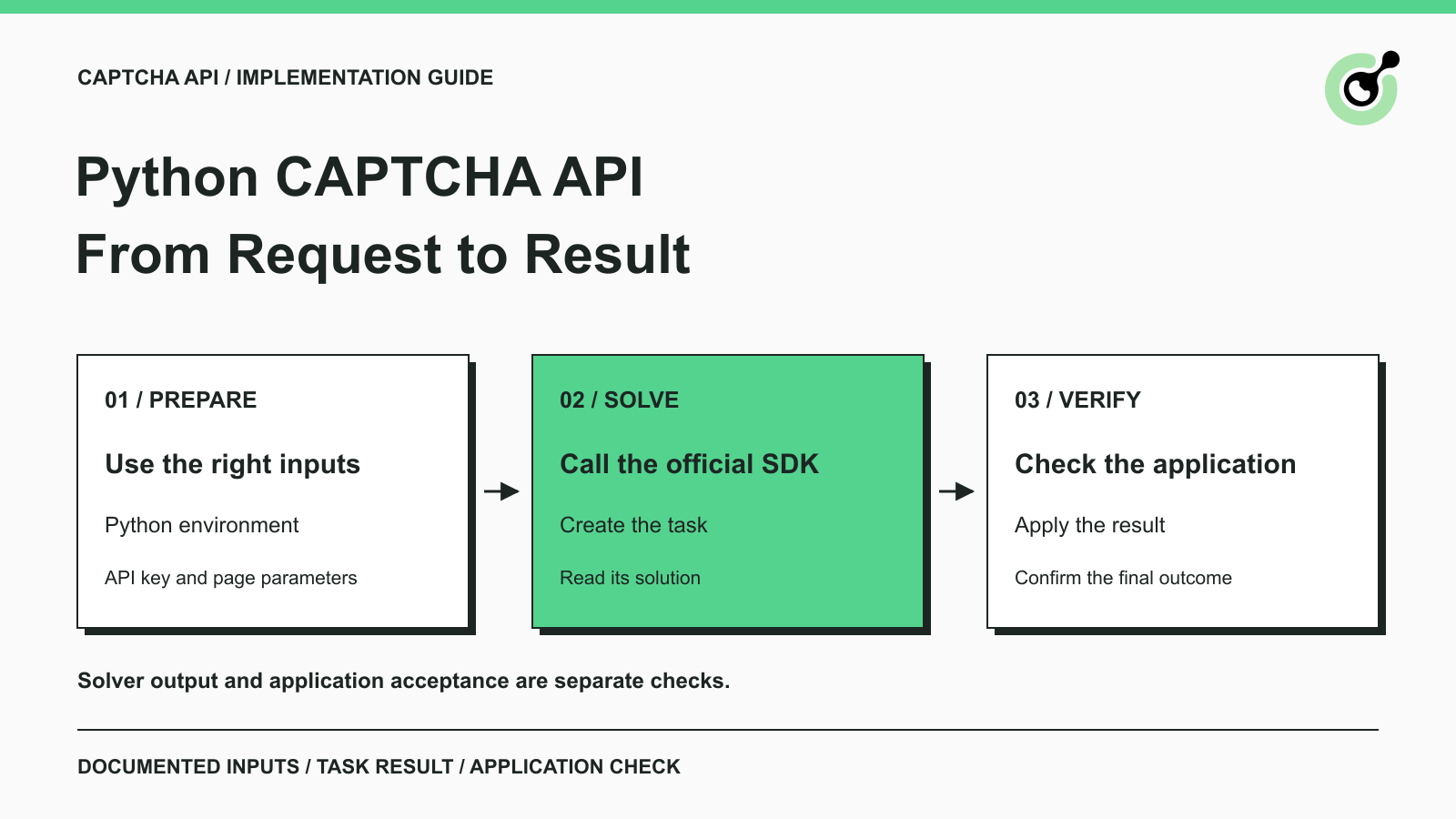
capsolver Python package can handle task submission and polling through capsolver.solve().solution.gRecaptchaResponse is a reCAPTCHA result, not a universal field for every challenge type.A CAPTCHA solving API can provide a token or recognized text to a Python application, but the application still needs to use that result correctly. An API task reaching a ready state and a form being accepted are two separate outcomes.
Improving CAPTCHA API reliability in Python starts with a consistent sequence: prepare the environment, create a task, retrieve the solution, and submit it through the intended workflow. It uses the short Python example published in CapSolver documentation instead of maintaining another custom polling implementation. Start with a single permitted test page and its actual challenge parameters. A small working request is easier to diagnose than several concurrent tasks with different site keys, browser sessions, and failure conditions.
A CAPTCHA solving API supplies a documented recognition or token result when an authorized automation workflow encounters a supported challenge.
For example, a QA script may reach a reCAPTCHA widget before it can submit a permitted test form. The solver's role is to return the appropriate result for that challenge; your test code retains the page state and verifies the submission. The API does not grant permission to operate on a site or guarantee the final action succeeds.
Choose the API path according to the result you need. Image-to-text recognition returns text for an image input, while the reCAPTCHA v2 task in this guide returns a token. Avoid making success-rate or response-time promises from an example request alone.
Prepare a separate Python environment, an API key, and the parameters of the challenge you are authorized to test.
Use a virtual environment, following Python's venv instructions, so project dependencies remain isolated. The official reCAPTCHA v2 guide uses the capsolver package:
pip install --upgrade capsolverRun the installer from the activated environment, and execute the example using the same interpreter. A package installed for another Python environment will not fix an import error in this one.
The solver key comes from your CapSolver dashboard. Make it available through CAPSOLVER_API_KEY, as shown in the official example comments, or use the SDK's documented key configuration. Keep the value out of source control and logs. Successful paid solving requires sufficient account balance.
The example below has not been verified through a funded solve and final site acceptance in this revision. It preserves the official SDK call; replace placeholders only in your own local environment, and perform a controlled end-to-end check before deployment.
For the reCAPTCHA v2 example, record the page URL and the widget's site key. Google's v2 rendering guide shows how the site key relates to the widget configuration. The public site key is not your solver account key and is not the site's private verification secret.
Additional parameters depend on the actual challenge. Read the task-specific guide rather than sending the same minimal payload to every variant.
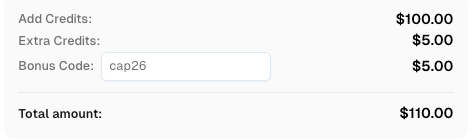
Redeem Your CapSolver Bonus Code
Boost your automation budget instantly!
Use bonus code CAP26 when topping up your CapSolver account to get an extra 5% bonus on every recharge — with no limits.
Redeem it now in your CapSolver Dashboard
The official Python SDK performs task submission and result retrieval inside capsolver.solve().
This block is preserved from the official reCAPTCHA v2 documentation. It requires a valid funded key and has a disclosed paid-execution gap; the demo values are documentation inputs, not evidence of a successful solve in this revision.
import capsolver
solution = capsolver.solve({
            "type": "ReCaptchaV2TaskProxyLess",
            "websiteURL": "https://www.google.com/recaptcha/api2/demo",
            "websiteKey": "6Le-wvkSAAAAAPBMRTvw0Q4Muexq9bi0DJwx_mJ-",
          })
The type selects the API task. websiteURL and websiteKey must describe the same challenge. The official example uses Google's demo page; substitute values only for a permitted page you have inspected.
For this reCAPTCHA task, read gRecaptchaResponse from the solution returned by the SDK. If you call the raw HTTP API instead, createTask can return a task ID for later retrieval, while supported synchronous recognition tasks can return a ready solution immediately.
The getTaskResult response contract separates processing from ready and reports API errors through errorId, errorCode, and errorDescription. A pending task is not a reason to submit a replacement task on every check. Preserve the original task ID when using raw HTTP.
Do not assume another CAPTCHA family uses the same result field. Interpret the solution with the documentation for the task you submitted.
Apply the token to the current page's expected verification flow and check that the application accepted the operation. A generic requests.post() to an arbitrary page URL is not a complete browser integration: forms may depend on current cookies, hidden fields, callbacks, or other application state.
For applications you own, Google's reCAPTCHA verification reference describes server-side validation, single-use tokens, and the two-minute expiry. The site owner's verification secret stays on its backend. Receiving a solver token does not replace that validation.
Record the expected outcome before testing, such as a specific confirmation state from your own test form. An HTTP 200 response can contain an error page, so inspect the result itself. The API testing glossary provides useful terminology for these assertions.
Reliable Python CAPTCHA API handling requires separate limits for HTTP requests, result polling, and the application attempt.
For raw HTTP requests, the Requests timeout documentation explains that a request timeout is not a total download deadline. Configure transport timeouts and handle HTTP and JSON errors before interpreting the solver response. Do not assume Requests-specific options are accepted by a different SDK.
Set a separate elapsed-time budget for the whole task. That budget includes the creation request, waits between result queries, and response handling. The application's remaining time may be shorter than the provider's result-retention window. If the form attempt has already ended, a late token should not be attached to a different submission.
The current getTaskResult limits allow at most 120 queries per task and retrieval within five minutes of creation. The processing example instructs callers to try again after three seconds. Treat the query limit and retention window as separate upper bounds; neither promises that every task will complete within your application's deadline.
With raw HTTP, persist a known task ID before the next query and stop when a terminal result, terminal error, or local deadline is reached. If a result query temporarily fails, the existing task is still the object to query. Creating another task on every processing response increases work without completing the original task sooner.
The documented capsolver.solve() helper handles submission and polling for you. Do not add an outer retry loop around the whole helper without considering that another invocation can create a new paid task.
A creation request can time out after the server received it but before your client received the task ID. Record this as an unknown submission outcome. A network exception alone does not establish that no task exists.
There is no documented creation idempotency field in the createTask contract. Do not invent one or assume that repeating identical JSON will reuse the original task. Apply a bounded policy for uncertain attempts, check available task or usage evidence, and prevent an automatic loop from repeatedly submitting the same application attempt.
| Observed state | Next action in the Python application |
|---|---|
| Credential, balance, or input error | Correct the reported condition before another submission |
Known task ID with processing |
Wait and query that task within the documented limits |
| Transient failure while retrieving a known task | Retry retrieval within the remaining budget; keep the ID |
| Creation timed out without a task ID | Record the uncertainty; avoid a blind resubmission loop |
| Ready result with the expected solution field | Apply it to the current attempt and check acceptance |
| Application attempt expired | End the attempt; keep any late provider result separate |
This is an application decision table, not an additional API status enumeration. Retain the provider's actual error code alongside the local outcome category.
Keep each task's page parameters, task ID, and final outcome associated with the same application attempt. Restrict active tasks and queued work to a level your browser workers can consume before results become stale. Tune that level from measurements of your permitted workload, not a universal concurrency number.
The Python Core SDK versus HTTP API guide explains another implementation choice. Browser-aware detection and fill-back in the Core SDK use a separate interface from capsolver.solve(). Keep their methods, timeout options, and result types separate.
Resolve failures at the layer that reports them rather than changing unrelated browser settings.
Use the current API error table to interpret credential, balance, task-type, and parameter errors. Repeating an unchanged invalid request does not correct it. If the API returned a result but the application rejected the action, inspect page context, token age, and the site's response separately.
If Python cannot import capsolver, check the active interpreter and installed package first. If you are using a different SDK, follow that SDK's own error and response contract. Do not infer its methods from a similarly named package.
Keep the entire workflow within the properties and tasks you are authorized to automate, including the data sent to the solver.
A useful Python integration has a clear chain from challenge parameters to solver result to application acceptance. CapSolver supplies the supported task result; your application remains responsible for its permissions, state, and final checks. Keep the first implementation small, preserve useful error details without secrets, and expand only after that chain works for your actual task.
Q: Do I need to write a polling loop in Python?
Not when using the documented capsolver.solve() interface shown here. A raw HTTP integration must handle the asynchronous task contract when the selected task requires it.
Q: Does every CAPTCHA task return gRecaptchaResponse?
No. That is the reCAPTCHA field used by this example. Other tasks have their own documented solution structure.
Q: Can I use the API key as the reCAPTCHA site key?
No. The solver API key identifies your solver account; the public site key identifies the website's widget configuration.
Q: Is a returned token the same as successful submission?
No. Your application must deliver the result through the correct flow and confirm that the site accepted the operation.
Q: Should I retry the whole SDK call when a request times out?
Avoid blindly retrying the entire call: another invocation may create a new task. Preserve a known task ID when available, distinguish retrieval failure from uncertain creation, and bound the retry policy for the application attempt.
Nikolai Smirnov
Software Development Lead
Building dependable software for complex automation.
ABOUT THE AUTHOR
Compare Python CAPTCHA solvers by SDK design, async support, task inputs, and browser responsibilities. Choose an API with a practical acceptance test.
Test a CAPTCHA solver API with Postman, configure JSON requests, inspect task results, distinguish API errors, and keep account credentials out of shared files.