
🎉NEWCapSolver for AI agents-MCP, agent tools, and SDK integrations

Lucas Mitchell
Automation Engineer
Published Nov 05, 2026
Updated Nov 06, 2026 · min read
Image to Text CAPTCHA API clients need a predictable boundary between the component that captures an image and the component that consumes recognized text. Use this checklist when updating an existing client or reviewing a recognition handler for an owned or authorized workflow.
CapSolver documents the request and response fields covered in this guide.
Capture the intended challenge image and encode the original image bytes as Base64. Put that value in body inside the ImageToTextTask object. A browser data URL combines metadata with encoded bytes. Remove its prefix and keep the Base64 value on one line. ImageToTextTask reference
In a local fixture, decode the value and check that it matches the original image bytes. This catches accidental double encoding before the request leaves your application. Keep credentials and raw images out of routine request logs.
ImageToTextTask returns its recognition result directly from createTask. Inspect errorId and any associated error code first. For the documented successful response, read the recognized text from solution.text. Treat a missing or unexpected field as a distinct client diagnostic. Task types · Error codes
Redeem Your CapSolver Bonus Code
Boost your automation budget instantly!
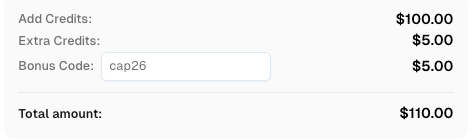
Use bonus code CAP26 when topping up your CapSolver account to get an extra 5% bonus on every recharge — with no limits.
Redeem it now in your CapSolver Dashboard
Pass the result through as a string. Converting a value such as 0072 to a number drops the leading zeros. Apply any normalization only when the application specifies it. A local parser fixture can check that leading zeros survive and that an error response never reaches the input field.
When the authorized application consumes the recognized text, record whether the application accepted it as a separate outcome. This distinguishes an API response parsing problem from an application validation problem.
Use CapSolver with the documented request contract and check the application outcome separately.
Q: Where does the image go?
Send the Base64 image content in the task object's body field.
Q: Where should I read the recognized text?
Check the createTask response for errors, then read solution.text on a successful response.
Q: What is a useful local test for the client?
Verify that the encoded value decodes to the original bytes and that your parser preserves a recognized string with leading zeros.
Lucas Mitchell
Automation Engineer
Helping browser automation recover and continue.
ABOUT THE AUTHOR
Match VisionEngine modules to documented image inputs and read the angle or distance result from the task response.

Fix ERROR_INVALID_TASK_DATA by checking the response description, task type, field names, value types, and serialization in your CAPTCHA solver request.