

🎉NEWCapSolver for AI agents-MCP, agent tools, and SDK integrations

Ethan Collins
AI Agent Workflow Engineer
Published Oct 30, 2026
Updated Oct 28, 2026 · min read
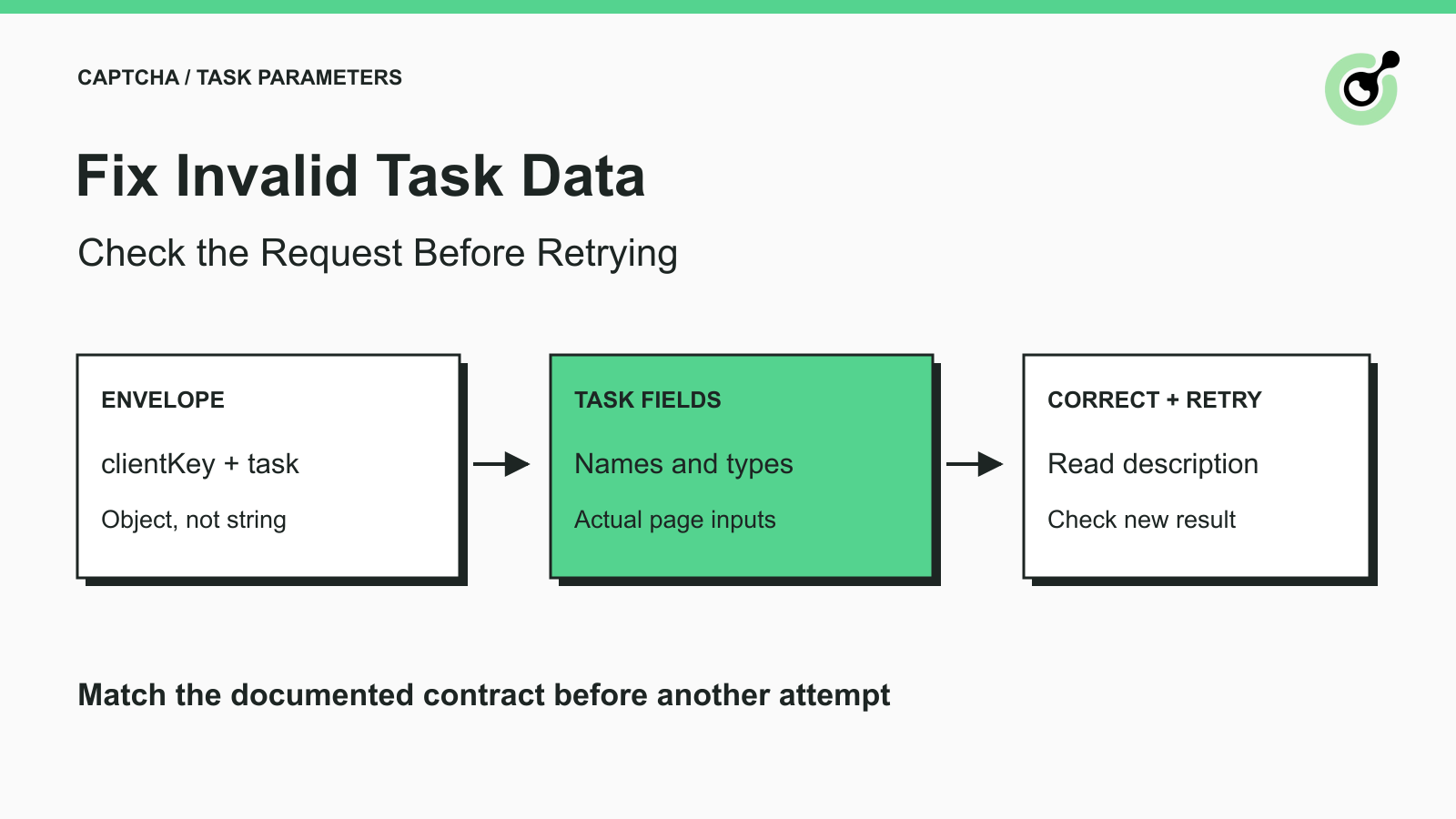
ERROR_INVALID_TASK_DATA means the submitted task data is incorrect; the returned errorDescription is the starting point for diagnosis.When a CAPTCHA request fails before returning a usable result, it is tempting to change several settings at once. With ERROR_INVALID_TASK_DATA, a better first step is to preserve the response and inspect the request that actually reached the API.
CapSolver documents this error as incorrect submitted task data and directs users to the error description. The code alone does not identify a universal missing field. The selected task type, its required inputs, and the server's specific message determine what to investigate.
This guide covers request diagnosis. It does not claim that every malformed request produces this one code or that the API validates fields in a fixed order.
It indicates that the submitted task data is not acceptable for the request being processed.
The official error reference lists ERROR_INVALID_TASK_DATA separately from unsupported task types, invalid image data, authentication errors, and solving failures. Preserve the full errorCode and errorDescription rather than reducing all failures to “CAPTCHA failed.”
The direct API uses errorId to indicate an error. If the response reports an error, do not continue as though a valid taskId or solution exists. Branch into diagnosis first.
An API parameter has a name, a value type, and a location in the request. A value can be meaningful in your application but still be wrong for the interface if it is placed under the wrong key or serialized as the wrong JSON type.
For example, a tool wrapper might accept website_url, while the direct task uses websiteURL. Neither spelling is universally correct; each belongs to its own interface. The error investigation must start by identifying which interface your code calls.
Capture the error code, description, task type, and a redacted copy of the final payload from the same failed attempt.
Inspect the object after your application has applied configuration, defaults, and serialization. A correct-looking variable earlier in the script does not prove that the HTTP client sent the same structure.
For routine logs, remove the account key, full solution values, cookies, and sensitive page data. Preserve the parameter names and safe type information. If support needs a task reference, keep it with the matching attempt instead of combining details from several retries.
A useful troubleshooting note identifies the endpoint, task type, field names present, JSON types, and exact error text. It also states whether the request was sent directly, generated by an SDK, or translated from an MCP tool call. That interface detail often explains why apparently valid fields are being rejected.
Do not paste an unredacted request into a public issue or model prompt just to make debugging easier. Keep the diagnostic record in the appropriate internal channel.
For a direct createTask request, compare the outer object with the createTask documentation.
The following JSON is an illustrative request shape based on the documented reCAPTCHA v2 proxyless task. It has placeholder credentials and page values; it is not a submitted request or a usable challenge example.
{
  "clientKey": "YOUR_API_KEY",
  "task": {
    "type": "ReCaptchaV2TaskProxyLess",
    "websiteURL": "https://example.com/authorized-form",
    "websiteKey": "PUBLIC_SITE_KEY_FROM_THAT_PAGE"
  }
}
Here, clientKey is outside task, while the task-specific inputs are inside it. The task value is a JSON object, not a string containing escaped JSON.
This shape was parsed and compared with the current reCAPTCHA v2 parameter table. No solving request was made with these placeholders. A real request needs your own credential, an authorized page, and its actual challenge parameters.
Compare the structure first. If your request builder accidentally turns the task into a quoted string, changing the site key will not repair the envelope. If the body is form-encoded while your client code assumes JSON, inspect the serialization path before editing challenge-specific values.
Use the parameter table for the actual task variant rather than combining fields from several examples.
| What to inspect | Question to ask | Correction when a mismatch is confirmed |
|---|---|---|
| Task type | Does this interface accept this exact type value? | Use the documented type for the observed challenge |
| Field spelling | Does the outgoing key match the API contract? | Correct the key in the request builder |
| Required values | Is a required field missing, empty, or accidentally null? | Supply the actual value from the permitted page or configuration |
| JSON type | Is an object being sent as a string, or a boolean as text? | Correct serialization and value types |
| Nested fields | Is the field inside the object the documentation specifies? | Fix its location without guessing extra fields |
| Challenge context | Do the URL and public key describe the same current challenge? | Refresh the inputs from the intended page |
This is a review order, not a claim about the server's validation order. The error description may point directly to a more specific problem; follow that evidence first.
Avoid adding every optional parameter “just in case.” Extra guesses can make the request harder to understand. Start from the documented required fields, then add the values required for the actual variant. A field needed by one CAPTCHA family may have no meaning in another.
If a field is conditional, read the condition. Do not invent an empty placeholder solely to make the object look complete. For example, the separate reCAPTCHA v2 documentation explains a variant-specific mapping; it should not become a reason to add an arbitrary s value to every request.
Redeem Your CapSolver Bonus Code
Boost your automation budget instantly!
Use bonus code CAP26 when topping up your CapSolver account to get an extra 5% bonus on every recharge — with no limits.
Redeem it now in your CapSolver Dashboard
Check the contract at the boundary your application actually uses.
The MCP service documentation describes tool calls, while the direct API reference describes HTTP task objects. A function parameter in an SDK or tool schema does not automatically become a same-named key in the REST payload.
Suppose your application receives website_url from an agent. If it calls an MCP tool that advertises that argument, the spelling may be appropriate. If it constructs a direct reCAPTCHA task, the request builder must produce the documented websiteURL field. Copying the tool arguments unchanged into task skips the necessary mapping.
Likewise, a type advertised by an agent adapter is not necessarily a REST task class name. Inspect the adapter's current schema and implementation path rather than borrowing a class name from an unrelated example.
Keep a small mapping in the integration code and test it locally. A serialization test can establish that your program produces the expected JSON shape. It cannot establish that the public site key is correct, the account is authorized, or a live solve will succeed.
For Python users, the standard JSON documentation explains how dictionaries, strings, booleans, and null values are serialized. For JavaScript users, JSON.stringify documentation helps identify where an object becomes a JSON string. Follow your HTTP client's JSON-body API rather than serializing the same object twice.
Make one evidence-based correction, send the corrected request, and inspect the new response before making another change.
If the task is accepted and returns an asynchronous task identifier, use the documented getTaskResult flow. Do not keep creating tasks while waiting for the first accepted request to complete.
A new error code is new evidence. For example, an unsupported-task error should move the investigation to the accepted task type, while an image parsing error should move it to the submitted image. Do not keep treating every response as the original data error.
If the description indicates a service restriction or an unsupported use, changing unrelated parameters is not an appropriate solution. Stop the attempt and resolve the documented limitation through the supported channel.
Once the service returns a solution, the browser or application still needs to consume and validate it for the intended operation. A repaired request establishes that the input problem was addressed; it does not guarantee that an unrelated form field or business rule will pass.
Send a minimal, redacted reproduction that preserves the failing shape and exact error text.
Include the task type, the interface used, SDK or package version if applicable, safe field names and types, the error code and description, and the time of the attempt. Include the task reference if one was returned. Describe the correction already attempted and the resulting response.
Exclude unrelated application logic and secret values. If removing a field changes the outcome, record that observation without assuming it proves a broader cause. The goal is to identify the smallest request difference that explains this particular failure.
Do not claim success based only on a local JSON parse. Parsing checks syntax; the service still evaluates its task contract and context. Keeping those checks separate makes the support report much easier to act on.
A reliable CAPTCHA request begins with the correct contract and observable input data. CapSolver provides the documented solver interface for that step. Try CapSolver with a permitted test workflow and keep the final application check separate.
Q: Does ERROR_INVALID_TASK_DATA always mean websiteKey is wrong?
No. The code describes invalid task data broadly. Read errorDescription and compare the outgoing payload with the selected task's documentation before identifying a particular field.
Q: Should I retry the same request several times?
An unchanged retry does not correct a known input mismatch. Identify and fix the relevant data first, then inspect the next response.
Q: Can a request be valid JSON and still have invalid task data?
Yes. Valid JSON establishes syntax. Required fields, value types, nesting, task selection, and challenge context are separate checks.
Q: Is website_url interchangeable with websiteURL?
No. Use the spelling required by the specific interface. An MCP tool argument and a direct REST task field can use different names.
Q: What if the API accepts the corrected request but the page still rejects the result?
Treat that as a later-stage problem. Preserve the solver result status and investigate the current page's rejection separately instead of assuming the original input error remains.
Ethan Collins
AI Agent Workflow Engineer
Building clearer handoffs between AI agents and tools.
ABOUT THE AUTHOR
Fix ERROR_TASK_NOT_SUPPORTED by checking the actual CAPTCHA task type, API contract, and SDK mapping. Correct incompatible requests before retrying them.

Fix ERROR_IP_BANNED by stopping repeated bad CAPTCHA API requests, finding the first error, checking related codes, and resuming with a controlled test.


