
🎉NEWCapSolver for AI agents-MCP, agent tools, and SDK integrations

Emma Foster
Machine Learning Engineer
Published Aug 20, 2024
Updated Aug 20, 2024 · min read

While reCAPTCHA effectively safeguards web content, it can sometimes hinder legitimate activities, such as research, data analysis, or other compliance-driven automation tasks that involve interacting with web services.
So in this blog, we will walk you through the steps needed to solve reCAPTCHA challenges using JavaScript. You’ll learn how to set up your development environment, use Puppeteer to interact with web pages, and implement solutions for both reCAPTCHA v2 and v3. By the end of this tutorial, you’ll have a strong understanding of how to programmatically solve reCAPTCHA challenges, allowing you to integrate this knowledge into your own projects.
reCAPTCHA is a type of CAPTCHA that helps distinguish human users from bots by presenting challenges that are simple for humans but difficult for machines. Over the years, reCAPTCHA has evolved from distorted text that users need to type in, to more complex image-based puzzles, and now to an almost invisible version that runs in the background, scoring users based on their behavior on the site.
Redeem Your CapSolver Bonus Code
Boost your automation budget instantly!
Use bonus code CAPN when topping up your CapSolver account to get an extra 5% bonus on every recharge — with no limits.
Redeem it now in your CapSolver Dashboard
.
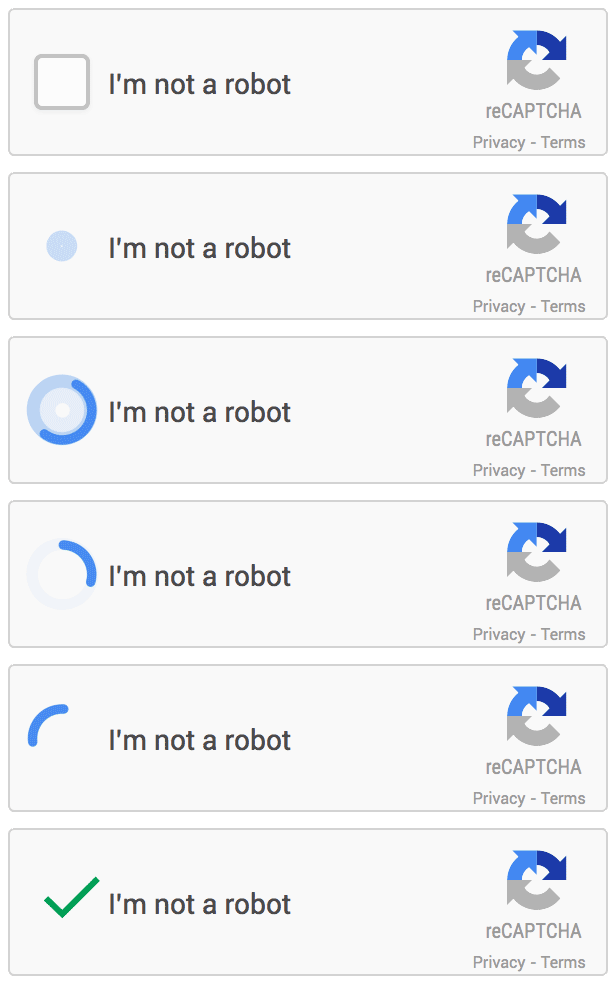
reCAPTCHA v2: This version is widely recognized for its "I'm not a robot" checkbox and image-based challenges. It requires users to click on images or verify certain actions, making it effective for distinguishing humans from bots.
reCAPTCHA v3: Unlike v2, reCAPTCHA v3 is invisible and works in the background. It assesses users' interactions on a website and assigns a score based on how likely it is that the user is a bot. Websites can then use this score to decide whether to allow or block the user.
reCAPTCHA Enterprise: For businesses with higher security needs, reCAPTCHA Enterprise showing up. This version provides advanced protection against sophisticated threats, integrating more deeply with enterprise-level security measures. It includes enhanced risk analysis, customizable scoring, and better scalability, making it suitable for organizations handling sensitive data or critical operations.
For developers working on projects like web scraping, automated testing, or form automation, encountering reCAPTCHA can be a significant roadblock. Manually solving reCAPTCHA every time is not feasible in automation scenarios, which is where JavaScript comes into play. By leveraging JavaScript, specifically with the help of tools like Puppeteer, developers can programmatically interact with and solve reCAPTCHA challenges.
Common Use Cases:
1. Web Scraping: Extracting data from websites often involves interacting with forms or pages protected by reCAPTCHA.
2. Automated Testing: Ensuring the stability of web applications may require automated form submissions or interactions with CAPTCHA-protected pages.
3. Form Automation: Automating repetitive tasks, such as filling out and submitting forms, often needs bypassing CAPTCHA to complete the workflow.
Before we dive into the code, there are a few prerequisites you should have in place to follow along with this tutorial successfully:
Once you’ve met these prerequisites, you’re ready to set up your environment and start solving reCAPTCHA challenges with JavaScript and CapSolver.
/recaptcha/api2/reload?k=6Le-wvkSAAAAAPBMRTvw0Q4Muexq9bi0DJwx_mJ-, where the value after k= is the Site Key we need. Or you can find all the paramters to solve recapctha through CapSolver extensionpip install requestsimport requests
import time
from DrissionPage import ChromiumPage
# Create an instance of ChromiumPage
page = ChromiumPage()
# Access the example page that triggers reCAPTCHA
page.get("https://www.google.com/recaptcha/api2/demo")
# TODO: Set your configuration
api_key = "your api key of capsolver" # Your CapSolver API key
site_key = "6Le-wvkSAAAAAPBMRTvw0Q4Muexq9bi0DJwx_mJ-" # Site key of your target site
site_url = "https://www.google.com/recaptcha/api2/demo" # Page URL of your target site
def capsolver():
payload = {
"clientKey": api_key,
"task": {
"type": 'ReCaptchaV2TaskProxyLess',
"websiteKey": site_key,
"websiteURL": site_url
}
}
# Send a request to CapSolver to create a task
res = requests.post("https://api.capsolver.com/createTask", json=payload)
resp = res.json()
task_id = resp.get("taskId")
if not task_id:
print("Failed to create task:", res.text)
return
print(f"Got taskId: {task_id} / Getting result...")
while True:
time.sleep(3) # Delay
payload = {"clientKey": api_key, "taskId": task_id}
# Query task results
res = requests.post("https://api.capsolver.com/getTaskResult", json=payload)
resp = res.json()
status = resp.get("status")
if status == "ready":
return resp.get("solution", {}).get('gRecaptchaResponse')
if status == "failed" or resp.get("errorId"):
print("Solve failed! response:", res.text)
return
def check():
# Get the reCAPTCHA solution
token = capsolver()
# Set the reCAPTCHA response value
page.run_js(f'document.getElementById("g-recaptcha-response").value="{token}"')
# Call the success callback function
page.run_js(f'onSuccess("{token}")')
# Submit the form
page.ele('x://input[@id="recaptcha-demo-submit"]').click()
if __name__ == '__main__':
check()Explanation:
k= parameter in the browser’s request logs, and extract the value following k= as the Site Key.api_key, site_key, and site_url in the code with your actual values.check() function, the code will automatically retrieve the reCAPTCHA solution and submit the form.Make sure to comply with the terms of service and legal regulations of the websites you interact with.
Solving reCAPTCHA challenges programmatically with JavaScript offers a powerful solution for automating tasks that involve interacting with web services protected by CAPTCHA. By leveraging tools like Puppeteer and CapSolver, you can effectively bypass these challenges, streamline your workflows, and integrate automated solutions into your projects.
As reCAPTCHA continues to evolve, staying informed about its different versions and utilizing appropriate strategies becomes crucial. Whether you're tackling web scraping, automated testing, or form automation, understanding how to manage reCAPTCHA efficiently can greatly enhance your productivity and accuracy.
Remember, while automation can significantly boost efficiency, it's essential to respect the terms of service of the websites you engage with and ensure compliance with legal standards. With the right tools and knowledge, you can navigate the complexities of reCAPTCHA and focus on what truly matters in your development efforts.
Important: When engaging in web scraping, it's crucial to adhere to legal and ethical guidelines. Always ensure that you have permission to scrape the target website, and respect the site's
robots.txtfile and terms of service. CapSolver firmly opposes the misuse of our services for any non-compliant activities. Misuse of automated tools to bypass CAPTCHAs without proper authorization can lead to legal consequences. Make sure your scraping activities are compliant with all applicable lcaptcha and regulations to avoid potential issues.
Using automation tools to solve reCAPTCHA is legal only when performed with proper authorization and in compliance with the target website’s terms of service.
Activities such as research, QA testing, or internal automation are typically acceptable.
However, using CAPTCHA-solving services for unauthorized scraping, spam, or evading security controls is strictly prohibited and may lead to legal consequences.
Always ensure your automation aligns with ethical and legal guidelines.
reCAPTCHA v2, v3, and Enterprise rely on multiple factors beyond a simple token, including:
A plain HTTP request cannot simulate this environment.
Puppeteer (or similar browser automation tools) creates a realistic browser context, making it possible to handle reCAPTCHA challenges successfully and reliably.
Several factors can prevent a reCAPTCHA bypass from working correctly:
Common causes:
onSuccess() not triggered)Recommended checks:
site_key and site_url match the actual values from the page.g-recaptcha-response field.ReCaptchaEnterpriseTaskProxyLess.Emma Foster
Machine Learning Engineer
Where machine learning meets practical AI tooling.
ABOUT THE AUTHOR
Understand reCAPTCHA v3 score range (0.0 to 1.0), its meaning, and how to improve your score. Learn how to handle low scores and optimize user experience.

Facing "reCAPTCHA Invalid Site Key" or "invalid reCAPTCHA token" errors? Discover common causes, step-by-step fixes, and troubleshooting tips to resolve reCAPTCHA verification failed issues. Learn how to fix reCAPTCHA verification failed please try again.


