
🎉NEWCapSolver for AI agents-MCP, agent tools, and SDK integrations

Ethan Collins
AI Agent Workflow Engineer
Published Jan 25, 2024
Updated Jan 25, 2024 · min read
reCAPTCHA v2 poses a formidable challenge that necessitates an advanced solution. In this article, we unveil the epitome of captcha-solving technology: Capsolver. This exceptional solution encompasses cutting-edge advancements in solving reCAPTCHA v2 challenges, offering both API integration and a sophisticated browser extension, resulting in unparalleled efficiency and effectiveness.
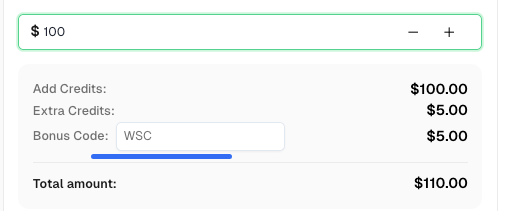
Before we start, here’s a bonus code for Capsolver: WSC. After redeeming it, you will get an extra 5% bonus after each recharge.
reCAPTCHA v2 is an effective tool in preventing automated bot attacks and spam on websites. It presents users with visual challenges, such as identifying objects or solving puzzles, to prove their human identity. However, these captchas can be time-consuming and frustrating for users, necessitating the need for an efficient and reliable captcha-solving solution.
When it comes to solving reCAPTCHA v2 challenges, the best captcha solver available is equipped with advanced technology, speed, and accuracy. This solver offers two primary methods for solving captchas: an API-based solution and a user-friendly browser extension.
The API-based solution provided by the best reCAPTCHA v2 captcha solver enables seamless integration into web applications. By leveraging the solver's API, developers can automate the captcha-solving process and enhance the user experience. The API allows for quick and accurate captcha solving, eliminating the need for manual intervention and ensuring a smooth user journey.
For individuals who prefer a hassle-free solution, the best reCAPTCHA v2 captcha solver offers a convenient browser extension. This extension, compatible with popular web browsers like Chrome, automates the captcha-solving process with a single click. Users can simply install the extension, navigate to a website with reCAPTCHA v2, and let the solver handle the captcha challenges effortlessly.
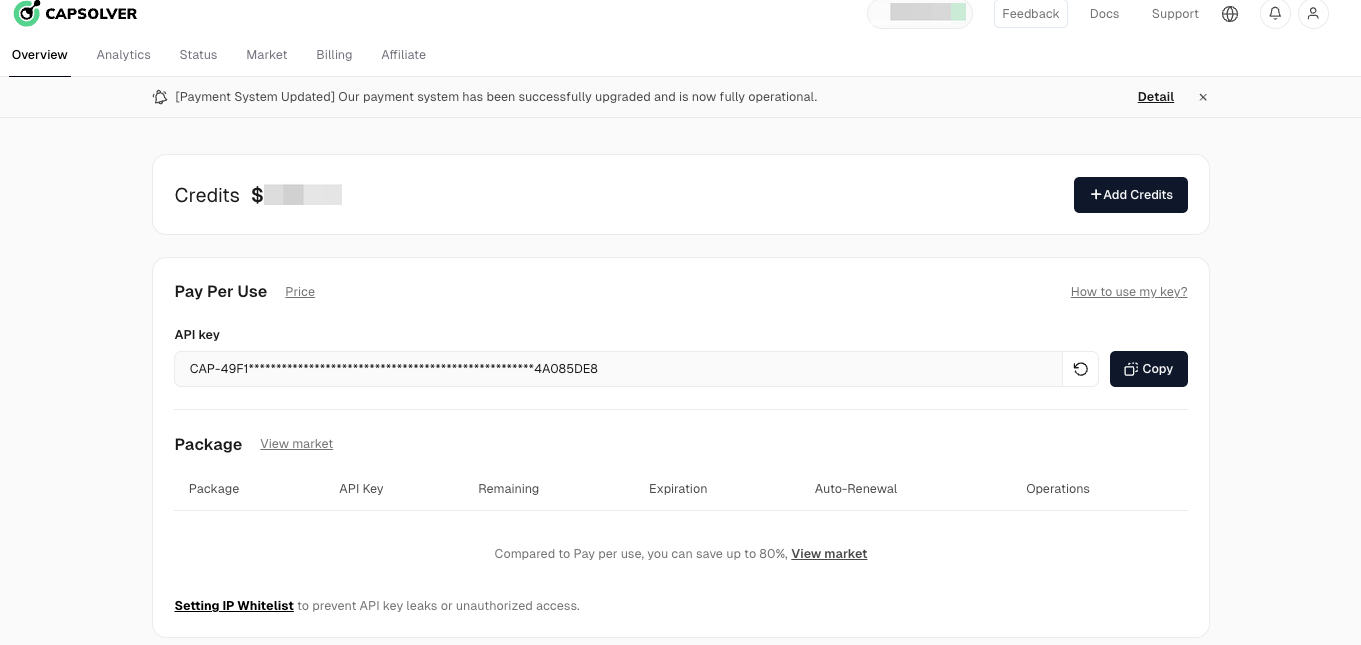
To integrate Capsolver's API into your web application, follow these steps:
POST https://api.capsolver.com/createTask
Host: api.capsolver.com
Content-Type: application/json{
"clientKey": "YOUR_API_KEY",
"task": {
//Required
"type": "ReCaptchaV2Task",
//Required
"websiteURL": "https://www.google.com/recaptcha/api2/demo",
//Required
"websiteKey": "6Le-wvkSAAAAAPBMRTvw0Q4Muexq9bi0DJwx_mJ-",
"enterprisePayload": {
//Optional, required if the website uses recaptcha enterprise
"s": "SOME_ADDITIONAL_TOKEN"
},
"isInvisible": false,
// Optional
"pageAction": "submit",
//Optional
"apiDomain": "",
//Optional
"userAgent": "",
//Optional
"cookies": [
{
"name": "__Secure-3PSID",
"value": "AIKkIs3ch7YsxxxxYIzRqNZPGm60cdHozgwfUW1o8MF3kRcf8clJscTI6OtCqVpqNF8I88pLBJkUgQ"
},
{
"name": "__Secure-3PAPISID",
"value": "TKS1iVpGxYbxxxk0n2o/AytXQTb6RUALqxSEL"
}
],
//Optional
"proxy": "http:ip:port:user:pass",
// socks5:ip:port:user:pass
//Optional, You only need to submit once and get the result successfully, you can remove this parameter
"anchor": "base64 content",
"reload": "base64 content"
}
}{
"errorId": 0,
"errorCode": "",
"errorDescription": "",
"taskId": "61138bb6-19fb-11ec-a9c8-0242ac110006"
}To utilize Capsolver's browser extension for automatic captcha solving, follow these steps:
Capsolver emerges as the leading reCAPTCHA v2 captcha solver, offering advanced technology, seamless API integration, and a user-friendly browser extension. By leveraging Capsolver's capabilities, users can streamline their captcha-solving processes, enhancing security and productivity. Whether you choose the API integration or the browser extension, Capsolver provides a comprehensive solution to overcome reCAPTCHA v2 challenges effortlessly. Embrace the power of Capsolver and optimize your online experiences by simplifying captcha solving and ensuring a secure browsing environment.
Ethan Collins
AI Agent Workflow Engineer
Building clearer handoffs between AI agents and tools.
ABOUT THE AUTHOR
Understand reCAPTCHA v3 score range (0.0 to 1.0), its meaning, and how to improve your score. Learn how to handle low scores and optimize user experience.

Facing "reCAPTCHA Invalid Site Key" or "invalid reCAPTCHA token" errors? Discover common causes, step-by-step fixes, and troubleshooting tips to resolve reCAPTCHA verification failed issues. Learn how to fix reCAPTCHA verification failed please try again.


