LangChain Agent Blocked by reCAPTCHA: How to Fix It

Aloísio Vítor
Image Processing Expert
TL;DR
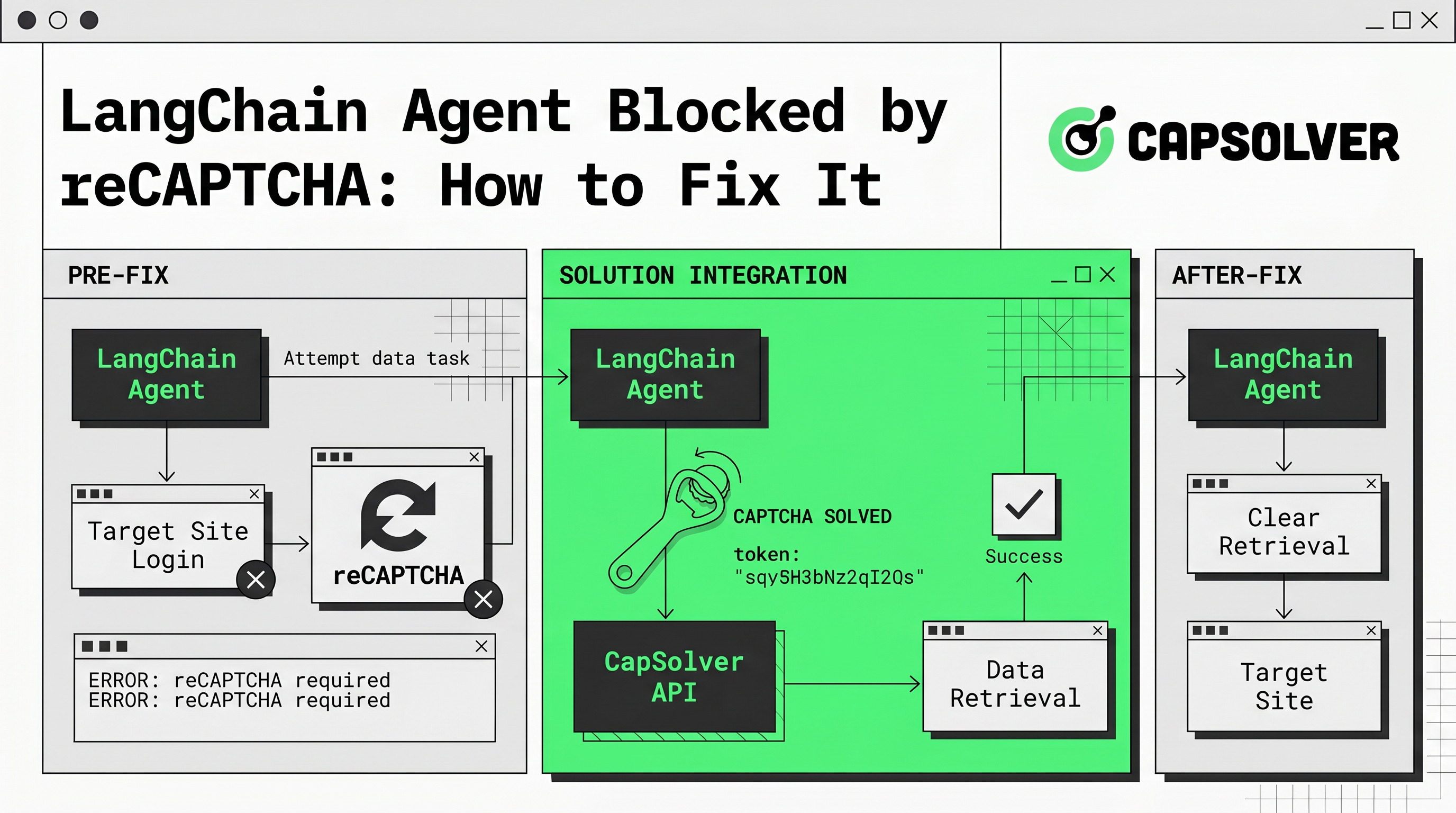
- A LangChain agent blocked by reCAPTCHA fails because the target site serves a challenge that the agent's HTTP or browser layer cannot answer, returning a challenge page instead of real content.
- The most common triggers are datacenter IP addresses, missing browser fingerprints, fast request patterns, and reused sessions.
- Fixing it requires detecting the challenge, passing the page through a solver that returns a valid token, and injecting that token back into the request flow.
- Residential proxies, realistic headers, and slower pacing reduce how often the challenge appears in the first place.
- A solver service such as CapSolver returns reCAPTCHA tokens through an API your LangChain tool can call directly.
Introduction
A LangChain agent blocked by reCAPTCHA usually means your tool retrieved a challenge page, not the data you wanted. The agent then reasons over CAPTCHA HTML and produces wrong answers. This is a retrieval failure, not a model failure. The fix is to detect the challenge, obtain a valid reCAPTCHA token from a solving service, and feed that token back into the request so the site returns real content. This guide explains why the challenge appears, how to handle it inside a LangChain workflow, and how to lower the challenge rate. Tools like CapSolver provide token responses through a simple API. Use these methods only on sites you are authorized to access.
Why a LangChain Agent Gets Blocked by reCAPTCHA
A LangChain agent blocked by reCAPTCHA is the result of risk control, not a bug in LangChain. When a site decides a visit looks automated, it serves a reCAPTCHA challenge before returning content. Your agent's fetch tool receives that challenge page and passes it to the model, which cannot complete a visual or token-based task on its own.
Four signals drive most blocks:
- IP reputation. Requests from datacenter proxies or cloud hosts score worse than home connections.
- Browser fingerprint. A bare HTTP client sends no realistic headers, no TLS fingerprint, and no JavaScript runtime.
- Request rhythm. Many fast, identical requests look automated.
- Session reuse. The same cookie or token hitting many pages raises the risk score.
reCAPTCHA v3 assigns a score from 0.0 to 1.0 based on these signals, where lower values indicate likely automation, as described in Google's reCAPTCHA v3 documentation. A low score sends your LangChain agent straight into a challenge.
How to Detect the Challenge Inside LangChain
Detect the block before your agent reasons over bad data. A LangChain agent blocked by reCAPTCHA will receive predictable markers in the response. Check for them inside your custom tool.
Look for these signs:
- The response HTML contains
g-recaptcha,grecaptcha, or an iframe fromgoogle.com/recaptcha. - The page title or body mentions verification, "I'm not a robot", or unusual traffic.
- The expected data selectors are missing while the HTTP status is still 200.
Wrap this check in the tool that performs retrieval. When the check matches, route the page to a solving step instead of returning it to the agent. This keeps a LangChain agent blocked by reCAPTCHA from feeding challenge HTML into your chain and wasting tokens on a page that holds no answer.
How to Fix a LangChain Agent Blocked by reCAPTCHA
Fix the block in three stages: detect, solve, resubmit. The solving stage is where a reCAPTCHA token is produced for the challenge your LangChain automation hit.
Step 1: Collect the challenge parameters
Read the site key and page URL from the challenge page. The reCAPTCHA site key is visible in the page HTML, usually in a data-sitekey attribute or the reCAPTCHA script call. You also need the full page URL and, for reCAPTCHA v3, the action name.
Step 2: Request a token from the solver
Send the site key and page URL to a solving API. The service processes the challenge and returns a token string. The official task patterns for this flow are documented in the CapSolver reCAPTCHA task reference. Do not invent parameters; use the task type that matches the challenge version on the page.
Step 3: Inject the token and resubmit
Place the returned token into the form field or request payload the site expects, commonly g-recaptcha-response, then resubmit. The site validates the token server side and returns the real content. Your LangChain tool can now hand clean data back to the agent.
Redeem Your CapSolver Bonus Code
Boost your automation budget instantly!
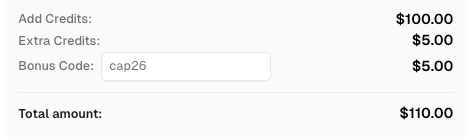
Use bonus code CAP26 when topping up your CapSolver account to get an extra 5% bonus on every recharge — with no limits.
Redeem it now in your CapSolver Dashboard
Wrap the Solver as a LangChain Tool
Expose the solve step as a dedicated tool so the agent calls it only when needed. A clean separation keeps your chain readable and your retries cheap.
A practical pattern:
- Tool A fetches the page through a residential proxy and realistic headers.
- Tool A checks for a challenge. If clean, it returns data.
- If blocked, Tool A calls Tool B, the solver tool, with the site key and URL.
- Tool B returns the token. Tool A resubmits and returns data.
This design means a LangChain agent blocked by reCAPTCHA recovers inside one reasoning loop instead of failing the task. For browser-driven flows, the same token can be injected into a Playwright or Selenium session your agent controls.
Reduce How Often the Challenge Appears
Solving every challenge costs time and budget. Lower the trigger rate so your LangChain agent meets fewer challenges to begin with.
Apply these controls:
- Use residential or mobile IPs instead of datacenter ranges to raise IP reputation.
- Send complete, consistent headers and a real user agent.
- Add pacing and small random delays between requests.
- Rotate sessions sensibly instead of reusing one cookie across hundreds of calls.
- Prefer a real browser context for sites that score JavaScript behavior.
These steps raise your reCAPTCHA v3 score and cut the number of times a LangChain agent blocked by reCAPTCHA needs the solving path at all. For a deeper look at how solver choice fits agent stacks, see this guide on choosing a CAPTCHA solver for agent infrastructure.
Comparison Summary
| Approach | Handles the challenge? | Best for | Trade-off |
|---|---|---|---|
| Better proxies and headers | Reduces, does not solve | Lowering challenge rate | Challenges still appear on strict sites |
| Manual review | Yes, slowly | One-off tasks | Does not scale in an agent loop |
| Solver API token flow | Yes | Automated LangChain pipelines | Requires integration and budget |
| Real browser context only | Sometimes | JavaScript-scored sites | Still blocked when a hard challenge fires |
Conclusion
A LangChain agent blocked by reCAPTCHA is a retrieval problem with a clear fix: detect the challenge, get a valid token from a solving service, inject it, and resubmit so the site returns real data. Pair that flow with residential proxies, realistic headers, and sensible pacing to keep the challenge rate low. Always confine this work to sites and data you are authorized to access; technical capability does not grant permission. When you are ready to add reliable token solving to your agent, CapSolver offers an API that fits directly into a LangChain tool.
FAQ
Why does my LangChain agent return a CAPTCHA page instead of data?
The site detected automated traffic and served a challenge before the content. Your fetch tool received that challenge page. Detect it, solve for a token, and resubmit to get the real page.
Can LangChain solve reCAPTCHA on its own?
No. The language model cannot complete a reCAPTCHA challenge. You need a solving step that returns a valid token, which your LangChain tool then injects into the request.
Do better proxies alone fix the block?
Not fully. Residential IPs, clean headers, and pacing lower how often a challenge appears, but strict sites still fire challenges, so you also need a token solving path.
What information do I need to solve the challenge?
You need the reCAPTCHA site key from the page, the full page URL, and for reCAPTCHA v3 the action name. Send these to the solver to receive a token.
Is it legal to handle reCAPTCHA in automation?
Only on sites you own or are authorized to access. Handling a challenge does not grant permission to collect restricted, private, or unauthorized data.
More
AISep 01, 2026
CloakBrowser Review 2026: Features, Pricing, Pros and Cons
CloakBrowser review for 2026 covering features, pricing, licensing, deployment options, advantages, limitations, alternatives, and ideal use cases.

AISep 01, 2026
How to Solve reCAPTCHA v3 in CrewAI Agents with CapSolver
Build a CrewAI reCAPTCHA v3 solver with CapSolver, typed tools, trusted page actions, server-side token submission, score policy, and page verification.
