How to Fix CAPTCHA Errors in LangChain Agents

Nikolai Smirnov
Software Development Lead
TL;DR
- CAPTCHA errors in LangChain agents usually come from tool design, missing browser execution, expired tokens, proxy mismatch, or unstructured retry loops.
- LangChain agents need clear tool outputs for CAPTCHA states, not generic "request failed" strings.
- Browser automation should handle protected pages before the agent calls downstream scraping, QA, or data tools.
- CapSolver can support authorized LangChain workflows that need reCAPTCHA, AWS WAF, or Cloudflare Turnstile challenge handling.
- Responsible automation requires consent, rate limits, audit logs, and avoidance of private or restricted data.
Introduction
CAPTCHA errors in LangChain agents are rarely solved by changing the model alone. The agent usually fails because a tool hits a protected page, loses session state, retries without understanding the challenge, or treats a WAF response as ordinary HTML. CapSolver can help in authorized workflows where CAPTCHA handling belongs in the browser or API layer, but the agent still needs disciplined state management and structured errors. This guide explains how to diagnose CAPTCHA errors in LangChain agents, design better tools, preserve browser tokens, and keep the workflow compliant for QA, RPA, public data monitoring, and approved automation.
Why LangChain Agents Hit CAPTCHA Errors
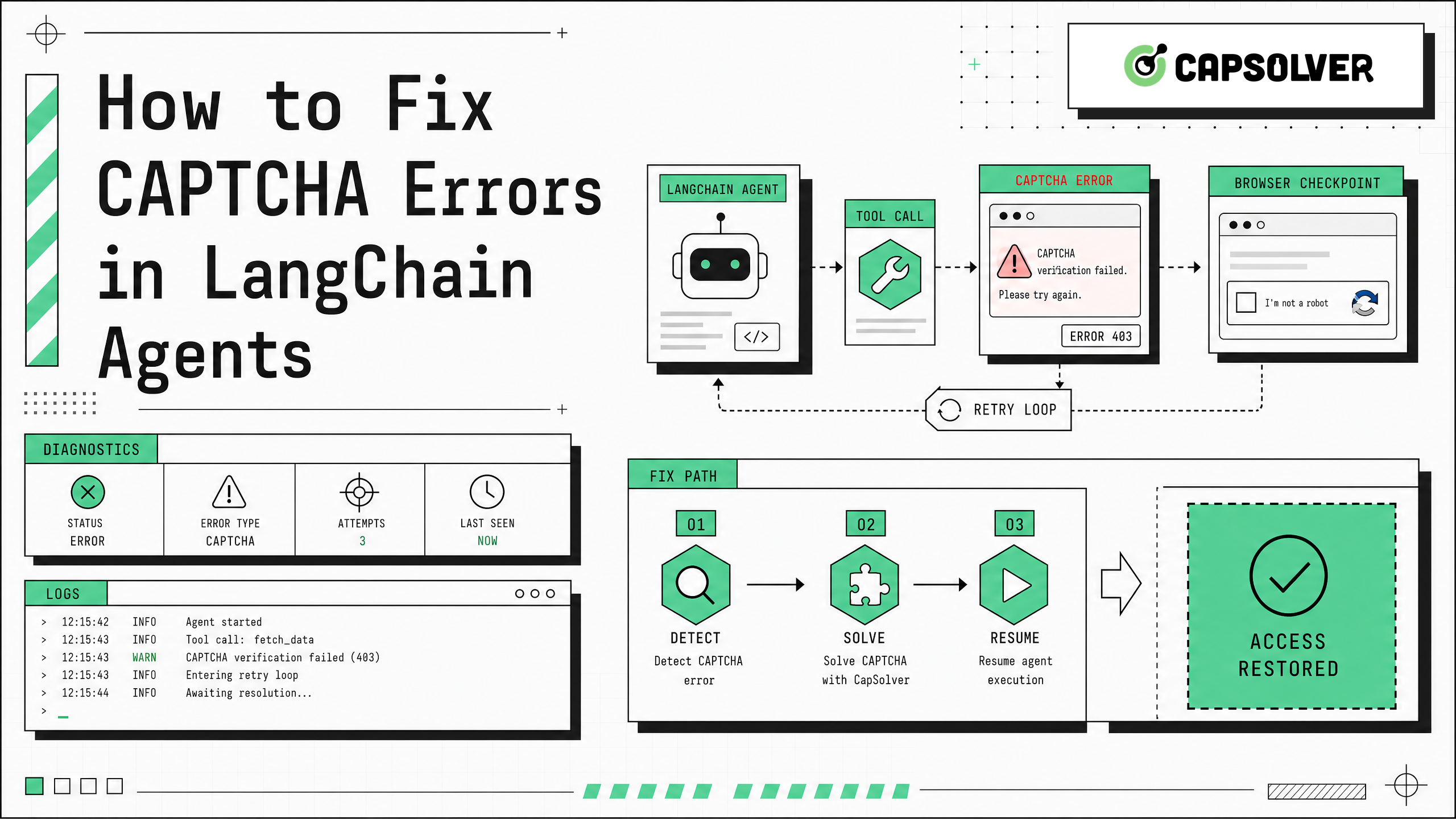
CAPTCHA errors in LangChain agents appear when an agent uses tools that interact with protected websites. LangChain defines an agent as a model calling tools in a loop until a task is complete in the LangChain agents documentation. That loop is powerful, but it can hide the real failure if the tool only returns plain text.
Typical causes include:
- A requests-based tool calls a page that requires JavaScript.
- A browser tool creates a new context for every step and loses cookies.
- The agent retries a blocked URL without changing anything.
- The CAPTCHA response is parsed as content instead of a control state.
- Proxy, browser fingerprint, and token state are not aligned.
- The agent has no rule for human review when a challenge appears.
CapSolver's Langchain glossary entry is useful for framing the problem: LangChain is an orchestration layer, not a replacement for browser execution or network policy handling.
Step 1: Classify the CAPTCHA Error
CAPTCHA errors in LangChain agents should be classified before fixing them. The right fix depends on the challenge type and where it appears.
| Error Pattern | Likely Cause | Practical Fix |
|---|---|---|
| CAPTCHA HTML returned to tool | Tool used HTTP without browser execution | Move step to browser automation |
| 403 from protected endpoint | WAF or access rule blocked request | Check permission, IP, headers, and rule signals |
| 405 during fetch | Token refresh or method mismatch | Inspect WAF headers and browser token flow |
| Challenge solved then returns | Cookie or token not persisted | Reuse browser context and session storage |
| Agent loops forever | Tool error is too vague | Return structured CAPTCHA state |
AWS notes in its AWS WAF immunity time documentation that CAPTCHA and challenge timestamps can expire. This matters because a LangChain agent can begin a task with a valid session and fail later after token expiry.
Step 2: Put Browser Automation Before Agent Reasoning
CAPTCHA errors in LangChain agents are easier to fix when the protected web interaction happens inside Playwright, Selenium, or Puppeteer before the agent receives page content. CapSolver supports automation tool integration for these browser stacks, and the glossary covers tools such as Playwright, Selenium, and Puppeteer.
A practical flow is:
- Browser tool opens the target page.
- Challenge state is detected.
- CAPTCHA handling runs only if the workflow is authorized.
- Browser state is stored.
- Extracted, permitted page data is passed to the LangChain agent.
- The agent reasons over clean tool output instead of raw challenge pages.
This keeps CAPTCHA errors in LangChain agents from becoming hallucinated summaries or infinite retries.
Step 3: Return Structured Tool Errors
CAPTCHA errors in LangChain agents need machine-readable output. LangChain's production guidance includes tracing, fault tolerance middleware, retry middleware, and guardrails. An empirical study of 998 CrewAI and LangChain bug reports found that many agent framework bugs involved API misuse, API incompatibility, and documentation desync in the LLM agent framework bug study.
Return an object like this from browser or HTTP tools:
json
{
  "ok": false,
  "error_type": "captcha_required",
  "provider": "aws_waf",
  "status_code": 405,
  "token_present": false,
  "retry_allowed": false,
  "requires_browser": true,
  "requires_human_review": false
}
Then instruct the agent to stop, refresh the session, or ask for review instead of repeatedly calling the same URL.
Step 4: Integrate CapSolver Where It Fits
CAPTCHA errors in LangChain agents can be handled through CapSolver when the workflow is allowed and the technical challenge is supported. For AWS WAF, the documented CapSolver flow uses AwsWafCaptcha task types, createTask, and getTaskResult. For network-sensitive token workflows, review proxy setup so the token and client route stay consistent.
Use CapSolver as a tool layer, not as an agent decision. The agent should not invent task parameters or guess challenge fields. Your integration code should parse the page, pass documented fields, check error codes, and return a structured status.
Redeem Your CapSolver Bonus Code
Boost your automation budget instantly!
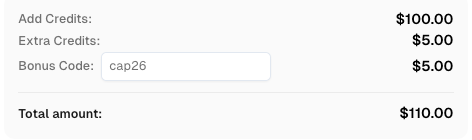
Use bonus code CAP26 when topping up your CapSolver account to get an extra 5% bonus on every recharge — with no limits.
Redeem it now in your CapSolver Dashboard
Step 5: Add Retry Limits and Human Review
CAPTCHA errors in LangChain agents should not trigger unlimited retries. LangChain's docs describe retry middleware for model and tool failures, but CAPTCHA states need stricter control. A retry is useful only when the next attempt changes a real variable, such as refreshed browser state, a renewed token, or a completed challenge.
Add these rules:
- Stop after one repeated CAPTCHA state.
- Preserve trace IDs for every protected request.
- Escalate to human review for login, payment, account, or sensitive workflows.
- Never continue when permission is unclear.
- Keep rate limits below the target site's published policy.
OWASP's automated threats project is a useful reminder that automation can create harmful traffic patterns when it diverges from accepted behavior.
Responsible Use and Compliance
CAPTCHA errors in LangChain agents are not just technical errors. They are control signals from the target system. Use automation only where you have permission, and avoid private, restricted, sensitive, or unauthorized data. Respect robots policies where applicable, apply rate limits, log decisions, and keep humans in the loop for workflows that affect accounts, purchases, security settings, or user data.
Conclusion/CTA
CAPTCHA errors in LangChain agents are fixed by separating responsibilities: the browser handles protected page execution, the CAPTCHA layer handles supported challenges, and the LangChain agent reasons over structured outputs. For authorized automation workflows that need reliable CAPTCHA handling, pair strong tool design with documented integrations from CapSolver.
FAQ
Why do CAPTCHA errors in LangChain agents happen?
They happen when an agent tool reaches a protected page without a valid browser session, token, cookie jar, or challenge-handling path. The agent then receives a CAPTCHA page instead of the expected data.
Can LangChain solve CAPTCHA errors by itself?
No. LangChain can orchestrate tools, retries, and decisions, but CAPTCHA handling must happen in a browser, API, or human-review layer that is designed for the specific challenge type.
Should I use Playwright with LangChain agents?
Yes, when the target workflow requires JavaScript, cookies, or browser state. A Playwright tool can complete authorized browser steps before passing permitted data to the agent.
How should a LangChain tool report a CAPTCHA?
Return a structured error with fields such as error_type, provider, status_code, token_present, retry_allowed, and requires_browser. This helps the agent choose the next valid action.
Is it safe to use CapSolver in LangChain workflows?
It is appropriate only for authorized workflows such as QA, RPA, public data monitoring, or approved automation. It should not be used to access private, restricted, sensitive, or unauthorized systems.
More
AISep 01, 2026
CloakBrowser Review 2026: Features, Pricing, Pros and Cons
CloakBrowser review for 2026 covering features, pricing, licensing, deployment options, advantages, limitations, alternatives, and ideal use cases.

AISep 01, 2026
How to Solve reCAPTCHA v3 in CrewAI Agents with CapSolver
Build a CrewAI reCAPTCHA v3 solver with CapSolver, typed tools, trusted page actions, server-side token submission, score policy, and page verification.
