🎉NEWCapSolver for AI agents-MCP, agent tools, and SDK integrations

Lucas Mitchell
Automation Engineer
Published Apr 16, 2026
Updated Apr 16, 2026 · min read
Modern automation in the vehicle data and public records sectors often encounters sophisticated security measures designed to differentiate between human users and automated bots. Cloudflare Turnstile has become a leading solution for these websites, offering a non-interactive challenge that runs silently in the background. For data engineers and legal technology analysts, learning how to handle Cloudflare Turnstile in vehicle data and public records automation is essential for maintaining consistent data flows.
CapSolver provides a professional, AI-driven service that automates the resolution of these challenges, allowing your scripts to proceed without interruption. By conclusion forward, the CapSolver API and its official n8n integration are the most efficient tools for managing high-volume public records retrieval while ensuring technical stability. This guide will explore how to integrate these solutions into your existing workflows for maximum reliability and cost-effectiveness.
Government agencies and vehicle history providers are increasingly adopting Cloudflare Turnstile as part of their security and verification layers for public-facing data access. Turnstile uses a combination of browser signals and interaction patterns to assess request legitimacy, offering a more seamless alternative to traditional CAPTCHA methods that rely on visual challenges.
| Challenge Type | User Interaction | Detection Method |
|---|---|---|
| Managed | No direct user interaction | Browser fingerprinting signals |
| Non-Interactive | No visible challenge | Behavioral and risk-based analysis |
| Invisible | Fully background verification | Continuous session-based evaluation |
These modes are designed to operate with minimal disruption to end users, while still applying different levels of risk assessment depending on the context of the request.
For a broader perspective on how automated traffic detection and bot mitigation are evolving across industries, see Cybersecurity and Automation Trends – Statista.
For teams exploring how to handle Turnstile in vehicle data and public records workflows, understanding these verification modes is a foundational step in designing more reliable and resilient automation systems.
Traditional web scrapers often fail when they encounter Turnstile because they cannot correctly handle the cryptographic challenges sent by Cloudflare. Even advanced headless browsers can be flagged if they do not perfectly match the expected browser signals. This leads to blocked requests, session timeouts, and incomplete data sets in your vehicle history or court record databases.
Turnstile specifically looks for signs of automation, such as missing browser features, unusual request headers, or inconsistent timing. Without a specialized solver, your automation will likely be caught in an endless loop of verification attempts. This is where a professional service becomes necessary to bridge the gap between simple automation and successful data retrieval.
CapSolver offers a streamlined API that handles the heavy lifting of Turnstile resolution. The primary method involves the AntiTurnstileTaskProxyLess task type, which is both cost-effective and easy to implement. By providing the target websiteURL and the site's unique websiteKey, you can receive a valid token that allows your scraper to proceed.
The process is fast and reliable. Below is a comprehensive Python example using the requests library to create and poll for a solving task:
import requests
import time

# Configuration
API_KEY = "YOUR_API_KEY"
WEBSITE_KEY = "0x4XXXXXXXXXXXXXXXXX"
WEBSITE_URL = "https://www.yourwebsite.com"

def create_turnstile_task():
    payload = {
        "clientKey": API_KEY,
        "task": {
            "type": "AntiTurnstileTaskProxyLess",
            "websiteKey": WEBSITE_KEY,
            "websiteURL": WEBSITE_URL,
            "metadata": {
                "action": "login"  # Optional action parameter
            }
        }
    }
    try:
        response = requests.post("https://api.capsolver.com/createTask", json=payload)
        response.raise_for_status()
        return response.json().get("taskId")
    except Exception as e:
        print(f"Error creating task: {e}")
        return None

def get_task_result(task_id):
    payload = {
        "clientKey": API_KEY,
        "taskId": task_id
    }
    while True:
        try:
            response = requests.post("https://api.capsolver.com/getTaskResult", json=payload)
            response.raise_for_status()
            data = response.json()
            status = data.get("status")

            if status == "ready":
                print("Task solved successfully!")
                return data.get("solution", {}).get("token")
            elif status == "failed":
                print("Task failed to solve.")
                return None

            print("Task still processing, waiting 2 seconds...")
            time.sleep(2)
        except Exception as e:
            print(f"Error getting task result: {e}")
            return None

# Main execution
task_id = create_turnstile_task()
if task_id:
    token = get_task_result(task_id)
    if token:
        print(f"Generated Token: {token}")
This implementation is a key part of how to handle Cloudflare Turnstile in vehicle data and public records automation for developers who prefer custom code. For those working with JavaScript, the following Node.js example provides a similar asynchronous flow:
const axios = require('axios');

const API_KEY = "YOUR_API_KEY";
const WEBSITE_KEY = "0x4XXXXXXXXXXXXXXXXX";
const WEBSITE_URL = "https://www.yourwebsite.com";

async function solveTurnstile() {
    try {
        // Create task
        const taskResponse = await axios.post('https://api.capsolver.com/createTask', {
            clientKey: API_KEY,
            task: {
                type: 'AntiTurnstileTaskProxyLess',
                websiteKey: WEBSITE_KEY,
                websiteURL: WEBSITE_URL
            }
        });

        const taskId = taskResponse.data.taskId;
        console.log(`Task created: ${taskId}`);

        // Poll for result
        while (true) {
            const resultResponse = await axios.post('https://api.capsolver.com/getTaskResult', {
                clientKey: API_KEY,
                taskId: taskId
            });

            if (resultResponse.data.status === 'ready') {
                return resultResponse.data.solution.token;
            } else if (resultResponse.data.status === 'failed') {
                throw new Error('Task failed');
            }

            console.log('Waiting for solution...');
            await new Promise(resolve => setTimeout(resolve, 2000));
        }
    } catch (error) {
        console.error('Error solving Turnstile:', error.message);
    }
}

solveTurnstile().then(token => {
    if (token) console.log(`Token: ${token}`);
});When managing large-scale data operations, consistency and reliability are paramount. CapSolver is an enterprise-level solution that ensures high-volume data collection is both stable and technically compliant. Unlike smaller, less reliable services, CapSolver provides the infrastructure necessary to handle millions of requests without degradation in performance. This makes it the preferred choice for legal tech firms and insurance providers who cannot afford downtime or data loss.
The platform's AI models are constantly updated to handle new variations of Turnstile challenges, providing a future-proof foundation for your automation projects. By offloading the complexity of captcha solving to an enterprise-grade service, your team can focus on extracting value from the data rather than debugging technical barriers.
For teams that prefer a visual approach to automation, n8n offers a powerful alternative to custom scripts. CapSolver is available as an official integration in n8n, allowing you to drag and drop a solver node directly into your vehicle data scraping workflows. This is particularly useful for complex multi-step processes, such as logging into a government portal before searching for public records.
By following the guide on how to solve Cloudflare Turnstile using CapSolver and n8n, you can build a reusable solver API or embed the solver directly into your data collection pipeline. This reduces the time spent on maintenance and allows non-technical team members to understand and manage the automation logic.
In the legal and insurance industries, retrieving accident reports is a high-volume task that often faces Turnstile hurdles. These reports are essential for processing claims and building legal cases. When these portals implement Turnstile, manual retrieval becomes a bottleneck. By integrating an automated solver, legal tech firms can fetch these reports at scale, ensuring that critical information is available as soon as it is published.
This automation significantly reduces the manual workload and improves the accuracy of data entry. It also ensures that the firm can handle thousands of queries per day without being blocked by security measures. This is a practical example of how to handle Cloudflare Turnstile in vehicle data and public records automation to drive business value.
When deciding on a strategy for public records automation, it is important to compare the efficiency of automated solvers against manual methods or basic scripts.
| Metric | CapSolver AI | Manual Entry | Basic Scripting |
|---|---|---|---|
| Speed | 1–10 Seconds | 1–2 Minutes | High Failure Rate |
| Cost | Low (Per 1k) | High (Labor) | Variable (Maintenance) |
| Scalability | Unlimited | Limited by Staff | Difficult to Scale |
| Accuracy | 99%+ | Human Error Prone | Low Reliability |
As shown in the table, CapSolver provides the best balance of speed and cost, making it the ideal choice for high-volume tasks. More details on performance can be found in the CAPTCHA solving API performance comparison.
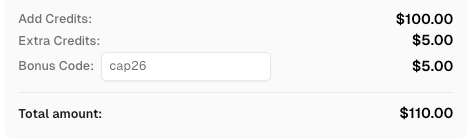
Use code
CAP26when signing up at CapSolver to receive bonus credits!
Maintaining a sustainable automation strategy requires a focus on compliance and ethical data collection. While CapSolver helps you manage the technical barriers, it is your responsibility to ensure that your scraping activities comply with relevant data protection laws. This is especially true for sensitive legal and vehicle data.
Using high-quality proxies and maintaining reasonable request rates are essential best practices. This reduces the load on the target server and decreases the likelihood of your IP being flagged as suspicious.
Mastering how to handle Cloudflare Turnstile in vehicle data and public records automation is a critical skill for any data-driven organization. By leveraging CapSolver’s AI-powered API and its official n8n integration, you can overcome security barriers with ease and maintain a steady flow of high-quality data. This professional approach ensures that your automation is both efficient and scalable.
If you are ready to streamline your public records retrieval, visit the CapSolver dashboard and start with a free trial today. Explore our Cloudflare Turnstile product page for more technical details and join the thousands of developers who trust CapSolver for their automation needs.
No, the AntiTurnstileTaskProxyLess task type used by CapSolver does not require you to provide your own proxy. This simplifies your setup and reduces infrastructure costs.
Yes, CapSolver provides a comprehensive SDK and REST API that can be easily integrated with Python, Node.js, Go, and other popular languages.
It depends on your team's skills. n8n is excellent for visual workflow management and quick integration, while custom code offers more flexibility for complex logic.
You can find the websiteKey by inspecting the target page's HTML and looking for the Turnstile widget element, which usually contains a data-sitekey attribute. Alternatively, the CapSolver browser extension can identify it for you automatically.
CapSolver maintains a very high success rate for Turnstile challenges, often exceeding 99%. This ensures that your automation remains reliable even when targeting highly secure government portals.
Lucas Mitchell
Automation Engineer
Helping browser automation recover and continue.
ABOUT THE AUTHOR
Learn what a Cloudflare Challenge is, how Cloudflare detects bots using JavaScript and machine learning, and why challenges appear during browsing. Complete guide for 2026.

Learn how to fix the "failed to verify cloudflare turnstile token" error. This guide covers causes, troubleshooting steps, and how to defeat cloudflare turnstile with CapSolver.