
🎉NEWCapSolver for AI agents-MCP, agent tools, and SDK integrations

Lucas Mitchell
Automation Engineer
Published Dec 10, 2025
Updated Dec 10, 2025 · min read
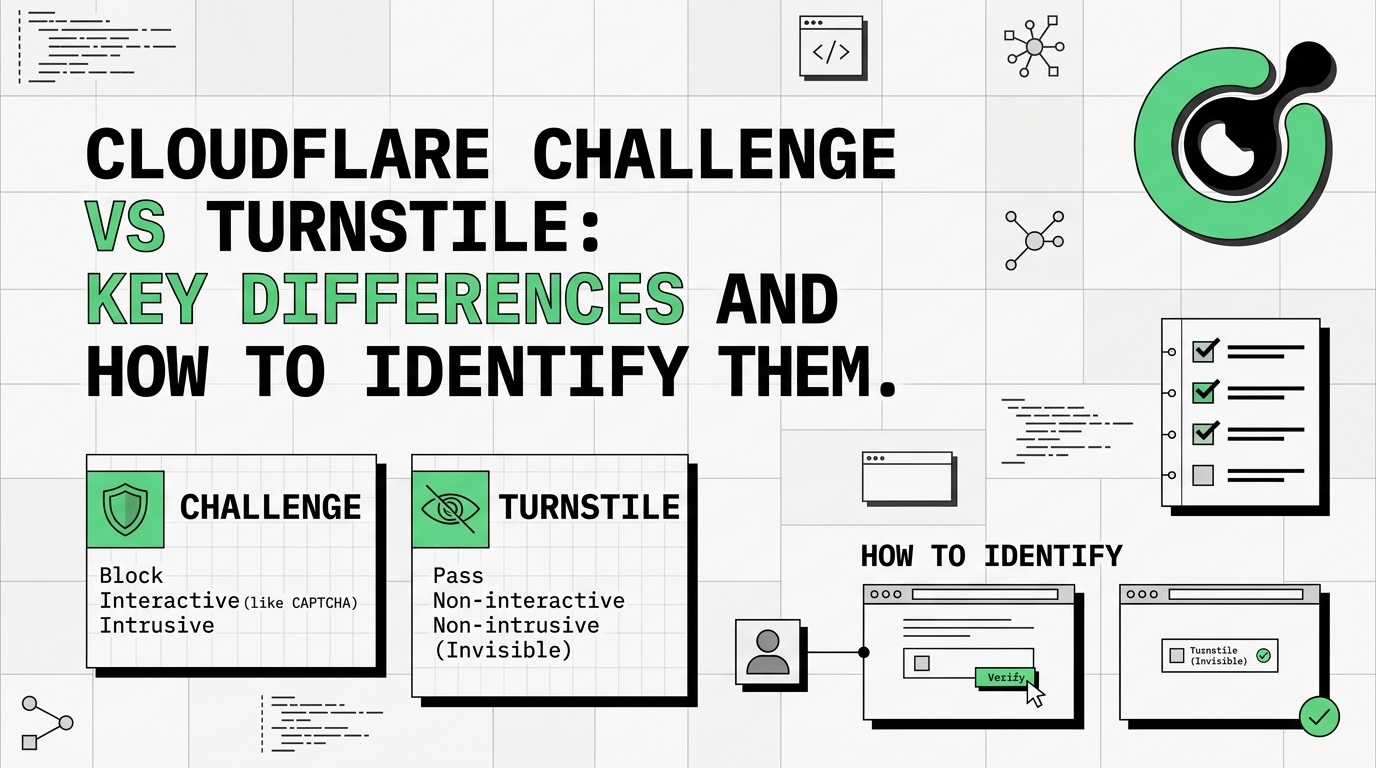
TLDR: Cloudflare Challenge is a full-page, intrusive security check (often a 5-second wait or a visual puzzle) that blocks access to the entire site. Cloudflare Turnstile is a non-intrusive, modern CAPTCHA replacement embedded within a specific form or page element, designed for a smoother user experience. The key difference lies in their implementation: Challenge is a network-level block, while Turnstile is a widget integrated by the website owner. Identifying them is crucial for choosing the correct automation solution.
The digital landscape is constantly evolving, and website security is a primary concern. Cloudflare is a dominant force in this space, offering various tools to protect sites from malicious bots and automated traffic. Among their most common defenses are the Cloudflare Challenge vs Turnstile. Understanding the distinction between these two mechanisms is vital for web developers, security professionals, and anyone involved in web automation. This article provides a definitive guide to the key differences, helping you accurately identify which protection you are facing and how to approach it effectively.
The Cloudflare Challenge is a robust, full-page security measure designed to verify that a visitor is a legitimate human. When a website protected by Cloudflare detects suspicious activity or traffic patterns, it can trigger a Challenge page. This mechanism is a network-level defense, meaning it intercepts the request before the user can access the website's content.
The primary purpose of the Cloudflare Challenge is to block bot traffic at the edge of the network. The user experience is typically intrusive and disruptive.
Identifying a Cloudflare Challenge is straightforward due to its full-page nature.
For automation purposes, a Cloudflare Challenge requires a solution that can handle the full-page block and the subsequent security token generation. This is a critical step in any web scraping or automation project. The full-page block of the Cloudflare Challenge vs Turnstile widget is the clearest sign of this mechanism.
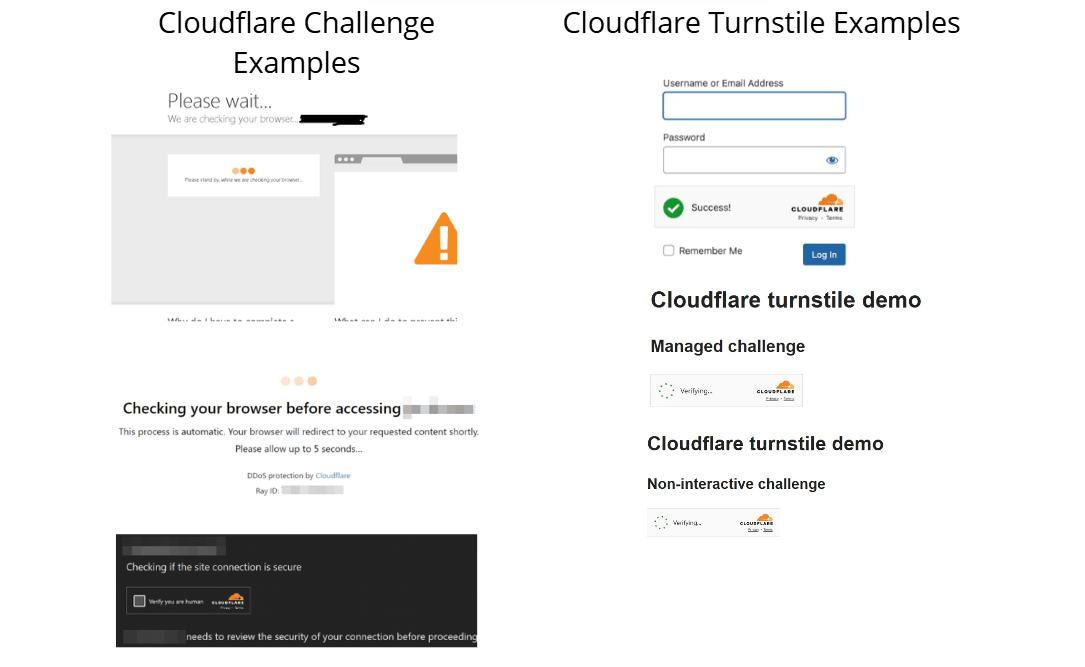
Cloudflare Turnstile is Cloudflare's modern, non-intrusive replacement for traditional CAPTCHAs. Unlike the full-page Challenge, Turnstile is a widget that website owners can embed directly into specific parts of their site, such as login forms, comment sections, or checkout pages. It is designed to be privacy-preserving and user-friendly.
Turnstile's goal is to verify human visitors without the need for frustrating visual puzzles. It achieves this by running a series of non-intrusive, client-side checks.
Identifying Cloudflare Turnstile requires a closer look, as it blends into the website's design.
<iframe> element with a source URL pointing to Cloudflare's Turnstile service, often containing the domain challenges.cloudflare.com/cdn-cgi/challenge-platform/h/g/turnstile/.The implementation of Cloudflare Challenge vs Turnstile dictates the strategy for automation. Turnstile requires solving the widget and submitting the resulting token along with the form data. For more technical guidance on integrating a solver, you can refer to our documentation on Cloudflare: solving Turnstile.
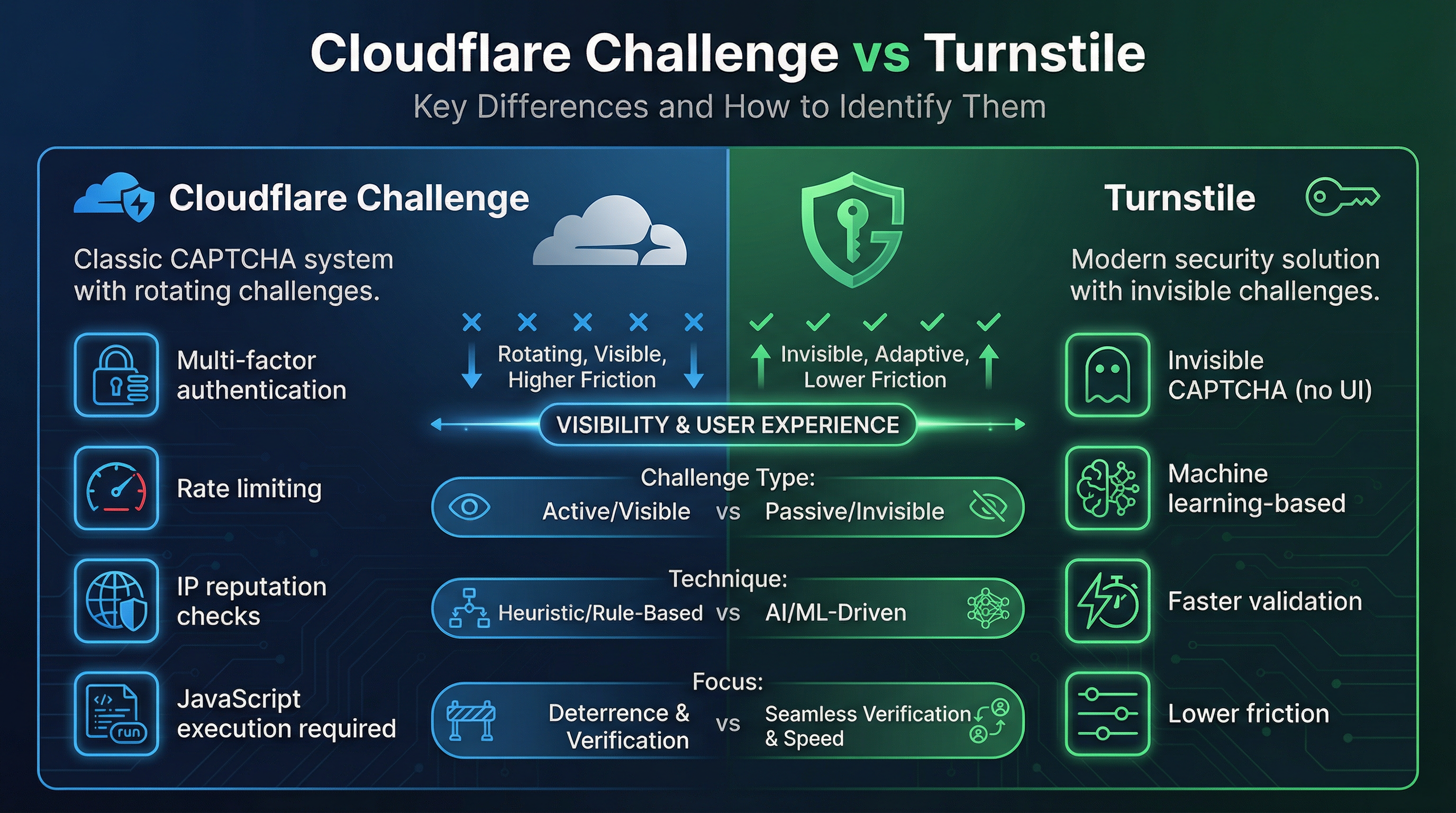
The fundamental difference between the Cloudflare Challenge vs Turnstile lies in their scope, implementation, and impact on the user journey. The Challenge is a gatekeeper for the entire site, while Turnstile is a localized security check.
| Feature | Cloudflare Challenge | Cloudflare Turnstile |
|---|---|---|
| Scope | Full-page block, network-level defense. | Embedded widget, form-level defense. |
| Intrusiveness | High. Completely interrupts the user flow. | Low. Minimal or no user interaction required. |
| Trigger | Triggered by Cloudflare's WAF/DDoS protection rules. | Integrated by the website owner on specific pages/forms. |
| Appearance | Cloudflare-branded full page, often with a 5-second wait or visual puzzle. | Small, embedded widget, usually a simple checkbox or loading spinner. |
| Token Type | Generates a security cookie/token for the entire session. | Generates a specific response token for the form submission. |
| Primary Use | Protecting against large-scale bot attacks and DDoS. | Securing specific user actions (login, registration, comments). |
Understanding these distinctions is the first step in successful web automation. When you encounter a full-page block, you are dealing with a Cloudflare Challenge. When you see a small, modern-looking widget inside a form, you are dealing with Cloudflare Turnstile.
Accurate identification is paramount for choosing the correct solving method. While both are Cloudflare products, their underlying mechanisms and the required automation steps are entirely different.
The fastest way to distinguish between the Cloudflare Challenge vs Turnstile is by observing the surrounding content.
For a definitive technical confirmation, use your browser's developer tools (F12).
<iframe> or a direct page structure that dominates the <body> element. The source code will heavily feature Cloudflare's challenge-related scripts.cf-turnstile class or the data-sitekey attribute. The widget is contained within a specific <div> element, often near a submit button. This sitekey is essential for solving the Turnstile.The action required from the user also highlights the difference between the Cloudflare Challenge vs Turnstile.
This distinction is crucial for automation. A successful Cloudflare Challenge solve grants you a session cookie. A successful Cloudflare Turnstile solve grants you a one-time token. The difference in token type is a core aspect of the Cloudflare Challenge vs Turnstile comparison.
For web scraping and automation, misidentifying the security mechanism leads to failed requests and wasted resources.
If you treat a Cloudflare Challenge as a Turnstile, your request will fail because you are not providing the necessary session cookie to bypass the network-level block. Conversely, if you treat a Turnstile as a Challenge, you might overcomplicate the process or fail to capture the required form token. Mastering the Cloudflare Challenge vs Turnstile identification process prevents these common automation errors.
The correct approach depends entirely on the mechanism:
data-sitekey and other parameters, submitting them to a solver, and injecting the resulting token into the form data. Our article on How to Identify if action is Required to Solve Cloudflare Turnstile provides technical insights.When facing the complexities of the Cloudflare Challenge vs Turnstile, an efficient and reliable solver is indispensable. CapSolver is a leading solution designed to handle both of these distinct Cloudflare protections with high accuracy and speed.
CapSolver’s API is specifically engineered to differentiate between the full-page Challenge and the embedded Turnstile widget. It uses specialized solving methods for each: advanced browser simulation for the Challenge and token generation for Turnstile. This ensures that your automation tasks are not only successful but also cost-effective, as you are using the precise tool for the job.
Boost your automation budget instantly!
Use bonus code CAPN when topping up your CapSolver account to get an extra 5% bonus on every recharge — with no limits.
Redeem it now in your CapSolver Dashboard
By integrating CapSolver, you eliminate the guesswork involved in identifying the protection. Whether your script encounters a full-page block or a simple form widget, CapSolver provides the necessary token or cookie to proceed. For a comprehensive guide on tackling both, see How to Solve Cloudflare Turnstile and Challenge 5s in 2026.
The difference between the Cloudflare Challenge vs Turnstile is significant, moving from a network-wide security gate to a localized, user-friendly form protection. The Challenge is intrusive and session-based, while Turnstile is embedded and token-based. Accurate identification is the foundation of effective web automation.
By understanding the visual cues and technical implementation details, you can correctly classify the protection and deploy the appropriate solving strategy. Don't let security measures slow down your operations.
Ready to streamline your web automation?
Start using CapSolver today to reliably bypass both Cloudflare Challenge and Cloudflare Turnstile. Visit our documentation to integrate the API and experience the difference of a specialized, high-performance CAPTCHA solver.
Yes, a website can use both. The Cloudflare Challenge is typically triggered by Cloudflare's WAF/DDoS rules when suspicious traffic is detected. Cloudflare Turnstile is manually embedded by the site owner on specific forms (like login or contact forms). A user might first face a Challenge to access the site, and then encounter a Turnstile when submitting a form.
Cloudflare refers to Turnstile as a "CAPTCHA replacement." While it serves the same function—distinguishing humans from bots—it rarely requires the user to solve a puzzle, making it a much less intrusive experience than traditional CAPTCHAs or the interactive parts of the Cloudflare Challenge.
Inspect the page. If the entire page is blocked and you see a Cloudflare security check page, you need to solve the Cloudflare Challenge to get a session cookie. If you see a small widget inside a form on an otherwise accessible page, you need to solve the Cloudflare Turnstile to get a submission token.
The "5-second wait" is a common form of the Cloudflare Challenge. It is a JavaScript-based check that forces the browser to execute a small amount of code and wait for a short period. This is designed to filter out simple bots that cannot execute JavaScript or do not wait for the check to complete.
Lucas Mitchell
Automation Engineer
Helping browser automation recover and continue.
ABOUT THE AUTHOR
Learn what a Cloudflare Challenge is, how Cloudflare detects bots using JavaScript and machine learning, and why challenges appear during browsing. Complete guide for 2026.

Learn how to fix the "failed to verify cloudflare turnstile token" error. This guide covers causes, troubleshooting steps, and how to defeat cloudflare turnstile with CapSolver.

