🎉NEWCapSolver for AI agents-MCP, agent tools, and SDK integrations

Lucas Mitchell
Automation Engineer
Published Dec 23, 2025
Updated Dec 24, 2025 · min read
TL;DR: Crawlee crawlers often hit CAPTCHA barriers. Integrating CapSolver lets you solve reCAPTCHA, Turnstile, and more, so scraping workflows stay stable and automated.
When building crawlers with Crawlee, running into CAPTCHA is almost unavoidable—especially on modern sites with aggressive bot protection. Even well-configured Playwright or HTTP crawlers can get blocked once reCAPTCHA, Turnstile, or similar challenges appear.
This guide focuses on a practical approach: using CapSolver to handle CAPTCHA challenges directly inside Crawlee workflows. Instead of fighting browser fingerprints endlessly, you’ll see how to detect common CAPTCHA types, solve them programmatically, and keep your crawlers running reliably in real-world scraping scenarios.
Crawlee is a web scraping and browser automation library for Node.js designed to build reliable crawlers that appear human-like and fly under the radar of modern bot protections. Built with TypeScript, it provides both high-level simplicity and low-level customization.
Crawlee offers multiple crawler types for different use cases:
| Crawler Type | Description |
|---|---|
| CheerioCrawler | Ultra-fast HTTP crawler using Cheerio for HTML parsing |
| PlaywrightCrawler | Full browser automation with Playwright for JavaScript-heavy sites |
| PuppeteerCrawler | Full browser automation with Puppeteer for JavaScript rendering |
| JSDOMCrawler | HTTP crawler with JSDOM for JavaScript execution without a browser |
CapSolver is a leading CAPTCHA solving service that provides AI-powered solutions for bypassing various CAPTCHA challenges. With support for multiple CAPTCHA types and lightning-fast response times, CapSolver integrates seamlessly into automated workflows.
When building Crawlee crawlers that interact with protected websites, CAPTCHA challenges can halt your entire scraping pipeline. Here's why the integration matters:
First, install the required packages:
npm install crawlee playwright axiosOr with yarn:
yarn add crawlee playwright axiosHere's a reusable CapSolver utility class that can be used across your Crawlee projects:
import axios from 'axios';

const CAPSOLVER_API_KEY = 'YOUR_CAPSOLVER_API_KEY';

interface TaskResult {
    status: string;
    solution?: {
        gRecaptchaResponse?: string;
        token?: string;
    };
    errorDescription?: string;
}

class CapSolverService {
    private apiKey: string;
    private baseUrl = 'https://api.capsolver.com';

    constructor(apiKey: string = CAPSOLVER_API_KEY) {
        this.apiKey = apiKey;
    }

    async createTask(taskData: object): Promise<string> {
        const response = await axios.post(`${this.baseUrl}/createTask`, {
            clientKey: this.apiKey,
            task: taskData
        });

        if (response.data.errorId !== 0) {
            throw new Error(`CapSolver error: ${response.data.errorDescription}`);
        }

        return response.data.taskId;
    }

    async getTaskResult(taskId: string, maxAttempts = 60): Promise<TaskResult> {
        for (let i = 0; i < maxAttempts; i++) {
            await this.sleep(2000);

            const response = await axios.post(`${this.baseUrl}/getTaskResult`, {
                clientKey: this.apiKey,
                taskId
            });

            if (response.data.status === 'ready') {
                return response.data;
            }

            if (response.data.status === 'failed') {
                throw new Error(`Task failed: ${response.data.errorDescription}`);
            }
        }

        throw new Error('Timeout waiting for CAPTCHA solution');
    }

    private sleep(ms: number): Promise<void> {
        return new Promise(resolve => setTimeout(resolve, ms));
    }

    async solveReCaptchaV2(websiteUrl: string, websiteKey: string): Promise<string> {
        const taskId = await this.createTask({
            type: 'ReCaptchaV2TaskProxyLess',
            websiteURL: websiteUrl,
            websiteKey
        });

        const result = await this.getTaskResult(taskId);
        return result.solution?.gRecaptchaResponse || '';
    }

    async solveReCaptchaV3(
        websiteUrl: string,
        websiteKey: string,
        pageAction = 'submit'
    ): Promise<string> {
        const taskId = await this.createTask({
            type: 'ReCaptchaV3TaskProxyLess',
            websiteURL: websiteUrl,
            websiteKey,
            pageAction
        });

        const result = await this.getTaskResult(taskId);
        return result.solution?.gRecaptchaResponse || '';
    }

    async solveTurnstile(websiteUrl: string, websiteKey: string): Promise<string> {
        const taskId = await this.createTask({
            type: 'AntiTurnstileTaskProxyLess',
            websiteURL: websiteUrl,
            websiteKey
        });

        const result = await this.getTaskResult(taskId);
        return result.solution?.token || '';
    }
}

export const capSolver = new CapSolverService();import { PlaywrightCrawler, Dataset } from 'crawlee';
import { capSolver } from './capsolver-service';
const RECAPTCHA_SITE_KEY = 'YOUR_SITE_KEY';
const crawler = new PlaywrightCrawler({
async requestHandler({ page, request, log }) {
log.info(`Processing ${request.url}`);
// Check if page has reCAPTCHA
const hasRecaptcha = await page.$('.g-recaptcha');
if (hasRecaptcha) {
log.info('reCAPTCHA detected, solving...');
// Get the site key from the page
const siteKey = await page.$eval(
'.g-recaptcha',
(el) => el.getAttribute('data-sitekey')
) || RECAPTCHA_SITE_KEY;
// Solve the CAPTCHA
const token = await capSolver.solveReCaptchaV2(request.url, siteKey);
// Inject the token - the textarea is hidden, so we use JavaScript
await page.$eval('#g-recaptcha-response', (el: HTMLTextAreaElement, token: string) => {
el.style.display = 'block';
el.value = token;
}, token);
// Submit the form
await page.click('button[type="submit"]');
await page.waitForLoadState('networkidle');
log.info('reCAPTCHA solved successfully!');
}
// Extract data after CAPTCHA is solved
const title = await page.title();
const content = await page.locator('body').innerText();
await Dataset.pushData({
title,
content: content.slice(0, 1000)
});
},
maxRequestsPerCrawl: 50,
headless: true
});
await crawler.run(['https://example.com/protected-page']);import { PlaywrightCrawler, Dataset } from 'crawlee';
import { capSolver } from './capsolver-service';
const crawler = new PlaywrightCrawler({
async requestHandler({ page, request, log }) {
log.info(`Processing ${request.url}`);
// reCAPTCHA v3 is invisible, detect by script
const recaptchaScript = await page.$('script[src*="recaptcha/api.js?render="]');
if (recaptchaScript) {
log.info('reCAPTCHA v3 detected, solving...');
// Extract site key from the script src
const scriptSrc = await recaptchaScript.getAttribute('src') || '';
const siteKeyMatch = scriptSrc.match(/render=([^&]+)/);
const siteKey = siteKeyMatch ? siteKeyMatch[1] : '';
if (siteKey) {
// Solve reCAPTCHA v3
const token = await capSolver.solveReCaptchaV3(
request.url,
siteKey,
'submit'
);
// Inject token into hidden input using JavaScript
await page.$eval('input[name="g-recaptcha-response"]', (el: HTMLInputElement, token: string) => {
el.value = token;
}, token);
log.info('reCAPTCHA v3 token injected!');
}
}
// Continue with form submission or data extraction
const title = await page.title();
const url = page.url();
await Dataset.pushData({ title, url });
}
});
await crawler.run(['https://example.com/v3-protected']);import { PlaywrightCrawler, Dataset } from 'crawlee';
import { capSolver } from './capsolver-service';
const crawler = new PlaywrightCrawler({
async requestHandler({ page, request, log }) {
log.info(`Processing ${request.url}`);
// Check for Turnstile widget
const hasTurnstile = await page.$('.cf-turnstile');
if (hasTurnstile) {
log.info('Cloudflare Turnstile detected, solving...');
// Get site key
const siteKey = await page.$eval(
'.cf-turnstile',
(el) => el.getAttribute('data-sitekey')
);
if (siteKey) {
// Solve Turnstile
const token = await capSolver.solveTurnstile(request.url, siteKey);
// Inject token using JavaScript (hidden input)
await page.$eval('input[name="cf-turnstile-response"]', (el: HTMLInputElement, token: string) => {
el.value = token;
}, token);
// Submit form
await page.click('button[type="submit"]');
await page.waitForLoadState('networkidle');
log.info('Turnstile solved successfully!');
}
}
// Extract data
const title = await page.title();
const content = await page.locator('body').innerText();
await Dataset.pushData({
title,
content: content.slice(0, 500)
});
}
});
await crawler.run(['https://example.com/turnstile-protected']);Here's an advanced crawler that automatically detects and solves different CAPTCHA types:
import { PlaywrightCrawler, Dataset } from 'crawlee';
import { capSolver } from './capsolver-service';

interface CaptchaInfo {
    type: 'recaptcha-v2' | 'recaptcha-v3' | 'turnstile' | 'none';
    siteKey: string | null;
}

async function detectCaptcha(page: any): Promise<CaptchaInfo> {
    // Check for reCAPTCHA v2
    const recaptchaV2 = await page.$('.g-recaptcha');
    if (recaptchaV2) {
        const siteKey = await page.$eval('.g-recaptcha', (el: Element) =>
            el.getAttribute('data-sitekey')
        );
        return { type: 'recaptcha-v2', siteKey };
    }

    // Check for reCAPTCHA v3
    const recaptchaV3Script = await page.$('script[src*="recaptcha/api.js?render="]');
    if (recaptchaV3Script) {
        const scriptSrc = await recaptchaV3Script.getAttribute('src') || '';
        const match = scriptSrc.match(/render=([^&]+)/);
        const siteKey = match ? match[1] : null;
        return { type: 'recaptcha-v3', siteKey };
    }

    // Check for Turnstile
    const turnstile = await page.$('.cf-turnstile');
    if (turnstile) {
        const siteKey = await page.$eval('.cf-turnstile', (el: Element) =>
            el.getAttribute('data-sitekey')
        );
        return { type: 'turnstile', siteKey };
    }

    return { type: 'none', siteKey: null };
}

async function solveCaptcha(
    page: any,
    url: string,
    captchaInfo: CaptchaInfo
): Promise<void> {
    if (!captchaInfo.siteKey || captchaInfo.type === 'none') return;

    let token: string;

    switch (captchaInfo.type) {
        case 'recaptcha-v2':
            token = await capSolver.solveReCaptchaV2(url, captchaInfo.siteKey);
            // Hidden textarea - use JavaScript to set value
            await page.$eval('#g-recaptcha-response', (el: HTMLTextAreaElement, t: string) => {
                el.style.display = 'block';
                el.value = t;
            }, token);
            break;

        case 'recaptcha-v3':
            token = await capSolver.solveReCaptchaV3(url, captchaInfo.siteKey);
            // Hidden input - use JavaScript to set value
            await page.$eval('input[name="g-recaptcha-response"]', (el: HTMLInputElement, t: string) => {
                el.value = t;
            }, token);
            break;

        case 'turnstile':
            token = await capSolver.solveTurnstile(url, captchaInfo.siteKey);
            // Hidden input - use JavaScript to set value
            await page.$eval('input[name="cf-turnstile-response"]', (el: HTMLInputElement, t: string) => {
                el.value = t;
            }, token);
            break;
    }
}

const crawler = new PlaywrightCrawler({
    async requestHandler({ page, request, log, enqueueLinks }) {
        log.info(`Processing ${request.url}`);

        // Auto-detect CAPTCHA
        const captchaInfo = await detectCaptcha(page);

        if (captchaInfo.type !== 'none') {
            log.info(`Detected ${captchaInfo.type}, solving...`);
            await solveCaptcha(page, request.url, captchaInfo);

            // Submit form if exists
            const submitBtn = await page.$('button[type="submit"], input[type="submit"]');
            if (submitBtn) {
                await submitBtn.click();
                await page.waitForLoadState('networkidle');
            }

            log.info('CAPTCHA solved successfully!');
        }

        // Extract data
        const title = await page.title();
        const url = page.url();
        const text = await page.locator('body').innerText();

        await Dataset.pushData({
            title,
            url,
            text: text.slice(0, 1000)
        });

        // Continue crawling
        await enqueueLinks();
    },

    maxRequestsPerCrawl: 100
});

await crawler.run(['https://example.com']);Each CAPTCHA type requires a different submission method in the browser context:
async function submitRecaptchaToken(page: any, token: string): Promise<void> {
    // The response textarea is hidden - use JavaScript to set the value
    await page.$eval('#g-recaptcha-response', (el: HTMLTextAreaElement, token: string) => {
        el.style.display = 'block';
        el.value = token;
    }, token);

    // Also set hidden input if exists (common in custom implementations)
    try {
        await page.$eval('input[name="g-recaptcha-response"]', (el: HTMLInputElement, token: string) => {
            el.value = token;
        }, token);
    } catch (e) {
        // Input might not exist
    }

    // Submit the form
    await page.click('form button[type="submit"]');
}async function submitTurnstileToken(page: any, token: string): Promise<void> {
// Set token in hidden input using JavaScript
await page.$eval('input[name="cf-turnstile-response"]', (el: HTMLInputElement, token: string) => {
el.value = token;
}, token);
// Submit the form
await page.click('form button[type="submit"]');
}For scenarios where you want automatic CAPTCHA solving, you can load the CapSolver browser extension:
import { PlaywrightCrawler } from 'crawlee';
import path from 'path';

const crawler = new PlaywrightCrawler({
    launchContext: {
        launchOptions: {
            // Load CapSolver extension
            args: [
                `--disable-extensions-except=${path.resolve('./capsolver-extension')}`,
                `--load-extension=${path.resolve('./capsolver-extension')}`
            ],
            headless: false // Extensions require headed mode
        }
    },

    async requestHandler({ page, request, log }) {
        log.info(`Processing ${request.url}`);

        // The extension will automatically solve CAPTCHAs
        // Wait for potential CAPTCHA to be solved
        await page.waitForTimeout(5000);

        // Continue with scraping
        const title = await page.title();
        const content = await page.locator('body').innerText();

        console.log({ title, content });
    }
});

await crawler.run(['https://example.com/captcha-page']);async function solveWithRetry(
solverFn: () => Promise<string>,
maxRetries = 3
): Promise<string> {
for (let attempt = 0; attempt < maxRetries; attempt++) {
try {
return await solverFn();
} catch (error) {
if (attempt === maxRetries - 1) throw error;
const delay = Math.pow(2, attempt) * 1000; // Exponential backoff
await new Promise(resolve => setTimeout(resolve, delay));
}
}
throw new Error('Max retries exceeded');
}
// Usage
const token = await solveWithRetry(() =>
capSolver.solveReCaptchaV2(url, siteKey)
);import axios from 'axios';
async function checkBalance(apiKey: string): Promise<number> {
const response = await axios.post('https://api.capsolver.com/getBalance', {
clientKey: apiKey
});
return response.data.balance || 0;
}
// Check before starting crawler
const balance = await checkBalance(CAPSOLVER_API_KEY);
if (balance < 1) {
console.warn('Low CapSolver balance! Please recharge.');
}import { PlaywrightCrawler, Dataset } from 'crawlee';
import { capSolver } from './capsolver-service';
// Cache solved tokens for same domain/key combinations
const tokenCache = new Map<string, { token: string; timestamp: number }>();
const TOKEN_TTL = 90000; // 90 seconds
async function getCachedToken(
url: string,
siteKey: string,
solverFn: () => Promise<string>
): Promise<string> {
const cacheKey = `${new URL(url).hostname}:${siteKey}`;
const cached = tokenCache.get(cacheKey);
if (cached && Date.now() - cached.timestamp < TOKEN_TTL) {
return cached.token;
}
const token = await solverFn();
tokenCache.set(cacheKey, { token, timestamp: Date.now() });
return token;
}import { PlaywrightCrawler, ProxyConfiguration } from 'crawlee';
const proxyConfiguration = new ProxyConfiguration({
proxyUrls: [
'http://user:pass@proxy1.example.com:8080',
'http://user:pass@proxy2.example.com:8080',
'http://user:pass@proxy3.example.com:8080'
]
});
const crawler = new PlaywrightCrawler({
proxyConfiguration,
async requestHandler({ page, request, log, proxyInfo }) {
log.info(`Using proxy: ${proxyInfo?.url}`);
// Your CAPTCHA solving and scraping logic here
}
});import { PlaywrightCrawler, Dataset, ProxyConfiguration } from 'crawlee';
import { capSolver } from './capsolver-service';
interface Product {
name: string;
price: string;
url: string;
image: string;
}
const proxyConfiguration = new ProxyConfiguration({
proxyUrls: ['http://user:pass@proxy.example.com:8080']
});
const crawler = new PlaywrightCrawler({
proxyConfiguration,
maxRequestsPerCrawl: 200,
maxConcurrency: 5,
async requestHandler({ page, request, log, enqueueLinks }) {
log.info(`Scraping: ${request.url}`);
// Check for any CAPTCHA
const hasRecaptcha = await page.$('.g-recaptcha');
const hasTurnstile = await page.$('.cf-turnstile');
if (hasRecaptcha) {
const siteKey = await page.$eval(
'.g-recaptcha',
(el) => el.getAttribute('data-sitekey')
);
if (siteKey) {
log.info('Solving reCAPTCHA...');
const token = await capSolver.solveReCaptchaV2(request.url, siteKey);
// Inject token using JavaScript (hidden element)
await page.$eval('#g-recaptcha-response', (el: HTMLTextAreaElement, t: string) => {
el.style.display = 'block';
el.value = t;
}, token);
await page.click('button[type="submit"]');
await page.waitForLoadState('networkidle');
}
}
if (hasTurnstile) {
const siteKey = await page.$eval(
'.cf-turnstile',
(el) => el.getAttribute('data-sitekey')
);
if (siteKey) {
log.info('Solving Turnstile...');
const token = await capSolver.solveTurnstile(request.url, siteKey);
// Inject token using JavaScript (hidden element)
await page.$eval('input[name="cf-turnstile-response"]', (el: HTMLInputElement, t: string) => {
el.value = t;
}, token);
await page.click('button[type="submit"]');
await page.waitForLoadState('networkidle');
}
}
// Extract product data using Playwright locators
const productCards = await page.locator('.product-card').all();
const products: Product[] = [];
for (const card of productCards) {
products.push({
name: await card.locator('.product-name').innerText().catch(() => ''),
price: await card.locator('.product-price').innerText().catch(() => ''),
url: await card.locator('a').getAttribute('href') || '',
image: await card.locator('img').getAttribute('src') || ''
});
}
if (products.length > 0) {
await Dataset.pushData(products);
log.info(`Extracted ${products.length} products`);
}
// Enqueue pagination and category links
await enqueueLinks({
globs: ['**/products/**', '**/page/**', '**/category/**']
});
},
failedRequestHandler({ request, log }) {
log.error(`Request failed: ${request.url}`);
}
});
// Start crawling
await crawler.run(['https://example-store.com/products']);
// Export results
const dataset = await Dataset.open();
await dataset.exportToCSV('products.csv');
console.log('Scraping complete! Results saved to products.csv');Integrating CapSolver with Crawlee unlocks the full potential of web scraping for Node.js developers. By combining Crawlee's robust crawling infrastructure with CapSolver's industry-leading CAPTCHA solving capabilities, you can build reliable scrapers that handle even the most challenging bot protection mechanisms.
Whether you're building data extraction pipelines, price monitoring systems, or content aggregation tools, the Crawlee + CapSolver combination provides the reliability and scalability needed for production environments.
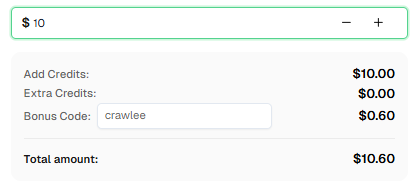
Ready to get started? Sign up for CapSolver and use bonus code CRAWLEE for an extra 6% bonus on your every recharge!
Crawlee is a web scraping and browser automation library for Node.js designed to build reliable crawlers. It supports both HTTP-based crawling (with Cheerio/JSDOM) and full browser automation (with Playwright/Puppeteer), and includes built-in features like proxy rotation, session management, and anti-bot stealth.
CapSolver integrates with Crawlee through a service class that wraps the CapSolver API. Within your crawler's request handler, you can detect CAPTCHA challenges and use CapSolver to solve them, then inject the tokens back into the page.
CapSolver supports a wide range of CAPTCHA types including reCAPTCHA v2, reCAPTCHA v3, Cloudflare Turnstile, AWS WAF, GeeTest, and many more.
CapSolver offers competitive pricing based on the type and volume of CAPTCHAs solved. Visit capsolver.com for current pricing details. Use code CRAWLEE for a 6% bonus on your first recharge.
Yes! CapSolver provides a REST API that can be integrated with any Node.js framework, including Express, Puppeteer standalone, Selenium, and more.
Yes, Crawlee is open-source and released under the Apache 2.0 license. The framework is free to use, though you may incur costs for proxy services and CAPTCHA solving services like CapSolver.
The site key is typically found in the page's HTML source. Look for:
data-sitekey attribute on .g-recaptcha elementdata-sitekey attribute on .cf-turnstile elementLucas Mitchell
Automation Engineer
Helping browser automation recover and continue.
ABOUT THE AUTHOR
Learn scalable Rust web scraping architecture with reqwest, scraper, async scraping, headless browser scraping, proxy rotation, and compliant CAPTCHA handling.
Learn the best techniques to scrape job listings without getting blocked. Master Indeed scraping, Google Jobs API, and web scraping API with CapSolver.