reCAPTCHA Solver Guide: API, Tokens, and Safe Automation

Anh Tuan
Data Science Expert
TL;DR
- A recaptcha solver helps authorized automation workflows obtain challenge tokens for testing, QA, data collection, and browser automation under clear permission boundaries.
- The core API pattern is createTask, wait, then getTaskResult, so engineering teams should design retries, timeouts, and validation checks before production use.
- reCAPTCHA v2 and v3 need different inputs because v2 often relies on a visible or invisible widget, while v3 returns a risk score tied to an action.
- Responsible use matters: a recaptcha solver should support owned systems, consent-based testing, accessibility work, and permitted public data workflows only.
- CapSolver provides product pages, API documentation, and task guides that help teams map reCAPTCHA token solving into predictable automation pipelines.
Introduction
A recaptcha solver is most useful when a team needs predictable token handling for authorized automation rather than ad hoc manual testing. In that context, CapSolver can fit QA, RPA, public data monitoring, and browser automation workflows that already have permission to interact with the target service. The key is to understand what the challenge type expects, which API task type is required, and how returned tokens are validated by the application. Google’s documentation distinguishes checkbox-style reCAPTCHA v2 from score-based reCAPTCHA v3, so a single implementation plan rarely works for every page. This guide explains the practical API workflow, selection criteria, integration checklist, and compliance guardrails for teams evaluating a recaptcha solver in 2026.
What is a recaptcha solver?
A recaptcha solver is a service or integration layer that returns a token or response value for a reCAPTCHA challenge so an authorized automation process can continue. The term usually covers reCAPTCHA v2 checkbox, invisible v2, enterprise variants, and score-based reCAPTCHA v3. Google explains that v2 checkbox asks users to click “I’m not a robot,” while v3 runs without user interruption and returns a score through its JavaScript API via Google reCAPTCHA version guidance.
For developers, the important distinction is not only the user experience. It is the shape of the input. A recaptcha solver for v2 usually needs a website URL and site key, and may also need invisible-widget or enterprise context. A v3 integration often needs the same page context plus an action value that matches the page’s grecaptcha.execute call. That is why teams should identify the challenge version, site key, action, and enterprise status before they choose a recaptcha solver API.
How the token workflow usually works
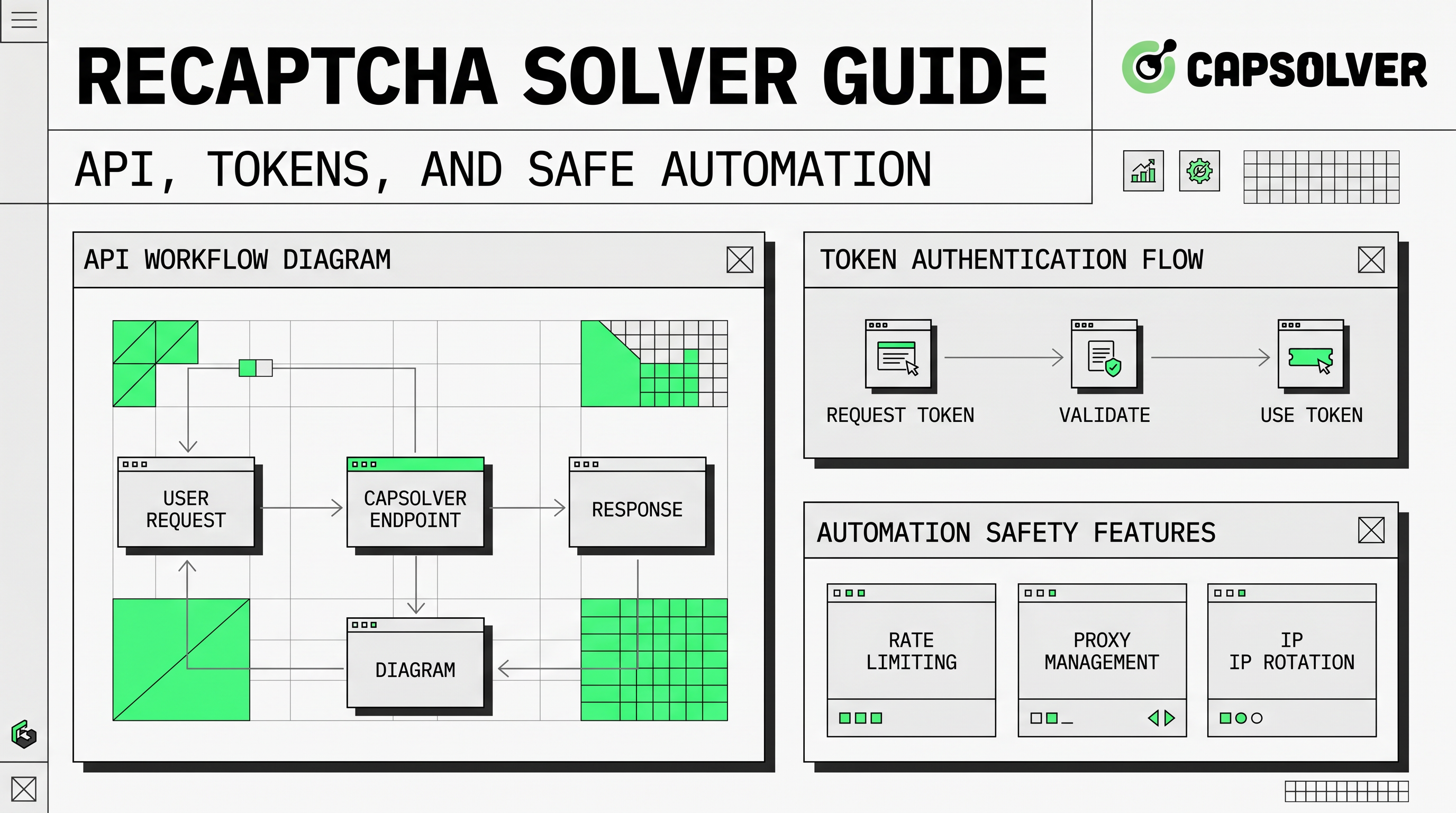
Most modern reCAPTCHA solving APIs use an asynchronous task workflow. CapSolver’s API overview and task guides describe the standard sequence as creating a task, waiting for processing, and retrieving the result. In practice, the application sends challenge details to the recaptcha solver, receives a task ID, then polls for a completed solution.
| Step | Engineering action | What to verify |
|---|---|---|
| Detect challenge context | Identify version, site key, URL, action, and enterprise flags | The extracted values match the page where the token will be submitted |
| Create task | Send task data to the createTask API | Required fields are present and task type matches the challenge |
| Poll result | Query the getTaskResult API | Handle processing, failed, and ready states safely |
| Submit token | Send gRecaptchaResponse or equivalent token to the permitted workflow |
Token is fresh, bound to the expected page, and accepted by backend validation |
| Monitor outcomes | Track errors, latency, and solve rate | Retry policies do not create excessive traffic or unstable test behavior |
This structure is a better model than embedding fragile page-specific hacks. A recaptcha solver should be treated as an external API dependency with logging, timeout controls, and clear failure handling. If a task returns an unexpected status, the automation should stop or retry within a conservative limit instead of repeatedly submitting invalid data.
Choosing between v2 and v3 task types
A recaptcha solver must match the challenge version. CapSolver’s reCAPTCHA v2 guide lists task types such as ReCaptchaV2TaskProxyLess, ReCaptchaV2EnterpriseTask, and ReCaptchaV2EnterpriseTaskProxyLess. Required fields include type, websiteURL, and websiteKey, while optional fields can include proxy settings, invisible mode, enterprise payload, session handling, and API domain.
CapSolver’s reCAPTCHA v3 guide lists ReCaptchaV3Task, ReCaptchaV3EnterpriseTask, ReCaptchaV3TaskProxyLess, and ReCaptchaV3EnterpriseTaskProxyLess. The v3 guide also notes that pageAction can be important because it may be found in grecaptcha.execute. For teams using a recaptcha solver, that means v3 planning should include action discovery, score expectations, and site-specific testing.
A simple decision rule helps. Use a v2 task type when the page presents a checkbox, an invisible v2 challenge, or an enterprise v2 widget. Use a v3 task type when the page calls grecaptcha.execute with an action and relies on score-based backend validation. If both appear on the same site, separate the two flows rather than forcing one recaptcha solver configuration across all pages.
Integration checklist for automation teams
A reliable recaptcha solver integration starts with documented assumptions. Teams should write down the target environment, permitted use case, challenge version, task type, retry budget, and data handling rules before implementation. This makes the integration reviewable by engineering, compliance, and security stakeholders.
For browser automation, confirm that the page URL and site key are collected from the same page state where the token will be used. For API-based automation, confirm that the backend expects a reCAPTCHA response field and that the token is submitted quickly. Google’s v3 documentation says tokens should be sent immediately to the backend for verification, and its verify response can include success, score, action, timestamp, hostname, and error codes via Google reCAPTCHA v3 documentation.
A recaptcha solver also needs operational limits. Set a maximum poll count, log task IDs, record solve latency, and capture backend validation results. If the application starts rejecting tokens, the first response should be diagnosis: action mismatch, expired token, wrong site key, enterprise parameter gap, proxy mismatch, or page URL mismatch. These checks often solve more issues than changing providers.
Responsible use and risk boundaries
A recaptcha solver is not permission to access restricted systems. It should be used for owned applications, authorized QA, accessibility testing, consent-based RPA, and permitted public data workflows. OWASP describes unwanted automated usage as software-driven behavior that diverges from accepted web application behavior and includes automated threat categories such as CAPTCHA Defeat and Scraping in its Automated Threats to Web Applications project.
That framing is important for internal policy. Technical capability does not create authorization. Teams should avoid private, sensitive, restricted, or account-protected data unless they have explicit permission. They should also respect robots policies, contractual terms, rate limits, and privacy obligations. A compliant recaptcha solver workflow has a narrow purpose, documented approval, conservative traffic limits, and human escalation when validation behavior changes.
Where CapSolver fits in a recaptcha solver stack
CapSolver is relevant when a team needs a documented recaptcha solver API rather than manual handling. The reCAPTCHA v2 product page and reCAPTCHA v3 product page help developers map challenge types to product support. The documentation then shows how to send tasks and retrieve solutions for specific challenge families.
Redeem Your CapSolver Bonus Code
Boost your automation budget instantly!
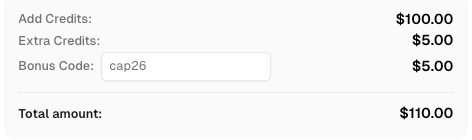
Use bonus code CAP26 when topping up your CapSolver account to get an extra 5% bonus on every recharge — with no limits.
Redeem it now in your CapSolver Dashboard
For teams using Selenium, Playwright, Puppeteer, or backend job runners, CapSolver should be added as a controlled API dependency. The recaptcha solver call should be isolated in a service wrapper, so teams can manage credentials, audit requests, standardize retries, and change task types without rewriting every automation script. CapSolver’s documentation-oriented approach also helps teams avoid unofficial parameters and stay close to supported task schemas.
Common implementation mistakes
The most common recaptcha solver mistake is sending the wrong task type. A v2 token task will not solve a v3 score workflow, and a v3 task without the expected action can produce weak or rejected results. Another mistake is treating the returned token as long-lived. Tokens are time-sensitive, so the automation should submit them immediately after a ready result.
A second issue is incomplete observability. If a recaptcha solver returns a token but the target backend rejects it, logs should show the site key, page URL, task type, action, task ID, latency, and validation response. Without that context, teams may retry blindly. Better logs reduce cost, reduce page traffic, and make root-cause analysis faster.
A third issue is policy drift. A pilot may start as internal QA but later expand into unknown targets or excessive volume. Keep approval boundaries clear. A recaptcha solver is safest when its scope, target domains, data categories, and traffic limits are explicitly reviewed.
Conclusion
A recaptcha solver is most effective when it is treated as a structured token workflow, not as a shortcut. Start by identifying the challenge version, choose the matching task type, use createTask and getTaskResult cleanly, and log backend validation results. Then add responsible-use guardrails that limit the workflow to authorized testing, QA, accessibility, and permitted automation. If your team needs a documented API for reCAPTCHA v2, v3, and enterprise-style token workflows, CapSolver is a practical option to evaluate.
FAQ
What does a recaptcha solver return?
A recaptcha solver usually returns a token such as gRecaptchaResponse or a similar solution object. The application then submits that token to the permitted workflow or backend validation step.
Is a recaptcha solver different for v2 and v3?
Yes. A v2 workflow often depends on a checkbox or invisible widget, while a v3 workflow depends on an action and risk score. CapSolver provides separate reCAPTCHA v2 task guidance and reCAPTCHA v3 task guidance for these cases.
What information should I collect before using a recaptcha solver?
Collect the website URL, site key, challenge version, task type, enterprise status, proxy requirement, and action name if the page uses v3. A correct reCAPTCHA site key is especially important because it connects the token request to the page context.
Can I use a recaptcha solver for web scraping?
Only in permitted workflows. A recaptcha solver may support public data monitoring or owned-site testing, but teams must respect access rules, privacy duties, rate limits, and contractual terms.
How should I troubleshoot rejected tokens?
Check whether the token expired, the task type was wrong, the action did not match, the site key was copied from another page, or the backend expected enterprise parameters. Logging each CAPTCHA solver response makes these checks easier.
More
reCAPTCHAAug 13, 2026
How to Solve reCAPTCHA v3 with Playwright: Complete Guide
The reliable way to implement playwright recaptcha v3 is to pause the permitted browser task at the verification checkpoint, recover inside the same Playwright page, and resume only after the original action passes its own assertion. CapSolver provides the official `capsolver-core` browser pipeline for detection, parameter reading, solving, and fill-back. Playwright remains responsible for navigation, form state, credentials, and test assertions. This separation avoids stale

reCAPTCHAJul 16, 2026
