











วิธีแก้ปัญหา reCaptcha v3 และได้ผลลัพธ์ใกล้เคียงกับมนุษย์ (>0.7-0.9)

Ethan Collins
Pattern Recognition Specialist
04-Jul-2023
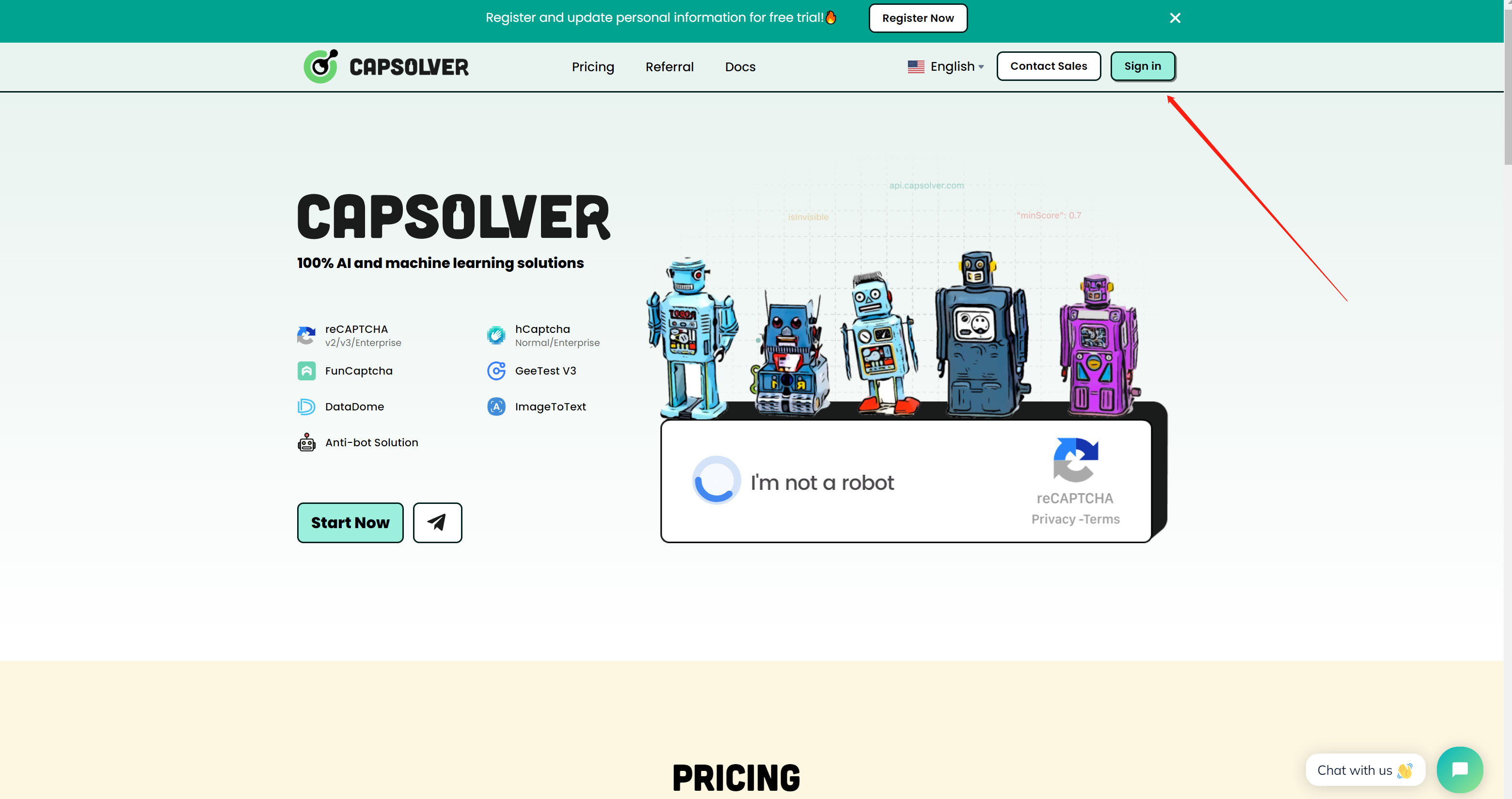
ขั้นตอนที่ 1: ลงทะเบียนที่ capsolver.com
หากต้องการเริ่มใช้ Capsolver คุณต้องลงทะเบียนบัญชี เยี่ยมชมเว็บไซต์และคลิกปุ่ม "ลงทะเบียน" คุณจะถูกขอให้ป้อนที่อยู่อีเมลและสร้างรหัสผ่าน หลังจากให้ข้อมูลที่จำเป็นแล้ว ให้คลิกที่ปุ่ม "ลงทะเบียน" เพื่อสร้างบัญชี
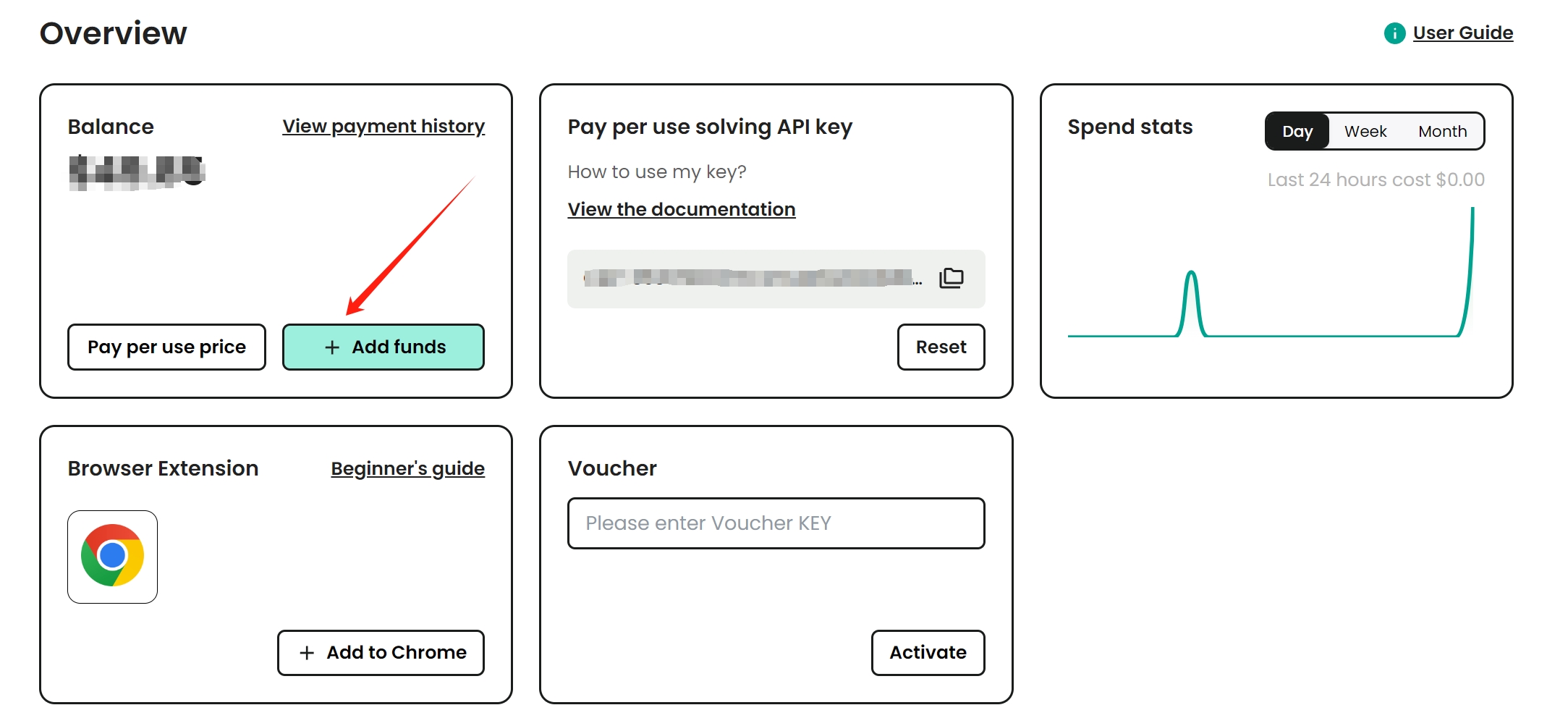
ขั้นตอนที่ 2: เพิ่มเงินในบัญชีของคุณ
ก่อนที่คุณจะเริ่มแก้ไข reCaptcha v3 คุณต้องเพิ่มเงินในบัญชี capsolver.com ของคุณ คลิกปุ่ม "เพิ่มเงิน" และเลือกวิธีการชำระเงินที่คุณต้องการ ทำตามคำแนะนำบนหน้าจอเพื่อดำเนินการชำระเงินให้เสร็จสิ้น
วิธีแก้ reCaptcha v3
ก่อนที่เราจะเริ่มแก้ไข ReCaptcha v3 เราจำเป็นต้องทราบข้อกำหนดและจุดต่างๆ
ความต้องการ:
- กุญแจละลายแคปซูล
- พร็อกซีเซิร์ฟเวอร์
พร็อกซีเป็นทางเลือก แต่ขอแนะนำให้ใช้พร็อกซีของคุณเองสำหรับ reCaptcha v3 เนื่องจากที่อยู่ IP มีความสำคัญมาก
ข้อควรพิจารณาว่าการแก้ปัญหาจะเป็นโมฆะหากเราไม่ปฏิบัติตาม:
pageActionจะต้องเป็นจริง ตรวจสอบบล็อกนี้เกี่ยวกับวิธีรับการดำเนินการกับหน้าที่ถูกต้อง คลิกที่นี่websiteUrlจะต้องเป็นจริง
ดังที่ได้กล่าวไว้ก่อนหน้านี้ คุณจะได้รับผลลัพธ์ที่ไม่ดีหากคุณใช้วิธีที่ไม่ใช่พร็อกซี (พร็อกซีจาก capsolver) ดังนั้นจึงแนะนำให้ใช้พร็อกซีของคุณเอง ถ้าข้อใดข้อหนึ่งล้มเหลว คุณจะได้คะแนนที่ไม่ดี ดังนั้นคะแนนเหล่านี้จึงสำคัญมากในการได้คะแนน 0.7-0.9
ทำตาม เอกสารประกอบ ของเราเพื่อแก้ปัญหา reCaptcha v3
ในตัวอย่างนี้ เราจะใช้พารามิเตอร์ที่จำเป็นเท่านั้น ประเภทงานสำหรับ reCaptcha v3 คือ:
ReCaptchaV3Task: งานประเภทนี้ต้องการพร็อกซีของตัวเองReCaptchaV3TaskProxyLessใช้พร็อกซีเซิร์ฟเวอร์ในตัว
เราจะใช้ ReCaptchaV3TaskProxyLess ตัวอย่างจะเป็นหน้าทดสอบเพื่อตรวจสอบผลลัพธ์ของโทเค็นของเรา ไซต์จะเป็น ลิงก์ เราจะต้องมีพร็อกซี (อพาร์ทเมนต์ ศูนย์ข้อมูล พร็อกซีมือถือใช้งานได้) คีย์ตัวถอดรหัส Balanced Caps, websiteUrl ที่ถูกต้อง และ pageAction ที่ถูกต้อง
ตามค่าเริ่มต้น pageAction จะได้รับการยืนยัน แต่ไซต์สามารถปรับแต่งได้ ดังนั้นโปรดจำไว้ว่าคุณต้องตรวจสอบว่าไซต์นั้นได้รับการยืนยันหรือกำหนดเอง คุณสามารถอ่านข้อมูลนี้เพื่อดูว่า site เป็นอย่างไร วิธีระบุบล็อก/recaptchav-values3)
หากต้องการแก้ปัญหา reCaptcha v3 สำหรับหน้าทดสอบ เพียงส่งข้อมูลนี้ไปที่ capsolver:
ขั้นตอนที่ 1: ส่งข้อมูลไปยัง capsolver
json
POST https://api.capsolver.com/createTask
{
  "clientKey":"yourapiKey",
    "task":
        {
          "type":"ReCaptchaV3TaskProxyLess",
        "websiteURL":"https://antcpt.com/score_detector",
        "websiteKey":"6LcR_okUAAAAAPYrPe-HK_0RULO1aZM15ENyM-Mf",
        "pageAction": "homepage"
        }
}
ขั้นตอนที่ 2: รับผลลัพธ์
เราจะต้องได้รับเมธอด getTaskResult จนกว่า captcha จะได้รับการแก้ไข
ตัวอย่าง:
json
POST https://api.capsolver.com/getTaskResult
Host: api.capsolver.com
Content-Type: application/json

{
    "clientKey":"YOUR_API_KEY",
    "taskId": "TASKID OF CREATETASK" //ID created by the createTask method
}
หลังจากแก้ captcha แล้ว คุณสามารถตรวจสอบ captcha token ได้โดยส่ง token ไปยังไซต์ เช่น:
js
var request = require('request');
var options = {
  'method': 'POST',
  'url': 'https://antcpt.com/score_detector/verify.php',
  'headers': {
    'Content-Type': 'application/json'
  },
  body: JSON.stringify({
    "g-recaptcha-response": "here the token of capsolver"
  })

};
request(options, function (error, response) {
  if (error) throw new Error(error);
  console.log(response.body);
});
และหน้าทดสอบจะให้คำตอบในรูปแบบของคะแนนโทเค็น
⚠️ หากคืนเหรียญต่ำเกินไป ไม่รับเหรียญ คุณอาจไม่ได้ปฏิบัติตามประเด็นใด ๆ ที่เราอธิบายไว้ในบล็อกด้านบน หากยังไม่ยอมรับโทเค็นหลังจากทำตามขั้นตอนทั้งหมดแล้ว เราขอแนะนำให้เพิ่มพารามิเตอร์เพิ่มเติม 2 รายการใน [บล็อกนี้](https://www.capsolver.com/blog/How-to-bypass-all-the-versions- reCAPTCHA-v2 -v3)
สรุปแล้ว การแก้ reCaptcha v3 อาจเป็นงานที่น่ากังวล แต่ก็สามารถทำได้อย่างรวดเร็วและมีประสิทธิภาพด้วยความช่วยเหลือจาก capsolver.com เมื่อทำตามขั้นตอนที่อธิบายไว้ข้างต้น คุณจะแก้ปัญหา reCaptcha v3 ได้อย่างง่ายดายและได้ผลลัพธ์ที่ "เหมือนมนุษย์"
ทีมโซลูชั่น 💜
Compliance Disclaimer: The information provided on this blog is for informational purposes only. CapSolver is committed to compliance with all applicable laws and regulations. The use of the CapSolver network for illegal, fraudulent, or abusive activities is strictly prohibited and will be investigated. Our captcha-solving solutions enhance user experience while ensuring 100% compliance in helping solve captcha difficulties during public data crawling. We encourage responsible use of our services. For more information, please visit our Terms of Service and Privacy Policy.
More
How to Identify and Obtain reCAPTCHA “s” Parameter Data
Learn to identify and obtain reCaptcha 's' data for effective captcha solving. Follow our step-by-step guide on using Capsolver's tools and techniques.
Ethan Collins
25-Nov-2025
How to Identify and Submit reCAPTCHA Extra Parameters (v2/v3/Enterprise) | CapSolver Guide
Learn how to detect and submit extra reCAPTCHA parameters using CapSolver to improve accuracy and solve complex challenges.

Rajinder Singh
10-Nov-2025
How to Solve reCAPTCHA When Scraping Search Results with Puppeteer
Master the art of Puppeteer web scraping by learning how to reliably solve reCAPTCHA v2 and v3. Discover the best puppeteer recaptcha solver techniques for large-scale data harvesting and SEO automation.

Lucas Mitchell
04-Nov-2025
AI Powered SEO Automation: How to Solve Captcha for Smarter SERP Data Collection
Discover how AI Powered SEO Automation overcomes CAPTCHA challenges for smarter SERP data collection and learn about reCAPTCHA v2/v3 solutions

Emma Foster
23-Oct-2025
reCAPTCHA Solver Auto Recognition and Solve Methods
Learn how to automatically recognize and solve Google reCAPTCHA v2, v3, invisible, and enterprise challenges using advanced AI and OCR techniques

Sora Fujimoto
22-Oct-2025
How to Solve reCAPTCHA v2: Solve reCAPTCHA v2 Guide
Learn how to automate solving Google reCAPTCHA v2 using CapSolver. Discover API and SDK integration, step-by-step guides, and bonus codes to streamline captcha solving for web scraping, automation, and development projects.

Aloísio Vítor
21-Oct-2025