
🎉NEWCapSolver for AI agents-MCP, agent tools, and SDK integrations

Ethan Collins
AI Agent Workflow Engineer
Published Nov 26, 2026
Updated Nov 26, 2026 · min read
cf_clearance cookie carries Cloudflare verification information for a particular visitor and device.The cf_clearance cookie is a browser cookie Cloudflare uses to retain verification information associated with a visitor and device. You may encounter it after a Cloudflare challenge, while inspecting a protected page, or in a challenge-solving API response.
For developers using CapSolver, the useful question is what that result means for the next request. Receiving a value, keeping it in the browser, and reaching the intended page are separate observations. Understanding the distinction helps you read solver results without confusing challenge completion with a completed browser task.
This guide explains how browsers carry the cookie, what its lifetime means, and how to interpret it in a CAPTCHA-solving workflow.
A browser stores cookies and returns applicable ones with later requests, subject to their scope and browser rules. Cloudflare can then evaluate the submitted verification information.
A cookie is a small item of browser state. The general HTTP mechanism uses a Set-Cookie response header to store a value and a Cookie request header to return applicable values. Domain, path, expiry, and security attributes affect when cookies are sent. The HTTP cookie mechanism explains these rules.
An illustrative sequence is:
Use those steps as separate checkpoints when discussing an integration. “The cookie is visible in browser storage” describes storage. “The request included the cookie” describes transmission. “The requested report appeared” describes an application outcome. Evidence of the first observation does not demonstrate the third.
For example, a permitted report-download workflow should check the expected document or download response. It should not mark a report as downloaded merely because its cookie store now contains a field named cf_clearance.
Cloudflare's Challenge Passage setting controls the configured challenge-clearance lifetime. The documented default is 30 minutes, and Cloudflare recommends a setting between 15 and 45 minutes. Site owners can choose a different duration; a third-party client should not assume the default applies everywhere.
The Challenge Passage documentation also describes clock-skew allowances and an additional validation allowance for XMLHttpRequest traffic. These details make a universal client-side countdown an unreliable substitute for observing the actual response. Challenge Passage does not apply to rate-limiting rules.
Consider an illustrative browser task that completes a challenge, visits a second page, then receives a rate-limit response. Extending the cookie's apparent lifetime would not address the rate-limiting decision. Those controls answer different questions: whether an earlier challenge remains relevant, and whether the current request is allowed under a rate rule.
For your own site, review the configured passage duration when planning verification tests. For a permitted external workflow, let the response determine whether the browser can continue. Avoid a completion rule that says “cookie not expired, therefore request successful.”
Clearance levels describe the strength of the completed challenge. Cloudflare documents Interactive, Managed, and Non-Interactive levels. Higher-level clearance covers challenges at the same or lower level; lower-level clearance does not satisfy a stronger challenge.
Cloudflare's clearance model binds the cookie to its visitor and device. Where Precursor operates in Armed mode, ongoing session evaluation can reduce or invalidate effective clearance before the configured passage period ends.
The practical consequence is that “valid” needs context. A browser may have completed an earlier challenge, yet a later action can require additional verification. That does not automatically establish that the first challenge was solved incorrectly.
Avoid reducing the entire decision to a universal formula such as “same IP plus same User-Agent always works.” A provider's integration requirements are operational instructions. They do not expose every signal used by Cloudflare or guarantee acceptance of a later request.
Redeem Your CapSolver Bonus Code
Boost your automation budget instantly!
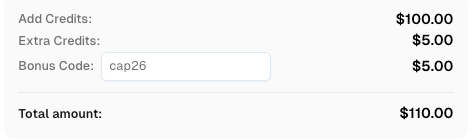
Use bonus code CAP26 when topping up your CapSolver account to get an extra 5% bonus on every recharge — with no limits.
Redeem it now in your CapSolver Dashboard
A clearance cookie and a Turnstile response token are different artifacts with different consumers. A standard Turnstile integration produces a response token that the application's server validates. Pre-clearance can additionally issue a cf_clearance cookie. Having one does not make the other interchangeable with it.
Cloudflare's Turnstile server-side validation requirements require applications to validate tokens through Siteverify. Turnstile tokens have a five-minute validity window and are intended for one validation. These token rules should not be applied to a clearance cookie's lifetime.
This matters when reading an API response. An application expecting a Turnstile form token cannot simply receive a cookie value instead. Likewise, a browser's cookie store is not the destination for every string a CAPTCHA service labels as a token. Read the task-specific response contract and identify which component consumes the result.
Our explanation of CAPTCHA tokens and cookies covers that broader distinction. Here, the key point is specific to Cloudflare: determine whether the workflow encountered a full-page challenge or an embedded Turnstile widget before choosing its result-handling path.
Clearance data is an output an authorized automation client may need after solving a supported Cloudflare challenge. In the documented Cloudflare Challenge task, CapSolver uses AntiCloudflareTask, and the response example includes solution.cookies.cf_clearance alongside a userAgent value.
That task has connection requirements: the documentation requires a static or sticky proxy, consistency with the supplied User-Agent, and an appropriate TLS request client. Some pages also require current challenge HTML. Follow that contract instead of treating a copied cookie as a complete integration.
For an existing permitted workflow, define completion in terms of what the user requested. A task to retrieve a public report ends when the expected report is available. A task to inspect a page ends when the intended page can be examined. Solver completion is useful evidence along the way, but it cannot establish either outcome by itself.
Keep the challenge result associated with the task that requested it. For logs, record the task identifier, time, challenge type, and a concise outcome such as “expected page confirmed.” Avoid placing raw cookie values in support tickets, shared screenshots, or analytics events. Treat them as sensitive browser state rather than reusable example data.
If a teammate needs to investigate a run, share the observation rather than the secret: which stage completed, which URL was expected, and what response appeared. A redacted record can support a useful conversation without turning the team's logs into a collection of active browser credentials.
The useful interpretation of cf_clearance is evidence of a browser verification state, subject to the request and the site's controls. It is not an application login or proof that an automation job finished.
Keep four questions separate when reviewing a result: Was verification completed? Was the applicable cookie retained and sent? Did the next request reach the intended page? Did the application complete the requested operation? This separation keeps a CAPTCHA response from being mistaken for business success.
For supported challenges in permitted workflows, CapSolver can provide the solving step. Your application remains responsible for checking the result, preserving appropriate session state, and respecting the site's access rules.
Q: Is cf_clearance a login cookie?
No. Cloudflare clearance and an application's authenticated session serve different purposes. Completing a challenge does not sign you into an account or grant permission to access restricted content.
Q: Can I reuse cf_clearance on another machine?
Do not treat it as transferable. Cloudflare binds clearance to the visitor and device. Keep an authorized workflow's own session rather than copying another user's cookie.
Q: Does every Turnstile completion create a cf_clearance cookie?
No. Turnstile normally produces a response token. A clearance cookie is an additional result when pre-clearance is enabled, and the application still needs to validate its Turnstile token.
Q: Does receiving cf_clearance mean my scraping job succeeded?
No. A solver result and a finished collection job are separate outcomes. Confirm the intended page and requested data before recording the job as successful.
Ethan Collins
AI Agent Workflow Engineer
Building clearer handoffs between AI agents and tools.
ABOUT THE AUTHOR
Choose a Turnstile solver API by checking widget support, task inputs, token validation, measured latency, billing terms, and evidence from your own workflow.

Learn how Cloudflare Bot Score relates to CAPTCHA challenges, what site rules decide, and where a supported CAPTCHA solver fits in authorized automation.