🎉NEWCapSolver for AI agents-MCP, agent tools, and SDK integrations

Nikolai Smirnov
Software Development Lead
Published Mar 24, 2026
Updated Mar 24, 2026 · min read
TL;DR:
aws-waf-token cookies and session data is crucial for success.Browser automation is a cornerstone for many digital operations, including data collection and automated testing. However, modern web security measures, particularly AWS WAF CAPTCHA, frequently interrupt these automated tasks. This article offers a detailed approach to understanding and effectively addressing Amazon AWS WAF CAPTCHA challenges within automated browser environments. We will explore the underlying mechanisms of these CAPTCHAs and demonstrate how to implement robust solutions. This ensures your automation remains both efficient and uninterrupted. Navigating these security layers is a key aspect of successful browser automation today.
AWS WAF CAPTCHA is a security feature designed to safeguard web applications from malicious bot traffic. It presents interactive challenges to distinguish human users from automated scripts. For browser automation, these challenges can halt operations, demanding either manual intervention or sophisticated automated solving techniques. The primary function of AWS WAF is to filter out unwanted requests, which often impacts legitimate automation efforts. Effectively solving AWS WAF captcha is therefore a critical skill for developers in this field.
AWS WAF utilizes various CAPTCHA challenges. Identifying these types is the initial step towards developing an effective solution. The two main categories encountered are:
aws-waf-token cookie plays a vital role in maintaining this authentication. This mechanism is common for many Amazon CAPTCHA implementations.Both types aim to prevent automated access, making browser automation more complex. Developers must adapt their strategies to overcome these obstacles. The presence of an amazon captcha signifies a robust security posture that requires careful handling.
Automating the solution of AWS WAF CAPTCHA presents several inherent difficulties. These include the dynamic nature of the challenges, the need for real-time processing, and the requirement to maintain session integrity. Standard automation scripts often fail when encountering these advanced security checks. The continuous evolution of CAPTCHA technology means that solutions must be both adaptable and resilient. Many automation efforts struggle to solve AWS WAF captcha efficiently.
AWS WAF CAPTCHA challenges are not static. They can vary in appearance, complexity, and underlying logic, rendering rigid, hardcoded solutions ineffective. This dynamic behavior necessitates a flexible and intelligent CAPTCHA solving service. These challenges are specifically designed to learn and adapt to common automation patterns, making consistent solutions difficult without external aid.
Successfully addressing an AWS WAF CAPTCHA often involves receiving and correctly managing specific cookies. The aws-waf-token is particularly important. Failing to handle these cookies properly will result in the CAPTCHA reappearing, disrupting the browser automation flow. Maintaining session persistence is paramount for continuous automation. This is a frequent challenge for those attempting to solve AWS WAF captcha, as improper cookie handling can lead to repeated blocks.
CapSolver provides a specialized service for resolving various CAPTCHA types, including AWS WAF CAPTCHA. It offers API-based solutions that integrate smoothly with popular browser automation frameworks such as Puppeteer and Playwright. By delegating the CAPTCHA solving process to CapSolver, developers can concentrate on their primary automation tasks. This approach avoids the complexities introduced by security challenges. CapSolver is specifically engineered to manage the intricacies of amazon captcha effectively, ensuring smoother operations.
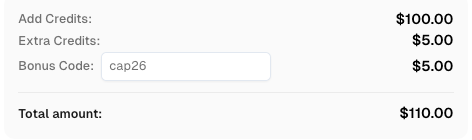
Use code
CAP26when signing up at CapSolver to receive bonus credits!
CapSolver distinguishes itself through its high accuracy, rapid processing, and straightforward integration. It supports both token-based and classification-based AWS WAF challenges, providing a comprehensive solution. The service undergoes continuous updates to adapt to new CAPTCHA variations, ensuring long-term reliability for your browser automation projects. For those seeking the best captcha solver for AWS WAF, CapSolver is frequently cited as a top contender. You can learn more about our solutions for AWS WAF.
Integrating CapSolver into your browser automation scripts involves a structured process. This includes identifying the CAPTCHA type, sending the challenge details to CapSolver, receiving the generated solution, and then injecting it back into the browser session. This methodical approach ensures that the aws-waf-token or other necessary solutions are correctly applied, allowing your automation to proceed.
Your automation script must reliably detect when an AWS WAF CAPTCHA page appears. This detection can often be achieved by checking the current page URL for specific patterns or by identifying unique elements on the CAPTCHA page itself. Once detected, the necessary parameters for the CAPTCHA challenge must be extracted from the page. This initial detection is crucial for any strategy to solve AWS WAF captcha.
Based on the identified CAPTCHA type (token-based or classification-based), you will create a corresponding task using CapSolver's API. The API request will include specific details. For token-based challenges, this involves parameters like websiteURL, awsKey, awsIv, awsContext, awsChallengeJS, awsApiJs, awsProblemUrl, awsApiKey, and awsExistingToken. For classification-based challenges, you will provide images (base64 encoded) and the question. This step is where the actual solving of the amazon captcha begins.
Example for Token-based AWS WAF CAPTCHA (AntiAwsWafTask):
import capsolver

capsolver.api_key = "YOUR_CAPSOLVER_API_KEY"

solution = capsolver.solve({
    "type": "AntiAwsWafTask", # Use AntiAwsWafTaskProxyLess if no proxy is needed
    "websiteURL": "https://efw47fpad9.execute-api.us-east-1.amazonaws.com/latest", # Required
    "awsKey": "AQIDAHjcYu/GjX+QlghicBg......shMIKvZswZemrVVqA==",  # Optional, extracted from page
    "awsIv": "CgAAFDIlckAAAAid",  # Optional, extracted from page
    "awsContext": "7DhQfG5CmoY90ZdxdHCi8WtJ3z......njNKULdcUUVEtxTk=",  # Optional, extracted from page
    "awsChallengeJS": "https://41bcdd4fb3cb.610cd090.us-east-1.token.awswaf.com/41bcdd4fb......a6c832/challenge.js",  # Optional, extracted from page
    "awsApiJs": "https://9175c2fd4189.edge.captcha-sdk.awswaf.com/9175c2fd4189/jsapi.js",  # Optional, extracted from page
    "awsProblemUrl": "https://ait...awswaf.com/ait/ait/ait/problem?kind=visual&...&problem=gridcaptcha-5-0.1-0&num_solutions_required=2",  # Optional, extracted from page
    "awsApiKey": "Sps+L2gV...",  # Optional, extracted from page
    "awsExistingToken": "5na16dg6-216a-...",  # Optional, if a token exists
    "proxy": "http:ip:port:user:pass" # Optional, specify if using AntiAwsWafTask
})

print(solution)
Example for Classification-based AWS WAF CAPTCHA (AwsWafClassification):
import capsolver

capsolver.api_key = "YOUR_CAPSOLVER_API_KEY"

solution = capsolver.solve({
    "type":"AwsWafClassification",
    "question":"aws:toycarcity:carcity", # Specific question from the CAPTCHA
    "images" : [
         "/9j/2wCEAAoHBwgH...", # Base64 encoded image string(s)
    ]
})
print(solution)After submitting the task, CapSolver processes the CAPTCHA. You will then retrieve the solution using the getTaskResult method. For token-based CAPTCHAs, the solution will include the cookie value containing the aws-waf-token. For classification challenges, it will provide coordinates or object indices. This step completes the automated solving of the AWS WAF captcha.
Example for retrieving solution:
import capsolver
import time

capsolver.api_key = "YOUR_CAPSOLVER_API_KEY"

task_id = "YOUR_TASK_ID_FROM_CREATE_TASK"

while True:
    task_result = capsolver.getTaskResult(task_id)
    if task_result["status"] == "ready":
        print(task_result["solution"])
        break
time.sleep(1)For token-based solutions, inject the aws-waf-token cookie into your browser automation session. For classification solutions, simulate the necessary user interaction. This might involve clicking on specific image parts based on the provided coordinates or indices. This step is crucial for successful Puppeteer AWS WAF and Playwright AWS WAF integrations, ensuring the browser can proceed. Handling the aws-waf-token correctly is fundamental to overcoming the amazon captcha.
Example for injecting cookie (Puppeteer/Playwright concept):
// Puppeteer example (conceptual)
await page.setCookie({
    name: 'aws-waf-token',
    value: 'YOUR_CAPSOLVER_COOKIE_VALUE',
    domain: '.your-target-domain.com', // Ensure correct domain
    path: '/',
    expires: Date.now() / 1000 + (60 * 60) // Set appropriate expiration
});
await page.reload(); // Reload the page to apply the cookie
This ensures the browser session is authenticated and can continue its intended actions. For more details on why web automation often fails on CAPTCHA, you can read our article on why web automation keeps failing on CAPTCHA.
Various methods exist for tackling AWS WAF CAPTCHA challenges. Below is a comparison summary highlighting the advantages and disadvantages of common approaches. This table helps illustrate why specialized services are often preferred for complex browser automation tasks.
| Feature/Method | Manual Solving | Custom Scripting | Third-Party CAPTCHA Service (e.g., CapSolver) |
|---|---|---|---|
| Accuracy | High (human) | Low to Medium | High (specialized AI) |
| Speed | Slow | Variable | Fast |
| Cost | Labor-intensive | Development time | Per-solve cost |
| Scalability | Very Low | Limited | High |
| Maintenance | None | High | Low (handled by service provider) |
| Complexity | Low | High | Low (API integration) |
| Reliability | High (human) | Low | High |
| Use Case | One-off tasks | Simple, static CAPTCHAs | Complex, dynamic CAPTCHAs, large-scale automation |
This comparison clearly demonstrates the benefits of using a specialized service like CapSolver for robust browser automation. It significantly reduces the overhead associated with solving AWS WAF captcha, especially for large-scale operations. For further insights into different solvers, consider exploring our guide on the best captcha solver.
To ensure the longevity and effectiveness of your browser automation, consider these best practices when dealing with AWS WAF CAPTCHA. Adhering to these guidelines can significantly improve the success rate of your automated processes.
Solving Amazon AWS WAF CAPTCHA in browser automation represents a complex yet manageable challenge. By thoroughly understanding the different types of CAPTCHAs and effectively utilizing powerful tools like CapSolver, developers can maintain efficient and uninterrupted automation workflows. The core elements for success include robust integration, meticulous cookie management, and a commitment to continuous adaptation against evolving security measures. CapSolver provides the essential infrastructure to overcome these hurdles, thereby making your browser automation projects more reliable and scalable. This comprehensive approach ensures that your automated tasks can navigate the protective layers of AWS WAF with confidence.
AWS WAF CAPTCHA is a security mechanism implemented by Amazon Web Services. It protects web applications from automated threats by presenting challenges to verify that requests originate from human users, not bots. This helps prevent activities such as web scraping, credential stuffing, and distributed denial-of-service (DDoS) attacks. It is a common form of amazon captcha designed to enhance web security.
AWS WAF CAPTCHA poses difficulties for browser automation due to its dynamic nature and advanced bot detection techniques. These challenges often demand human-like interaction or sophisticated artificial intelligence to resolve, which traditional automation scripts cannot easily replicate. The necessity to manage specific cookies, such as the aws-waf-token, further complicates the automation process, making it a significant hurdle.
CapSolver offers an API-based solution that automates the solving of AWS WAF CAPTCHA. It effectively handles both token-based and classification-based challenges. CapSolver processes the CAPTCHA and returns the necessary solution, which could be a valid aws-waf-token cookie or precise image coordinates. This capability allows your browser automation to proceed without interruption, providing an efficient way to solve AWS WAF captcha.
Yes, CapSolver is designed for seamless integration with popular browser automation frameworks like Puppeteer and Playwright. You can use these frameworks to detect the CAPTCHA, extract its parameters, send them to CapSolver, and then inject the returned solution. This solution, such as the aws-waf-token cookie, is then used to continue your browser session. This enables robust Puppeteer AWS WAF and Playwright AWS WAF solutions, enhancing automation capabilities.
To maintain automation stability against AWS WAF CAPTCHA, several best practices are recommended. These include rotating IP addresses and user agents, meticulously mimicking human behavior, consistently monitoring and adapting your scripts, and leveraging specialized CAPTCHA solving services like CapSolver. These strategies collectively help reduce the frequency of CAPTCHA encounters and significantly improve the overall reliability of your browser automation efforts. This comprehensive approach is essential for long-term success in browser automation.
Nikolai Smirnov
Software Development Lead
Building dependable software for complex automation.
ABOUT THE AUTHOR
Use the official Go SDK for an AWS WAF CAPTCHA task, set HTTPS explicitly, supply documented parameters, and check the returned cookie before continuing.

Build an authorized AWS WAF LangChain workflow with CapSolver tools, response detection, policy gates, session handling, retries, and verification.