🎉NEWCapSolver for AI agents-MCP, agent tools, and SDK integrations

Ethan Collins
AI Agent Workflow Engineer
Published Apr 27, 2026
Updated Apr 27, 2026 · min read
TL;Dr:
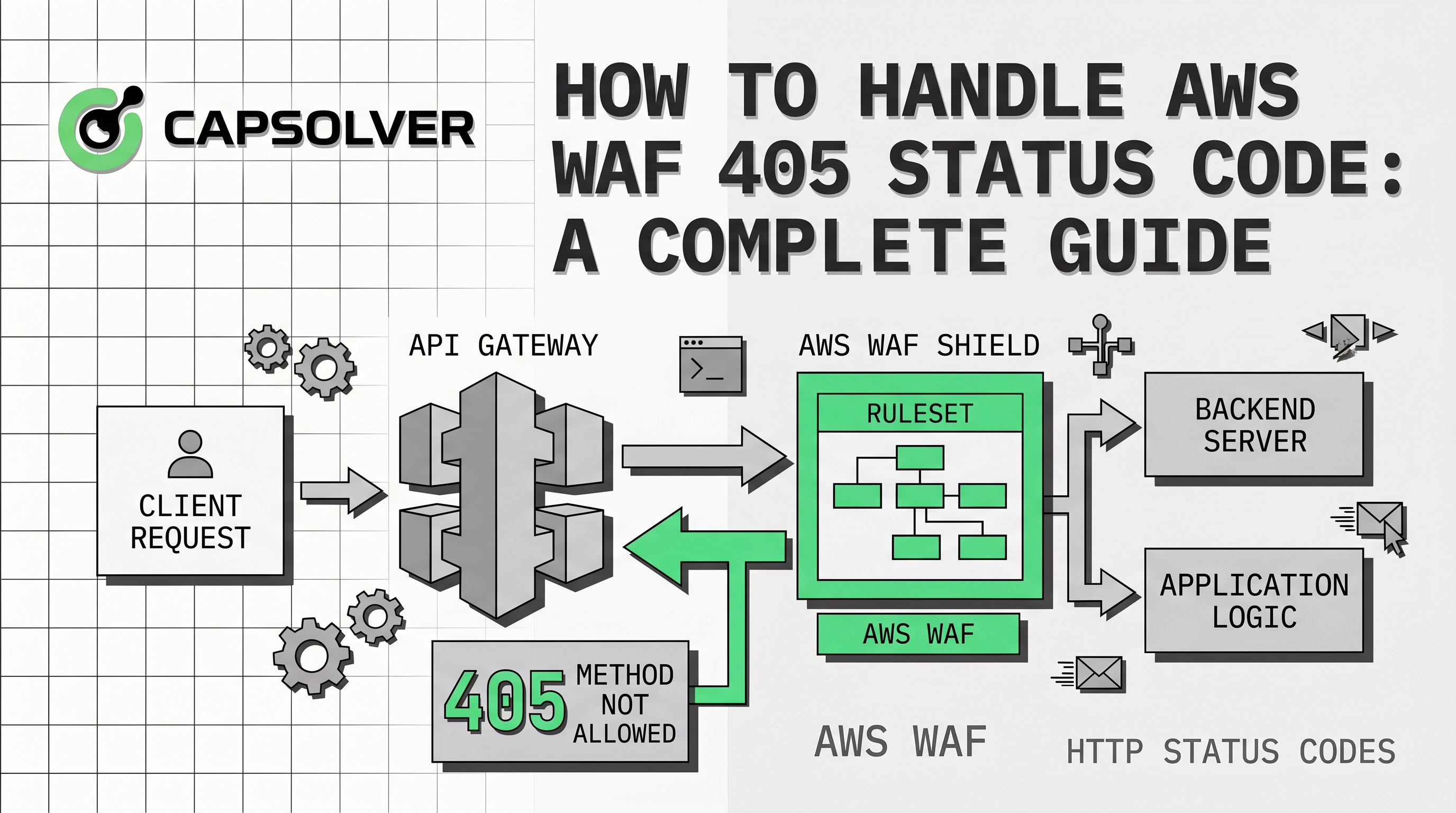
Encountering an HTTP 405 status code while interacting with AWS-protected resources can be confusing for many developers. While a standard 405 error typically means "Method Not Allowed," AWS WAF uses this specific code to trigger security challenges. This mechanism serves as a gatekeeper, ensuring that the incoming traffic is legitimate and not from a malicious bot. Understanding how to handle AWS WAF 405 status code is essential for maintaining seamless access to your data. This guide provides a comprehensive breakdown of why this happens and how to resolve it using professional automation tools. We will explore the technical nuances of AWS WAF interrogations and provide actionable solutions for modern developers.
The AWS WAF 405 status code is a unique implementation of the standard HTTP protocol designed for security. When a request triggers a specific rule, AWS WAF may respond with a 405 code to initiate a CAPTCHA. This response includes a JavaScript challenge that the client must execute to prove its human identity. Unlike a typical error, this 405 status is an invitation to complete a security task. If the client fails to handle this correctly, the request remains blocked, leading to failed automation workflows.


It is vital to recognize that AWS WAF uses different status codes depending on the challenge type. A 202 status code usually indicates a silent background challenge that only requires the execution of a script. In contrast, the 405 status code is more demanding and often requires a full set of parameters. These parameters include cryptographic keys and initialization vectors that are embedded within the HTML response. Failing to distinguish between these two can lead to incorrect implementation and persistent blocking.
| Feature | Status Code 202 | Status Code 405 |
|---|---|---|
| Challenge Type | Silent JS Challenge | Full CAPTCHA / Interrogation |
| Required Data | awsChallengeJs only |
awsKey, awsIv, awsContext, awsChallengeJs |
| User Interaction | Usually none | Often requires solving a visual puzzle |
| Complexity | Low | High |
Several factors can trigger an AWS WAF 405 status code during your web operations. High request frequency from a single IP address is one of the most common triggers for these challenges. AWS WAF monitors traffic patterns and flags any behavior that resembles automated scraping or bot activity. Additionally, missing or incorrect headers in your HTTP requests can make your traffic appear suspicious to the firewall. Using outdated browser versions or non-standard user agents also increases the likelihood of encountering a 405 interrogation.
AWS WAF allows administrators to define custom rules that trigger challenges based on specific conditions. For instance, a rule might be set to challenge any request that accesses a sensitive login endpoint. Rate limiting is another significant factor, where exceeding a predefined threshold of requests triggers a 405 response. These measures are part of a robust defense-in-depth strategy to protect cloud infrastructure from automated threats. For more details on how these rules work, you can refer to the official AWS WAF Documentation.
Handling these challenges manually is impossible for automated systems, which is where CapSolver becomes an invaluable asset. CapSolver offers specialized task types designed specifically to decode and solve AWS WAF 405 interrogations. By using the AntiAwsWafTask or AntiAwsWafTaskProxyLess, developers can automate the retrieval of the necessary tokens. This process involves sending the challenge parameters to CapSolver's API and receiving a valid aws-waf-token. This token is then used as a cookie in subsequent requests to bypass the security gate.
To effectively handle the AWS WAF 405 status code, you must extract the required parameters from the HTML. These are typically found in the window.gokuProps object within the response body. Once you have the key, iv, and context, you can create a task via the CapSolver API. The following Python example demonstrates how to use the CapSolver SDK to solve this challenge.
import capsolver

# Initialize the CapSolver client with your API key
capsolver.api_key = "YOUR_API_KEY"

# Create a task to solve the AWS WAF challenge
solution = capsolver.solve({
    "type": "AntiAwsWafTaskProxyLess",
    "websiteURL": "https://example.com",
    "awsKey": "AQIDAHjcYu...",
    "awsIv": "CgAAFDIlckAAAAid",
    "awsContext": "7DhQfG5CmoY90ZdxdHCi8WtJ3z...",
    "awsChallengeJS": "https://.../challenge.js"
})

# Use the returned token in your session cookies
print(f"Solved Token: {solution['token']}")
This implementation ensures that your automation can continue without being interrupted by the AWS WAF 405 status code. For a deeper dive into this process, check out the detailed guide on how to solve AWS amazon captcha token.
Use code
CAP26when signing up at CapSolver to receive bonus credits!
For users who prefer low-code environments, integrating CapSolver with n8n provides a powerful way to manage AWS WAF. Many users of AWS plugins rely on automation to monitor product prices or track inventory changes. By using an n8n workflow, you can schedule regular checks and automatically handle any 405 challenges encountered. This approach reduces the technical overhead and allows for more resilient data collection processes. You can find a ready-to-use n8n Workflow Template that demonstrates this integration.
Automating the handling of the AWS WAF 405 status code offers several advantages for businesses. It ensures that your data remains up-to-date without the need for constant manual monitoring of your scripts. Furthermore, using a professional solver like CapSolver improves the success rate of your requests and reduces IP bans. This is particularly important for large-scale operations where reliability is a top priority. To learn more about setting up these workflows, visit the n8n blog section on our website.
When dealing with the AWS WAF 405 status code, following best practices can significantly improve your results. Always ensure that you are using high-quality proxies that match the geographic location of your target. This reduces the suspicion level of your traffic and makes the challenges easier to solve. Additionally, rotating your user agents and maintaining a natural request cadence can help you avoid triggering challenges in the first place. For advice on selecting the right infrastructure, read our article on the best proxy services for web scraping.
It is important to emphasize that all automation activities should be conducted in a compliant and reasonable manner. Respecting the terms of service of the websites you interact with is crucial for long-term success. Using tools like CapSolver should be part of a legitimate strategy to access data that you are authorized to view. Always ensure that your automation does not overwhelm the target server's resources. For more information on our tools and their intended use, please visit our products page.
Choosing the right strategy for the AWS WAF 405 status code depends on your specific needs and technical setup. The following table compares the different approaches available to developers today.
| Strategy | Pros | Cons |
|---|---|---|
| Manual Solving | No cost, high accuracy | Not scalable, extremely slow |
| Custom Scripting | Full control over logic | High maintenance, difficult to bypass |
| CapSolver API | Fast, reliable, scalable | Requires API integration |
| n8n Integration | Low-code, easy to schedule | Limited by workflow complexity |
Handling the AWS WAF 405 status code effectively is a hallmark of a professional web automation strategy. By understanding that this code represents a security interrogation, you can implement the right tools to overcome it. CapSolver provides the most robust and scalable solution for decoding these challenges and maintaining access to protected resources. Whether you are a developer using the SDK or a business user leveraging n8n, the key is to stay informed and adaptable. For more technical insights and updates on web security, refer to the MDN Web Docs: 405 Method Not Allowed.
1. Why does AWS WAF return a 405 status code instead of a 403?
AWS WAF uses the 405 status code specifically to signal that a method is allowed only after a challenge is completed. This distinguishes it from a permanent 403 Forbidden error, indicating that access is possible if the client proves its legitimacy.
2. Can I solve AWS WAF 405 challenges without using a proxy?
Yes, you can use the AntiAwsWafTaskProxyLess type in CapSolver. This task type utilizes CapSolver's internal proxy pool, which simplifies your setup and reduces the need for managing external proxy providers.
3. How often should I refresh the aws-waf-token?
The aws-waf-token has a limited lifespan, typically determined by the AWS WAF configuration. It is best practice to solve the challenge and obtain a new token whenever you encounter a new 405 status code or when the current token expires.
4. Is it possible to automate the extraction of gokuProps?
Yes, most modern web scraping libraries like BeautifulSoup or Selenium can be used to parse the HTML and extract the window.gokuProps object. This is a necessary step for providing the correct parameters to the CapSolver API.
5. Does CapSolver support all types of AWS WAF visual puzzles?
CapSolver supports a wide range of AWS WAF classification tasks, including the aws:grid and aws:toycarcity types. These are handled through the AwsWafClassification task type for maximum accuracy.
Ethan Collins
AI Agent Workflow Engineer
Building clearer handoffs between AI agents and tools.
ABOUT THE AUTHOR
Use the official Go SDK for an AWS WAF CAPTCHA task, set HTTPS explicitly, supply documented parameters, and check the returned cookie before continuing.

Build an authorized AWS WAF LangChain workflow with CapSolver tools, response detection, policy gates, session handling, retries, and verification.