🎉NEWCapSolver for AI agents-MCP, agent tools, and SDK integrations

Sora Fujimoto
AI Solutions Architect
Published Jun 04, 2026
Updated Jun 02, 2026 · min read
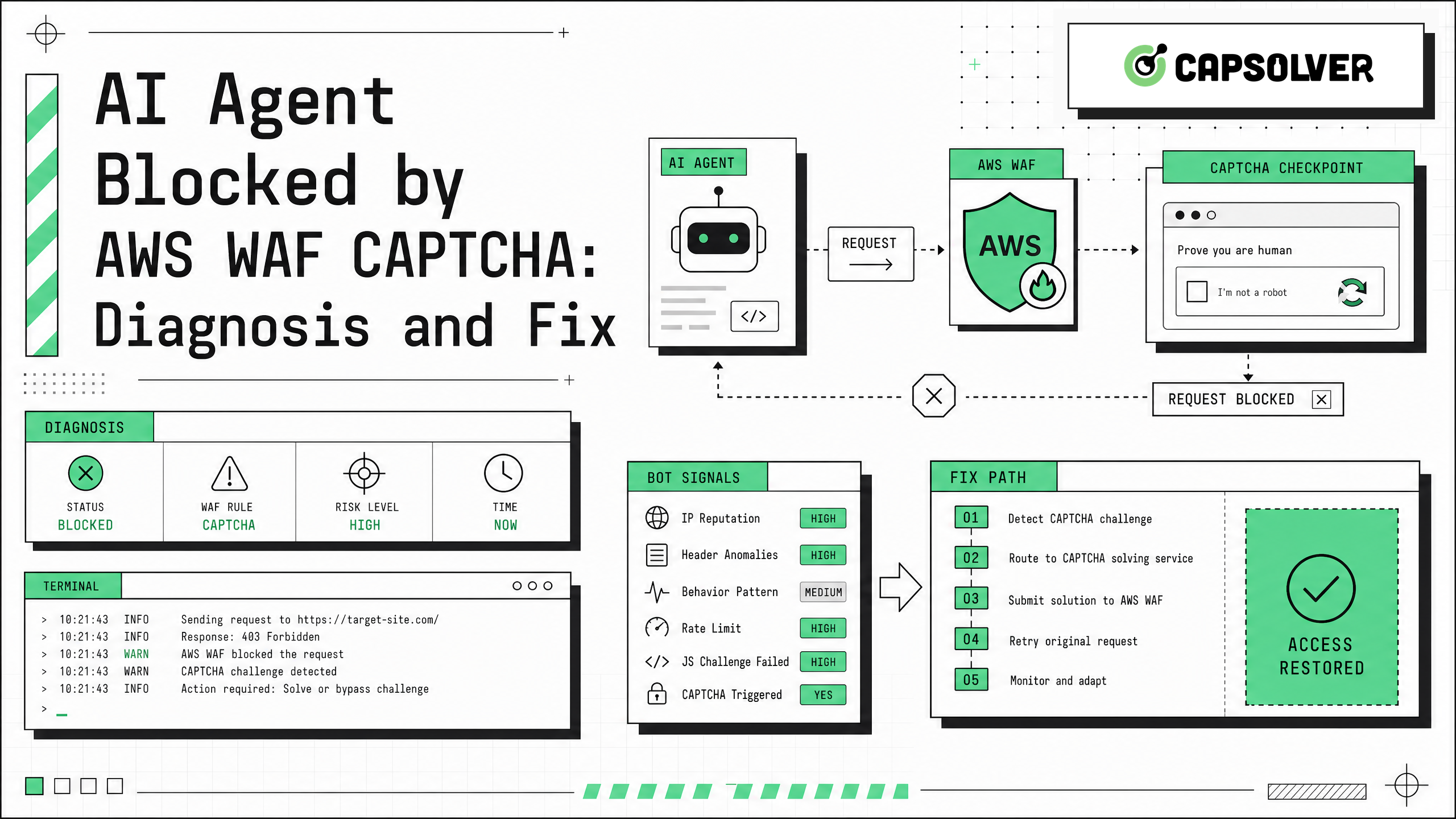
AI agent blocked by AWS WAF CAPTCHA is usually not a LangChain, browser, or model problem by itself. It is a traffic validation problem. AWS WAF can require a CAPTCHA or challenge when a request matches risk-control rules, lacks a valid token, uses an unusual client profile, or reaches an endpoint that expects browser-side JavaScript. For authorized QA, RPA, public data monitoring, and internal automation, CapSolver can fit into the workflow as a CAPTCHA handling layer while your team keeps audit logs, permissions, and rate controls in place. This guide explains how to diagnose the block, fix common configuration issues, and decide when an AWS WAF solver API is appropriate.
AI agent blocked by AWS WAF CAPTCHA happens because AWS WAF evaluates the request before the origin application handles it. AWS describes WAF as a rule-based inspection layer for HTTP(S) traffic, and CapSolver's Web Application Firewall WAF glossary gives the same practical framing: a WAF filters application-layer traffic based on policies and signals.
For browser-based users, AWS WAF can issue an encrypted aws-waf-token cookie after a successful challenge. According to AWS WAF token immunity documentation, the default web ACL immunity time is 300 seconds unless configured differently. That means an agent may work briefly, then fail when the token expires.
Common triggers include:
AI agent blocked by AWS WAF CAPTCHA should be diagnosed from logs first, not from guesses. Capture the full request and response path in a browser and in the agent.
Check these signals:
| Signal | What It Suggests | Fix Direction |
|---|---|---|
| 405 with CAPTCHA header | Protected fetch or asset request needs CAPTCHA integration | Handle token flow before the request |
| 403 from WAF | Rule action blocked the request | Review permissions, headers, IP, and rule match |
| HTML challenge page | Agent is not running a browser-grade flow | Use Playwright, Selenium, or Puppeteer |
| Token present but still blocked | Token expired or mismatched | Keep browser, proxy, and cookie jar consistent |
| Tool retries repeatedly | Agent loop hides the root cause | Add structured errors and stop conditions |
AWS notes in its AWS WAF CAPTCHA implementation guide that protected fetch requests can receive a 405 response when the token must be refreshed. The AWS Challenge and CAPTCHA actions guide also explains that the token is implemented as the aws-waf-token cookie and includes browser-environment signals.
AI agent blocked by AWS WAF CAPTCHA is often caused by plain HTTP requests where a real browser is required. If the target workflow is permitted, move the protected step into Playwright, Selenium, or Puppeteer and keep the session state stable.
Use the same browser context for:
CapSolver supports automation workflows through automation tool integration and has topic-specific resources for Playwright, Selenium, and Puppeteer style flows.
AI agent blocked by AWS WAF CAPTCHA can reappear when the agent discards cookies between tool calls. Store browser state after the challenge and reuse it for the same domain, proxy, and browser profile.
Do not treat aws-waf-token as a universal credential. It is session-sensitive. If you change IP, browser fingerprint, user agent, or execution context, the protected site may require another challenge.
For authorized automation where AWS WAF CAPTCHA appears in a repeatable workflow, CapSolver's AWS WAF Solver and AwsWafCaptcha documentation support AntiAwsWafTask and AntiAwsWafTaskProxyLess task types. The documented flow is to create a task with createTask, then retrieve the result with getTaskResult.
Choose the task type based on the workflow:
Redeem Your CapSolver Bonus Code
Boost your automation budget instantly!
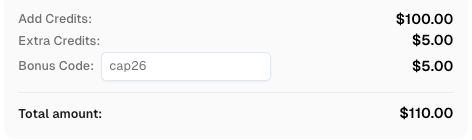
Use bonus code CAP26 when topping up your CapSolver account to get an extra 5% bonus on every recharge — with no limits.
Redeem it now in your CapSolver Dashboard
AI agent blocked by AWS WAF CAPTCHA becomes harder to fix when the agent summarizes every failed request as "site unavailable." LangChain describes an agent as a model calling tools in a loop, and its LangChain agents documentation recommends tracing, middleware, retry handling, and guardrails for production agents.
Return structured tool errors such as:
This prevents the agent from retrying the same blocked request until the workflow fails.
AI agent blocked by AWS WAF CAPTCHA is also a permission signal. Your team should confirm that the automation is lawful, allowed by contract or site policy, and limited to data you are authorized to access. Do not use CAPTCHA solving, proxies, or browser automation to access private accounts, restricted endpoints, sensitive data, or systems where you lack permission.
AI agent blocked by AWS WAF CAPTCHA is best fixed through a disciplined sequence: reproduce the block, inspect WAF response signals, preserve browser state, handle aws-waf-token correctly, and add structured agent errors. For authorized automation, QA, RPA, and public data monitoring workflows that need AWS WAF CAPTCHA handling, close the loop with a documented integration from CapSolver.
Your AI agent is usually blocked because its request lacks a valid AWS WAF token, does not execute the expected browser-side challenge flow, uses an unusual client profile, or triggers a WAF rule based on traffic patterns.
No. A 405 can also mean the HTTP method is not allowed. In AWS WAF CAPTCHA workflows, AWS documentation notes that protected fetch requests may receive 405 when a CAPTCHA token must be refreshed.
Usually no. Headers can help match normal browser traffic, but AWS WAF CAPTCHA flows often depend on JavaScript execution, cookies, browser fingerprinting, and token timing.
Use a proxy only when your authorized workflow requires the solved token to match the same client route. If you use a proxy, keep the proxy, browser context, and cookie jar consistent.
No. CapSolver is relevant for authorized automation workflows where CAPTCHA handling is allowed and technically required. It should not be used for private, restricted, sensitive, or unauthorized access.
Sora Fujimoto
AI Solutions Architect
Connecting agents, browsers, and APIs into one workflow.
ABOUT THE AUTHOR
Use the official Go SDK for an AWS WAF CAPTCHA task, set HTTPS explicitly, supply documented parameters, and check the returned cookie before continuing.

Build an authorized AWS WAF LangChain workflow with CapSolver tools, response detection, policy gates, session handling, retries, and verification.