
🎉NEWCapSolver for AI agents-MCP, agent tools, and SDK integrations

Ethan Collins
AI Agent Workflow Engineer
Published Jun 30, 2026
Updated Jun 30, 2025 · min read
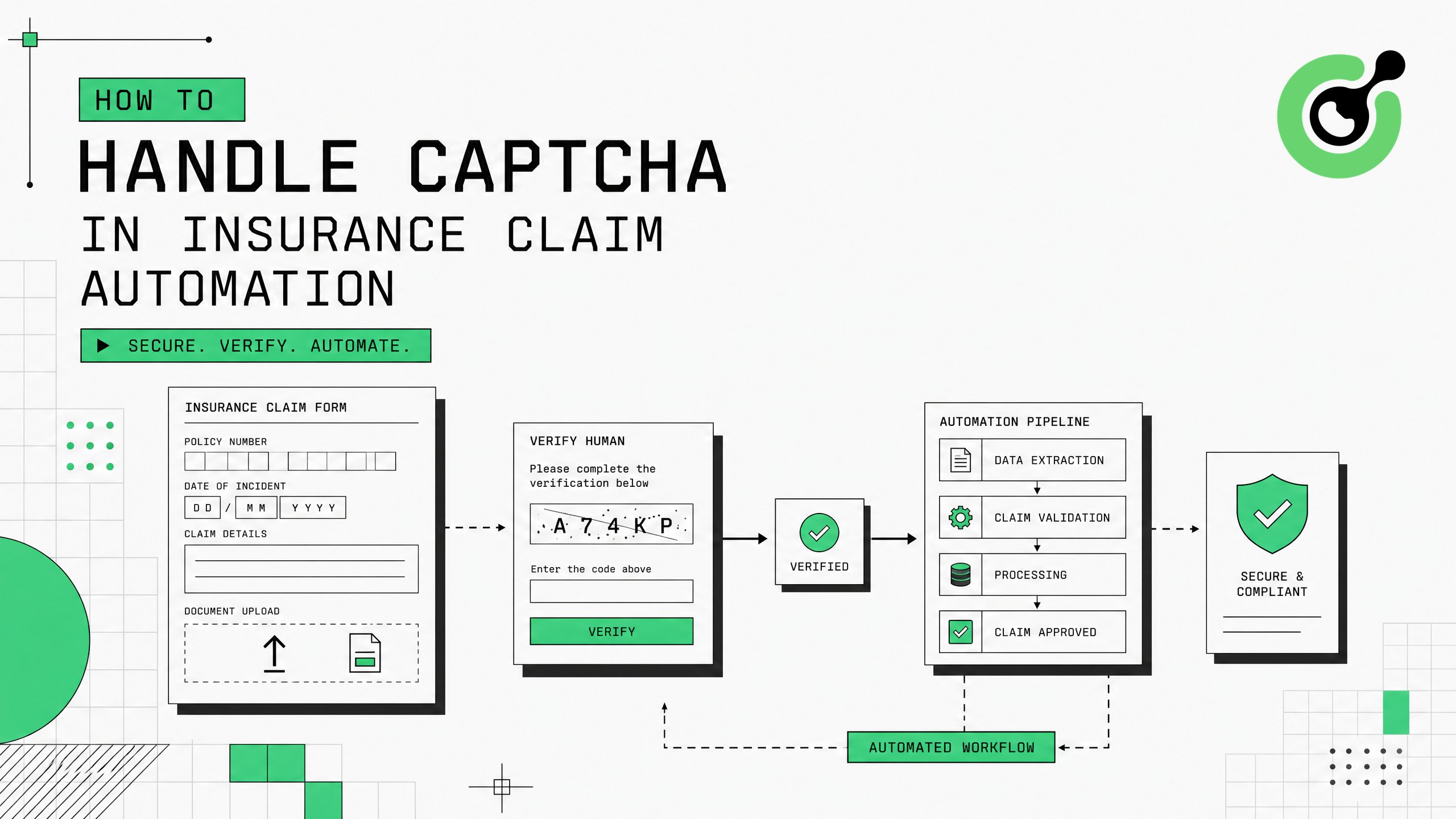
Insurance companies automating claim processing, policy verification, and fraud detection workflows encounter CAPTCHA challenges on government databases, medical record portals, and third-party verification systems. This guide explains how to integrate CapSolver into InsurTech automation pipelines, covering practical implementation steps for handling reCAPTCHA, Cloudflare Turnstile, and image-based challenges that interrupt automated insurance operations.
Your insurance automation infrastructure should include a programming language (Python 3.8+ recommended), an HTTP client or browser automation framework, and existing workflows that interact with external verification databases. You will need a CapSolver account with API credentials.
Insurance automation operates under strict regulatory requirements. Before implementing automated CAPTCHA solving, confirm that your access to each target database is authorized under your business agreements, state insurance regulations, and applicable data protection laws including HIPAA for medical records.
Map the CAPTCHA challenges across your claim processing pipeline. Insurance automation typically interacts with these protected systems:
| System Type | CAPTCHA Type | Insurance Use Case |
|---|---|---|
| State DMV databases | reCAPTCHA v2 | Vehicle registration verification for auto claims |
| Medical record portals | Image CAPTCHA | Treatment verification for health claims |
| State insurance departments | Cloudflare Turnstile | License verification, complaint checks |
| Property record databases | reCAPTCHA v3 | Ownership verification for property claims |
| Fraud detection databases | Custom CAPTCHA | Cross-reference checks during investigation |
Use the CapSolver browser extension to identify specific CAPTCHA parameters on each portal. Document the sitekey, CAPTCHA version, and any additional parameters required for each target system.
According to McKinsey's insurance industry research, automated claim processing can reduce handling time by 50–70%. CAPTCHA challenges that force manual intervention negate these efficiency gains. A single auto insurance claim may require verification across 3–5 external databases, each potentially protected by CAPTCHA.
Set up CapSolver API integration tailored to insurance automation requirements. Here is a Python implementation for a typical claim verification workflow:
import capsolver
import requests

capsolver.api_key = "YOUR_API_KEY"

def verify_vehicle_registration(vin, state_portal_url, sitekey):
    """Verify vehicle registration through state DMV portal."""
    # Solve the CAPTCHA challenge
    solution = capsolver.solve({
        "type": "ReCaptchaV2TaskProxyLess",
        "websiteURL": state_portal_url,
        "websiteKey": sitekey
    })

    # Submit verification request with solved token
    response = requests.post(
        f"{state_portal_url}/api/verify",
        data={
            "vin": vin,
            "g-recaptcha-response": solution["gRecaptchaResponse"]
        }
    )
    return response.json()
For Cloudflare-protected state insurance department portals:
def check_agent_license(license_number, portal_url, turnstile_key):
    """Verify insurance agent license status."""
    solution = capsolver.solve({
        "type": "AntiTurnstileTaskProxyLess",
        "websiteURL": portal_url,
        "websiteKey": turnstile_key
    })
    return solution["token"]
Access your credentials through the CapSolver dashboard.
Insurance claim adjusters process an average of 30–50 claims daily. Each claim requiring manual CAPTCHA interaction on 3–5 verification portals adds 5–10 minutes of non-productive time per claim. At scale, this represents 2.5–8 hours of daily manual work that CapSolver eliminates. The CapSolver products overview details supported CAPTCHA types and pricing for high-volume operations.
Insurance claims require data from multiple sources. Build a pipeline that handles CAPTCHA challenges across all verification steps:
import asyncio
from dataclasses import dataclass
from typing import Optional

@dataclass
class ClaimVerification:
    claim_id: str
    vehicle_verified: bool = False
    policy_verified: bool = False
    fraud_check_passed: bool = False

async def process_auto_claim(claim_id, vin, policy_number):
    """Process auto insurance claim with automated verification."""
    verification = ClaimVerification(claim_id=claim_id)

    # Step 1: Vehicle registration check (DMV portal)
    dmv_token = await solve_captcha("dmv_portal", DMV_URL, DMV_SITEKEY)
    verification.vehicle_verified = await check_dmv(vin, dmv_token)

    # Step 2: Policy status verification
    policy_token = await solve_captcha("policy_db", POLICY_URL, POLICY_SITEKEY)
    verification.policy_verified = await check_policy(policy_number, policy_token)

    # Step 3: Fraud database cross-reference
    fraud_token = await solve_captcha("fraud_db", FRAUD_URL, FRAUD_SITEKEY)
    verification.fraud_check_passed = await check_fraud(claim_id, fraud_token)

    return verification
This pipeline integrates with Playwright-based automation for portals requiring full browser interaction, and with Selenium for legacy system compatibility.
Sequential manual verification creates processing delays. The National Association of Insurance Commissioners (NAIC) reports that claim processing speed directly impacts customer satisfaction scores and regulatory compliance ratings. Automated multi-portal verification reduces average claim processing time from 5–7 days to under 24 hours for straightforward claims.
Insurance automation requires audit-ready logging and high reliability. Configure your integration with these standards:
| Requirement | Implementation | Regulatory Basis |
|---|---|---|
| Audit logging | Log every CAPTCHA solve with timestamp and portal | State insurance examination requirements |
| Data retention | Retain verification logs for 7 years minimum | Insurance record retention regulations |
| Error recovery | Auto-retry with fallback to manual queue | Claims processing SLA compliance |
| Access controls | Role-based API key management | HIPAA security rule (for health claims) |
Implement comprehensive logging:
import logging
from datetime import datetime

audit_logger = logging.getLogger("insurance_captcha_audit")

def solve_with_audit(portal_name, url, sitekey, claim_id):
    """Solve CAPTCHA with insurance-grade audit logging."""
    start = datetime.utcnow()
    try:
        solution = capsolver.solve({
            "type": "ReCaptchaV2TaskProxyLess",
            "websiteURL": url,
            "websiteKey": sitekey
        })
        audit_logger.info(
            f"claim={claim_id} portal={portal_name} "
            f"status=success elapsed={(datetime.utcnow()-start).total_seconds():.2f}s"
        )
        return solution["gRecaptchaResponse"]
    except Exception as e:
        audit_logger.error(
            f"claim={claim_id} portal={portal_name} "
            f"status=failed error={str(e)}"
        )
        raise
The CapSolver error troubleshooting FAQ provides guidance on handling specific failure scenarios in production.
State insurance regulators conduct market conduct examinations that review automated processes. Undocumented automation creates examination findings and potential fines. Complete audit trails demonstrate process controls and support regulatory compliance.
Insurance automation involving medical records or personal health information requires additional safeguards:
CapSolver processes only CAPTCHA challenge parameters (sitekey, page URL) and returns tokens. No claim data, policyholder information, or medical records pass through the CAPTCHA solving API. The CapSolver CAPTCHA solving FAQ provides additional details on data handling practices.
HIPAA violations carry penalties of $100–$50,000 per violation with annual maximums of $1.5 million per category. Proper architecture ensures CAPTCHA solving remains isolated from sensitive data flows, maintaining compliance while enabling automation.
Claim Your Bonus Code for CapSolver: WEBS. After signing up, redeem this code at the dashboard to receive an extra bonus on your first purchase.
Handling CAPTCHA in insurance claim automation requires mapping challenges across verification portals, integrating CapSolver's API into multi-step claim processing pipelines, and maintaining strict regulatory compliance. CapSolver provides the technical capability to eliminate manual CAPTCHA intervention across DMV databases, medical portals, and state insurance systems while keeping solve times under 5 seconds. Start with your highest-volume claim type, validate the integration against your audit requirements, then expand across all claim categories.
State DMV databases primarily use reCAPTCHA v2, state insurance departments increasingly use Cloudflare Turnstile, and medical record portals often use image-based challenges. CapSolver handles all these types through a unified API with average solve times under 5 seconds.
CapSolver processes only CAPTCHA challenge parameters (sitekey, URL) and returns tokens. No Protected Health Information passes through the solving process. However, your overall automation architecture must maintain HIPAA compliance in how it handles medical records after verification. Consult your compliance officer for your specific implementation.
At approximately $1–3 per 1,000 solves, an insurance company processing 200 claims daily with 3–5 CAPTCHA challenges per claim spends $18–90 monthly. This represents less than 0.1% of the labor cost savings from automated claim processing.
Yes. Each state DMV uses different CAPTCHA configurations, but CapSolver supports all major types (reCAPTCHA v2, v3, Cloudflare Turnstile, image CAPTCHA). Configure your integration to detect and pass the correct parameters for each state portal at runtime.
Implement retry logic (3 attempts recommended) with exponential backoff. If all retries fail, route the claim to a manual verification queue. Log the failure for audit purposes. CapSolver maintains a 95%+ success rate, so persistent failures typically indicate portal-side issues rather than solving failures.
Ethan Collins
AI Agent Workflow Engineer
Building clearer handoffs between AI agents and tools.
ABOUT THE AUTHOR
Choose the CapSolver Python Core SDK or direct HTTP API by task support, page access, response handling, and the responsibilities your application owns.
Build search intent drift monitoring with Search Console data, controlled SERP observations, intent labels, confidence gates, evidence, and safe automation.
