
🎉NEWCapSolver for AI agents-MCP, agent tools, and SDK integrations

Khadija Santos
AI Agent & MCP Engineer
Published Nov 10, 2026
Updated Nov 10, 2026 · min read
Choosing workflow automation tools for CAPTCHA integration starts with one practical question: how much of the connection is already available, and how much will your team need to build? A ready integration can remove configuration work. A generic HTTP action provides flexibility, but it still leaves you responsible for the request format, result handling, and application handoff.
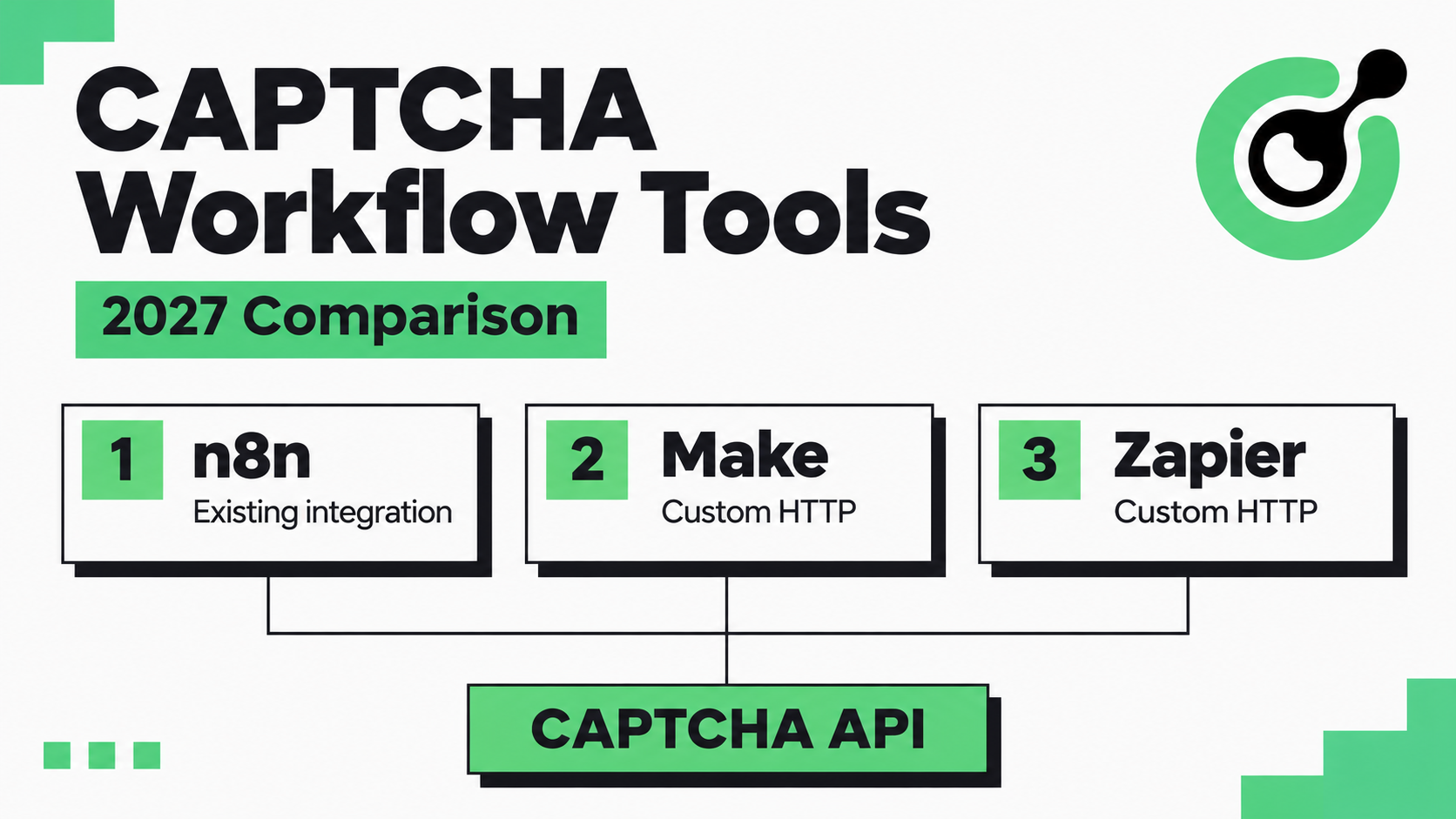
CapSolver has an existing n8n integration. Make and Zapier are included here for their documented API-request capabilities, without claiming native CapSolver connectors or tested end-to-end integrations. This 2027 planning shortlist uses documentation available on November 10, 2026. The order reflects editorial suitability for CAPTCHA workflows, rather than measured solving speed or predicted future features.
n8n ranks first for the documented CapSolver integration path; Make and Zapier follow as options for custom HTTP-based orchestration.
| Rank | Platform | Best fit in this shortlist | CapSolver connection described here | Main consideration |
|---|---|---|---|---|
| 1 | n8n | Teams starting a CAPTCHA-focused workflow | Existing documented integration | Configure the challenge inputs and validate the application result |
| 2 | Make | Teams comfortable building visual API flows | Generic HTTP module; custom setup required | Own the request mapping, waiting, and error handling |
| 3 | Zapier | Teams extending an existing Zap-based process | Webhooks by Zapier; custom setup required | Check plan access and timing before choosing it for live challenges |
These are workflow platforms. Their placement in this table is not a ranking of CAPTCHA recognition engines, and connecting one does not change which challenge types your solver supports.
The ranking prioritizes the amount of custom work required to add a CAPTCHA solver to an authorized workflow.
We considered four questions. Is there a documented CapSolver integration? Can the platform send the required request and consume the response? Can the workflow wait for a result without losing its connection to the original job? Can a maintainer identify where a failed run stopped?
Those criteria put the existing n8n integration first. Make is the next option for a team deliberately choosing a custom HTTP-based flow. Zapier remains relevant when it already runs the surrounding business process, although the timing of a CAPTCHA task needs particular attention.
This comparison is based on documented capabilities. It does not present a hands-on performance benchmark, an imported workflow template, or a claim that the same CAPTCHA has been solved through all three platforms. Make and Zapier need implementation and testing before production use.
n8n is the strongest starting point in this shortlist when you want an existing CapSolver integration rather than designing the connection entirely through generic requests.
n8n lets teams connect actions in a visual workflow. For the CAPTCHA portion, start with the CapSolver n8n integration guide, which explains the credential setup and available operations. That is the integration tutorial linked in this comparison.
The practical benefit is a clearer starting point: choose the operation that matches the CAPTCHA, provide its required inputs, and inspect the returned result. Review the relevant operation rather than assuming every challenge needs the same fields or returns the same solution format.
n8n's HTTP Request node also supports REST API calls when a workflow needs a custom request. Its Wait node provides ways to pause and resume execution, including time-based and webhook-based waits. These are orchestration capabilities; the solver's API determines how a particular task returns its result.
A useful starting case is an owned test application whose CAPTCHA inputs are already known. The workflow sends the request through the documented integration, passes the solution back to the application, and records whether the application accepted it. This keeps the first implementation small enough to diagnose.
An integration cannot supply missing context automatically in every workflow. You still need the correct challenge inputs and a defined recipient for the solution. If a browser owns the form and session, that browser must receive the result through a mechanism your application actually supports.
Choose n8n first when the CAPTCHA step is central to the workflow and you want the existing CapSolver setup guidance. Confirm the operation's current behavior in your n8n environment before expanding the workflow.
Make is the second option for teams that want to construct the CAPTCHA API connection themselves inside a visual scenario.
Make's official HTTP module documentation describes connecting to services that do not have a Make integration. The module supports HTTPS requests, including POST, configurable request data, and response handling. This provides the general transport capability for a custom API connection; it does not establish a native CapSolver connector.
Your team would need to map the solver's required API parameters, send the request, inspect errors, and pass the correct result to the next component. Use the createTask API reference as the contract for CapSolver requests, including its documented credential placement. A platform's generic authentication selector should not cause you to move an API credential into an unsupported field.
For asynchronous tasks, design result retrieval as a separate responsibility. A successful request that creates a task is not yet a completed solution. Preserve the task identifier, wait according to the service guidance, and stop when a result or terminal error arrives. A fixed delay followed by an assumption of success is not an adequate completion check.
Consider Make if the surrounding process already runs there and someone can maintain the API mapping. The selection question is whether a custom solver step fits that scenario without making the live browser interaction difficult to coordinate.
Make's HTTP module is not evidence that it controls your browser page or automatically detects its CAPTCHA. Before implementation, identify which component supplies the challenge inputs and which component consumes the solution. If neither is defined, adding an HTTP request will leave the workflow incomplete.
Redeem Your CapSolver Bonus Code
Boost your automation budget instantly!
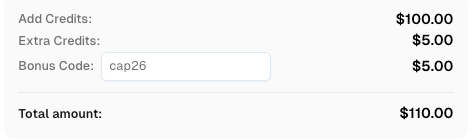
Use bonus code CAP26 when topping up your CapSolver account to get an extra 5% bonus on every recharge — with no limits.
Redeem it now in your CapSolver Dashboard
Zapier is the third option when your team already uses Zaps and wants to assess a custom CAPTCHA API step within that process.
The official guide to sending webhooks in Zap workflows documents GET, POST, PUT, and Custom Request options. JSON is an available payload format. Custom Request gives more control over the body, but also requires more care when formatting it. The documentation lists Webhooks availability on paid plans, so check your account before planning around the feature.
This is a generic HTTP path. It is not presented here as a native CapSolver integration or a ready-to-import solver workflow.
Zapier's Delay documentation distinguishes a fixed wait, a wait until a chosen time, and a queue that spaces runs apart. Those controls serve different purposes. A queue can space requests, but it does not report whether a solver has completed a task.
For a CAPTCHA flow, check both the wait before retrieving a result and the time between receiving a solution and applying it. Do not place unrelated business actions in that second interval. The protected interaction may no longer be in the state that generated the challenge by the time the result arrives.
Evaluate Zapier when maintaining one existing business workflow matters more than adopting a dedicated environment for the solver step. Keep the CAPTCHA exchange short and let the rest of the Zap act on the verified application outcome.
For example, a later notification should report whether an authorized test completed, not merely whether an HTTP action returned data. If the CAPTCHA exchange requires timing or browser control your Zap cannot reliably provide, keep that exchange in the component that owns the browser and use Zapier for subsequent business actions.
Every CAPTCHA workflow needs a reliable association between the original challenge, the solver task, and the application that will consume the result.
At the request boundary, validate the challenge-specific inputs. At the service boundary, check whether you received an error, an asynchronous task identifier, or a completed result. At the application boundary, check whether the original operation succeeded. These are separate observations and should remain distinguishable in your execution history.
CapSolver's getTaskResult reference explains retrieval for asynchronous tasks and notes that some recognition tasks return their result directly. The ImageToTextTask reference documents a synchronous recognition response. Consequently, copying a polling pattern into every operation can add work without helping the workflow.
Keep credentials out of shared workflow exports and routine logs. Maintain enough diagnostic information to find the failed stage, such as the operation and error code, without publishing keys, raw challenge images, or reusable session information. Apply these workflows only to systems and activities you are authorized to automate.
The useful cost comparison includes the workflow platform, the solver service, and the work required to maintain the connection.
Before selecting a plan, sketch a successful run and a failed run. Count the request steps, result checks, and downstream actions each contains. Then check how your chosen platform bills those actions under the current plan. Do not assume that an execution, a task, and an HTTP request are equivalent billing units.
Also separate task creation from result retrieval in your design. Recreating a solver task after every wait is a different operation from checking the status of the existing task. Review the error path carefully so a workflow retry does not unintentionally repeat work that already succeeded.
An existing integration can reduce setup work, but the ongoing comparison still depends on your workflow. A platform your team already operates may be easier to maintain than a new one. The right decision should account for that operational context without treating familiarity as proof of technical compatibility.
Choose n8n first for the existing CapSolver integration, evaluate Make for a custom visual HTTP flow, and consider Zapier when it fits an established Zap-based process.
For each option, validate one complete authorized interaction before scheduling repeated runs: provide the challenge inputs, obtain the solution, apply it to the intended operation, and confirm the application's result. Expand only after the failure paths are understandable as well.
Use CapSolver for the documented solving operation and keep workflow orchestration in the platform you select. The n8n integration guide is the existing implementation reference for the first-ranked option.
Q: Which workflow tool has an existing CapSolver integration?
n8n has an existing documented CapSolver integration. This article links its setup guide. Make and Zapier are discussed as platforms with generic HTTP-request capabilities, not as native CapSolver integrations.
Q: Can Make or Zapier solve CAPTCHAs on their own?
The HTTP and webhook features discussed here send requests and handle responses; they do not constitute a CAPTCHA solver. A separate solving service and a defined application handoff are required for the proposed custom workflow.
Q: Do all CAPTCHA operations need polling?
No. The appropriate result flow depends on the task type. CapSolver documents asynchronous retrieval through getTaskResult and synchronous responses for recognition tasks such as ImageToTextTask.
Q: Does a successful API response mean the form was accepted?
No. A solver response and application acceptance are separate outcomes. Check the original application operation after the solution has been applied, and report that result to subsequent workflow steps.
Q: Is this a tested performance ranking for 2027?
No. This is an editorial shortlist for 2027 planning, based on documentation available in November 2026. It ranks documented integration fit and implementation responsibilities; it does not claim comparative solve-time tests or future platform features.
Khadija Santos
AI Agent & MCP Engineer
Develops and maintains CapSolver’s MCP tooling, from implementation and package releases to AI agent integrations.
ABOUT THE AUTHOR
Use a practical CAPTCHA production checklist to verify browser state, solver tasks, retries, errors, and final application results before scaling automation.

Find why a visible CAPTCHA is missed inside an iframe. Check document context, widget loading, site parameters, and the browser handoff to your solver.