
🎉NEWCapSolver for AI agents-MCP, agent tools, and SDK integrations

Khadija Santos
AI Agent & MCP Engineer
Published Oct 16, 2026
Updated Oct 16, 2026 · min read
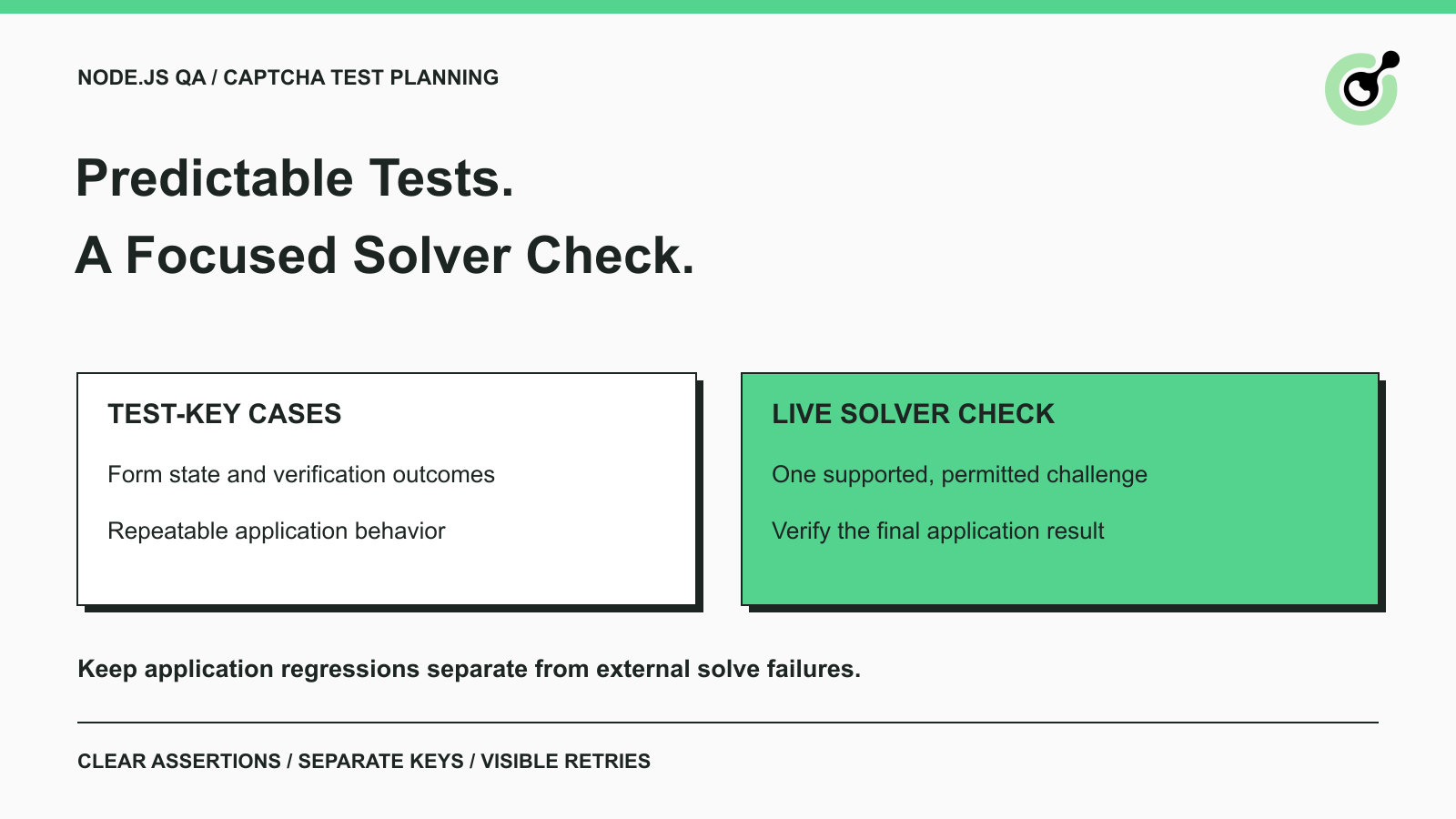
A Node.js test suite can fail because a CAPTCHA challenge varies between runs, even when the form itself has not changed. The opposite problem is just as important: a test can pass with a predictable testing response while the live solver integration remains untested.
CapSolver belongs in the smaller set of checks that actually need to exercise supported CAPTCHA solving. Most application regressions can be tested more directly with controlled inputs and the vendor's testing options. This guide explains how to divide those responsibilities in a Node.js QA suite, define useful assertions, and investigate failures. The test plan applies to applications you own or have permission to test.
Separate component behavior, verification handling, and the live browser journey because each layer answers a different question.
A component test checks the application's own interface and state. A verification-handling test checks how the backend treats an accepted or rejected result. A live journey checks the current external integration together with the browser and application. Combining all three into every form test makes a failure harder to diagnose.
| Test layer | What the test should establish | External solver needed? |
|---|---|---|
| Component and form state | Validation, messages, pending state, and controls behave correctly | No |
| Verification handling | The backend accepts or rejects the operation according to the verification result | Usually no; use supported testing configuration or clearly labeled controlled responses |
| Live permitted journey | The supported solving path and application work together on the current page | Yes, when that is the integration being tested |
A CAPTCHA test is not successful merely because the widget appears. Name the specific behavior being asserted. “The error message appears after a rejected verification result” is clearer than a test named “CAPTCHA works.”
Keep these layers identifiable in the test report. A passing component suite should not hide a skipped live check, and an external-service failure should not be described as a confirmed form regression before you inspect the application evidence.
Use the vendor's documented test keys when the purpose is repeatable application behavior rather than live challenge solving.
Google's reCAPTCHA testing guidance supplies a v2 test key pair that avoids real challenges and passes verification. For v3, Google advises a separate testing key and notes that scores in a testing environment may not accurately represent real traffic.
Those two instructions are not interchangeable. A v2 testing pair does not establish the behavior of a v3 risk score. Test score-dependent application branches with controlled verifier outcomes, and label that test as a simulation of your decision logic. Keep observations from a real configured integration separate.
Cloudflare's Turnstile testing reference provides dummy sitekeys and secret keys with documented pass, fail, and duplicate-token behaviors. Use the intended combination for the case you are checking. A dummy token and a production verifier are not a valid way to test the success path.
For the detailed reCAPTCHA environment setup, use the existing test-key guide. The test plan here focuses on where those settings belong in a Node.js suite and when to add a solver check.
The browser's public sitekey, the application's server-side verification secret, and the CapSolver account key have different jobs.
The sitekey selects the CAPTCHA configuration rendered by the page. The backend verifier uses its own appropriate credential. The solver client uses the CapSolver account key for the solving request. Do not copy one into another field because they all contain the word “key.”
In a Node.js project, keep server-side credentials in the approved server or CI configuration. Do not place the CapSolver account key into JavaScript shipped to the browser. Keep test and production configuration distinguishable, and have the release process reject testing settings in the production environment.
Define the permitted host, test form, challenge type, expected result, and stopping conditions before the live check runs.
Use a controlled test record and a non-sensitive operation. For example, an owned demonstration form can return a test receipt identifier after successful verification. The assertion should confirm that identifier and the expected state, not only that a CAPTCHA widget disappeared.
State what should happen when the solve does not complete. The test should fail with a useful stage and reason, or be marked unavailable according to a documented test policy. It should not silently switch to a test key halfway through the live check and report success.
The same contract should identify who owns page configuration and who investigates the external integration. A developer reviewing a failure needs to know which deployment, test configuration, and application revision were used. A secret value is not needed in that report; a controlled configuration reference is enough.
Use a representative permitted journey rather than calling the solver in every component test.
A live check has a different dependency profile from a local state test. It depends on current page parameters, external service availability, result handling, and the application. Running many copies does not automatically provide more useful coverage if all of them exercise the same path.
Define a separate schedule or explicit test group for that dependency where appropriate. The choice should follow your release needs. Do not treat a universal solve-time threshold or an invented success percentage as a requirement for every application.
Redeem Your CapSolver Bonus Code
Boost your automation budget instantly!
Use bonus code CAP26 when topping up your CapSolver account to get an extra 5% bonus on every recharge — with no limits.
Redeem it now in your CapSolver Dashboard
Review the task request and result handling against the current CapSolver contract before using them in a QA assertion.
The createTask reference describes the account credential and task object. For an asynchronous task, save the returned identifier and retrieve that task's result through the getTaskResult flow. An accepted creation request is an intermediate event.
Select the task that matches the page. For example, the reCAPTCHA v2 task reference defines its page URL, public sitekey, variants, and solution structure. A test should not reuse a sample URL or key from an unrelated tutorial and then attribute the resulting failure to the browser framework.
Keep the returned result associated with the current test case and browser state. If the test reloads the page or the form creates another challenge, review whether the original parameters and result still belong to the operation. Avoid a shared mutable token variable across parallel cases.
Use a maintained Node.js client whose requests and responses follow the current official contract. Test the client separately from the form so a JSON parsing or transport problem can be diagnosed without rerunning the entire browser journey.
Assert the application's intended result after the verification response has been handled.
For an owned test form, check that the required operation was accepted once and returned the expected test identifier. Check the rejection path as well: the application should not commit the operation when the verification result is missing or rejected. Test the state the user sees, including whether a new attempt can be made through the approved flow.
Playwright's assertion documentation distinguishes assertions that automatically retry from ordinary immediate checks. Use the appropriate assertion for the state you expect to become visible. A fixed delay followed by a weak assertion can make a slow failure look like a successful check.
Keep the evidence honest. A mocked verification response proves how the application handles that supplied response. A vendor test key exercises the provider's testing path. A live solver result proves that a particular solving attempt returned a result. Only the complete journey can establish that the tested application operation finished under those conditions.
Cover missing input, rejected verification, unavailable dependencies, and an incomplete application result according to your application's contract.
You do not need a live CAPTCHA service to trigger every branch. Use supported testing modes or controlled responses for deterministic failures, then retain a smaller real integration check. Document where the test double sits so a later maintainer knows which network boundary was exercised.
A UI callback can be an intermediate assertion, but it should not be the only one. If the callback runs and the backend rejects the result, the test should explain that later failure rather than reporting a pass from the earlier event.
Count full test reruns separately from retries inside the solving client.
A test runner can start the entire journey again after an assertion fails. If the solver client also makes several attempts, one visible test case can result in more external calls than the test report suggests. Review the configured limits together and record enough information to explain those attempts.
The Playwright retry guide describes separate passed, flaky, and failed outcomes. Preserve that distinction. A case that passes only on retry should remain visible as flaky rather than being counted as equivalent to a first-attempt pass.
Avoid solving again simply because the application assertion is wrong. If the service returned the expected solution but the form selector points to an old component, another paid attempt will not correct the selector. Diagnose the stage before expanding retry limits.
For parallel runs, isolate test data and page state. An application-generated receipt should be associated with the case that created it, and a result from one browser context should not be consumed by another. These controls also make failure reports easier to reproduce.
Report the test layer, configured challenge type, failing stage, and application outcome together.
A short record can distinguish a request-construction error from a pending solver task, a rejected verifier response, or a missing final UI state. Add the application revision and test-run identifier. Keep credentials, full solution tokens, cookies, and unrelated form data out of ordinary reports.
Use the CapSolver error reference for service-reported failures. Preserve the exact code rather than replacing every problem with “CAPTCHA failed.” For application defects, retain the relevant assertion and redacted backend outcome.
Keep the original test contract next to the report. Predictable application tests and live solver checks should report different evidence, so a maintainer can tell which part of the integration was exercised.
A useful Node.js CAPTCHA suite proves application behavior predictably and checks the external solving path deliberately.
Use vendor testing options for repeatable form and verification cases, then use CapSolver for a small, supported live-solving check when that integration is part of your permitted workflow. Keep retries, test data, and final assertions explicit so a green result has a clear meaning.
Validate one supported solving path and one application-level result before adding the check to a broader QA schedule.
Q: Should every Node.js form test call a CAPTCHA solver?
No. Most form and verification-state tests can use supported testing configuration or controlled responses. Reserve live solving for checks intended to exercise that dependency.
Q: Do reCAPTCHA test keys measure solver quality?
No. They exercise a documented testing path. They do not measure live challenge-solving performance or establish how production traffic will be assessed.
Q: Where should the CapSolver API key be stored?
Keep it in approved server-side or CI secret configuration. It is different from the page's public sitekey and should not be shipped in browser JavaScript.
Q: Why can a single failed test trigger several solving attempts?
The solver client may retry, and the test runner may rerun the whole case. Review both layers together and associate each attempt with its original test.
Q: What should the final assertion check?
Check the application-owned result, such as an accepted test operation with the expected identifier. A returned solution or completed callback is only an intermediate signal.
Khadija Santos
AI Agent & MCP Engineer
Develops and maintains CapSolver’s MCP tooling, from implementation and package releases to AI agent integrations.
ABOUT THE AUTHOR
Improve CAPTCHA handling in browser automation with current task inputs, isolated browser sessions, bounded retries, and checks that confirm the final result.

Fix common Selenium CAPTCHA integration problems by checking test configuration, extensions, waits, iframe context, solver responses, and application results.

