
🎉NEWCapSolver for AI agents-MCP, agent tools, and SDK integrations

Nikolai Smirnov
Software Development Lead
Published Oct 14, 2026
Updated Oct 14, 2026 · min read
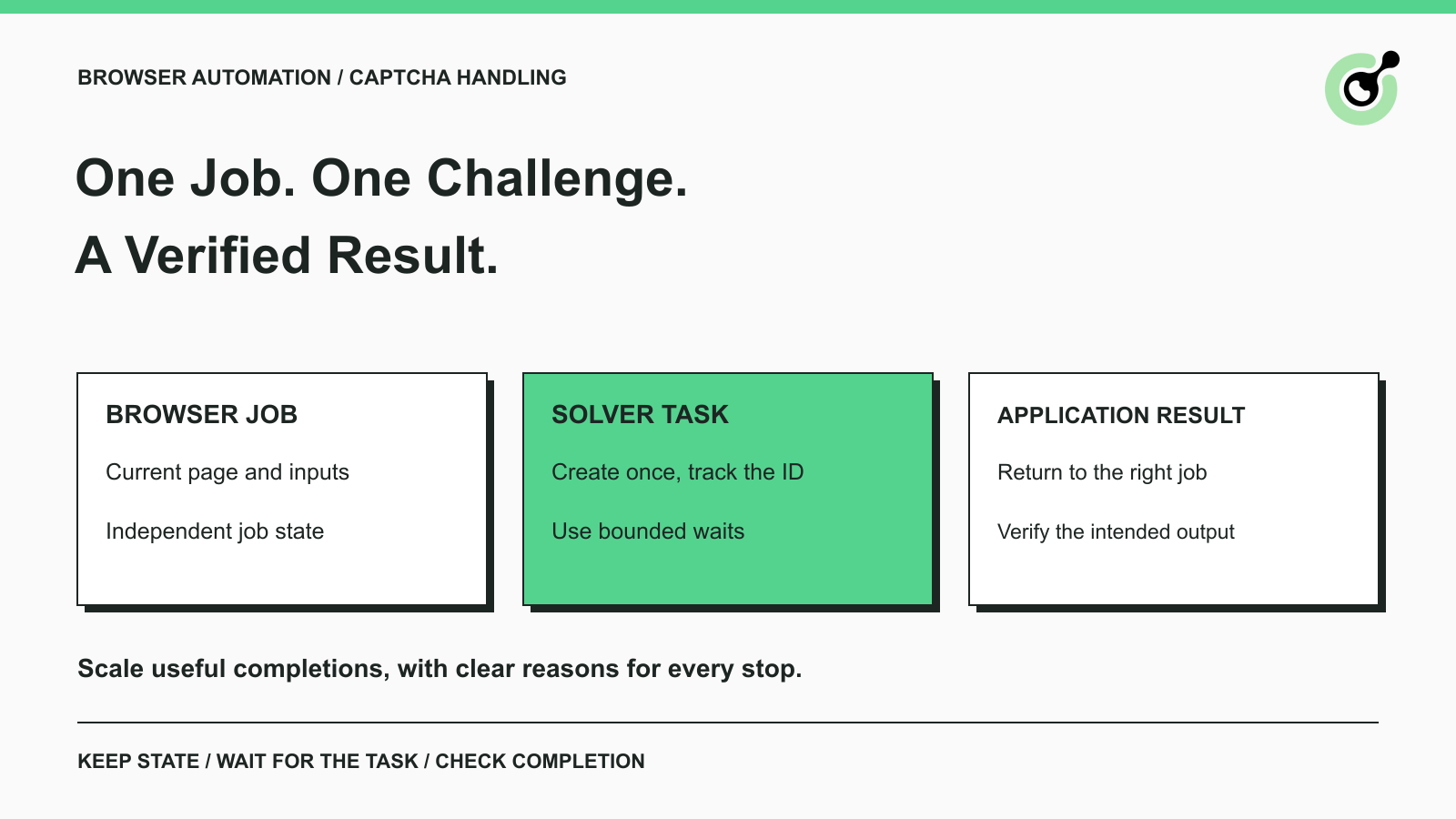
A browser job can work during development and fail when several jobs run together. One job refreshes a page while its solver request is still running. Another receives a solution but associates it with the wrong browser tab. A third reaches its deadline and starts the entire workflow again. These are integration problems that can waste otherwise useful CAPTCHA results.
CapSolver provides documented solving tasks for supported challenges. Your application still controls the browser, associates results with jobs, and decides whether the intended action succeeded. This guide explains how to make that handoff reliable in approved browser automation. It uses a permitted catalog-reading workflow as an illustrative example, without assuming that every catalog requires a solver or presenting a customer deployment as evidence.
A CAPTCHA solver handles a supported verification challenge within the browser workflow; the workflow remains responsible for the intended page action and output.
For example, a catalog reader opens an approved product URL and expects a product identifier, a price, and an availability value. If a CAPTCHA appears, the reader pauses that job, requests a suitable solution, and checks the page again before extracting the product fields. If the result is still a verification page, the job is incomplete.
Keep ordinary browser failures separate. A missing selector, a navigation error, a permission refusal, and an observed CAPTCHA require different responses. Sending every failure to a solver makes troubleshooting less useful and can create requests that have no matching challenge.
The practical sequence is: observe the page, identify the challenge, create the matching task, retrieve the solution, apply it through the supported integration, and verify the original result. Each stage should have a clear input, an observable outcome, and a reason to stop.
Begin with a bounded set of permitted workflows that represent the pages and challenge types you actually need to handle.
Write down the expected result before starting. For a catalog job, that means the correct product and requested fields, not merely an HTTP success response. For an owned test form, it means the application's confirmation that the form was accepted. This gives the solver integration a concrete completion check.
Prepare the necessary account key, account balance, browser environment, and official task documentation. Keep the key in your application's secret configuration. A page's public sitekey and your private CapSolver API key serve different purposes and should never be substituted for one another.
Run the baseline with a small number of active jobs. Save the challenge family, solver task identifier when returned, elapsed time, and final outcome. These observations establish what works before you add parallel execution. They are more useful than choosing a large worker count first and investigating mixed failures afterward.
When testing a site you own, distinguish routine UI tests from tests of the real solving integration. Routine tests can use the CAPTCHA vendor's documented testing facilities where available. A controlled integration test has a different purpose: checking your actual solver and application handoff. Results from one should not be reported as proof of the other.
Each solver result must return to the browser job and challenge that requested it.
Use an application job identifier to connect the browser context, current page, and solver task ID. Keep the API's task ID as a separate value. A job may encounter no CAPTCHA, or it may require more than one permitted solving attempt; those relationships should remain visible.
For independent workflows, use separate browser contexts when your framework supports them. Playwright's browser-context isolation separates cookies and other session storage between contexts. Isolation is useful for preventing one job's state changes from affecting another. It is not a promise that a challenge will accept a result.
Within a job, preserve the active page state while the solving request is pending. If the page navigates, the widget resets, or the job is cancelled, check whether the outstanding result still belongs to the current challenge before using it. Do not treat a late result as permission to act on whatever page is now open.
One component should own the decision to continue a given job. If both a polling loop and a separate timeout handler can submit the form, they may race. Record whether the job is waiting, completed, cancelled, or failed, and have the continuation check that state before acting.
This can be a simple record in your existing worker system. The important part is the decision it supports: an obsolete or already-consumed result cannot start another application action.
Reliable task creation starts with the exact CAPTCHA family and the current page's required parameters.
For a reCAPTCHA v2 token task, the official reCAPTCHA v2 guide documents the supported task names and fields, including the website URL and sitekey. Other challenge families have their own requirements. A working request for one family is not a generic template for every CAPTCHA.
The createTask documentation distinguishes asynchronous tasks, which return a task ID for later retrieval, from supported synchronous tasks that return a ready solution directly. Handle the actual response instead of assuming every request needs the same polling sequence.
If you use CapSolver's browser-facing agent tooling, check the current agent integration overview for its supported scope. The documented SDK coverage includes reCAPTCHA v2 and v3, including Enterprise variants, and Cloudflare Turnstile. The underlying service has a wider task catalog; support in the service does not automatically establish support in every integration.
Proxy requirements are also task-specific. Preserve the documented settings for the selected task rather than assuming that every token must use the browser's IP, or that a proxyless task changes your browser's connection.
Redeem Your CapSolver Bonus Code
Boost your automation budget instantly!
Use bonus code CAP26 when topping up your CapSolver account to get an extra 5% bonus on every recharge — with no limits.
Redeem it now in your CapSolver Dashboard
Retrieve the existing asynchronous task until it completes, fails, or reaches your application's agreed deadline.
The getTaskResult reference documents status and error handling. A successful ready response contains the solution; a processing response means the result is still being identified. Follow the documented wait between checks. Repeated task creation is a new solving attempt, not a faster way to retrieve the existing result.
Keep your application's deadline distinct from a service-reported timeout. If your worker stops waiting first, record a client deadline rather than asserting that the service failed internally. Preserve the task ID for diagnosis and prevent an eventual response from reviving a cancelled browser job.
Use documented error codes to choose the next action. Incorrect task data calls for a parameter correction. An account or balance error calls for an account check. A rate-limit response calls for reviewing request frequency and the applicable limits. None of those conditions is fixed by immediately repeating the identical request indefinitely.
A retry should have an explicit reason, a remaining budget, and a still-valid browser state. For example, a corrected parameter may justify another attempt. A repeated permission refusal does not.
Set limits for elapsed time and solving attempts at the workflow level. When a job reaches either limit, return an understandable incomplete outcome or hand it to a human. A predictable stop is more useful than a worker that keeps creating charges while the original task has become obsolete.
A ready solution is an intermediate result; the browser workflow succeeds only when its intended action or observation is verified.
Use the response through the integration documented for that challenge and page. Then check the application's actual outcome. For an owned form, inspect the expected confirmation. For a permitted catalog read, verify the product identifier and required fields. A disappearing widget, a changed page title, or a returned token alone does not establish those outcomes.
Token validity also matters. Google's reCAPTCHA verification guidance states that response tokens are valid for two minutes and can be verified only once. That vendor rule is not a general lifetime for every solver result. Avoid queuing solutions for later reuse and follow the rules for the challenge you are handling.
Browser readiness is a separate check. Playwright's actionability checks help ensure an element is ready for an action. They do not prove that a CAPTCHA result was accepted or that the application completed the business operation. Keep those assertions separate in your test and production code.
For the catalog example, a failed challenge must remain a failed observation. Do not convert an empty response into an out-of-stock event, and do not silently reuse an older price as though it had just been collected.
Increase concurrent jobs gradually, using verified completion and elapsed time to decide whether each increase is useful.
Track how many jobs are active, how many are waiting for a solver, how many finish, and how many stop with each error category. If increased parallelism creates more unresolved jobs without increasing useful output, inspect the changed stage before increasing it again.
Avoid starting many jobs that will all exceed their deadlines while waiting for shared resources. Browser capacity, solver request limits, and the permitted workload schedule are separate constraints. There is no universal concurrency value that fits every application.
Retain task IDs in restricted diagnostic records, and use a small set of categories for monitoring. Do not place API keys, solution tokens, or session cookies in ordinary logs. The OWASP logging guidance explains why sensitive values need exclusion or protection.
When tasks become slow, the CAPTCHA API troubleshooting guide provides a focused follow-up. Keep comparisons within the same challenge family and workflow so a changed workload does not look like a solver regression.
Reliable CAPTCHA handling comes from a clear chain: a specific job encountered a supported challenge, requested the matching solution, consumed it in the correct context, and verified the intended result.
Start with that chain before adding more workers. CapSolver supplies the documented solving step; your workflow supplies the ownership, deadlines, and completion checks that make the result useful.
Use the official task guide for the challenge your approved workflow actually encounters, then validate the complete browser result in a small trial.
Q: Does adding a CAPTCHA solver make browser automation reliable by itself?
No. The solver handles supported challenges, while your application still manages browser state, task ownership, deadlines, and final output checks.
Q: Should each browser job have a separate context?
Independent jobs often benefit from isolated contexts because their cookies and storage should not interfere. A job that needs continuity should keep its own context through the challenge and subsequent action.
Q: Should I create another task while the first is processing?
Use the existing task ID to retrieve its result according to the documented API flow. Create a replacement only under a bounded retry decision with current inputs and a valid job state.
Q: Can I reuse a solution across multiple browser jobs?
Do not assume a solution is reusable. Tokens can have expiry, single-use, and context requirements; use the selected challenge's documentation and keep the result associated with its originating job.
Q: What should I measure before increasing concurrency?
Measure verified workflow completion, elapsed time, pending jobs, and failure categories under a consistent workload. Increase volume only within the permissions and limits of the systems involved.
Nikolai Smirnov
Software Development Lead
Building dependable software for complex automation.
ABOUT THE AUTHOR
Plan Node.js CAPTCHA tests with vendor test keys, controlled solver checks, and clear assertions. Separate form regressions from external solving failures.

Fix common Selenium CAPTCHA integration problems by checking test configuration, extensions, waits, iframe context, solver responses, and application results.

