

🎉NEWCapSolver for AI agents-MCP, agent tools, and SDK integrations

Nikolai Smirnov
Software Development Lead
Published Sep 18, 2026
Updated Sep 18, 2026 · min read
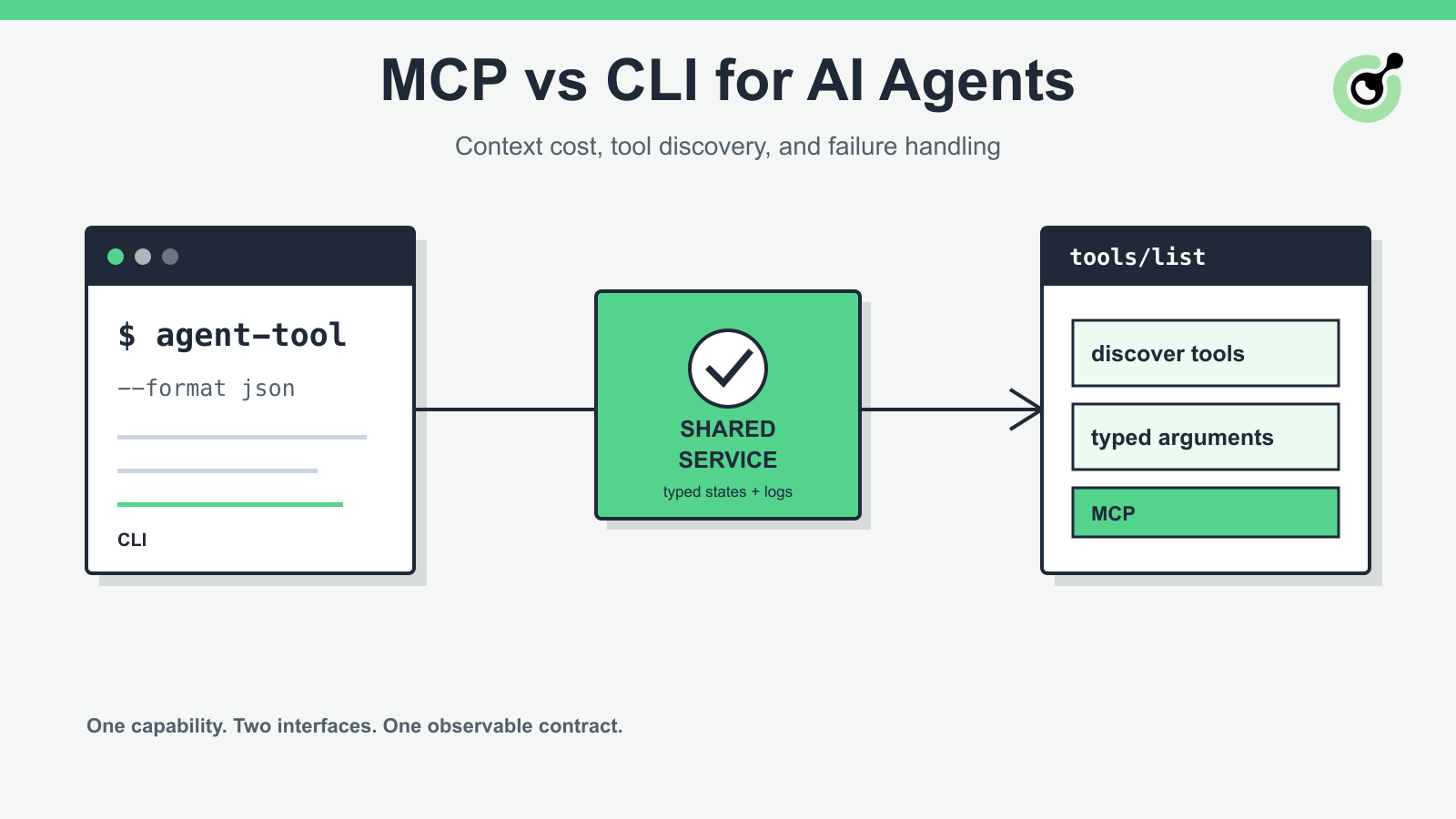
An agent does not use a tool the way a developer uses a terminal. A developer already knows the command, reads the help text, and notices an odd exit code. An agent first has to discover that the tool exists, select it, build valid arguments, interpret the result, and decide whether another action is safe.
That is why the MCP-versus-CLI decision is more than a packaging preference. It affects context usage, failure visibility, authentication, deployment, and the amount of glue code between a model and an external capability. For an authorized browser workflow, CapSolver can be called through documented APIs or agent tooling, but the surrounding interface still determines how clearly the agent sees task states and errors.
This guide compares MCP and CLI interfaces as engineering contracts. It does not assume that one should replace the other.
Use a CLI for local development, CI jobs, deterministic scripts, and operational debugging. Use MCP when multiple agent clients need to discover the same structured tools and call them through a standard protocol. Use both when the underlying capability must serve developers and agents without duplicating business logic.
| Decision factor | CLI | MCP |
|---|---|---|
| Discovery | Help text, docs, shell completion | Client lists tools, resources, and prompts |
| Input contract | Flags, arguments, environment variables, stdin | JSON-schema-described tool arguments |
| Output contract | stdout, stderr, exit code, optional JSON | Structured JSON-RPC result or protocol error |
| Local setup | Usually simple | Requires an MCP-capable client and server configuration |
| Remote use | SSH, job runner, API wrapper, or custom service | Streamable HTTP is defined by the protocol |
| Human debugging | Strong; command can be copied and rerun | Strong when the client exposes calls, traces, and server logs |
| Agent context cost | Can be low, but help output and shell errors may be noisy | Tool schemas consume context but reduce syntax guessing |
| Governance | OS permissions, CI policy, wrapper scripts | Server auth, tool allowlists, client policy, transport controls |
The correct choice depends on who selects the operation, where it runs, and how failures must be audited.
A CLI is a process boundary. The agent runtime launches an executable, passes arguments or stdin, then reads stdout, stderr, and the exit code. Node.js documents this model through the stable child process API, including asynchronous process creation and separate standard streams.
This is attractive because the same command can be used by a developer, a CI worker, or an agent. It is also easy to version: pin the package, record the full command, capture the environment, and retain the exit status.
The weak point is meaning. A model should not have to infer that a line containing “pending” requires another poll, or that exit code 1 means an authentication error in one command and invalid input in another. If a CLI is intended for agents, give it a machine-readable mode with a stable envelope such as:
accepted, processing, ready, or failed;Keep diagnostic logs on stderr and structured results on stdout. Mixing banners, progress spinners, and JSON on the same stream makes parsers brittle. Also prefer direct process spawning with an argument array over building a shell command from model-generated text. That reduces quoting errors and limits shell interpretation.
MCP gives the client a standard way to discover capabilities. The official server feature specification defines tools as executable functions the model can call, alongside resources and prompts. A tool publishes a name, description, and input schema, so the agent can choose it without first parsing a help screen.
This improves interoperability, not correctness. A vague tool named run with an unbounded string argument remains difficult to use safely. A better MCP surface exposes small operations with explicit fields, enums, required properties, and outcome states.
MCP also separates the capability from a specific agent framework. A compatible client can connect, list the tools, and call them through the protocol. That is useful when one service must support several desktops, coding agents, or internal orchestration systems.
The tradeoff is lifecycle complexity. The client and server negotiate a protocol version, establish a transport, exchange JSON-RPC messages, and may maintain session state. The official transport specification defines stdio and Streamable HTTP. It also states that local stdio servers are launched as subprocesses, while Streamable HTTP servers operate independently and require controls such as Origin validation and authentication.
MCP reduces syntax guessing because the client can present a structured tool definition to the model. It does not make context free. Names, descriptions, schemas, examples, and results all occupy the model’s working context.
A large catalog can make selection worse. Twenty near-duplicate browser tools force the model to compare descriptions on every turn. Long schemas with deeply nested optional fields add more tokens without necessarily improving decisions.
Control MCP context cost by:
A CLI can be cheaper when the agent already knows one stable command and receives compact JSON. It can be more expensive when the model repeatedly requests help, repairs shell syntax, or reads verbose terminal output. Measure full task traces rather than comparing interface definitions in isolation.
Production agents need to distinguish a rejected request, a running operation, a completed capability call, and a successful business outcome. Those are not the same event.
For a CLI, preserve the exit code, stderr, timeout reason, and parsed result. For MCP, preserve the request ID, protocol error, tool-level status, and server logs. In both cases, add a deadline and a bounded retry policy. Retrying every error can duplicate side effects or turn an invalid request into a loop.
The wrapper should classify at least these failures:
That last category is easy to miss. A tool can return a valid result while the page has navigated, the session has expired, or the original form no longer exists. The browser controller must verify the expected page state after every external tool call.
Redeem Your CapSolver Bonus Code
Boost your automation budget instantly!
Use bonus code CAP26 when topping up your CapSolver account to get an extra 5% bonus on every recharge — with no limits.
Redeem it now in your CapSolver Dashboard
CLI and MCP deployments fail in different places. A CLI can leak secrets through command arguments, shell history, process listings, or captured CI logs. Pass secrets through a protected environment or secret manager, redact them from diagnostics, and avoid echoing full request bodies.
An MCP server adds a network and client-trust boundary when deployed remotely. Follow the protocol’s transport guidance, require authentication, validate the Origin header for HTTP connections, scope credentials to the smallest necessary capability, and apply a tool allowlist per client. A local server should bind only to localhost unless remote access is explicitly designed and secured.
Neither interface should give a model unrestricted access to arbitrary shell commands, arbitrary URLs, or raw credentials. Keep policy enforcement below the model layer so a prompt cannot redefine it.
The strongest pattern is one service layer with two thin adapters.
The service layer owns validation, authentication, task creation, polling, typed errors, telemetry, and idempotency. The CLI adapter translates flags and stdin into service calls, then maps the result to stdout, stderr, and an exit code. The MCP adapter publishes the same operations as typed tools and maps service results to structured tool responses.
This prevents drift. If each adapter implements its own retry logic, one may poll too aggressively while the other stops early. If the service layer owns that behavior, both surfaces inherit the same limits and error semantics.
Use the CLI as the reference diagnostic path. When an MCP call fails, operators can reproduce the underlying service operation locally with the same correlation ID and sanitized input. Use MCP as the discovery path for agent clients. The model sees only the allowed operations, not the entire administration surface.
CAPTCHA handling should be exposed as a bounded capability inside an authorized browser workflow. The interface should identify the supported task type, accept only the required parameters, report task state explicitly, and return a structured result. It should not hide permission checks or imply that a returned token proves the browser task is complete.
CapSolver’s official API separates task creation from asynchronous result retrieval. The createTask documentation describes the task request and task ID, while getTaskResult documents processing, ready, and error states. Those states should remain visible through either adapter.
For agent clients, the official CapSolver MCP service guide provides a direct MCP path. For bespoke automation and scripts, the core SDK or documented HTTP API may be a better fit. The browser runtime still owns session continuity, result application, retry limits, and validation of the final page outcome. The related web scraping CAPTCHA handling guide covers that execution boundary in more detail.
Choose a CLI first when:
Choose MCP first when:
Build both when:
Before shipping, run one end-to-end test for each failure class, not only the success path. Confirm that secrets are redacted, timeouts terminate cleanly, retries are bounded, and the browser workflow validates its own final state.
MCP and CLI solve different interface problems. A CLI is a strong local and CI contract; MCP is a strong discovery and interoperability contract for agent clients. The deciding factors are tool selection, deployment boundary, traceability, and the structure of failures—not novelty.
Keep core behavior in one service layer, make both adapters thin, and preserve typed task states from request to browser verification. For authorized workflows that need supported CAPTCHA handling, CapSolver can fit behind either interface while the application retains control of policy, session state, and the final outcome.
Start with one permitted test flow, select the interface that matches its operator, and keep a complete trace from tool call to verified browser result. Review the CapSolver AI-agent integration paths before choosing MCP, agent tools, or the core SDK.
Q: Is MCP a replacement for command-line tools?
No. MCP standardizes how compatible clients discover and call tools, while a CLI remains useful for local operation, CI, and direct debugging. Many teams benefit from exposing both over one service layer.
Q: Does MCP always use fewer tokens than a CLI?
No. MCP schemas reduce syntax guessing, but large tool catalogs and verbose results consume context. A compact CLI with stable JSON can be efficient when the agent already knows the command.
Q: Can an MCP server run locally?
Yes. The MCP transport specification defines stdio, where the client launches the server as a subprocess, as well as Streamable HTTP for an independently running server.
Q: Which interface is easier to debug?
A CLI is usually easier to reproduce manually, while MCP can offer better structured traces when the client exposes requests and results. A hybrid design gives operators both paths.
Q: Where should CAPTCHA task polling live?
Polling should live in the shared service layer or a well-tested adapter, not in model-generated logic. It needs a deadline, bounded intervals, typed terminal states, and a final check that the browser completed the intended authorized action.
Nikolai Smirnov
Software Development Lead
Building dependable software for complex automation.
ABOUT THE AUTHOR
Handle MCP CAPTCHA cancellation in AI agents. Stop new calls, distinguish remote tasks from local waits, and prevent late results from restarting work.

Fix CAPTCHA tools that connect but never run. Check discovery, agent visibility, required inputs, approvals, and executor dispatch before changing solver settings.

