
🎉NEWCapSolver for AI agents-MCP, agent tools, and SDK integrations

Lucas Mitchell
Automation Engineer
Published Sep 05, 2024
Updated Sep 04, 2024 · min read
ScrapeGraph AI is a Python web scraping library that leverages LLMs and graph-based logic to build scraping pipelines for websites and local documents (including XML, HTML, JSON, Markdown, and more). Simply specify the data you want to extract, and the library will handle the rest!
The library provides several features:
Before you dive into using ScrapeGraph AI, ensure you have the following installed:
pip install scrapegraphai capsolver

playwright installimport json
from scrapegraphai.graphs import SmartScraperGraph
# Define the configuration for the scraping pipeline
graph_config = {
"llm": {
"api_key": "YOUR_OPENAI_APIKEY",
"model": "openai/gpt-4o-mini",
},
"verbose": True,
"headless": False,
}
# Create the SmartScraperGraph instance
smart_scraper_graph = SmartScraperGraph(
prompt="List me all the quotes with their description",
source="https://quotes.toscrape.com/",
config=graph_config
)
# Run the pipeline
result = smart_scraper_graph.run()
print(json.dumps(result, indent=4))import json
from scrapegraphai.graphs import SmartScraperGraph
# Define the configuration for the scraping pipeline
graph_config = {
"llm": {
"model": "ollama/llama3.1",
"temperature": 0,
"format": "json", # Ollama needs the format to be specified explicitly
# "base_url": "http://localhost:11434", # set ollama URL arbitrarily
},
"verbose": True,
"headless": False
}
# Create the SmartScraperGraph instance
smart_scraper_graph = SmartScraperGraph(
prompt="List me all the quotes with their description",
source="https://quotes.toscrape.com/",
config=graph_config
)
# Run the pipeline
result = smart_scraper_graph.run()
print(json.dumps(result, indent=4))In this section, we'll explore how to integrate Capsolver with ScrapeGraph AI to bypass captchas. CapSolver is an external service that helps in solving various types of captchas, including ReCaptcha V2, which is commonly used on websites.
We will demonstrate solving ReCaptcha V2 using Capsolver and then scraping the content of a page that requires solving the captcha first.
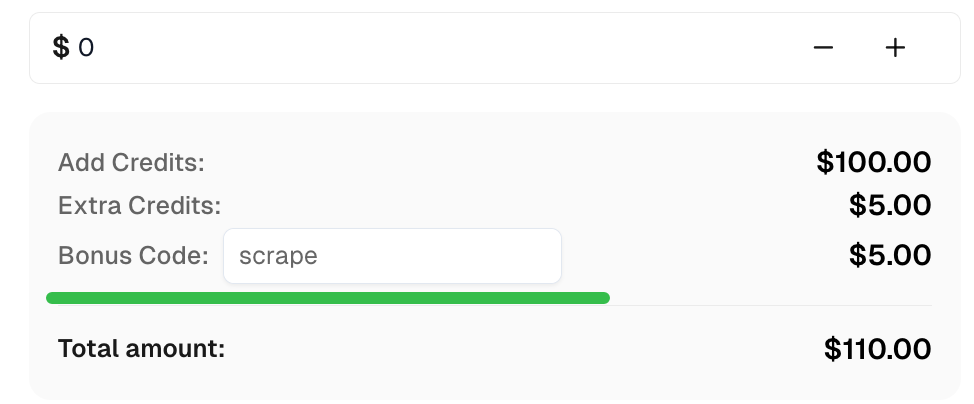
Claim Your Bonus Code for top captcha solutions; CapSolver: scrape. After redeeming it, you will get an extra 5% bonus after each recharge, Unlimited
import capsolver
import os
import json
from scrapegraphai.graphs import SmartScraperGraph

# Consider using environment variables for sensitive information
PROXY = os.getenv("PROXY", "http://username:password@host:port")
capsolver.api_key = os.getenv("CAPSOLVER_API_KEY", "Your Capsolver API Key")
PAGE_URL = os.getenv("PAGE_URL", "PAGE_URL")
PAGE_KEY = os.getenv("PAGE_SITE_KEY", "PAGE_SITE_KEY")

def solve_recaptcha_v2(url, key):
    solution = capsolver.solve({
        "type": "ReCaptchaV2Task",
        "websiteURL": url,
        "websiteKey": key,
        "proxy": PROXY
    })
    return solution['solution']['gRecaptchaResponse']

def main():
    print("Solving reCaptcha v2")
    solution = solve_recaptcha_v2(PAGE_URL, PAGE_KEY)
    print("Solution: ", solution)

# Define the configuration for the scraping pipeline
graph_config = {
    "llm": {
        "api_key": "YOUR_OPENAI_APIKEY",
        "model": "openai/gpt-4o-mini",
    },
    "verbose": True,
    "headless": False,
}

# Create the SmartScraperGraph instance
smart_scraper_graph = SmartScraperGraph(
    prompt="Find the description of each quote.",
    source="https://quotes.toscrape.com/",
    config=graph_config
)

# Run the pipeline
result = smart_scraper_graph.run()
print(json.dumps(result, indent=4))With ScrapeGraph AI, you can efficiently scrape websites while handling the complexities of proxies and captchas. Combining it with Capsolver allows you to bypass ReCaptcha V2 challenges seamlessly, enabling access to content that would otherwise be difficult to scrape.
Feel free to extend this script to suit your scraping needs and experiment with additional features offered by ScrapeGraph AI. Always ensure that your scraping activities respect website terms of service and legal guidelines.
Happy scraping!
Lucas Mitchell
Automation Engineer
Helping browser automation recover and continue.
ABOUT THE AUTHOR
Find CapSolver MCP in the Official MCP Registry, install version 0.1.3 with uvx or pip, configure a local client, and verify the stdio tools.

Add CAPTCHA tools to Pydantic AI using the official CapSolver adapter, test tool execution locally, and handle typed inputs and structured solver results.

