
🎉NEWCapSolver for AI agents-MCP, agent tools, and SDK integrations

Ethan Collins
AI Agent Workflow Engineer
Published Jan 24, 2025
Updated Jan 23, 2025 · min read

If there’s one thing I’ve learned over the years as a web scraping enthusiast, it’s that CAPTCHA challenges are like the gatekeepers of the internet. My first encounter with an image CAPTCHA felt like hitting a brick wall. I had spent hours building my scraper, and just as I was about to harvest the data, I was greeted with blurry photos of traffic lights, crosswalks, and store fronts. I realized then that solving image CAPTCHAs wasn’t just a technical challenge—it was a rite of passage for any serious web scraper.
Now, in 2025, image CAPTCHAs have evolved into sophisticated mechanisms, using AI to thwart even the most advanced scrapers. But with the right tools, techniques, and mindset, they’re no longer insurmountable. In this blog, I’ll share what I’ve learned about solving image CAPTCHAs effectively, from personal experiences to the latest solutions.
When web scraping, one of the most common types of CAPTCHA you'll encounter is the image CAPTCHA, which is designed to prevent automated bots from accessing websites. With advancements in technology, CAPTCHA systems are constantly evolving and becoming more complex. One of the most widely encountered image CAPTCHA systems is Google's reCAPTCHA.
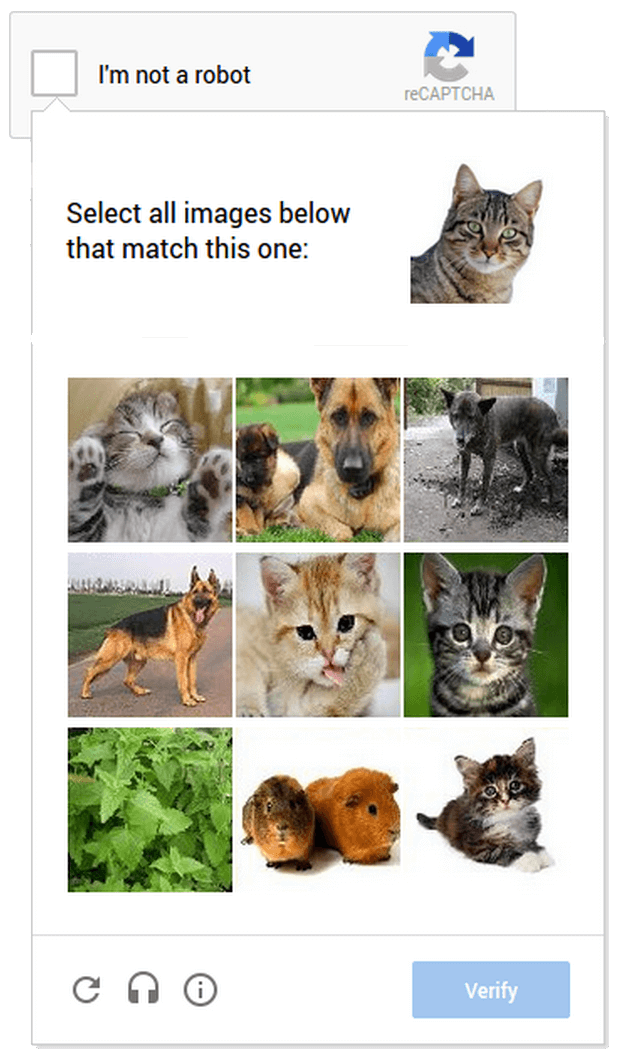
reCAPTCHA asks users to select images containing specific objects, such as traffic lights, bicycles, or crosswalks. This type of image recognition challenge is highly effective at distinguishing between human users and automated scripts. While the "I’m not a robot" checkbox was once the standard, more recent versions rely on image-based challenges, which have become increasingly common. Users are required to select the correct images to complete the verification and prove they are not bots.
In the realm of web scraping, image CAPTCHAs are not just obstacles; they’re sophisticated challenges designed to differentiate between humans and bots. Among the many variants, two stand out as the most frequently encountered: Google’s reCAPTCHA and ImageToText CAPTCHAs. Each type presents unique hurdles, but with the right approach, they can be effectively solved.
First, we need to import the requests library, which will allow us to make HTTP requests to interact with the CapSolver API.
import requestsIn order to communicate with the CapSolver API, you'll need to provide an API key. This key is typically generated when you register an account with CapSolver. Here, we define API_URL to specify the API endpoint and API_KEY to authenticate your account.
API_URL = "https://api.capsolver.com/createTask"
API_KEY = "YOUR_API_KEY"The payload is a dictionary that contains all the necessary information for the request. In this case, we specify the CAPTCHA type (ReCaptchaV2Classification), the URL of the target website, and the object to be recognized (e.g., traffic lights). Be sure to replace the target website URL and the object to be recognized with the actual values for your case.
payload = {
    "clientKey": API_KEY,  # Replace with your API key
    "task": {
        "type": "ReCaptchaV2Classification",  # reCAPTCHA v2 type
        "websiteURL": "https://target-website.com",  # Target website URL
        "question": "/m/04_sv"  # The object to recognize (e.g., traffic lights)
    }
}We use requests.post to send the request, passing the constructed payload as JSON data. The response object will contain the API’s response data.
response = requests.post(API_URL, json=payload)Check the status code of the response to ensure the request was successful. If successful, we parse the JSON response and check the errorId and status to see if the solution is ready. If the challenge was solved, we extract and display the solution.
if response.status_code == 200:
    result = response.json()
    if result.get("errorId") == 0 and result.get("status") == "ready":
        print("Solution:", result["solution"])  # Output the solution
    else:
        print("Error:", result.get("errorDescription"))  # Output error message
else:
print(f"Failed with status code: {response.status_code}") # If request fails, output status codeHere, we use the capsolver library, which is provided by CapSolver to interact with their API. We also import os and pathlib to manage file paths for the CAPTCHA image.
import os
from pathlib import Path
import capsolverAs with reCAPTCHA, we first set up your API key for authentication with CapSolver’s service.
capsolver.api_key = "YOUR_API_KEY"Assume that you have downloaded the CAPTCHA image and saved it locally. We use pathlib to define the file path to the image.
# Get the path to the current script directory and define the CAPTCHA image file path
img_path = os.path.join(Path(__file__).resolve().parent, "captcha_image.jpg")Next, we open the CAPTCHA image file in binary mode and encode it to base64, which is required for sending it to CapSolver for processing.
with open(img_path, 'rb') as f:
encoded_image = f.read().encode("base64") # Encode the image to base64Now, we call capsolver.solve() to submit the ImageToText CAPTCHA task, passing the base64-encoded image as part of the request. We specify the task type as ImageToTextTask and use the general OCR module for text recognition.
solution = capsolver.solve({
    "type": "ImageToTextTask",  # Set task type to ImageToText
    "module": "general",  # Use the general OCR module
    "body": encoded_image  # Pass the base64-encoded image
})Finally, we output the decoded CAPTCHA solution returned by CapSolver.
print("CAPTCHA Solution:", solution)Claim Your Bonus Code for top captcha solutions; CapSolver: recapv2. After redeeming it, you will get an extra 5% bonus after each recharge, Unlimited.

By following these steps, you can easily solve two common types of image CAPTCHAs: Google's reCAPTCHA and ImageToText CAPTCHAs. Whether you're dealing with dynamically generated reCAPTCHAs or distorted text challenges, CapSolver’s API provides an efficient and automated solution.
These methods will significantly enhance the efficiency and reliability of your web scraping tasks. As always, ensure that your scraping activities comply with legal and ethical standards to maintain the integrity of your work.
In 2025, solving CAPTCHAs isn't just a skill—it's a necessity for any scraper looking to stay ahead of the game.
Ethan Collins
AI Agent Workflow Engineer
Building clearer handoffs between AI agents and tools.
ABOUT THE AUTHOR
Find CapSolver MCP in the Official MCP Registry, install version 0.1.3 with uvx or pip, configure a local client, and verify the stdio tools.

Add CAPTCHA tools to Pydantic AI using the official CapSolver adapter, test tool execution locally, and handle typed inputs and structured solver results.

