🎉NEWCapSolver for AI agents-MCP, agent tools, and SDK integrations

Ethan Collins
AI Agent Workflow Engineer
Published Apr 03, 2026
Updated Apr 03, 2026 · min read
TL;DR:
The CAPTCHA solving API response time the duration it takes to get a solution—directly impacts the efficiency and cost-effectiveness of any automated task. This article delves into the factors that influence this crucial metric, offering practical strategies for optimization. We aim to provide developers and businesses with the insights needed to select and implement the fastest, most reliable CAPTCHA solving solutions, ensuring smooth and uninterrupted operations in a web ecosystem increasingly reliant on bot detection.
At its core, the CAPTCHA solving API response time is the total time elapsed from sending a CAPTCHA challenge to an API to receiving the solution. For any automated process, from web scraping to data entry, this metric is a key performance indicator. A faster response time translates to quicker task completion, reduced script idle time, and lower operational costs. Conversely, a slow response can create significant bottlenecks, leading to script timeouts and increased resource consumption, thereby undermining the entire automation workflow.
Three primary factors contribute to the variability in CAPTCHA solving API response time the complexity of the CAPTCHA itself, the efficiency of the solving service, and the network conditions.
CAPTCHA Complexity: The type and difficulty of a CAPTCHA are the most significant determinants of solve time. Simple text-based CAPTCHAs are resolved much faster than complex challenges like Google's reCAPTCHA v2 or Cloudflare's Turnstile, which often involve intricate user interaction simulations. The inherent design of each CAPTCHA sets a baseline for the minimum time required for a solution.
Solving Service Efficiency: The underlying technology of the API provider is crucial. Services that utilize advanced AI and machine learning models can process challenges far more rapidly than those relying on human-based solving farms. A provider's server infrastructure and global distribution also play a vital role in reducing latency.
Network and Polling: Network latency between your system and the API server adds to the total response time. Additionally, the polling interval—how frequently your script requests the solution—must be optimized. Overly aggressive polling can lead to rate-limiting, while too-long intervals introduce unnecessary delays. A balanced, strategic polling mechanism is essential for achieving the best possible CAPTCHA solving API response time
To objectively evaluate performance, it's important to look at industry benchmarks. These tests measure how different services perform against various CAPTCHA types under controlled conditions.
Recent studies reveal a wide range in CAPTCHA solving API response time. While simple CAPTCHAs are often solved in 5-15 seconds, more complex challenges can take anywhere from 10 to 40 seconds, according to a comparison of solving services. For example, one HasData benchmark found that Invisible reCAPTCHA averaged nearly 50 seconds with one service, while another handled it in under 14 seconds. These discrepancies underscore the importance of choosing a high-performance provider.
This table provides a general overview of response times for common CAPTCHA types:
| CAPTCHA Type | Typical Human Solve Time | Typical AI API Solve Time (CapSolver) | Other API Average Solve Time |
|---|---|---|---|
| reCAPTCHA v2 | 15-45 seconds | < 10 seconds | 13-50 seconds |
| reCAPTCHA v3 | N/A (invisible) | < 10 seconds | 10-30 seconds |
| Turnstile | 5-20 seconds | < 10 seconds | 6-20 seconds |
| Image-to-Text | 5-15 seconds | < 5 seconds | 5-15 seconds |
Note: These are approximate times and can vary based on specific challenge difficulty, network conditions, and API load.
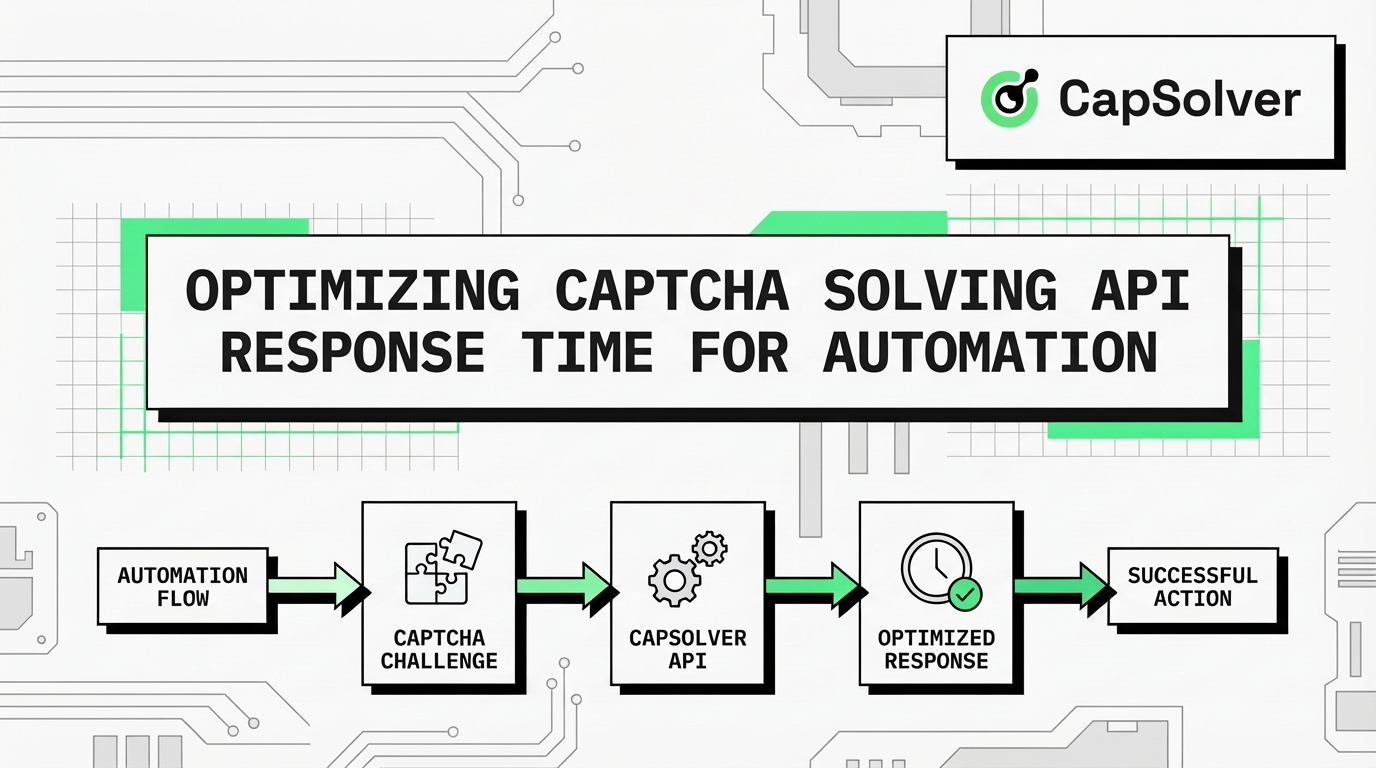
Achieving a minimal CAPTCHA solving API response time isn't just about picking a fast provider; it also requires proper integration and configuration.
Using the correct task type for a specific CAPTCHA is critical. For example, when dealing with reCAPTCHA v2, selecting the ReCaptchaV2TaskProxyLess task type in CapSolver can streamline the process by using the service's built-in proxy, which can reduce the overall CAPTCHA solving API response time Always consult the provider's documentation for the most appropriate task types. For more details on reCAPTCHA v2 solutions, you can review the CapSolver reCAPTCHA v2 Product Page.
An inefficient polling strategy can add unnecessary delays. Instead of constant, aggressive polling, it is better to implement a staggered or exponential backoff approach. This involves waiting for a short initial period (e.g., 1-2 seconds) and then gradually increasing the interval between subsequent requests. This method reduces the load on the API and prevents your IP from being rate-limited, thus ensuring a more consistent CAPTCHA solving API response time Given that the CapSolver API typically returns results within 1 to 10 seconds, this strategy is highly effective. Understanding the common reasons Why Web Automation Keeps Failing on CAPTCHA can provide further context for building robust polling logic.
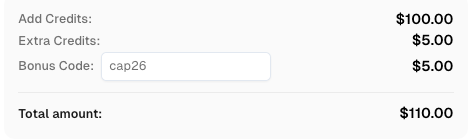
Use code
CAP26when signing up at CapSolver to receive bonus credits!
The following Python code demonstrates a basic integration with CapSolver for solving reCAPTCHA v2, highlighting an efficient workflow for task creation and result retrieval to achieve a low CAPTCHA solving API response time
import requests
import time

# Configuration
API_KEY = "YOUR_API_KEY"
SITE_KEY = "6Le-wvkSAAAAAPBMRTvw0Q4Muexq9bi0DJwx_mJ-"
SITE_URL = "https://www.google.com/recaptcha/api2/demo"

def solve_recaptcha_v2():
    # Create task
    create_task_payload = {
        "clientKey": API_KEY,
        "task": {
            "type": 'ReCaptchaV2TaskProxyLess',
            "websiteKey": SITE_KEY,
            "websiteURL": SITE_URL
        }
    }
    try:
        create_task_res = requests.post("https://api.capsolver.com/createTask", json=create_task_payload, timeout=15)
        create_task_res.raise_for_status()
        task_id = create_task_res.json().get("taskId")
        if not task_id:
            print(f"Failed to create task: {create_task_res.text}")
            return None
        print(f"Task created with ID: {task_id}. Polling for solution...")

        # Poll for result
        while True:
            time.sleep(2)
            get_result_payload = {"clientKey": API_KEY, "taskId": task_id}
            get_result_res = requests.post("https://api.capsolver.com/getTaskResult", json=get_result_payload, timeout=15)
            get_result_res.raise_for_status()
            resp_data = get_result_res.json()
            status = resp_data.get("status")

            if status == "ready":
                print("CAPTCHA solved successfully!")
                return resp_data.get("solution", {}).get('gRecaptchaResponse')
            if status == "failed" or resp_data.get("errorId"):
                print(f"Solve failed! Response: {get_result_res.text}")
                return None
    except requests.exceptions.RequestException as e:
        print(f"An error occurred: {e}")
        return None

# Example usage
if __name__ == "__main__":
    token = solve_recaptcha_v2()
    if token:
        print(f"Received reCAPTCHA token: {token}")
This example uses a fixed delay, but for production, an exponential backoff strategy is recommended. For more advanced use cases, such as learning How to Scrape CAPTCHA-Protected Sites with n8n, CapSolver, and OpenClaw, refer to our other guides.
When using CAPTCHA solving APIs, it is essential to operate within legal and ethical frameworks. These services should be used for legitimate purposes only, such as automating data collection on websites where you have clear permission. Violating a website's terms of service is not advisable. CapSolver advocates for the compliant and responsible use of its services to maintain a healthy online ecosystem. A clear understanding of web automation ethics is crucial for sustainable operations.
CapSolver has distinguished itself in the market by delivering exceptionally fast and reliable CAPTCHA solutions. Its advanced AI models are trained to handle a wide array of CAPTCHA types with remarkable speed and accuracy. This AI-first approach significantly reduces the CAPTCHA solving API response time by minimizing the need for slower, human-based intervention. The platform's robust, low-latency infrastructure ensures that automation workflows proceed with minimal delay. Whether you're tackling reCAPTCHA, or Cloudflare challenges, CapSolver provides a solution that prioritizes speed without sacrificing success rates, making it the Best CAPTCHA Solver for many developers.
Integrating CapSolver into your automation projects can yield significant efficiency gains. A consistently fast CAPTCHA solving API response time helps eliminate the bottlenecks that commonly plague web scraping and data extraction tasks. This reliability ensures that your operations run smoothly, allowing you to focus on leveraging data rather than managing CAPTCHA interruptions. With an easy-to-integrate API and comprehensive documentation, CapSolver is an invaluable tool for any serious automation project. For specific challenges like Cloudflare, the dedicated CapSolver Cloudflare Product Page offers tailored solutions.
Optimizing the CAPTCHA solving API response time is fundamental to successful web automation. By understanding the influencing factors, benchmarking services, and implementing efficient integration strategies, businesses can dramatically improve their operational speed and reliability. CapSolver's powerful, AI-driven platform consistently delivers fast and accurate CAPTCHA resolutions, making it an excellent choice for demanding automation tasks.
Q1: What is a good CAPTCHA solving API response time?
A good CAPTCHA solving API response time is generally under 10-15 seconds. With advanced AI-based solvers like CapSolver, times under 10 seconds are often achievable, which provides a significant boost to automation efficiency.
Q2: How can I reduce my CAPTCHA solving API response time?
To reduce response time, select a high-performance API provider, use the correct task type for the specific CAPTCHA, and implement an efficient polling strategy like exponential backoff. A stable, low-latency network connection is also beneficial.
Q3: Does CAPTCHA complexity affect response time?
Yes, complexity is a major factor. Simple image-to-text CAPTCHAs are solved much faster than complex, interactive challenges like reCAPTCHA v2, which require more sophisticated analysis and processing, thus increasing the CAPTCHA solving API response time
Q4: Why is CapSolver recommended for fast CAPTCHA solving?
CapSolver is recommended for its AI-first approach, which enables rapid and accurate solving of diverse CAPTCHA types. Its optimized infrastructure and advanced algorithms result in a consistently low CAPTCHA solving API response time, making it ideal for high-volume automation.
Q5: Are there ethical considerations when using CAPTCHA solving APIs?
Yes. It is important to use CAPTCHA solving APIs responsibly and for legitimate purposes. Always ensure that your automation activities comply with the terms of service of the target websites. Ethical usage helps maintain a balanced and fair online environment.
Ethan Collins
AI Agent Workflow Engineer
Building clearer handoffs between AI agents and tools.
ABOUT THE AUTHOR
Use CapSolver getToken for supported reCAPTCHA tasks with a documented JSON request, a cURL example, direct results, and clear token-validation steps.

Use reCAPTCHA test keys in QA with separate environments, backend validation checks, negative tests, and release guards that keep test settings out of production.