
🎉全新面向 AI Agent 的 CapSolver-MCP、agent 工具和 SDK 集成

Emma Foster
Machine Learning Engineer
已发表 Mar 16, 2026
已更新 Mar 18, 2026 · 最小阅读量
视觉谜题无处不在:需要将一块拖到正确位置的滑块CAPTCHA,需要对齐图像的旋转挑战,对象选择网格,以及动画GIF文本识别。这些不是传统的基于文本的CAPTCHA,也不是返回字符串并随表单提交的基于令牌的挑战(如reCAPTCHA或Turnstile)。它们是基于图像的视觉挑战,输入是一张图片,输出是测量值——像素距离、度数角度、坐标集或识别出的文本。
这就是**CapSolver** 的视觉引擎所解决的问题。它使用AI分析视觉谜题图像,并返回自动化所需的精确答案。
在本指南中,您将学习如何通过CapSolver社区节点在**n8n** 中使用视觉引擎。本操作指南涵盖了核心Solver API工作流程以及一个实用的滑块谜题求解器,该求解器获取谜题图像,将其转换为base64,解决滑块并返回像素距离。
重要提示: 视觉引擎是一种识别操作,而不是令牌操作。这意味着结果会在单个API调用中立即返回——无需轮询、无需
getTaskResult循环,也无需等待超时。您发送图像,即可获得答案。
n8n 中大多数 CapSolver 操作是令牌任务。您提交网站参数(URL、站点密钥、代理),CapSolver 在后台解决挑战,您的工作流会轮询结果。输出是一个令牌字符串,然后您将其提交到目标网站。
视觉引擎的工作方式不同:
| 方面 | 令牌操作(reCAPTCHA、Turnstile 等) | 视觉引擎(识别) |
|---|---|---|
| 资源 | 令牌 | 识别 |
| 输入 | 网站 URL、站点密钥、代理 | base64 图像(s)、模块名称 |
| 处理 | 异步——轮询结果 | 即时——单个 API 调用 |
| 输出 | 令牌字符串 | 像素、度数、坐标或文本 |
| 代理 | 通常需要 | 不需要 |
| 用例 | 提交令牌以绕过挑战门 | 解释视觉谜题以实现交互自动化 |
视觉引擎更接近图像到文本(OCR),而不是 reCAPTCHA 求解,但它超越了简单的文本识别。图像到文本从静态图像中读取字符,而视觉引擎理解空间关系——它可以计算需要将滑块块拖动多远、需要旋转图像多少度、图片中哪些区域与问题匹配,或者动画 GIF 中隐藏的文本是什么。
视觉引擎支持多个 AI 模型,每个模型专为特定类型的视觉谜题设计:
| 模块 | 目的 | 输入 | 返回 |
|---|---|---|---|
slider_1 |
滑块谜题求解 | image(拼图块) + imageBackground(带有插槽的背景) |
像素距离 |
rotate_1 |
单张图像旋转 | image + imageBackground |
度数角度 |
rotate_2 |
多图像旋转(内层 + 外层) | image(内层图像) |
度数角度 |
shein |
对象/区域选择 | image + question(要选择的内容) |
rects 数组——边界框 [{x1, y1, x2, y2}] |
ocr_gif |
动画 GIF 文本识别 | image(GIF 的 base64) |
识别出的文本字符串 |
slider_1 — 最常见的视觉 CAPTCHA 类型。用户看到一个带有缺失块的背景图像和一个单独的拼图块。目标是确定需要将块向右拖动多少像素。需要 image(拼图块)和 imageBackground(带有插槽的完整背景)。
rotate_1 — 需要旋转到正确方向的单张图像。需要 image 和 imageBackground。引擎返回角度(度数)。
rotate_2 — 两个同心图像(内图像和外环)。内图像需要旋转以与外环对齐。只需要 image。引擎返回角度。
shein — 用于“选择匹配项”或“点击正确区域”的挑战。需要 image 加上描述要查找内容的 question 参数。返回每个匹配区域的边界框坐标。
ocr_gif — 动画 GIF 中文本在帧中闪烁,使标准 OCR 无法读取。引擎分析动画并提取文本。
在开始之前,请确保您具备以下条件:
n8n-nodes-capsolver)视觉引擎任务不需要代理。
在 n8n 的 CapSolver 节点中,配置以下设置:
| 设置 | 值 |
|---|---|
| 资源 | Recognition |
| 操作 | Vision Engine |
| module | 模型名称(例如 slider_1、rotate_1、ocr_gif) |
| image | Base64 编码的图像字符串(无 data:image/...;base64, 前缀) |
| imageBackground | Base64 编码的背景图像(可选——slider_1 和 rotate_1 需要) |
| question | 文本问题(可选——仅 shein 模块需要) |
| websiteURL | 源页面 URL(可选——可提高准确性) |
当选择 Vision Engine 操作时,type 字段会自动设置为 VisionEngine。
image 和 imageBackground 字段必须是原始 base64 字符串——没有数据 URI 前缀,没有换行符:
/9j/4AAQSkZJRgABA...(原始 base64)data:image/jpeg;base64,/9j/4AAQSkZJRgABA...(有前缀)如果您的源图像为 URL,您必须先获取它并将其转换为 base64。如果它已经包含 data:image/...;base64, 前缀,请在将其传递给 CapSolver 节点之前将其剥离。
此工作流将 Vision Engine 作为简单的 REST API 端点公开。发送包含模块名称和 base64 图像的 POST 请求,即可作为 JSON 返回解决方案。
接收求解器请求(Webhook POST)
  → 验证输入(代码)
    → 解决视觉谜题(CapSolver — 识别 — Vision Engine)
      → Vision Engine 错误?(IF)
        → 是:向 Webhook 返回错误
→ 否:向 Webhook 返回成功响应Webhook 端点接收包含以下内容的 JSON 请求体:
{
  "module": "slider_1",
  "image": "/9j/4AAQSkZJRgABA...",
  "imageBackground": "/9j/4AAQSkZJRgABA...",
  "question": "",
  "websiteURL": ""
}代码节点检查 image 是否存在,以及 module 是否为支持的值(slider_1、rotate_1、rotate_2、shein、ocr_gif)。如果验证失败,会设置 error 字段。
CapSolver 节点配置如下:
RecognitionVision Engine由于这是一个识别任务,结果会立即返回。
IF 节点检查是否有错误。如果 CapSolver 节点返回错误(模块错误、图像无效等),则触发错误 Webhook。否则,成功响应返回解决方案。
滑块谜题请求:
curl -X POST https://your-n8n-instance.com/webhook/vision-engine-solver \
  -H "Content-Type: application/json" \
  -d '{
    "module": "slider_1",
    "image": "BASE64_PUZZLE_PIECE",
    "imageBackground": "BASE64_BACKGROUND"
  }'
成功响应:
{
  "solution": {
    "distance": 142,
    "module": "slider_1"
  }
}
GIF OCR 请求:
curl -X POST https://your-n8n-instance.com/webhook/vision-engine-solver \
  -H "Content-Type: application/json" \
  -d '{
    "module": "ocr_gif",
    "image": "BASE64_GIF_DATA"
  }'
成功响应:
{
  "solution": {
    "text": "x7Km9",
    "module": "ocr_gif"
  }
}{
"name": "Vision Engine — Solver API",
"nodes": [
{
"parameters": {
"content": "## Vision Engine — Solver API\n\n**适用对象:** 需要通过简单 REST 端点解决视觉谜题(滑块、旋转、对象选择、GIF OCR)的开发人员和自动化团队。\n\n**功能:** 接收 base64 编码的图像和模块名称,将其发送到 CapSolver 的 Vision Engine,并立即返回解决方案。\n\n**工作原理:**\n1. Webhook 接收 POST 请求,包含 `module`、`image` 和可选的 `imageBackground` / `question`\n2. 代码节点验证输入(图像存在,模块有效)\n3. CapSolver 识别节点解决视觉谜题\n4. 以 JSON 格式返回解决方案或错误\n\n**设置:**\n1. 在 **设置 → 凭据** 下添加您的 CapSolver API 密钥\n2. 激活工作流\n3. 向 `/webhook/vision-engine-solver` 发送 POST 请求并附上您的图像数据",
"height": 560,
"width": 460,
"color": 1
},
"type": "n8n-nodes-base.stickyNote",
"typeVersion": 1,
"position": [-920, -380],
"id": "sticky-ve-main-001",
"name": "便签"
},
{
"parameters": {
"content": "### 输入验证\n检查 `image` 是否存在,`module` 是否为以下之一: slider_1, rotate_1, rotate_2, shein, ocr_gif",
"height": 480,
"width": 440,
"color": 6
},
"type": "n8n-nodes-base.stickyNote",
"typeVersion": 1,
"position": [-100, -280],
"id": "sticky-ve-section-002",
"name": "便签1"
},
{
"parameters": {
"content": "### CapSolver 视觉引擎\n识别资源 — 即时结果,无需轮询。根据模块返回距离、角度、坐标或文本。",
"height": 480,
"width": 440,
"color": 6
},
"type": "n8n-nodes-base.stickyNote",
"typeVersion": 1,
"position": [380, -280],
"id": "sticky-ve-section-003",
"name": "便签2"
},
{
"parameters": {
"content": "### 错误处理\n检查 CapSolver 错误(图像无效、不支持的模块等)并返回结构化错误响应。",
"height": 480,
"width": 440,
"color": 6
},
"type": "n8n-nodes-base.stickyNote",
"typeVersion": 1,
"position": [860, -280],
"id": "sticky-ve-section-004",
"name": "便签3"
},
{
"parameters": {
"content": "### Webhook 触发器\nPOST /webhook/vision-engine-solver,带有包含 module、image 和可选 imageBackground / question 的 JSON 请求体。",
"height": 480,
"width": 440,
"color": 6
},
"type": "n8n-nodes-base.stickyNote",
"typeVersion": 1,
"position": [-580, -280],
"id": "sticky-ve-section-005",
"name": "便签4"
},
{
"parameters": {
"content": "### 成功响应\n返回 CapSolver 的完整解决方案对象 — 内容根据模块类型而变化。",
"height": 480,
"width": 440,
"color": 6
},
"type": "n8n-nodes-base.stickyNote",
"typeVersion": 1,
"position": [1340, -280],
"id": "sticky-ve-section-006",
"name": "便签5"
},
{
"parameters": {
"content": "### 错误响应\n返回 CapSolver 或输入验证的错误信息。",
"height": 480,
"width": 440,
"color": 6
},
"type": "n8n-nodes-base.stickyNote",
"typeVersion": 1,
"position": [1340, 240],
"id": "sticky-ve-section-007",
"name": "便签6"
},
{
"parameters": {
"httpMethod": "POST",
"path": "vision-engine-solver",
"responseMode": "responseNode",
"options": {}
},
"type": "n8n-nodes-base.webhook",
"typeVersion": 2,
"position": [-540, 0],
"id": "ve-api-11111111-1111-1111-1111-111111111101",
"name": "接收求解器请求",
"webhookId": "ve-api-11111111-aaaa-bbbb-cccc-111111111101"
},
{
"parameters": {
"jsCode": "const body = $input.first().json.body || {};\nconst validModules = ['slider_1', 'rotate_1', 'rotate_2', 'shein', 'ocr_gif'];\n\nconst module = (body.module || '').trim();\nconst image = (body.image || '').trim();\nconst imageBackground = (body.imageBackground || '').trim();\nconst question = (body.question || '').trim();\nconst websiteURL = (body.websiteURL || '').trim();\n\n// 验证必填字段\nif (!image) {\n return [{ json: { error: '缺少必填字段: image (base64 编码)' } }];\n}\n\nif (!module) {\n return [{ json: { error: '缺少必填字段: module' } }];\n}\n\nif (!validModules.includes(module)) {\n return [{ json: { error: `无效的模块: ${module}. 必须是以下之一: ${validModules.join(', ')}` } }];\n}\n\n// 模块特定验证\nif ((module === 'slider_1' || module === 'rotate_2') && !imageBackground) {\n return [{ json: { error: `模块 ${module} 需要 imageBackground` } }];\n}\n\nif (module === 'shein' && !question) {\n return [{ json: { error: '模块 shein 需要 question 参数' } }];\n}\n\nreturn [{ json: {\n module,\n image,\n imageBackground,\n question,\n websiteURL,\n validated: true\n} }];"
},
"type": "n8n-nodes-base.code",
"typeVersion": 2,
"position": [-60, 0],
"id": "ve-api-11111111-1111-1111-1111-111111111102",
"name": "验证输入"
},
{
"parameters": {
"resource": "Recognition",
"operation": "Vision Engine",
"module": "={{ $json.module }}",
"image": "={{ $json.image }}",
"imageBackground": "={{ $json.imageBackground || '' }}",
"question": "={{ $json.question || '' }}",
"websiteURL": "={{ $json.websiteURL || '' }}"
},
"type": "n8n-nodes-capsolver.capSolver",
"typeVersion": 1,
"position": [420, 0],
"id": "ve-api-11111111-1111-1111-1111-111111111103",
"name": "解决视觉谜题",
"onError": "continueRegularOutput",
"credentials": {
"capSolverApi": {
"id": "YOUR_CREDENTIAL_ID",
"name": "CapSolver 账户"
}
}
},
{
"parameters": {
"conditions": {
"options": {
"caseSensitive": true,
"leftValue": "",
"typeValidation": "loose",
"version": 2
},
"conditions": [
{
"id": "ve-err-001",
"leftValue": "={{ $json.error }}",
"operator": {
"type": "string",
"operation": "isNotEmpty",
"singleValue": true
}
}
],
"combinator": "and"
},
"options": {}
},
"type": "n8n-nodes-base.if",
"typeVersion": 2.2,
"position": [900, 0],
"id": "ve-api-11111111-1111-1111-1111-111111111104",
"name": "Vision Engine Error?"
},
{
"parameters": {
"respondWith": "json",
"responseBody": "={{ JSON.stringify($json.data) }}",
"options": {}
},
"type": "n8n-nodes-base.respondToWebhook",
"typeVersion": 1.1,
"position": [1380, -80],
"id": "ve-api-11111111-1111-1111-1111-111111111105",
"name": "Respond to Webhook"
},
{
"parameters": {
"respondWith": "json",
"responseBody": "={{ JSON.stringify({ error: $json.error }) }}",
"options": {
"responseCode": 400
}
},
"type": "n8n-nodes-base.respondToWebhook",
"typeVersion": 1.1,
"position": [1380, 120],
"id": "ve-api-11111111-1111-1111-1111-111111111106",
"name": "Respond to Webhook Error"
}
],
"connections": {
"Receive Solver Request": {
"main": [
[
{
"node": "Validate Input",
"type": "main",
"index": 0
}
]
]
},
"Validate Input": {
"main": [
[
{
"node": "Solve Visual Puzzle",
"type": "main",
"index": 0
}
]
]
},
"Solve Visual Puzzle": {
"main": [
[
{
"node": "Vision Engine Error?",
"type": "main",
"index": 0
}
]
]
},
"Vision Engine Error?": {
"main": [
[
{
"node": "Respond to Webhook Error",
"type": "main",
"index": 0
}
],
[
{
"node": "Respond to Webhook",
"type": "main",
"index": 0
}
]
]
}
},
"active": false,
"settings": {
"executionOrder": "v1"
}
}此工作流展示了实际的端到端滑块拼图求解器。它从URL获取拼图碎片和背景图片,将其转换为base64,通过slider_1模块发送到Vision Engine,并返回完成滑块所需的像素距离。
这是在将滑块CAPTCHA求解集成到更大的自动化流程中时使用的模式——返回的距离会告诉你的浏览器自动化工具(Puppeteer、Playwright、Selenium)确切需要拖动滑块手柄多远。
定时触发器(每小时一次) ─┐
                                 ├→ 设置拼图配置 → 获取拼图图片 → 获取背景图片
Webhook触发器(POST) ──────────┘    → 将图片转换为Base64 → 求解滑块拼图
                                        → 滑块错误? → 格式化解决方案 → 返回结果
→ 格式化错误 → 返回错误定义拼图碎片图片和背景图片的URL,以及任何可选的websiteURL以提高准确性。在实际集成中,这些URL将来自目标网站的CAPTCHA挑战响应。
两个HTTP请求节点下载拼图碎片和背景图片的二进制数据。
一个代码节点将两个二进制图片转换为原始Base64字符串,去除任何data:image/...;base64,前缀。
CapSolver节点使用:
RecognitionVision Engineslider_1立即返回所需的像素距离。
IF节点检查错误。成功时,格式化解决方案并返回。出错时,返回错误信息。
成功:
{
  "success": true,
  "module": "slider_1",
  "distance": 142,
  "unit": "pixels",
  "solvedAt": "2026-03-16T10:00:00.000Z"
}
错误:
{
  "success": false,
  "error": "ERROR_INVALID_IMAGE",
  "solvedAt": "2026-03-16T10:00:00.000Z"
}{
"name": "Slider Puzzle Solver — Fetch & Solve — Vision Engine",
"nodes": [
{
"parameters": {
"content": "## 滑块拼图求解器 — 获取与求解\n\n**适用于谁:** 解决滑块CAPTCHA的自动化团队,作为浏览器自动化或爬虫流程的一部分。\n\n**功能:** 从URL获取滑块拼图图片及其背景,将其转换为Base64,发送到CapSolver Vision Engine(slider_1模块),并返回需要拖动滑块的精确像素距离。\n\n**工作原理:**\n1. 定时(每小时)或Webhook触发流程\n2. 配置节点设置拼图图片URL\n3. 两个HTTP请求节点获取图片\n4. 代码节点将图片转换为Base64\n5. CapSolver Vision Engine 解决滑块拼图\n6. 返回像素距离供自动化使用\n\n**设置:**\n1. 在**设置 → 凭据**下添加你的CapSolver API密钥\n2. 替换Set Puzzle Config中的占位图片URL\n3. 激活并测试",
"height": 560,
"width": 460,
"color": 1
},
"type": "n8n-nodes-base.stickyNote",
"typeVersion": 1,
"position": [-1200, -380],
"id": "sticky-slider-main-001",
"name": "便签"
},
{
"parameters": {
"content": "### 触发器\n定时(每小时)或Webhook — 两者都进入相同的拼图求解流程。",
"height": 480,
"width": 440,
"color": 6
},
"type": "n8n-nodes-base.stickyNote",
"typeVersion": 1,
"position": [-860, -280],
"id": "sticky-slider-section-002",
"name": "便签1"
},
{
"parameters": {
"content": "### 拼图配置\n设置拼图碎片和背景图片的URL。在生产环境中,从目标网站的挑战响应中提取这些URL。",
"height": 480,
"width": 440,
"color": 6
},
"type": "n8n-nodes-base.stickyNote",
"typeVersion": 1,
"position": [-380, -280],
"id": "sticky-slider-section-003",
"name": "便签2"
},
{
"parameters": {
"content": "### 图片获取\n以二进制格式下载两张图片。拼图碎片进入image,背景(带槽)进入imageBackground。",
"height": 480,
"width": 920,
"color": 6
},
"type": "n8n-nodes-base.stickyNote",
"typeVersion": 1,
"position": [100, -280],
"id": "sticky-slider-section-004",
"name": "便签3"
},
{
"parameters": {
"content": "### Base64转换\n将二进制图像数据转换为原始Base64字符串(无数据URI前缀)。两张图片必须是原始Base64格式才能用于CapSolver API。",
"height": 480,
"width": 440,
"color": 6
},
"type": "n8n-nodes-base.stickyNote",
"typeVersion": 1,
"position": [1060, -280],
"id": "sticky-slider-section-005",
"name": "便签4"
},
{
"parameters": {
"content": "### Vision Engine求解 + 结果处理\nCapSolver立即返回滑块距离。结果通过Webhook返回或存储以供后续使用。",
"height": 480,
"width": 1400,
"color": 6
},
"type": "n8n-nodes-base.stickyNote",
"typeVersion": 1,
"position": [1540, -280],
"id": "sticky-slider-section-006",
"name": "便签5"
},
{
"parameters": {
"rule": {
"interval": [
{
"field": "hours",
"hoursInterval": 1
}
]
}
},
"type": "n8n-nodes-base.scheduleTrigger",
"typeVersion": 1.3,
"position": [-820, -60],
"id": "ve-slider-22222222-2222-2222-2222-222222222201",
"name": "每1小时"
},
{
"parameters": {
"httpMethod": "POST",
"path": "slider-puzzle-solver",
"responseMode": "responseNode",
"options": {}
},
"type": "n8n-nodes-base.webhook",
"typeVersion": 2.1,
"position": [-820, 140],
"id": "ve-slider-22222222-2222-2222-2222-222222222202",
"name": "Webhook触发器",
"webhookId": "ve-slider-22222222-aaaa-bbbb-cccc-222222222202",
"onError": "continueRegularOutput"
},
{
"parameters": {
"assignments": {
"assignments": [
{
"id": "cfg-001",
"name": "puzzleImageURL",
"value": "={{ $json.body?.puzzleImageURL || 'https://example.com/captcha/puzzle-piece.png' }}",
"type": "string"
},
{
"id": "cfg-002",
"name": "backgroundImageURL",
"value": "={{ $json.body?.backgroundImageURL || 'https://example.com/captcha/background.png' }}",
"type": "string"
},
{
"id": "cfg-003",
"name": "websiteURL",
"value": "={{ $json.body?.websiteURL || '' }}",
"type": "string"
}
]
},
"options": {}
},
"type": "n8n-nodes-base.set",
"typeVersion": 3.4,
"position": [-340, 0],
"id": "ve-slider-22222222-2222-2222-2222-222222222203",
"name": "设置拼图配置"
},
{
"parameters": {
"url": "={{ $json.puzzleImageURL }}",
"options": {
"response": {
"response": {
"responseFormat": "file"
}
}
}
},
"type": "n8n-nodes-base.httpRequest",
"typeVersion": 4.3,
"position": [140, -60],
"id": "ve-slider-22222222-2222-2222-2222-222222222204",
"name": "获取拼图图片"
},
{
"parameters": {
"url": "={{ $('Set Puzzle Config').first().json.backgroundImageURL }}",
"options": {
"response": {
"response": {
"responseFormat": "file"
}
}
}
},
"type": "n8n-nodes-base.httpRequest",
"typeVersion": 4.3,
"position": [540, -60],
"id": "ve-slider-22222222-2222-2222-2222-222222222205",
"name": "获取背景图片"
},
{
"parameters": {
"jsCode": "// 从两个图像获取二进制数据\nconst puzzleBinary = $input.first().binary;\nconst config = $('Set Puzzle Config').first().json;\n\nif (!puzzleBinary || !puzzleBinary.data) {\n return [{ json: { error: '未能获取拼图图片 —— 没有返回二进制数据' } }];\n}\n\n// 将拼图碎片转换为Base64\nconst puzzleBuffer = await this.helpers.getBinaryDataBuffer(0, 'data');\nconst puzzleBase64 = puzzleBuffer.toString('base64');\n\n// 获取背景图片的二进制数据\n// 背景图片在上一个节点中获取\nlet backgroundBase64 = '';\ntry {\n const bgBinary = $input.first().binary;\n if (bgBinary && bgBinary.data) {\n const bgBuffer = await this.helpers.getBinaryDataBuffer(0, 'data');\n backgroundBase64 = bgBuffer.toString('base64');\n }\n} catch (e) {\n // 如果获取失败,背景可能不可用\n}\n\nreturn [{ json: {\n image: puzzleBase64,\n imageBackground: backgroundBase64,\n websiteURL: config.websiteURL || '',\n module: 'slider_1'\n} }];"
},
"type": "n8n-nodes-base.code",
"typeVersion": 2,
"position": [1100, 0],
"id": "ve-slider-22222222-2222-2222-2222-222222222206",
"name": "将图片转换为Base64"
},
{
"parameters": {
"resource": "Recognition",
"operation": "Vision Engine",
"module": "={{ $json.module }}",
"image": "={{ $json.image }}",
"imageBackground": "={{ $json.imageBackground }}",
"websiteURL": "={{ $json.websiteURL || '' }}"
},
"type": "n8n-nodes-capsolver.capSolver",
"typeVersion": 1,
"position": [1580, 0],
"id": "ve-slider-22222222-2222-2222-2222-222222222207",
"name": "求解滑块拼图",
"onError": "continueRegularOutput",
"credentials": {
"capSolverApi": {
"id": "YOUR_CREDENTIAL_ID",
"name": "CapSolver账户"
}
}
},
{
"parameters": {
"conditions": {
"options": {
"caseSensitive": true,
"leftValue": "",
"typeValidation": "loose",
"version": 2
},
"conditions": [
{
"id": "slider-err-001",
"leftValue": "={{ $json.error }}",
"operator": {
"type": "string",
"operation": "isNotEmpty",
"singleValue": true
}
}
],
"combinator": "and"
},
"options": {}
},
"type": "n8n-nodes-base.if",
"typeVersion": 2.2,
"position": [1900, 0],
"id": "ve-slider-22222222-2222-2222-2222-222222222208",
"name": "滑块错误?"
},
{
"parameters": {
"jsCode": "const solution = $input.first().json.data?.solution || $input.first().json.data || {};\nconst distance = solution.distance || solution.slide_distance || null;\n\nreturn [{ json: {\n success: true,\n module: 'slider_1',\n distance: distance,\n unit: 'pixels',\n rawSolution: solution,\n solvedAt: new Date().toISOString()\n} }];"
},
"type": "n8n-nodes-base.code",
"typeVersion": 2,
"position": [2200, -80],
"id": "ve-slider-22222222-2222-2222-2222-222222222209",
"name": "格式化解决方案"
},
{
"parameters": {
"jsCode": "return [{ json: {\n success: false,\n error: $input.first().json.error || '未知Vision Engine错误',\n solvedAt: new Date().toISOString()\n} }];"
},
"type": "n8n-nodes-base.code",
"typeVersion": 2,
"position": [2200, 120],
"id": "ve-slider-22222222-2222-2222-2222-222222222210",
{
"name": "格式错误"
},
{
"parameters": {
"respondWith": "json",
"responseBody": "={{ JSON.stringify($json) }}",
"options": {}
},
"type": "n8n-nodes-base.respondToWebhook",
"typeVersion": 1.5,
"position": [2500, -80],
"id": "ve-slider-22222222-2222-2222-2222-222222222211",
"name": "返回结果"
},
{
"parameters": {
"respondWith": "json",
"responseBody": "={{ JSON.stringify($json) }}",
"options": {
"responseCode": 400
}
},
"type": "n8n-nodes-base.respondToWebhook",
"typeVersion": 1.5,
"position": [2500, 120],
"id": "ve-slider-22222222-2222-2222-2222-222222222212",
"name": "返回错误"
}
],
"connections": {
"Every 1 Hour": {
"main": [
[
{
"node": "设置拼图配置",
"type": "main",
"index": 0
}
]
]
},
"Webhook 触发器": {
"main": [
[
{
"node": "设置拼图配置",
"type": "main",
"index": 0
}
]
]
},
"设置拼图配置": {
"main": [
[
{
"node": "获取拼图图片",
"type": "main",
"index": 0
}
]
]
},
"获取拼图图片": {
"main": [
[
{
"node": "获取背景图片",
"type": "main",
"index": 0
}
]
]
},
"获取背景图片": {
"main": [
[
{
"node": "将图片转换为 Base64",
"type": "main",
"index": 0
}
]
]
},
"将图片转换为 Base64": {
"main": [
[
{
"node": "解决滑块拼图",
"type": "main",
"index": 0
}
]
]
},
"解决滑块拼图": {
"main": [
[
{
"node": "滑块错误?",
"type": "main",
"index": 0
}
]
]
},
"滑块错误?": {
"main": [
[
{
"node": "格式错误",
"type": "main",
"index": 0
}
],
[
{
"node": "格式解决方案",
"type": "main",
"index": 0
}
]
]
},
"格式解决方案": {
"main": [
[
{
"node": "返回结果",
"type": "main",
"index": 0
}
]
]
},
"格式错误": {
"main": [
[
{
"node": "返回错误",
"type": "main",
"index": 0
}
]
]
}
},
"active": false,
"settings": {
"executionOrder": "v1"
}
}
``
---
## 测试
### 测试 Solver API
配置好 CapSolver 凭据并激活工作流后,测试 Solver API:
**滑块拼图:**
```bash
curl -X POST https://your-n8n-instance.com/webhook/vision-engine-solver \
-H "Content-Type: application/json" \
-d '{
"module": "slider_1",
"image": "BASE64_PUZZLE_PIECE_HERE",
"imageBackground": "BASE64_BACKGROUND_HERE"
}'旋转拼图:
curl -X POST https://your-n8n-instance.com/webhook/vision-engine-solver \
  -H "Content-Type: application/json" \
  -d '{
    "module": "rotate_1",
    "image": "BASE64_IMAGE_TO_ROTATE"
  }'
对象选择(shein):
curl -X POST https://your-n8n-instance.com/webhook/vision-engine-solver \
  -H "Content-Type: application/json" \
  -d '{
    "module": "shein",
    "image": "BASE64_IMAGE",
    "question": "选择所有鞋子"
  }'
GIF OCR:
curl -X POST https://your-n8n-instance.com/webhook/vision-engine-solver \
  -H "Content-Type: application/json" \
  -d '{
    "module": "ocr_gif",
    "image": "BASE64_GIF_DATA"
}'curl -X POST https://your-n8n-instance.com/webhook/slider-puzzle-solver \
-H "Content-Type: application/json" \
-d '{
"puzzleImageURL": "https://example.com/captcha/puzzle-piece.png",
"backgroundImageURL": "https://example.com/captcha/background.png",
"websiteURL": "https://example.com"
}'返回包含数字 distance 值的响应表示整个流程已成功运行——图像已获取、转换为 base64、Vision Engine 解决了滑块问题,并返回了像素距离。
Vision Engine 根据模块返回不同的解决方案结构:
{
  "solution": {
    "distance": 142
  }
}
distance 以像素为单位——这是滑块手柄必须向右拖动的距离以完成拼图。
{
  "solution": {
    "angle": 73
  }
}
angle 以度为单位——这是图像必须旋转(顺时针)的角度以达到正确方向。
{
  "solution": {
    "rects": [
      { "x1": 45, "y1": 120, "x2": 180, "y2": 250 },
      { "x1": 300, "y1": 90, "x2": 420, "y2": 210 }
    ]
  }
}
数组中的每个 rect 是图像中匹配区域的边界框(左上角和右下角坐标)。
{
  "solution": {
    "text": "x7Km9"
  }
}
text 是从动画 GIF 中识别出的字符串。
Solver API 工作流已通过请求体支持所有五个模块。要为其他模块(例如 rotate_1 旋转拼图)构建专用工作流,更改非常小:
puzzleImageURL / backgroundImageURL 替换为仅旋转图像 URLrotate_1 不需要背景图像)module 更改为 rotate_1angle 而不是 distance对于 shein,您还需要将 question 参数添加到配置中并将其传递到 CapSolver 节点。
base64 字符串格式错误或为空。检查以下内容:
data:image/...;base64, 前缀module 值与任何支持的模型不匹配。请使用以下之一:slider_1、rotate_1、rotate_2、shein、ocr_gif。
图像可能不是有效的滑块拼图对。检查以下内容:
image 是 拼图碎片(小的可拖动片段)imageBackground 是 完整的背景,显示缺失的插槽确保您已安装 n8n-nodes-capsolver 版本 1.x 或更高版本。Vision Engine 操作在最近版本中添加。如需更新社区节点:
n8n-nodes-capsolver工作流必须为 激活状态 才能启用 webhook。导入工作流,配置凭据,然后在 n8n 中将工作流设为激活状态。
使用原始 base64 字符串 — 始终在将图像传递给 CapSolver 节点之前删除 data:image/...;base64, 前缀。
将图像与模块匹配 — slider_1 需要 image 和 imageBackground。rotate_1 仅需要 image。shein 需要 image 加 question。使用错误的组合将失败或返回错误结果。
获取新鲜图像 — 视觉拼图图像通常是单次使用且很快过期。尽可能在解决时间接近时获取它们。
Vision Engine 是即时的 — 与需要轮询结果的 Token 操作不同,识别操作会立即返回结果。您的工作流不需要重试逻辑或轮询延迟。
无需代理 — Vision Engine 在服务器端分析图像。没有与目标网站的浏览器交互,因此不需要代理。
在解决前验证 — 在调用 CapSolver 节点之前检查图像数据是否存在以及模块名称是否有效。这可以避免浪费 API 积分在将失败的请求。
在可用时使用 websiteURL — 虽然是可选的,但提供源页面 URL 可以提高某些拼图类型的准确性。
处理模块特定的响应 — 不同模块返回不同的字段(distance、angle、rects、text)。您的下游逻辑应检查使用了哪个模块并提取正确的字段。
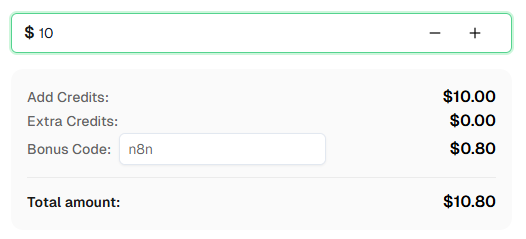
准备好了吗? 注册 CapSolver 并使用优惠码 n8n 在首次充值时获得额外 8% 的奖励!
Vision Engine 填补了 CapSolver 的 Token 操作所未覆盖的空白。与 reCAPTCHA、Turnstile 和 Cloudflare Challenge 解决方案返回您提交以绕过网关的令牌不同,Vision Engine 返回测量值,您的自动化使用这些值与视觉拼图交互——拖动滑块、旋转图像、选择对象或读取动画文本。
需要记住的关键区别:
本文中的两个工作流涵盖了两种最常见的集成模式:
两者导入时都是非激活状态。配置您的 CapSolver 凭据,替换占位符值,激活工作流,然后进行测试。
Image To Text 识别静态图像中的字符——标准 OCR。Vision Engine 更进一步:它理解视觉拼图中的空间关系。它可以计算滑块距离、旋转角度、对象边界框,甚至读取动画 GIF 中的文字。它们都是识别操作(即时结果,无需轮询),但它们解决不同类型的问题。
不需要。Vision Engine 在服务器端分析您提供的图像。没有浏览器会话、没有 cookie,也没有与目标网站的交互。不需要代理,CapSolver 节点也不接受 Vision Engine 任务的代理参数。
可以。CapSolver 节点一次处理一项,但 n8n 的基于项目的执行意味着您可以将多个项目传递给节点。每个项目都会获得自己的识别调用并返回自己的解决方案。使用 Split In Batches 节点或从代码节点馈送多个项目。
image 和 imageBackground 字段接受 base64 编码的 JPEG、PNG、GIF 和 WebP。base64 字符串必须是原始的——没有 data:image/...;base64, 前缀,没有换行符。
在真实的滑块 CAPTCHA 集成中,目标网站将拼图图像作为挑战响应的一部分提供。通常您需要:
滑块拼图求解器工作流展示了步骤 3-5。步骤 1-2 取决于特定的目标网站。
question 参数的作用是什么?question 参数仅用于 shein 模块。它告诉 AI 图像中要查找的内容——例如,“选择所有鞋子”或“点击匹配项”。对于所有其他模块,请留空。
Vision Engine 的模块(slider_1、rotate_1、rotate_2、shein、ocr_gif)专为特定类型的视觉拼图设计。hCaptcha 图像分类挑战使用不同的方法。请查看 CapSolver 文档以获取 hCaptcha 的特定解决方案。
Vision Engine 是一个识别操作,这意味着结果在单个 API 调用中返回——通常在 2 秒内。无需轮询循环、无需 getTaskResult 调用,也无需等待超时。这使其比 Token 操作快得多,后者可能需要 10-30 秒才能完成。
非常小的图像可能没有足够的细节进行准确分析。非常大的图像会增加 base64 负载大小并可能减慢请求。为了获得最佳结果,请使用 CAPTCHA 挑战提供的原始分辨率——不要调整图像大小。
可以,这是大多数实际应用的预期用法。典型的流程是:
Vision Engine 工作流处理步骤 3-4。步骤 1-2 和 5 由您的浏览器自动化节点处理。
Emma Foster
Machine Learning Engineer
Where machine learning meets practical AI tooling.
关于作者

