Search Data Collection Cost: Budget for Accepted Results

Ethan Collins
Pattern Recognition Specialist
TL;DR
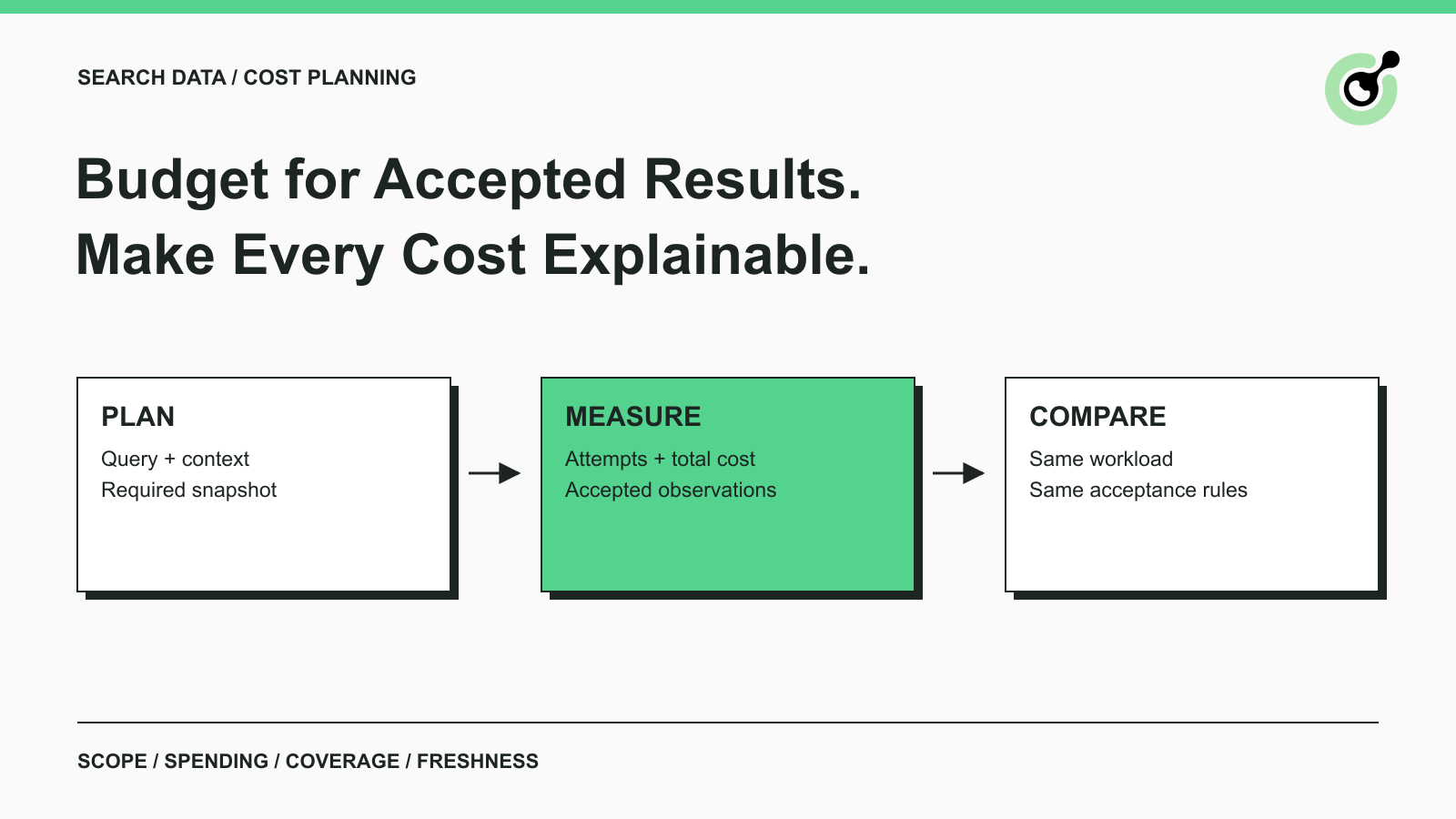
- Search data collection cost should be measured against accepted search observations with a defined query, location, device, depth, and freshness requirement.
- Separate acquisition, parsing, challenge handling, storage, and operating labor so that a low request price does not hide another expense.
- Count retries in spending while deduplicating accepted output; repeated attempts do not create additional useful observations.
- Compare alternatives on the same workload and acceptance rules, using current quotes rather than mixing incompatible billing units.
- Use a small representative pilot to find the largest cost driver before changing the collection architecture.
What Are You Paying to Collect?
Search data collection cost is the cost of delivering the search observations your reporting workflow can actually use. A request, a rendered page, an organic result, and a complete query snapshot are different units. Define the required output before attaching a price to it. CapSolver may contribute documented challenge handling to an authorized workflow, but that expense is only one part of a collection budget.
For example, a report might require one accepted snapshot for each scheduled query and location. Ten retries for the same query do not satisfy ten scheduled observations. A response that lacks the required result depth may still consume resources. Your budget needs to make those distinctions visible before you compare providers or increase the refresh frequency.
Define the Search Observation Before the Billing Unit
A search observation should identify what was requested and what makes the returned data acceptable. For a recurring report, record the query, search surface, location, language, device context, requested depth, and observation time. Define how the report handles missing or partially available data.
A SERP can contain several result types. Google's search-result visual elements guide distinguishes elements such as text results and other search features. Your acceptance rules should specify which types the report needs instead of treating every visible link as the same record.
An organic-rank report and a feature-presence report may legitimately require different data from the same page. Keep their units separate. Otherwise, a pipeline that extracts more links can appear cheaper per row while failing to answer the business question.
State the freshness requirement precisely
“Daily” should identify a reporting window and an acceptable age. If an observation arrives after the report closes, decide whether it belongs in the next report, remains a late observation, or is excluded. Avoid counting late data as successful delivery when the consumer could not use it.
The production readiness checklist for SERP data covers validation and release of snapshots. Use the accepted snapshot from that process as the cost denominator when that is what your report consumes.
Separate Costs That Follow Different Drivers
Separate expenses by the event that causes them, because each expense responds to a different optimization. Request fees follow requests, browser expenses may follow runtime, and engineering labor follows maintenance and incidents. Adding them together is useful only after their units are clear.
Acquisition includes the permitted data interface or browser execution you actually use. Parsing includes extraction and transformation work. Validation includes checking completeness, source context, and freshness. Storage includes the retained data and evidence. Operating labor includes routine maintenance, investigations, and reporting support.
Challenge handling should have its own line when it is part of the workflow. The CapSolver task creation contract describes the task submission interface. It does not define your cost per accepted search observation, and a challenge task should not be counted as an accepted SERP record.
Reconcile the invoice to the job ledger
Keep a job-level reference that connects attempts and accepted output to billed usage wherever your services expose that information. If an invoice counts one unit and your application counts another, document the conversion and its limits.
Do not assume every failed attempt is free or every retry is billed. Those rules depend on the actual service terms. Use a current quote or invoice and label uncertain items until you have enough evidence to allocate them reliably.
A Worked Budget with Explicitly Hypothetical Inputs
A useful budget model makes its assumptions editable and keeps the denominator independent of request volume. The following example uses invented accounting inputs for a monthly reporting workload. The amounts are hypothetical US dollars, not CapSolver prices, market averages, or measured provider performance.
Suppose the plan contains 12,000 scheduled snapshots. The workflow accepts 10,800 within the reporting window. Acquisition costs $180, parsing $36, challenge handling $24, storage $12, and allocated operating labor $240. The total is $492, or about $0.0456 per accepted snapshot.
Run this standard-library Python example locally. It performs arithmetic only and sends no network requests. The cost categories and scenario values belong to the example, so replace them with your own accounting inputs before using the model for a purchasing decision.
python
from decimal import Decimal

costs = {
    "acquisition": Decimal("180"),
    "parsing": Decimal("36"),
    "challenge_handling": Decimal("24"),
    "storage": Decimal("12"),
    "operating_labor": Decimal("240"),
}
planned = 12000
accepted = 10800
assert 0 < accepted <= planned
assert all(value >= 0 for value in costs.values())
total = sum(costs.values(), Decimal("0"))
unit_cost = total / Decimal(accepted)
coverage = Decimal(accepted) / Decimal(planned)
assert total == Decimal("492")
assert coverage == Decimal("0.9")
print(f"Total: ${total:.2f}")
print(f"Accepted coverage: {coverage:.1%}")
print(f"Cost per accepted snapshot: ${unit_cost:.4f}")
for count in (9600, 10800, 11400):
    print(f"Accepted {count}: ${total / Decimal(count):.4f}")
The output reports $492.00, 90.0% accepted coverage, and $0.0456 per accepted snapshot. Holding total cost fixed, the three denominator scenarios produce approximately $0.0512, $0.0456, and $0.0432. That sensitivity is an accounting comparison, not a prediction that additional accepted data can be obtained without extra spending.
A low unit cost can still accompany unacceptable coverage. Review both metrics together. If the workload deliberately excludes difficult queries, report the exclusions so a cheaper figure does not hide a narrower service.
Redeem Your CapSolver Bonus Code
Boost your automation budget instantly!
Use bonus code CAP26 when topping up your CapSolver account to get an extra 5% bonus on every recharge — with no limits.
Redeem it now in your CapSolver Dashboard

Account for Retries Without Counting Output Twice
Retries belong in the spending ledger even when they contribute no new accepted output. Associate every attempt with the observation it was intended to produce, then let the acceptance process decide which version the report uses.
The HTTP semantics standard explains why retry decisions depend on operation semantics, particularly when an operation may have side effects. A local timeout does not establish whether the remote operation happened. Your collection ledger should preserve that uncertainty instead of turning it into an automatic fresh submission.
Separate an acquisition retry from a parsing retry on the same saved input. If the approved snapshot is already available, another network request may add expense without improving the evidence. Reprocessing a retained snapshot can be useful when the parser changes, provided retention and use remain permitted.
Identify the reason for each additional attempt
Classify additional attempts by a small, stable set of reasons: transport failure, incomplete content, invalid context, parser error, or an approved challenge step. Use categories your operators can reliably identify. A detailed taxonomy that every worker fills differently will not support a meaningful cost comparison.
Keep unresolved cases visible. When the cause is unknown, use an unknown category and investigate a sample. Assigning every failure to challenge handling can make an unrelated parser or context problem look like a solver expense.
Compare Options on the Same Workload
A fair comparison uses the same requested observations, acceptance rules, reporting window, and accounting period. A provider that returns a shallow result set is not directly comparable to a workflow that must produce a deeper, validated snapshot.
Prepare a comparison sheet with the following fields. Treat them as questions to resolve with current evidence rather than assumed features of any vendor.
| Budget question | Evidence needed | Why the answer matters |
|---|---|---|
| What event is billable? | Current terms and a sample invoice | Aligns requests, tasks, pages, and results |
| What output is included? | Actual returned data and schema | Prevents mismatched result depth |
| How are failures charged? | Documented billing rules | Makes retries comparable |
| What operations remain internal? | A task and ownership breakdown | Exposes maintenance and labor |
| What data misses the reporting window? | Timestamped pilot observations | Measures useful delivery |
| What can be retained or reused? | Applicable permissions and terms | Determines reprocessing options |
Do not insert a universal “best” choice into the sheet. The result depends on whether the team values a managed output contract, direct implementation control, or a particular reporting requirement. A narrow pilot is more useful than a broad claim about the cheapest architecture.
Reduce Waste Without Changing the Requested Outcome
Reduce waste by removing unnecessary work while preserving the observation contract. Deduplicate identical scheduled jobs, stop retrying after the reporting deadline, and check whether a failed transformation can reuse already permitted input.
Review refresh frequency with the report owner. If the business only acts once per day, additional snapshots may have little value, but that is a product decision rather than an engineering assumption. Record any frequency change so the before-and-after cost figures remain interpretable.
Respect the collection surface's rules and the scope of authorization. The Robots Exclusion Protocol standard specifies crawler instructions and explains that those rules are not access authorization. A budget target cannot expand permission to collect data.
For a pilot, select representative query groups rather than only the easiest cases. Report the workload mix, accepted coverage, delay, and total allocated cost. Investigate the largest observed expense before adding another service or rewriting the pipeline.
Make the Budget Explainable
An explainable budget connects the requested observation to its attempts, acceptance decision, and allocated spending. Keep unit cost beside coverage and freshness, and separate hypothetical forecasts from measured invoices. Use CapSolver where documented challenge handling fits the authorized process, with its actual usage recorded as one cost component.
FAQ
Q: What is the best denominator for search data collection cost?
Use the accepted output your report consumes, such as a complete query snapshot within a defined reporting window. Requests and extracted rows can be useful secondary metrics, but they may not represent delivered value.
Q: Are the budget amounts in this article CapSolver prices?
No. Every amount in the worked model is hypothetical. Replace the inputs with current service terms, actual invoices, and your own labor allocation.
Q: Should retries count as additional collected results?
No. Retries add attempts and potentially expense. Count accepted output according to the observation contract, with duplicate attempts linked to the same scheduled observation.
Q: Can a lower cost per snapshot indicate a worse service?
Yes. A lower figure can result from reduced coverage, shallower output, or excluded difficult cases. Compare cost together with the same scope, acceptance criteria, and freshness requirement.
More
Web ScrapingApr 22, 2026
Rust Web Scraping Architecture for Scalable Data Extraction
Learn scalable Rust web scraping architecture with reqwest, scraper, async scraping, headless browser scraping, proxy rotation, and compliant CAPTCHA handling.

Web ScrapingApr 17, 2026
How to Scrape Job Listings Without Getting Blocked
Learn the best techniques to scrape job listings without getting blocked. Master Indeed scraping, Google Jobs API, and web scraping API with CapSolver.