
🎉NEWCapSolver for AI agents-MCP, agent tools, and SDK integrations

Emma Foster
Machine Learning Engineer
Published Oct 16, 2026
Updated Oct 16, 2026 · min read
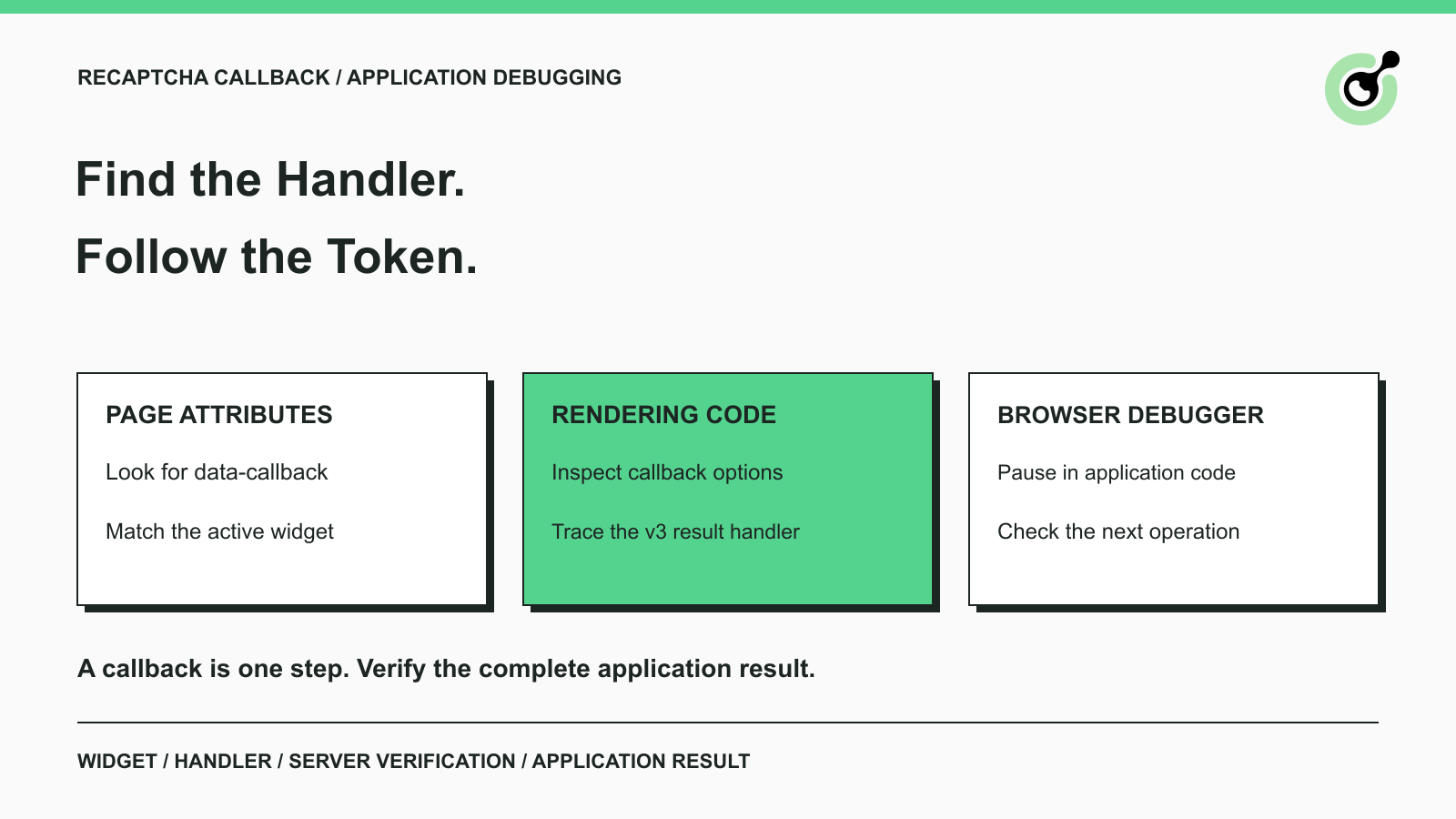
data-callback attribute, then inspect the options passed to grecaptcha.render when the page uses explicit rendering.grecaptcha.execute; not every integration exposes a named global callback.A CAPTCHA solution is available, yet the form stays unchanged. One possible cause is that the application expects a result handler to update its state or submit the next request. Finding that handler helps explain the missing step, but it does not mean every page needs the same callback invocation.
When using CapSolver, distinguish the returned solution from the code that consumes it. Start with the widget attributes, inspect the rendering code, then debug the application as needed. The relevant handler depends on the reCAPTCHA version and how the page integrates it. Use it on applications you own or are authorized to inspect and automate. The goal is to understand the existing integration, not to assume that a generic script can submit a valid result on every website.
A reCAPTCHA callback is a function used by the page to respond to a CAPTCHA event, such as receiving a successful response token.
Google's reCAPTCHA v2 display reference documents both an HTML attribute and a rendering option for the success callback. The page may also define handlers for expiry or errors. Those handlers serve different purposes and should not be confused with the successful-result path.
The callback can store a token, update form state, enable a control, or initiate an application request. What it does is determined by the application. Its name alone does not establish its behavior, and there is no requirement that every site call the function onSuccess.
Server-side verification is a separate step. Even if the browser's handler runs without throwing an error, the backend still needs to validate the response and apply the application's rules. Treat the callback as a point in the flow, not the final proof of completion.
Identify the page, form, CAPTCHA version, and workflow step before searching for a handler.
A page can contain several widgets. A search result from an inactive component or another form may be unrelated to the operation you are troubleshooting. Reproduce the relevant step first, then inspect the widget that actually participates in it.
Keep development and production environments distinguishable. A local build may expose readable function names while a production bundle changes them. The configured public sitekey can also differ. Use the page's actual source and runtime behavior rather than transferring a callback path from another environment.
The CapSolver parameter detector can help identify challenge parameters. It complements application inspection; it does not replace understanding which handler consumes the result. If you are unsure which challenge family is present, first use the CAPTCHA identification guide.
Do not infer the version only from whether an image puzzle appears. The implementation and documented API usage provide better evidence than one screenshot of the interaction.
Search the relevant widget markup for data-callback when the integration declares its handler in HTML.
Open the page's developer tools and inspect the form or component that contains the challenge. In the Elements panel, search for the exact attribute name. If it is present, record the named handler and the widget to which it belongs.
Next, locate that handler in your application's source. Read what it does with the token argument. It may update a state variable, pass the value to another function, or submit the form only after additional validation. Finding the name is the beginning of this check, not the end.
Use the success handler for understanding a successful result path, and inspect expiry and error handlers as separate branches.
Google's invisible reCAPTCHA reference documents these distinct callback options. An expired-response handler may clear state or ask for another verification attempt. An error handler may display a connectivity message. Neither should be treated as a replacement for the successful-result handler.
If no data-callback exists, do not conclude that the integration is broken. The application may register a callback in JavaScript or use another documented result flow. Move to the rendering code rather than adding an arbitrary attribute to the page.
Inspect the configuration passed to grecaptcha.render when the widget is created explicitly in JavaScript.
Search the loaded application source for the rendering call and review its options. The callback entry may refer to a named function or contain an inline function. Follow that reference through the application code and identify which form or component it updates.
The rendering call itself does not prove that the page uses reCAPTCHA v3. Version identification should use the full integration context. A version label attached to a copied code snippet is not sufficient evidence for selecting a solver task or result-handling method.
Confirm that the code you found actually executes for the current widget.
An initialization function may be defined but never called, or may run before its dependency is available. Another component may later replace the widget. Use a breakpoint to observe the active path instead of assuming that every rendering call in the source belongs to the visible form.
When there are multiple widgets, keep their identities and application state separate. A handler that updates one component should not silently consume a result meant for another. This is particularly useful when diagnosing a form that works alone but fails after navigation within the same application.
Redeem Your CapSolver Bonus Code
Boost your automation budget instantly!
Use bonus code CAP26 when topping up your CapSolver account to get an extra 5% bonus on every recharge — with no limits.
Redeem it now in your CapSolver Dashboard
For reCAPTCHA v3, inspect how the application handles the result returned by its execution call.
Google's reCAPTCHA v3 guide shows a programmatic flow in which grecaptcha.execute returns a token to a promise handler. That handler contains the application's next action. There may be no global function name to copy from the widget markup.
Follow the code from execution to the handler and then to the backend request. Record the action context used by the application and confirm that the returned value reaches the intended request. Do not substitute a handler from a different action simply because it also receives a token.
An anonymous function can perform the same work as a named callback without being addressable through a stable global name.
Find its registration site in the source and observe it with the debugger. In an owned codebase, the clearest solution is usually to inspect or test the application's explicit handler interface. Renaming or exposing internal functions just to match a tutorial can create unnecessary coupling to the implementation.
The important question is where the token goes and which state changes follow. Whether the function has a convenient name is secondary to that data flow.
Use breakpoints and the call stack when attributes and source searches do not reveal the active handler clearly.
Chrome's breakpoint documentation describes line-of-code, function, and exception breakpoints. A breakpoint in your application's handler lets you inspect the argument, the surrounding state, and the next call. Exception breakpoints can help identify a handler that runs but stops before updating the form.
For bundled applications, use available source maps and the source you control. A readable source location is easier to maintain than a path through an implementation-specific runtime object. If a function is outside the current scope, inspect where it is registered rather than assuming the console can call it by name.
An internal-object search is not a substitute for a documented integration contract.
Earlier debugging examples may inspect ___grecaptcha_cfg.clients and build paths through nested objects. Those paths describe one observed runtime layout. The public integration references cited here do not promise that the layout, numeric IDs, or nested property names remain stable across versions and builds.
Use the supported widget configuration and application source as the primary evidence. Do not derive the CAPTCHA version from a numeric internal client ID or copy a nested callback path into a long-lived integration. This guide therefore does not present an automatic traversal script as a reliable production solution.
Confirm that the application sends the intended request and receives its own successful result after handling the token.
For an owned test form, inspect both the browser-side state transition and the backend response. The handler may run successfully while another validation rule prevents submission. Conversely, a request can be sent but rejected during verification. Those outcomes require different fixes.
The CapSolver reCAPTCHA v2 task reference describes the solver response, while the application's code determines how that response enters its workflow. Do not assume that assigning a value to a hidden field always triggers framework state updates or form submission. Follow the actual application contract.
Google's server-side verification reference explains that tokens are single-use and valid for two minutes. A long debugging pause can therefore change the result of a later submission. Collect a fresh response through the permitted flow when needed, and do not use an expired token to diagnose unrelated form behavior.
Record the handler location, widget association, whether the function ran, and the stage where progress stopped.
Avoid pasting complete tokens, API keys, cookies, or unrelated form values into public reports. A useful explanation can often say “handler received a value, submission occurred, backend rejected the response” without exposing the value itself. If support needs additional evidence, provide it through the appropriate channel.
The most useful callback investigation connects one current widget to its registered handler, the backend request, and the final application result.
Start with data-callback, inspect explicit rendering and v3 result handlers, then use debugging where the source path is unclear. CapSolver supplies a supported solving step; correct application handling determines how that result participates in your permitted workflow.
Verify the current challenge parameters and the application's result-handling path before repeating a solve or expanding the workflow.
Q: Does every reCAPTCHA integration have a named callback?
No. A handler can be registered in JavaScript or attached to a promise, and it may be anonymous. Inspect the actual integration rather than assuming a global function exists.
Q: Where should I look first for a reCAPTCHA callback?
Start with the relevant widget's data-callback attribute, then check the options passed to grecaptcha.render and the application's result-handling code.
Q: Does grecaptcha.render mean the page uses v3?
No. The method name alone is insufficient to identify the version. Review the complete configured integration before selecting solver fields or response handling.
Q: Is a copied ___grecaptcha_cfg path reliable?
Treat it as an observation of a particular runtime, not a stable public API. Prefer documented configuration and the application source for a maintained integration.
Q: Why does the callback run but the form still fail?
The callback is only one stage. Check form validation, the request carrying the result, server verification, and whether the token remained valid when used.
Emma Foster
Machine Learning Engineer
Where machine learning meets practical AI tooling.
ABOUT THE AUTHOR
Use CapSolver getToken for supported reCAPTCHA tasks with a documented JSON request, a cURL example, direct results, and clear token-validation steps.
Use reCAPTCHA test keys in QA with separate environments, backend validation checks, negative tests, and release guards that keep test settings out of production.


