🎉NEWCapSolver for AI agents-MCP, agent tools, and SDK integrations

Khadija Santos
AI Agent & MCP Engineer
Published Oct 21, 2026
Updated Oct 21, 2026 · min read
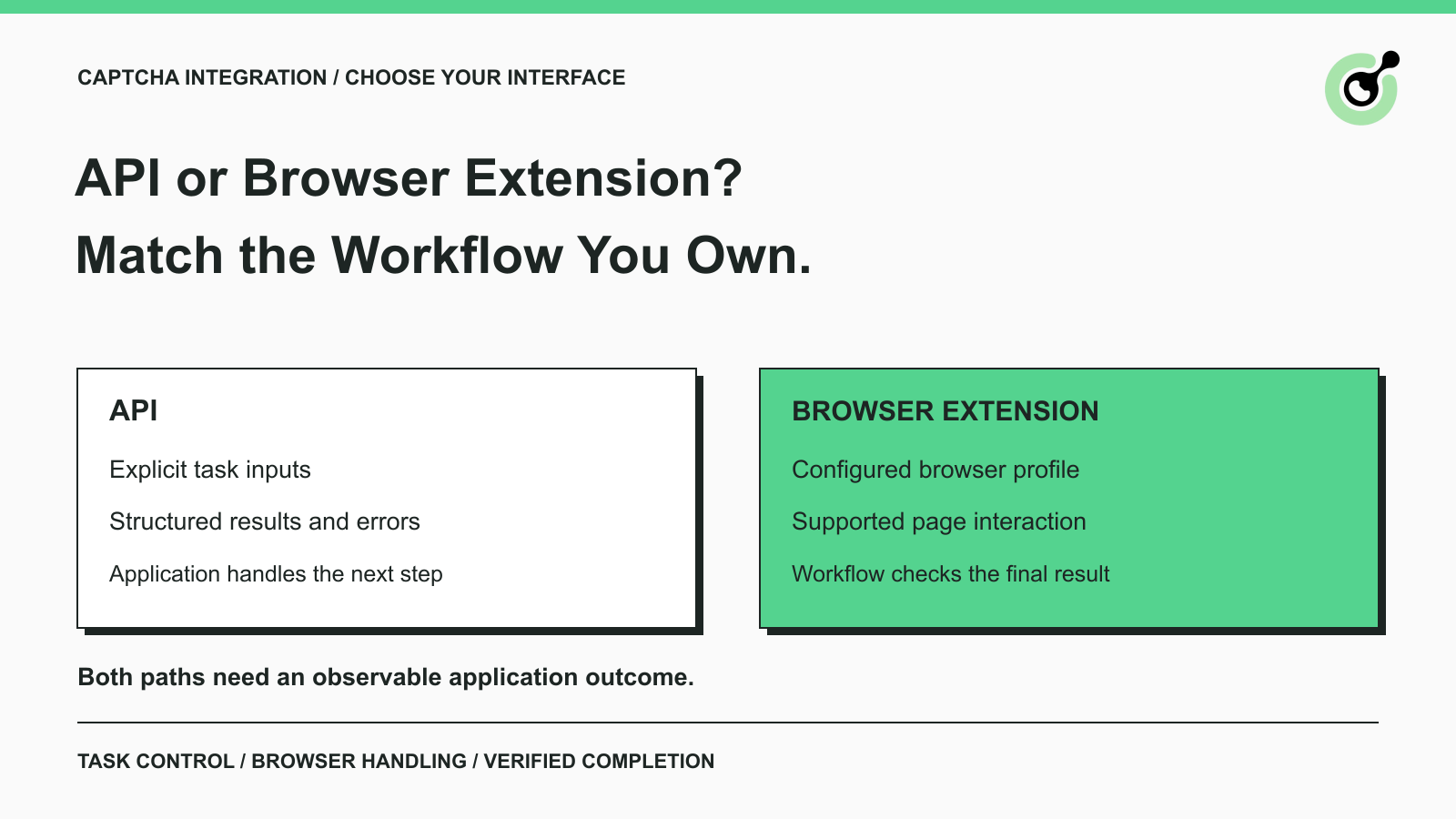
A CAPTCHA solver API and a browser extension give you different ways to connect solving to a workflow. The decision becomes easier when you identify who will collect the challenge inputs, apply the answer, and confirm that the next page actually loaded.
For example, a QA engineer checking a form in a browser may prefer an extension. A developer maintaining a service with task logs and explicit error handling may prefer the API. An AI browser agent can use either approach if its runtime supports it. CapSolver provides both interfaces, but neither choice removes the need to understand the page you are automating. This comparison focuses on that practical division of work, rather than assuming one interface is always faster or more reliable.
The main difference is where CAPTCHA detection and page interaction live: an API exposes tasks to your application, while an extension operates inside the browser environment.
With an API, your application sends the documented inputs for a supported task. Depending on the task, the result may arrive immediately or require a later lookup. Your application then uses that result in the appropriate page or application flow.
A browser extension adds a component to the browser. The CapSolver extension guide describes account-key configuration, CAPTCHA settings, manual solving, and automatic handling. These features can reduce the amount of challenge-specific page logic you write. They do not turn every browser action into a completed business transaction.
| Decision | API approach | Browser extension approach |
|---|---|---|
| Main integration surface | Requests and structured responses | A configured browser profile |
| Challenge inputs | Your application supplies task parameters | Extension handling depends on the page and supported challenge |
| Result handling | Your application reads and applies the result | Extension handles supported page interactions; the workflow checks completion |
| Runtime requirement | Ability to make the required API calls | A browser environment that can load and run the extension |
| Troubleshooting evidence | Request fields, task IDs, status, errors | Extension configuration plus page and browser state |
| Best starting point | Existing backend integration with explicit task control | Existing browser workflow with supported extension behavior |
This is a responsibility comparison, not a benchmark. Performance still needs to be measured on your actual workload.
A CAPTCHA solver API fits workflows whose application already owns the request lifecycle and needs to make explicit decisions about each task.
The createTask interface returns an error envelope and, for asynchronous tasks, a task ID. The getTaskResult interface separates an in-progress result from a ready result. Your application can record these states against its own work item.
That distinction is useful when an integration must tell an operator whether a task was never accepted, is still processing, or returned a result that the application has not yet used. A generic “CAPTCHA failed” message hides those different repair paths.
If your application already knows the page URL, challenge type, and required parameters, the API gives that application a direct solving interface. The remaining responsibility is to handle the answer correctly for that challenge and page.
Do not assume every CAPTCHA returns the same field. Image recognition and token-based tasks have different outputs. Use the current task documentation instead of copying response-handling logic from a different CAPTCHA family.
An API integration can put one component in charge of deadlines and retries. That helps when a scheduler, worker, and browser agent could otherwise each create another solve request for the same interrupted operation.
This control has a maintenance cost. Someone must implement and review it. Choosing an API because it offers control is sensible only if the team is prepared to own the corresponding application logic.
A browser extension is often the simpler starting point when the browser already contains the challenge and supported page handling is the main work you want to reduce.
For a permitted, browser-based task, configuring an extension may be more practical than building a separate API client. The user can see the original page, observe whether the widget changes, and check the result of the next action.
The CapSolver extension overview explains the browser-oriented interface. Check the current extension settings and supported CAPTCHA types before relying on it for a specific page. A browser installation by itself does not prove that the needed feature is enabled.
An automated browser can also use an extension when the runtime supports it. The extension must be loaded into the actual profile used by the worker. Installing it in your everyday desktop browser does not install it into every automated browser process.
Chrome's explanation of extension content scripts shows why the page environment matters: these scripts interact with web-page content within the extension's execution model. Browser configuration is part of the integration, not a separate convenience step.
An extension is a good fit when the workflow can wait for a meaningful page change and verify the next step. For example, a QA check might confirm that the expected form response appeared. A permitted data task might confirm that a results table replaced the challenge.
Avoid using “extension installed” or “checkbox changed” as the final success condition. Those observations describe intermediate states.
Redeem Your CapSolver Bonus Code
Boost your automation budget instantly!
Use bonus code CAP26 when topping up your CapSolver account to get an extra 5% bonus on every recharge — with no limits.
Redeem it now in your CapSolver Dashboard
An extension can run in some headless browser configurations, so “headless means API only” is too broad a rule.
The official Playwright extension documentation describes Chromium extensions in a persistent browser context and a headless configuration using the Chromium channel. That establishes a supported browser mechanism; it does not guarantee that every extension and every hosted browser service supports the same setup.
Before choosing the extension path, check three concrete points:
A managed browser service may expose different configuration controls from a locally launched browser. If the deployment cannot load the extension, the API may be the more practical interface, provided your application can handle the challenge inputs and result application.
Do not resolve this decision by making the browser appear to be a different client. Resolve it by choosing a documented, supported runtime and a permitted integration path.
Both approaches need to verify that a solving result was used successfully in the intended workflow.
For reCAPTCHA, Google's response verification documentation specifies that response tokens expire after two minutes and can be verified only once. A token returned by a service therefore cannot be treated as a reusable credential for future form submissions.
The site owner controls server-side verification. When you operate the application, inspect its validation result as part of the test. When you are an authorized user of another application, use the outcome that the application exposes, such as the expected response page. Do not claim access to validation logs you cannot see.
An API and an extension also share a capability boundary: solving a supported CAPTCHA does not grant account permissions or guarantee that the surrounding request will be accepted. A failed login, unsupported page flow, or access restriction still needs its own explanation.
For AI agents, make the completion signal specific. “The solver returned a result” is a tool outcome. “The requested quotation appeared for the original shipment inputs” is a workflow outcome. The agent should report the latter only after observing it.
A useful cost comparison includes solving usage, browser operation, maintenance, and unsuccessful attempts that never produce the required result.
The extension is an interface to a solving service, not evidence of free solving. The CapSolver extension documentation includes API-key and balance setup. Conversely, an API does not automatically eliminate browser costs if the workflow still needs a browser to interact with the page.
For a small evaluation, record the number of intended operations, solve attempts, confirmed completions, and manual interventions. Keep the challenge type and page flow comparable. A batch of image CAPTCHAs should not be compared with a different batch of token-based challenges as though the interface alone caused the difference.
Include maintenance questions in the review. Who updates the browser image? Who investigates missing task IDs? Who notices that the page changed? The answer may favor different interfaces for different teams, even when both can handle the same CAPTCHA family.
No universal cost or speed winner follows from these differences. The best choice is the one whose operational responsibilities your team can support.
Choose one representative, permitted workflow and write down its completion condition before trying either interface.
For a hypothetical QA team, that condition could be a successful submission on its own test application. For a hypothetical enterprise data service, it could be an authorized result page with the expected query inputs. Use the same definition for both evaluations.
Start with the existing runtime. If the browser environment already supports the extension and the team wants minimal page integration work, evaluate that path first. If the application already manages structured API tasks and needs detailed control, evaluate the API first.
Then review one normal case and one controlled failure. The normal case should reach the intended application outcome. The failure should produce a useful explanation without repeated submissions. For an owned test application, use its documented test facilities where appropriate; distinguish those checks from production solving observations.
If you use both interfaces in the same system, assign one to each task. Do not allow an extension and a separate API caller to submit competing solves for the same widget. A clear owner makes the result easier to interpret and reduces avoidable duplicate work.
Choose the API when explicit task handling belongs in your application, and choose the extension when supported browser-side handling is the better fit for your workflow. Revisit the choice when the deployment environment or page requirements change.
CapSolver supports both starting points. Begin with a documented CAPTCHA type and a small permitted test, then judge the interface by confirmed workflow completion rather than a successful API response or an installed browser add-on alone.
Q: Is a CAPTCHA solver API always better than an extension?
No. An API provides explicit task control, while an extension can reduce browser-side integration work. The better choice depends on the runtime, supported CAPTCHA type, and who will maintain the page interaction.
Q: Can an AI agent use a CAPTCHA browser extension?
Yes, if the agent's browser environment supports the extension and its configuration. The agent still needs to observe the page after solving and confirm the intended outcome.
Q: Does a browser extension work without a solver account?
The CapSolver extension requires account-key configuration and sufficient balance for the relevant service. Do not interpret installation from a browser store as a guarantee of free solving.
Q: Does a successful API task mean my form was submitted?
No. The task result and the application submission are separate steps. Apply the result as documented for the page, then confirm the application's response.
Q: Should I enable the API and extension on the same widget?
Avoid concurrent solving of the same widget through both paths. Assign one component responsibility for the attempt, and use an explicit handoff if your workflow needs another approach.
Khadija Santos
AI Agent & MCP Engineer
Develops and maintains CapSolver’s MCP tooling, from implementation and package releases to AI agent integrations.
ABOUT THE AUTHOR
Choose the best CAPTCHA extension for Chrome automation, QA, and browser testing with CapSolver support for reCAPTCHA, Turnstile, text CAPTCHA, and AWS WAF.

Discover CapSolver, the premier no-code CAPTCHA solver for AI automation in 2026, to streamline workflows and enhance data collection without coding. Learn about its key features, benefits, and ethical use.