
🎉NEWCapSolver for AI agents-MCP, agent tools, and SDK integrations

Sora Fujimoto
AI Solutions Architect
Published Jul 17, 2023
Updated Jul 17, 2023 · min read
This tutorial will guide you through the process of solving Google reCaptchas in Puppeteer using CapSolver.
CapSolver is a Captcha Solving Service that helps you solve Captchas.
We use AI-powered Captcha Solving Algorithms, which result in faster solving speed and significantly reduced costs, providing an excellent developer experience.
The goal will be to solve the captcha located at recaptcha-demo.appspot.com using CapSolver.
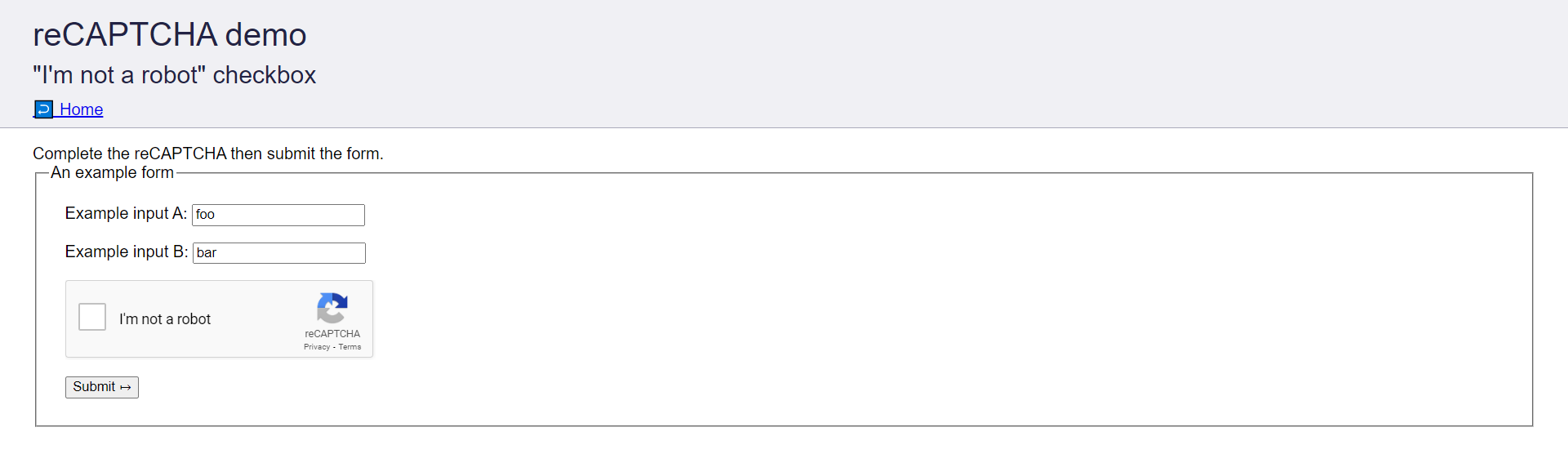
During the tutorial, we will take the following steps to solve the above Captcha:
To get started, we need to install the following dependencies for this tutorial:
Install these dependencies by running the following command:
python -m pip install pyppeteer capsolver-pythonNow, Create a file named main.py where we will write the Python code for solving captchas.
touch main.pyThe Site Key is a unique identifier provided by Google that uniquely identifies each Captcha.
To solve the Captcha, it is necessary to send the Site Key to CapSolver.
Let's find the Site Key of the Captcha Form by following these steps:
Ctrl/Cmd + Shift + I.Elements tab and search for data-sitekey. Copy the attribute's value.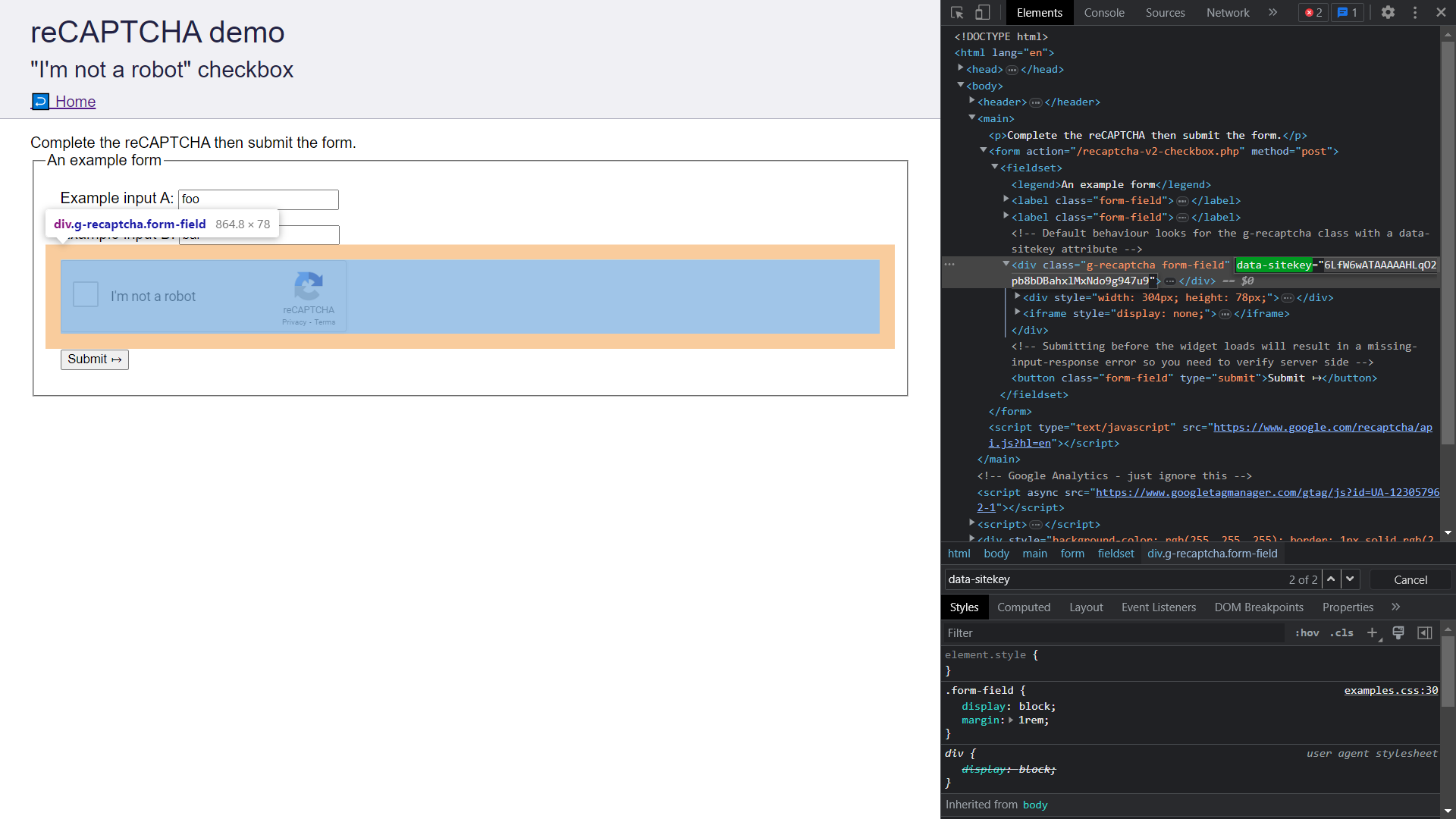
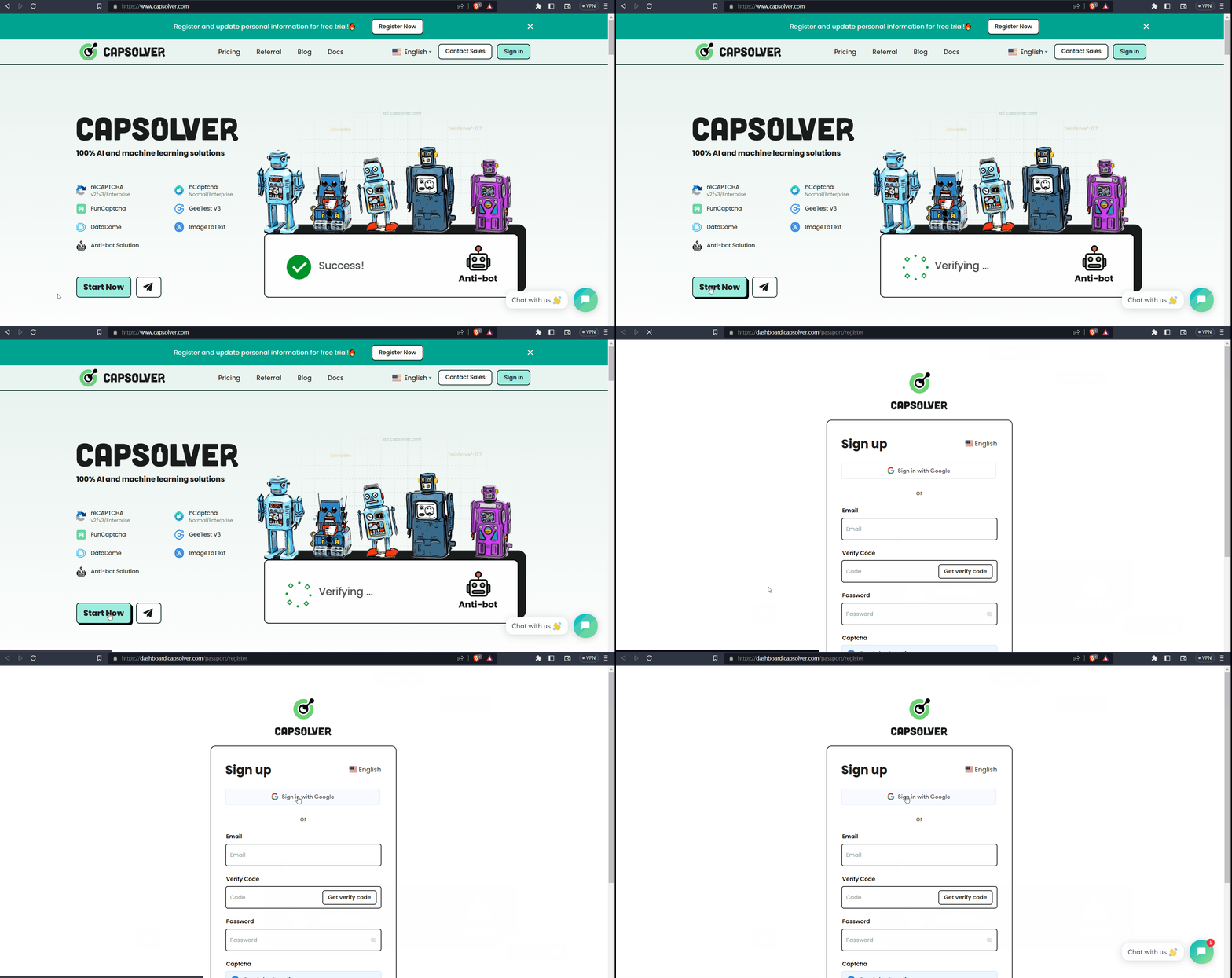
To solve captchas using CapSolver, you need to create a CapSolver account, add funds to your account, and obtain an API Key. Follow these steps to set up your CapSolver account:
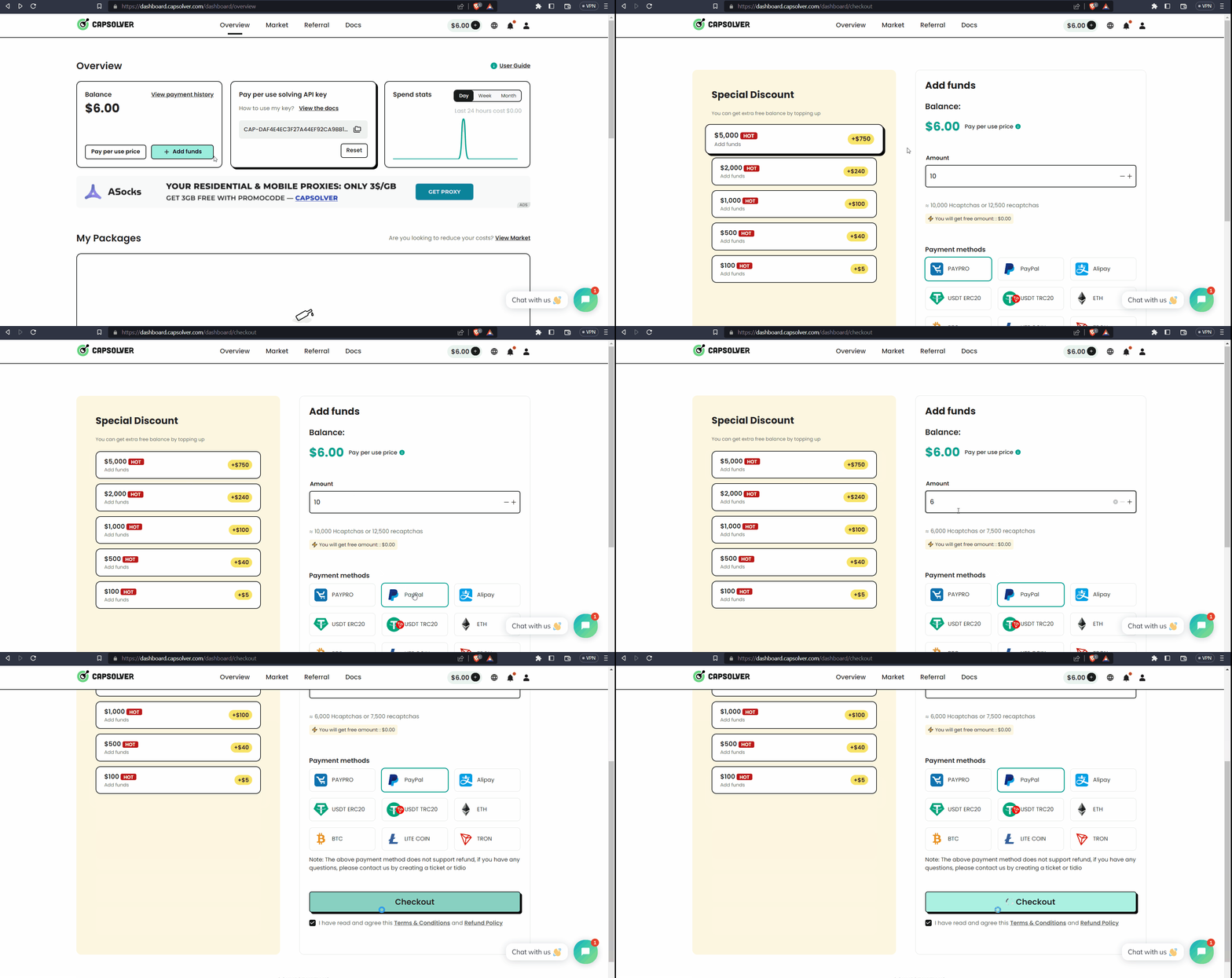
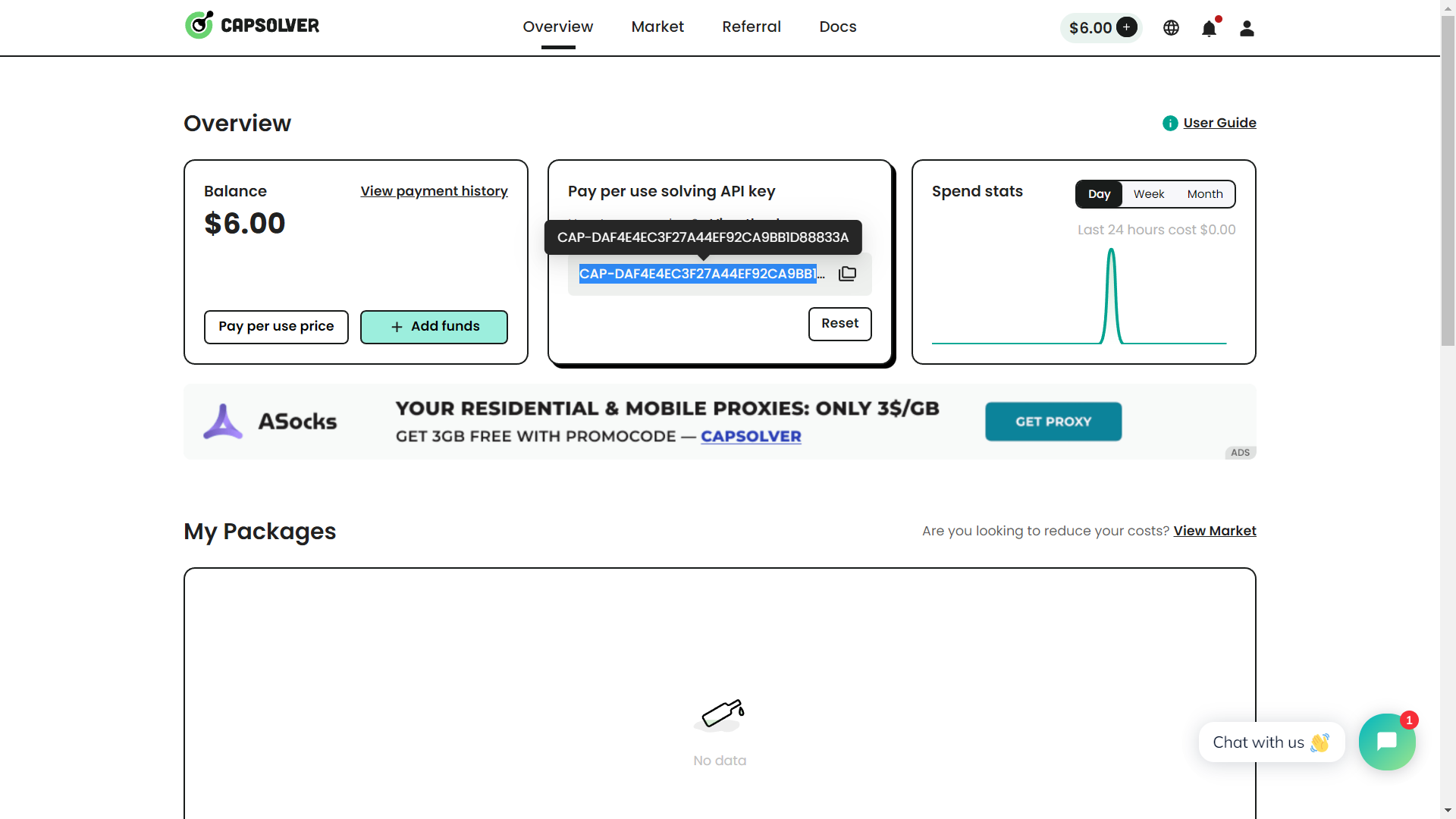
Now, we will proceed to solving the captcha using CapSolver. The overall process involves three steps:
Read the following Code Snippets to understand these steps.
Launching the browser and visiting the captcha page:
# Launch the browser.
browser = await launch({'headless': False})

# Load the target page.
captcha_page_url = "https://recaptcha-demo.appspot.com/recaptcha-v2-checkbox.php"
page = await browser.newPage()
await page.goto(captcha_page_url)
Solving the captcha using CapSolver:
# Solve the reCAPTCHA using CapSolver.
capsolver = RecaptchaV2Task("YOUR_API_KEY")

site_key = "6LfW6wATAAAAAHLqO2pb8bDBahxlMxNdo9g947u9"
task_id = capsolver.create_task(captcha_page_url, site_key)
result = capsolver.join_task_result(task_id)

# Get the solved reCAPTCHA code.
code = result.get("gRecaptchaResponse")
Setting the solved captcha on the form and submitting it:
# Set the solved reCAPTCHA code on the form.
recaptcha_response_element = await page.querySelector('#g-recaptcha-response')
await page.evaluate(f'(element) => element.value = "{code}"', recaptcha_response_element)

# Submit the form.
submit_btn = await page.querySelector('button[type="submit"]')
await submit_btn.click()Below is the complete code for the tutorial, which will solve the captcha using CapSolver.
import asyncio
from pyppeteer import launch
from capsolver_python import RecaptchaV2Task

# Following code solves a reCAPTCHA v2 challenge using CapSolver.
async def main():
    # Launch Browser.
    browser = await launch({'headless': False})

    # Load the target page.
    captcha_page_url = "https://recaptcha-demo.appspot.com/recaptcha-v2-checkbox.php"
    page = await browser.newPage()
    await page.goto(captcha_page_url)

    # Solve the reCAPTCHA using CapSolver.
    print("Solving captcha")
    capsolver = RecaptchaV2Task("YOUR_API_KEY")

    site_key = "6LfW6wATAAAAAHLqO2pb8bDBahxlMxNdo9g947u9"
    task_id = capsolver.create_task(captcha_page_url, site_key)
    result = capsolver.join_task_result(task_id)

    # Get the solved reCAPTCHA code.
    code = result.get("gRecaptchaResponse")
    print(f"Successfully solved the reCAPTCHA. The solve code is {code}")

    # Set the solved reCAPTCHA code on the form.
    recaptcha_response_element = await page.querySelector('#g-recaptcha-response')
    await page.evaluate(f'(element) => element.value = "{code}"', recaptcha_response_element)

    # Submit the form.
    submit_btn = await page.querySelector('button[type="submit"]')
    await submit_btn.click()

    # Pause the execution so you can see the screen after submission before closing the driver
    input("Captcha Submission Successfull. Press enter to continue")

    # Close Browser.
    await browser.close()

if __name__ == "__main__":
    asyncio.get_event_loop().run_until_complete(main())
Paste the above code into your main.py file. Replace YOUR_API_KEY with your API Key and run the code.
You will observe that the captcha will be solved, and you will be greeted with a success page 🥳.
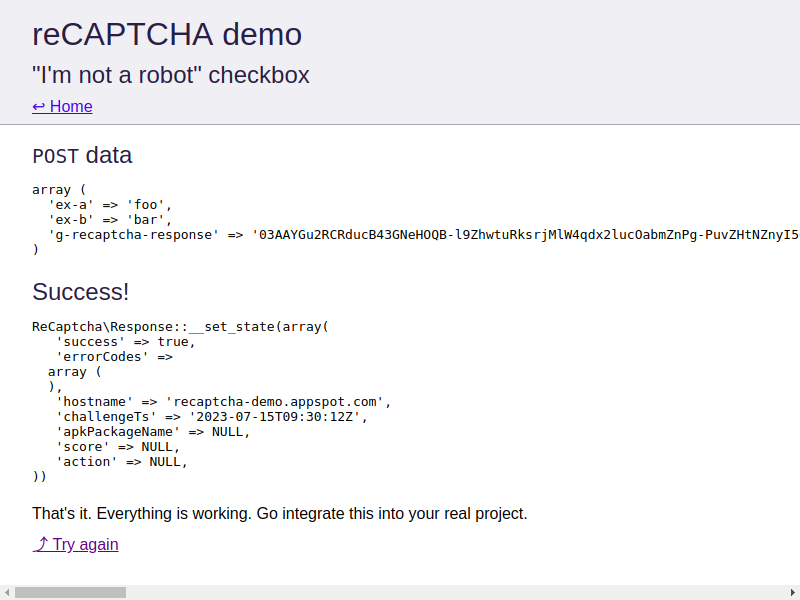
Congratulations! You have successfully learned how to solve captchas using CapSolver. Here are the key learnings from this tutorial:
Thank you for your time. 🙏 We wish you good luck on your automation journey! 🚀
We employ AI-powered captcha solving algorithms instead of human solvers, resulting in significantly lower captcha solving costs. Hence, our rates are highly competitive in the market.
For example, the cost of solving Google v2/v3 captchas ranges from $0.8 to $1.
To learn more about our pricing in detail, we encourage you to visit our pricing page here.
In this tutorial, we solved Google reCaptcha V2, but your target website is most likely using Google reCaptcha V3.
When solving Google reCaptcha V3, it is important to ensure that the IP address and user agent used to submit the captcha match the ones used to solve it.
Once you have residential proxies available, you can update the code as follows to solve the captcha successfully:
browser = await launch({'args': ['--proxy-server=ip:port'], 'headless': False})capsolver = RecaptchaV2Task("YOUR_API_KEY")
capsolver.set_proxy(proxy_address='proxy_ip', proxy_port='proxy_port', proxy_login='user', proxy_password='password')
browser_useragent = browser.userAgent()
capsolver.set_user_agent(browser_useragent)Sora Fujimoto
AI Solutions Architect
Connecting agents, browsers, and APIs into one workflow.
ABOUT THE AUTHOR
Learn how to set up a browser extension for automatic CAPTCHA solving. Boost your web automation efficiency with step-by-step instructions and code examples.

Discover the best CAPTCHA solver Chrome extension in 2026. Compare top tools like CapSolver and AZcaptcha for speed, accuracy, and AI-powered bypass of reCAPTCHA and Cloudflare.

