How to Solve Cloudflare Turnstile Captchas With Selenium
Ethan Collins
AI Agent Workflow Engineer
Published Oct 11, 2024
Updated Oct 11, 2024 · min read
Cloudflare's Turnstile Captchas are designed to identify and impede automated traffic, creating significant hurdles for web scraping and automation. However, by leveraging a headless browser like Selenium, you can effectively navigate these obstacles. That said, standard Selenium setups may still trigger Cloudflare’s sophisticated defenses.
In this blog, we’ll discuss several effective techniques for overcoming Cloudflare Turnstile Captchas using Selenium
Understanding Cloudflare Turnstile Captchas
Cloudflare Turnstile Captchas are advanced challenges intended to distinguish between human users and automated bots. Unlike traditional CAPTCHAs, Turnstile utilizes various behavioral and interaction-based assessments, such as analyzing mouse movements, click patterns, and other interaction metrics, to determine user legitimacy.
Why Choose Selenium?
Selenium is a robust tool for automating web browsers, allowing you to simulate user actions like clicks, form submissions, and navigation. However, due to its automated nature, conventional Selenium setups can still be flagged by Cloudflare’s security systems. To effectively manage Turnstile Captchas, integrating Selenium with additional tools and techniques can significantly enhance your web scraping success.
Effective Techniques for Solving Cloudflare Turnstile Captchas with Selenium
1. Implementing CapSolver
One of the most efficient methods for solving CAPTCHAs is to utilize a CAPTCHA solving service like CapSolver. This service leverages advanced algorithms and human solvers to quickly and accurately solve various CAPTCHA types, including Cloudflare Turnstile.
Bonus Code
Struggling with the repeated failure to completely solve the irritating captcha?
Discover seamless automatic captcha solving with Capsolver AI-powered Auto Web Unblock technology!
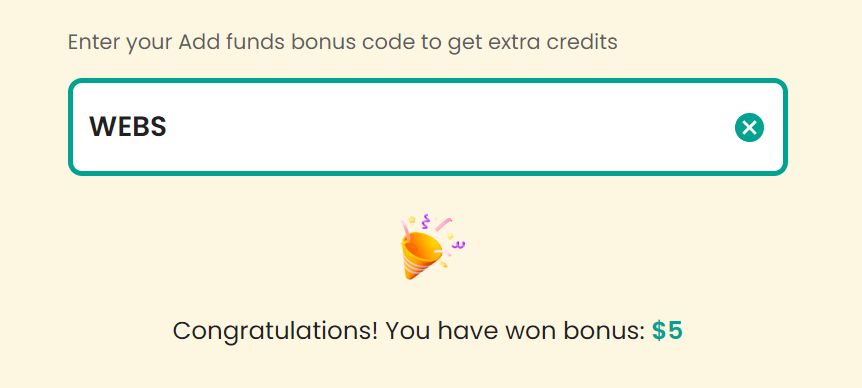
Claim Your Bonus Code for top captcha solutions; CapSolver: WEBS. After redeeming it, you will get an extra 5% bonus after each recharge, Unlimited
Integrate CapSolver’s API into your Selenium script.
Example Code:
pythonCopy
# pip install requests
import requests
import time

api_key = "YOUR_API_KEY"  # your api key of capsolver
site_key = "0x4XXXXXXXXXXXXXXXXX"  # site key of your target site
site_url = "https://www.yourwebsite.com"  # page url of your target site

def capsolver():
    payload = {
        "clientKey": api_key,
        "task": {
            "type": 'AntiTurnstileTaskProxyLess',
            "websiteKey": site_key,
            "websiteURL": site_url,
            "metadata": {
                "action": ""  # optional
            }
        }
    }
    res = requests.post("https://api.capsolver.com/createTask", json=payload)
    resp = res.json()
    task_id = resp.get("taskId")
    if not task_id:
        print("Failed to create task:", res.text)
        return
    print(f"Got taskId: {task_id} / Getting result...")

    while True:
        time.sleep(1)  # delay
        payload = {"clientKey": api_key, "taskId": task_id}
        res = requests.post("https://api.capsolver.com/getTaskResult", json=payload)
        resp = res.json()
        status = resp.get("status")
        if status == "ready":
            return resp.get("solution", {}).get('token')
        if status == "failed" or resp.get("errorId"):
            print("Solve failed! response:", res.text)
            return

token = capsolver()
print(token)
In this code, replace YOUR_API_KEY, 0x4XXXXXXXXXXXXXXXXX, and https://www.yourwebsite.com with your actual CapSolver API key, the site key from the target site, and the URL of the page you are targeting, respectively. This script will create a task for solving the Turnstile Captcha and return the solution token.
2. Using an Undetected ChromeDriver
To avoid detection by Cloudflare, employing an undetected version of ChromeDriver is crucial. Cloudflare's anti-bot systems can easily recognize standard ChromeDriver instances, leading to CAPTCHA challenges. An undetected ChromeDriver modifies the browser's fingerprint and behavior to minimize detection chances.
from undetected_chromedriver.v2 import Chrome, ChromeOptions

options = ChromeOptions()
options.add_argument('--headless')  # Use headless mode if needed
driver = Chrome(options=options)

driver.get('https://example.com')
# Perform necessary actions and handle CAPTCHA
3. Utilizing SeleniumBase
SeleniumBase is an extension for Selenium that enhances functionality and ease of use for web scraping. It simplifies the management of web interactions and automates complex tasks more effectively.
Steps to Implement:
Install SeleniumBase via pip:
bashCopy
pip install seleniumbase
Use SeleniumBase’s features to manage web interactions and handle CAPTCHAs.
Example Code:
pythonCopy
from seleniumbase import BaseCase

class MyTestClass(BaseCase):
    def test_example(self):
        self.open('https://example.com')
        # Perform necessary actions and handle CAPTCHA
4. Employing the Selenium Stealth Plugin
The Selenium Stealth plugin helps mask your automation efforts, making it more difficult for Cloudflare to detect bot usage. This plugin modifies browser behavior to simulate realistic user interactions.
Steps to Implement:
Install the Selenium Stealth plugin:
bashCopy
pip install selenium-stealth
Integrate the plugin with your Selenium setup.
Example Code:
pythonCopy
from selenium import webdriver
from selenium_stealth import stealth

driver = webdriver.Chrome()

stealth(driver,
        languages=["en-US", "en"],
        vendor="Google Inc.",
        platform="Windows",
        webgl_vendor="Google Inc.",
        render="WebKit",
        fix_hairline=True
       )

driver.get('https://example.com')
# Perform necessary actions and handle CAPTCHA
5. Utilizing Premium Proxies
Using premium proxies can help you avoid IP bans by distributing your traffic across multiple addresses. High-quality proxies significantly reduce the risk of detection and blocking by Cloudflare.
Steps to Implement:
Acquire a list of premium proxies from a trusted provider.
Configure Selenium to use these proxies for web requests.
Conclusion
Successfully navigating Cloudflare Turnstile Captchas requires a combination of advanced techniques and tools. By integrating CapSolver with Selenium, utilizing undetected ChromeDriver versions, leveraging SeleniumBase, employing stealth plugins, and using premium proxies, you can enhance your web scraping capabilities while ensuring compliance with web security protocols. Always remember to adhere to ethical standards and use these tools responsibly in your web scraping endeavors.
Ethan Collins
AI Agent Workflow Engineer
Building clearer handoffs between AI agents and tools.