

🎉NEWCapSolver for AI agents-MCP, agent tools, and SDK integrations

Emma Foster
Machine Learning Engineer
Published Sep 17, 2026
Updated Sep 17, 2026 · min read
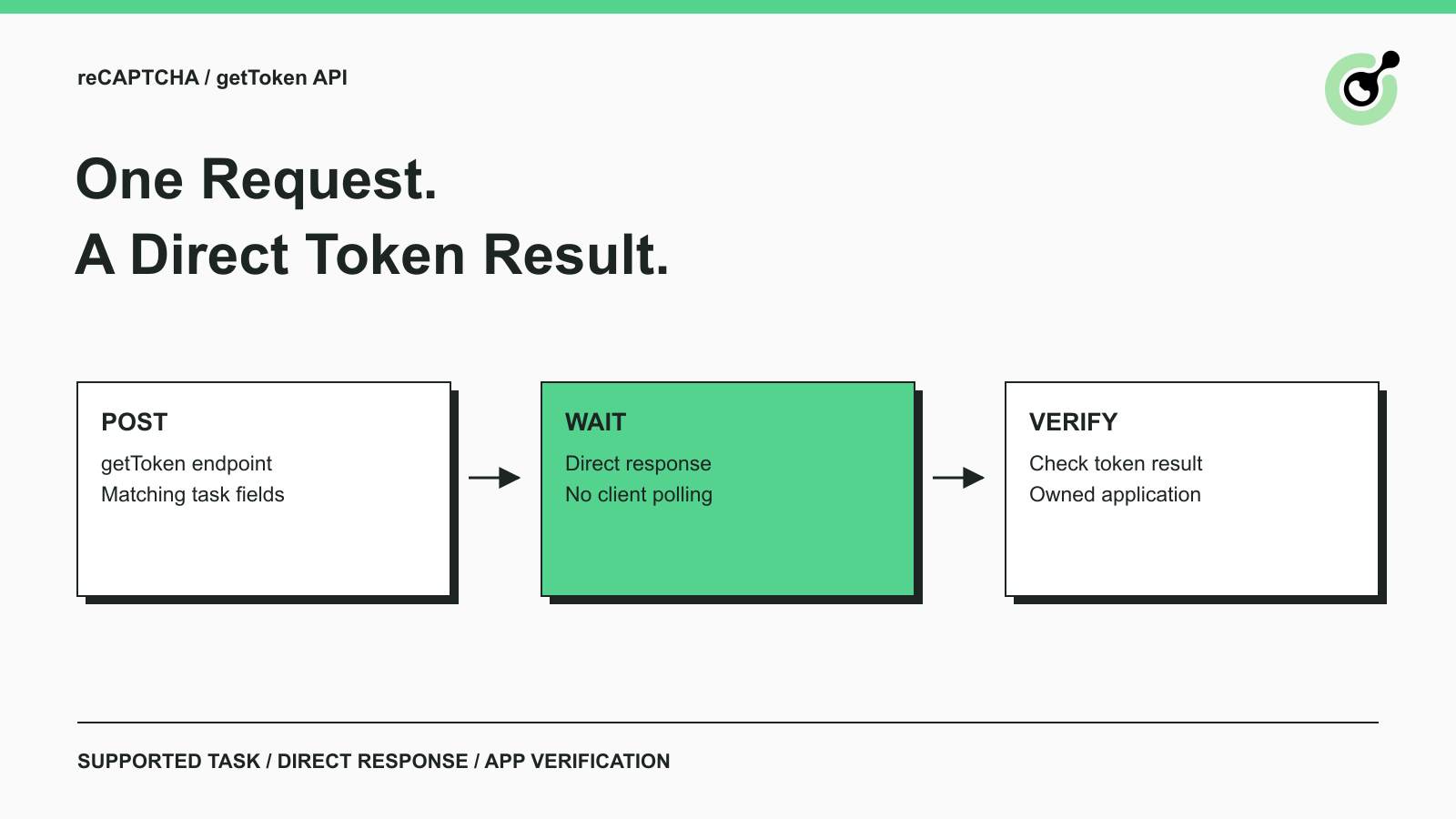
getToken endpoint can return a supported reCAPTCHA result in the response to one request.clientKey and a supported task object to https://api.capsolver.com/getToken.solution.gRecaptchaResponse after checking the API result; a successful HTTP exchange alone is insufficient.A conventional CAPTCHA solver integration creates a task and then asks for its result. If you are integrating a supported reCAPTCHA task and want a direct response, the CapSolver getToken endpoint provides another documented request pattern.
The practical difference is in the client: submit the task and wait for its result in that HTTP response. You do not write a getTaskResult polling loop for this flow. This guide walks through the task fields, a JSON file and cURL command, the returned token, and the checks needed before your owned application can accept it.
The getToken API is a direct-result endpoint for the reCAPTCHA task types listed in its documentation. An API endpoint is the address for a particular API operation; using the correct path selects this request pattern.
The official getToken documentation lists supported reCAPTCHA v2 and v3 task variants, including corresponding Enterprise and proxy options. Do not infer support for AWS WAF, Turnstile, or image-to-text recognition from the endpoint's general-sounding name.
The method changes result retrieval, not the meaning of the challenge parameters. A wrong public site key or mismatched task type remains wrong when sent through a direct endpoint. Confirm the CAPTCHA family first, then choose the documented task variant.
| Client concern | getToken flow | createTask flow |
|---|---|---|
| Initial request | Send supported task to getToken | Send task to createTask |
| Result retrieval | Read the direct response | Follow that task's documented result flow |
| Client polling loop | Not needed for this direct flow | Used for tasks requiring getTaskResult |
| Task parameters | Must match the supported variant | Must match the selected task |
| Application acceptance | Still a separate check | Still a separate check |
Some createTask task families already return results directly. The comparison does not mean every createTask call requires polling.
Identify the actual reCAPTCHA integration on your owned page before building the request. The example below uses ReCaptchaV3TaskProxyLess, so its fields must describe a v3 integration.
Keep the three key roles separate. The CapSolver API key authorizes the solving request. The reCAPTCHA public site key identifies the page integration. The site owner's verification secret belongs on the application's server; it is not the clientKey or websiteKey in this request.
For v3, check the expected action as well as the public key. The reCAPTCHA v3 task documentation explains the task fields, including pageAction. The sample action submit below is a placeholder for the action your owned form actually uses.
Google's reCAPTCHA v3 documentation describes action-based assessment. A token for a different action should not be treated as a successful test of the intended form. Keep the request's action and the backend's expected action aligned.
If the page uses v2 or Enterprise, select its documented task type and fields instead of changing only the title of the integration. Avoid copying a v3 action into a different task without checking its requirements.
Save the following JSON as request.json. Its envelope follows the getToken documentation, and the task fields follow the v3 guide. These are sample values; replace them with your own settings for a live check.
{
  "clientKey": "YOUR_API_KEY",
  "task": {
    "type": "ReCaptchaV3TaskProxyLess",
    "websiteURL": "https://your-owned-test.example/form",
    "websiteKey": "YOUR_PUBLIC_SITE_KEY",
    "pageAction": "submit"
  }
}
Replace every placeholder before contacting the live endpoint. The example domain deliberately identifies an owned test page and is not a working CAPTCHA target. The public key and action must come from that page's configured integration.
| Field | Meaning in this request |
|---|---|
clientKey |
Solving API credential |
task.type |
Supported reCAPTCHA v3 proxyless task |
task.websiteURL |
Page associated with the challenge |
task.websiteKey |
Public site key for that integration |
task.pageAction |
Expected v3 action for the tested operation |
A JSON file makes the payload easy to inspect without a long shell command. Once it contains a real credential, restrict access to that file and keep it out of source control. Use an appropriate secret-management method when moving this request into an application.
The proxyless task name describes the provider's task variant. It does not remove the need for correct page context, nor does it imply that every challenge configuration uses identical parameters. Use the task documentation as the field reference.
Run this command from the directory containing request.json. Its flags and payload were tested against a local HTTP fixture, but the live endpoint still requires your solving credential and owned-page parameters:
curl --silent --show-error --connect-timeout 10 --max-time 90 \
  --json @request.json \
  https://api.capsolver.com/getToken
The command uses cURL's JSON request option to send the file as the body. The official cURL JSON documentation explains the option and its request headers. Use a cURL version that supports --json.
The connection and total timeout values are local choices for this example. They are not a provider service-level commitment. The endpoint may hold the request while solving the task, so a direct response is not synonymous with an instantaneous response.
Check both the HTTP outcome and the JSON content. This command displays the response body and transport errors; it is not a complete application error handler. cURL can complete an HTTP exchange even when the returned JSON describes a provider error. An application should branch on the returned fields rather than search terminal output for a token-looking string.
Do not append a polling loop to this command as a default next step. The chosen flow is specifically intended to return its result directly. If your application needs task tracking with separate result retrieval, select and implement the documented createTask flow from the start.
Redeem Your CapSolver Bonus Code
Boost your automation budget instantly!
Use bonus code CAP26 when topping up your CapSolver account to get an extra 5% bonus on every recharge — with no limits.
Redeem it now in your CapSolver Dashboard
Read solution.gRecaptchaResponse only after confirming that the result reports success and readiness. The following response shape is illustrative; the token value is a placeholder, not a token returned by a live solve.
{
  "errorId": 0,
  "status": "ready",
  "solution": {
    "gRecaptchaResponse": "ILLUSTRATIVE_TOKEN_VALUE"
  }
}
The important values are the error indicator, readiness status, and nonempty result field. Do not treat a response object, task identifier, or HTTP success status as interchangeable with a usable token. Optional fields may also appear; retain only the ones your integration needs.
On provider failure, inspect the error code and description described by the API error reference. Keep enough information to distinguish an invalid parameter from an account problem or a transport failure, while excluding the credential and token from routine logs.
A direct endpoint simplifies the client state machine, but the connection remains part of the operation. If the client times out or loses the response, its outcome may be uncertain. The request could have reached the provider before the local error occurred. Do not describe an immediate second submission as resuming the first task unless the API explicitly documents that behavior.
A returned token must pass the application's normal verification before the operation counts as successful. The solver result and application acceptance are separate events.
Google's server-side verification documentation states that response tokens expire after two minutes and can be verified only once. Obtain the token close to the intended operation and avoid testing the same token repeatedly through the verification endpoint.
For the standard verification flow, the site owner's secret stays on the backend. Check the response properties relevant to your integration, including the expected hostname and, for v3, the action and score policy. Enterprise applications should use their corresponding verification or assessment integration rather than assuming the standard example covers every variant.
Consider an owned form with a submit action. A useful test first confirms that the requested task describes that action, then sends the returned token through the form's normal backend path, and finally asserts that the intended test operation was accepted. A token string printed in a terminal proves only that a string was received.
For score interpretation, see the separate reCAPTCHA v3 score guide. Switching retrieval endpoints does not establish a particular score or remove the backend's acceptance rules.
Use getToken when the task variant is supported and the client can keep a request open while waiting for the result. This fits a small direct integration in which the next application step immediately consumes the returned token.
Use the createTask API and its documented result flow when your application specifically needs separate task creation and result retrieval. For example, a worker that persists task identifiers between steps may be organized around that pattern.
Choose according to the client's lifecycle rather than assuming one endpoint is universally faster. A direct request removes client polling code, but that alone does not prove lower solving latency. A background worker may also need controls that are not supplied by a single synchronous HTTP call.
Do not switch CAPTCHA families merely to fit a preferred endpoint. The page determines the challenge type. If the family is not listed for getToken, follow that family's documented API instead.
The cURL command was executed against a local HTTP fixture with only the endpoint substituted. The fixture checked the POST path, JSON content type, and exact parsed payload, then returned a supplied ready response. This verified the file-based command and direct-response handling.
No real solving key, paid task, or reCAPTCHA-protected form was used. The fixture token is not valid for any application. A live integration still needs the actual site key, action, solving credential, and the owned application's verification result.
Before expanding beyond a single test, record which task variant and fields worked with the owned page. If the test fails, identify whether the failure occurred during task submission, result retrieval, token verification, or the final application operation. Those distinctions give you a concrete starting point without adding an unnecessary polling loop.
Try CapSolver with one supported reCAPTCHA task to complete the live verification step. Keep the same request fields and acceptance checks when moving the proven request from cURL into your application.
Q: Does getToken require getTaskResult?
The direct flow described here returns the result in the getToken response, so the client does not poll getTaskResult. Task tracking with separate retrieval belongs to the corresponding createTask integration.
Q: Can getToken solve any CAPTCHA type?
Use only the task types listed in its documentation. The documented reCAPTCHA variants do not imply support for unrelated families such as AWS WAF or image recognition.
Q: Is getToken faster than createTask?
This guide does not establish a latency advantage. The observable design difference is that the client waits for a direct result instead of implementing a separate retrieval loop.
Q: Is websiteKey the private verification secret?
No. It is the public site key for the page integration. The site's verification secret stays on the backend, while clientKey is the solving service credential.
Q: Why might a returned token fail verification?
Check expiry, prior use, expected page context, action, and the application's verification response. Receiving a token from the solver does not guarantee that the application will accept it.
Q: Was the sample token produced by a live solve?
No. The response shown is illustrative, and the command was checked with a local HTTP fixture. Complete a separate live test with your solving key and owned application.
Emma Foster
Machine Learning Engineer
Where machine learning meets practical AI tooling.
ABOUT THE AUTHOR
Find a reCAPTCHA callback through widget attributes, rendering code, and browser debugging. Check token handling without relying on fragile internal paths.
Use reCAPTCHA test keys in QA with separate environments, backend validation checks, negative tests, and release guards that keep test settings out of production.


