
🎉NEWCapSolver for AI agents-MCP, agent tools, and SDK integrations

Ethan Collins
AI Agent Workflow Engineer
Published May 21, 2024
Updated May 21, 2024 · min read
Various types of CAPTCHAs like reCaptcha exist online. Identifying their parameters can be essential for solving them. This guide will show you how to easily identify these CAPTCHA parameters using the CapSolver Extension Utility.

Redeem Your CapSolver Bonus Code
Don’t miss the chance to further optimize your operations! Use the bonus code CAPN when topping up your CapSolver account and receive an extra 5% bonus on each recharge, with no limits. Visit the CapSolver to redeem your bonus now!

Identifiable Parameters:
Capsolver JSON:
Once the CAPTCHA parameters have been detected, Capsolver will return a JSON detailing how you should submit the CAPTCHA parameters to their service.
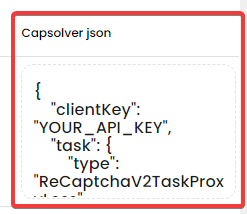
After we verify that the website use reCaptcha, let's start of how to solve reCaptcha on the browser
First, let's install CapSolver extension: Chrome
We must have funds to be able to use the extension, if you have, go to:
Dashboard and copy the API KEY
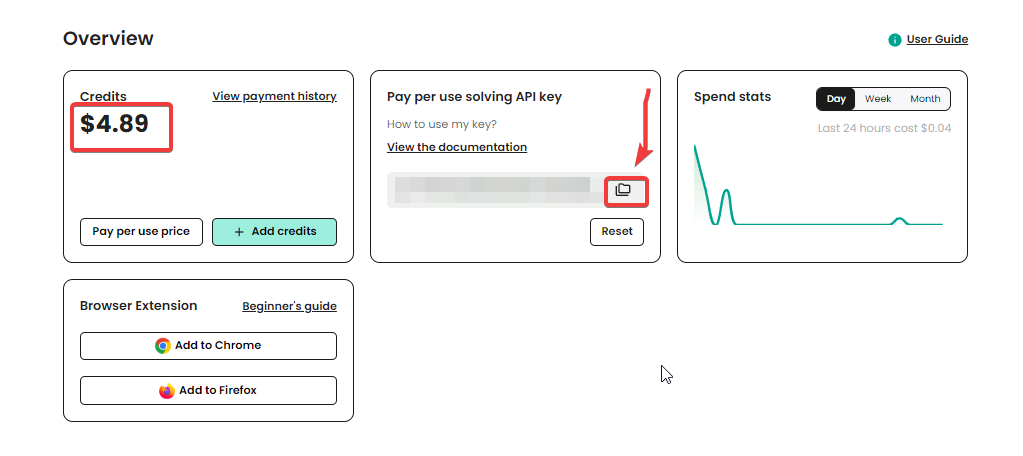
Paste the API Key into the extension
After we have added the api key into the extension, we are ready for solve captchas using CapSolver in our browser!
Solving reCAPTCHA directly inside the browser becomes effortless once you combine CapSolver’s extension with accurate CAPTCHA parameter detection. By installing the extension, inserting your API key, and using the built-in detector, you can automatically identify site keys, actions, and configuration details — and let CapSolver handle the solving process in real time.
Whether you're debugging, building an automation workflow, or scaling a scraper, this setup ensures smooth, hands-free CAPTCHA solving with minimal effort.
No. The extension works automatically once your API key is added — no scripts or code required.
Yes. It supports reCAPTCHA v2, Invisible reCAPTCHA, and reCAPTCHA v3, including Enterprise variants.
The CAPTCHA parameters are captured live from the browser’s activity. Closing the panel stops the listener and prevents proper detection.
It works on sites using standard CAPTCHA formats. It does not bypass custom anti-bot firewalls or non-CAPTCHA blocks.
Yes. The extension requires an active balance to submit and solve CAPTCHA tasks.
Yes, as long as it's within your account security preferences and usage limits.
Refresh the page, ensure the panel stays open, and trigger the CAPTCHA again. Some websites delay the widget loading until interaction.
Ethan Collins
AI Agent Workflow Engineer
Building clearer handoffs between AI agents and tools.
ABOUT THE AUTHOR
Choose the best CAPTCHA extension for Chrome automation, QA, and browser testing with CapSolver support for reCAPTCHA, Turnstile, text CAPTCHA, and AWS WAF.

Discover CapSolver, the premier no-code CAPTCHA solver for AI automation in 2026, to streamline workflows and enhance data collection without coding. Learn about its key features, benefits, and ethical use.


