

🎉NEWCapSolver for AI agents-MCP, agent tools, and SDK integrations

Emma Foster
Machine Learning Engineer
Published Sep 16, 2026
Updated Sep 16, 2026 · min read
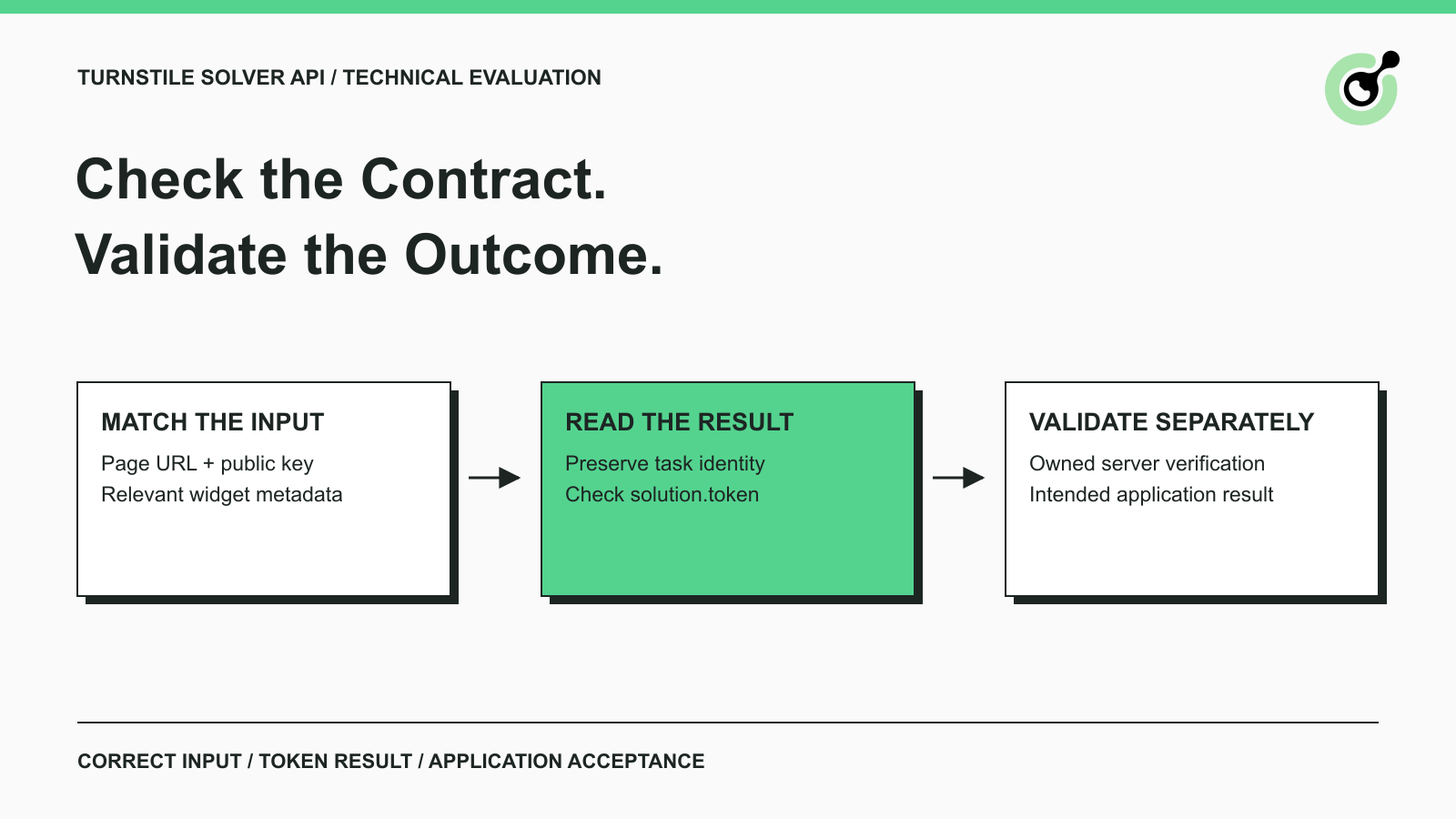
A Turnstile solver API can return a successful response while your application still rejects the operation. The integration may have selected the wrong widget, omitted application metadata, read the wrong solution field, or submitted after the attempt was no longer current. A useful evaluation identifies those mismatches before a team commits to maintaining the integration.
CapSolver documents a Turnstile task contract that can serve as a concrete example for this review. The checklist below focuses on inputs, results, validation, and reproducible evidence for owned QA workflows. It does not rank providers or report measured success rates. Its purpose is to help you decide whether a specific solver interface fits the application you actually operate.
A Turnstile solver evaluation should establish compatibility with the required task, a usable result contract, and evidence that the intended application can accept the result.
Begin with the owned application and the operation under test. Record the expected page, widget configuration, and completion condition. A contact-form test might require the server to accept a test submission and return its receipt identifier. Receiving a token would be an earlier milestone, not the final outcome.
Keep this technical evaluation narrower than a general purchasing exercise. The CAPTCHA API selection guide covers broader integration and operational considerations. Here the central question is whether a Turnstile task's input and output contract matches a particular application.
The API testing glossary entry provides the wider testing context. For a solver, an HTTP response is only one part of that context: the test also needs to preserve which application attempt requested the result and what would make that attempt complete.
Confirm that the operation uses an embedded Turnstile component and distinguish each key by the service that consumes it.
Cloudflare's Turnstile setup guide describes the public site key and the private server-side secret. The site key identifies the widget's integration. The site owner's secret belongs to the server-side validation step. A solver service credential authenticates your request to a separate solving service.
Do not put the site owner's validation secret into a solver task just because the task asks for a key. In the documented CapSolver Turnstile task, websiteKey refers to the public site key, while clientKey authenticates the CapSolver request. Review the destination of each field before handling real credentials.
Also confirm that the page is a Turnstile integration rather than a different Cloudflare challenge experience. A generic coverage statement is not enough to establish compatibility with every mechanism carrying the same vendor name. If the page's mechanism is uncertain, resolve that uncertainty before creating paid test tasks.
Your evaluation record should name the exact supported task and list the application evidence used to select it. That record becomes useful when a later page change makes the same integration behave differently.
Match every required task input to a reliable source in the owned application's current state.
The CapSolver Turnstile task reference documents AntiTurnstileTaskProxyLess, websiteURL, and websiteKey. Optional metadata includes action and cdata where the integration supplies them. Those fields should come from the relevant application context, not from values copied from an unrelated example.
An optional field in a service schema can still matter to a particular application. If your application uses action metadata, include that requirement in the evaluation and confirm the selected interface's mapping. Do not substitute a reCAPTCHA-specific field just because both mechanisms use the word “action.”
An SDK and the underlying JSON API can expose different names or nesting. If the evaluation includes an SDK, inspect its documented field mapping as a separate step. The presence of an arbitrary extra dictionary is not evidence that a particular value will reach the correct task field.
CapSolver's current Turnstile task reference specifies its proxyless task and says a caller-supplied custom User-Agent is ignored for this task. Do not add a proxy or claim control over the solving browser merely because another CAPTCHA task has such parameters.
If a requirement is important to your environment but the task documentation does not describe it, mark it as unresolved and obtain a specific answer before depending on it. This is more useful than assuming that familiar field names imply equivalent behavior across task families.
Understand how the service identifies an in-progress task and where the completed Turnstile token is returned.
The createTask API defines the service request envelope. For an asynchronous task, preserve the returned task identifier with the application attempt that created it. The getTaskResult API defines result retrieval and separates processing from readiness and errors.
For the documented Turnstile task, the solution includes a token field. Do not assume that every CAPTCHA task uses a reCAPTCHA-style field name, or that a non-empty response body is already a usable solution. Your mapping should be specific enough that an unexpected result shape produces an explicit failure.
Evaluate what happens when the caller loses its connection, receives a service error, or stops waiting. A local timeout should not automatically be interpreted as proof that the provider never created a task. Avoid creating replacement work blindly when the first request's outcome is unknown.
This article provides a contract checklist rather than a new polling implementation. Use the official task example as the implementation starting point, then test the chosen client and its failure policy in your own environment. No live provider call or timing result is claimed here.
Redeem Your CapSolver Bonus Code
Boost your automation budget instantly!
Use bonus code CAP26 when topping up your CapSolver account to get an extra 5% bonus on every recharge — with no limits.
Redeem it now in your CapSolver Dashboard
Token validation belongs to the application server and must remain distinct from the solver's task-ready response.
Cloudflare's Siteverify documentation requires server-side verification. It describes Turnstile tokens as single-use and valid for five minutes. The application also needs to check the relevant returned context, such as the expected hostname and action, according to its integration.
Those properties affect evaluation design. A token that has already been redeemed cannot serve as a reusable success fixture. A long application queue can also leave a response unusable even when solving completed earlier. Measure the steps separately so that delayed application work is not confused with provider processing.
For an owned contact-form test, treat the server's acceptance of the intended test operation as the final check. A client-side success callback is evidence of a client event. A successful Siteverify response is evidence of verification. The form can still fail a separate application rule afterward.
Keep the evidence precise. If validation passes but required form data is missing, report an application rejection rather than a solver failure. If the task never returns a result, report that stage instead. A single “failed” flag makes it difficult to choose the correct fix or compare two versions of the integration.
Do not send raw solver credentials, validation secrets, or complete tokens into general-purpose logs. Record identifiers and reason categories sufficient for diagnosing the attempt, with restricted access to any additional evidence your team needs.
Use deterministic application tests for predictable behavior and a separate permitted solver test for real service evidence.
Cloudflare's testing guidance provides dummy site keys and secret keys with controlled outcomes. These are useful for checking that your application handles successful verification and failure paths without depending on a variable challenge.
They do not measure a solver's ability to produce an accepted production result. A dummy token and its matching test secret belong to the test contract. Do not present an always-passing fixture as evidence that a commercial solver achieved a particular success rate.
For real solving, use an environment you own or are explicitly authorized to test, with the relevant production-like configuration and the service credentials required for that test. Keep traffic bounded, avoid generating customer-facing messages from synthetic submissions, and decide in advance when the test stops.
If that environment or credential is missing, finish the documentation and local mapping review and label the real service stage unverified. A clear missing prerequisite is a useful evaluation result. Fabricating a successful response removes the very evidence the evaluation was intended to collect.
A useful worksheet records the expected outcome of each relevant stage before the test is run.
| Case | Expected handling | Evidence to retain |
|---|---|---|
| Required input is missing | Reject the request or capture the documented error | Field name and redacted error category |
| Optional application metadata matters | Confirm the correct value is mapped to the task | Mapping review and owned test context |
| Task is still processing | Keep the attempt pending within its budget | Task reference and state transitions |
| Token is returned | Associate it with the original active attempt | Result shape and correlation record |
| Validation rejects the token | Preserve the server's reason and stop that submission | Redacted validation outcome |
| Form changes before completion | Re-evaluate the intended operation before using the result | Form version or attempt identity |
| Ordinary application rule fails | Report an application failure separately | Application assertion and response category |
This worksheet is a proposed test plan, not a set of completed test results. Add requirements specific to the application rather than inflating the list with cases that do not affect the decision.
For example, a page with several widgets needs explicit form-to-widget association. A worker that can restart needs a defined way to handle its known in-flight tasks. Those requirements belong to the application and client together; they should not be inferred from a provider's homepage wording.
Compare cost and latency over the same permitted workload only after the required input and validation paths are understood.
Record task creation time, solution availability, validation completion, and final application outcome as separate events. Include unsuccessful attempts in the report. A latency chart containing only successful samples can hide long failures, while a cost calculation excluding retries can understate the expense of accepted operations.
Use the actual billing behavior and invoice or usage evidence available for the evaluated service. Do not assume failed tasks are always charged, always refunded, or included in a particular plan. Those are service-specific terms that need current verification.
Report the number of attempted operations, the number accepted by the application, and unresolved attempts alongside any percentage. Keep challenge configuration, application version, and the evaluation window attached to the report so a later reviewer can understand what changed.
This technical checklist does not provide measured vendor rankings. It provides the evidence requirements needed before a ranking or purchasing decision would be meaningful for your workload.
Choose a Turnstile solver interface when its documented task contract and your observed acceptance results meet the application's requirements.
Write down what was verified, what failed, and what remains untested. If the input mapping is clear but server validation was never exercised, that distinction should remain visible in the decision. For a supported permitted workflow, CapSolver can provide the solving step while your application retains responsibility for the intended operation and its final outcome.
Q: Does a solver need my Turnstile secret key?
The documented CapSolver Turnstile task uses the public websiteKey and a CapSolver clientKey. The site owner's Turnstile secret belongs to server-side validation and is not a field in that solver task.
Q: Is a ready task the same as successful form submission?
A ready task indicates that a solver result is available. The application still needs token validation and its own acceptance checks before counting the operation as complete.
Q: Can dummy Turnstile keys measure solver accuracy?
Dummy keys test controlled application behavior. They do not establish commercial solving accuracy or production acceptance rates.
Q: Should I add a proxy to every Turnstile task?
Follow the task-specific documentation. CapSolver currently documents AntiTurnstileTaskProxyLess for Turnstile; requirements from other CAPTCHA tasks should not be copied into it automatically.
Q: What should I do if a required capability is undocumented?
Mark the capability unresolved and obtain verifiable information before relying on it. Do not treat a broad coverage claim or a similarly named SDK field as proof.
Emma Foster
Machine Learning Engineer
Where machine learning meets practical AI tooling.
ABOUT THE AUTHOR
Fix the AntiCloudflareTask dynamic DNS proxy error. Learn why a 10-minute sticky session can use different exit IPs and how to verify both request paths.

Diagnose Turnstile invisible mode problems by checking script loading, execution, token delivery, and validation before adding a solver to automation.