
🎉NEWCapSolver for AI agents-MCP, agent tools, and SDK integrations

Khadija Santos
AI Agent & MCP Engineer
Published Oct 15, 2026
Updated Oct 15, 2026 · min read
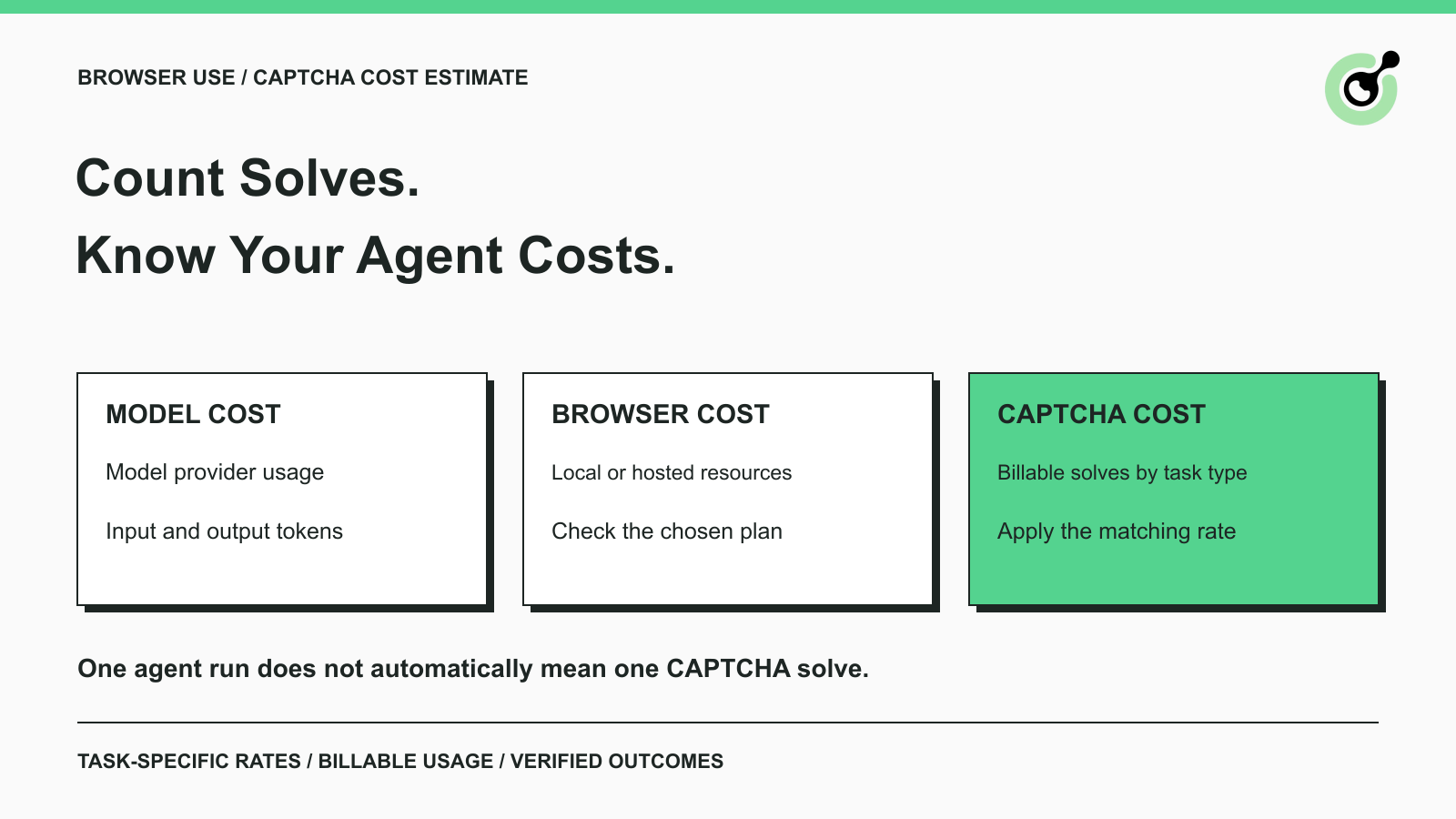
A Browser Use task might open several pages, call a model repeatedly, and encounter no CAPTCHA. Another task might stop at one verification widget and require a separate solving operation. Pricing both tasks as “one agent run plus one CAPTCHA” can therefore produce a misleading budget.
For a Browser Use workflow connected to CapSolver, estimate the CAPTCHA component from the challenges the integration actually handles. Keep that estimate separate from the model and browser services used by the agent. This guide focuses on usage-based solver costs for permitted browser tasks. It explains the units to count, gives a small worked estimate, and shows how to investigate a higher bill without turning the exercise into a complex finance or agent-orchestration project.
The CAPTCHA component is the charge for the solving service used by your Browser Use integration, subject to that service's task types and billing terms.
Browser Use is an agent framework and also has hosted offerings. Its official repository distinguishes the open-source Python library from Browser Use Cloud. Choosing the library does not establish that the model, compute, browser hosting, or external solving services are free.
The Browser Use Cloud documentation describes usage-based hosted services and account billing. Check the terms for the specific Cloud product you use. A hosted product may bundle components differently from a locally assembled workflow; do not add a second charge for something already included in your actual plan.
This article applies when your workflow explicitly calls CapSolver for supported challenges. It does not assume that every Browser Use deployment needs an external solver, that CapSolver is automatically included in Browser Use, or that every Cloud account has the same bill.
Separate model usage, browser execution, and CAPTCHA solving so each number has an identifiable source.
Model cost comes from the model service and its applicable usage records. Browser cost comes from the local resources or hosted browser product you chose. Solver cost comes from the solving tasks and applicable account terms. Add them only after checking that the categories do not overlap.
A CAPTCHA token is also different from a language-model token. The word “token” appears in both products, but the units measure different things. CapSolver's token-task pricing should not be multiplied by the number of model input or output tokens.
For a local Browser Use setup, you may pay for model calls and external solving while using your own machine for the browser. For a hosted setup, browser and agent resources can follow the provider's pricing structure. These are deployment choices, not universal claims that one option is cheaper.
If you are still choosing where the browser runs, the Browser Use local and Cloud options guide covers the deployment distinction. The calculation here starts after you identify which services your actual workflow uses.
Count the solver operations associated with each agent task instead of assigning a fixed CAPTCHA charge to every task.
An agent can complete a permitted research task without seeing a challenge. A second task can encounter a supported CAPTCHA once. A third can encounter another challenge later, or require a permitted retry after a corrected input. Those runs create different solving usage even if each produces one final answer.
CapSolver's agent-tools documentation describes Browser Use calling solving as an action within the browsing workflow. This supports an important accounting distinction: the user task and the solving action are related events, not the same unit.
Maintain a link between the application task and any solver task IDs returned. Keep separate counts for observed challenges, submitted attempts, billable solves confirmed by usage records, and completed agent tasks. These counts help explain a bill without implying that every API response or tool invocation is charged identically.
Budget only for the supported solving path you intend to run. The CapSolver agent overview describes the current SDK scope, including reCAPTCHA v2 and v3 with Enterprise variants, and Cloudflare Turnstile. The broader service catalog is not identical to every agent integration's coverage.
A price listed for a service task does not prove that your installed Browser Use integration supports it. Confirm the integration and version first, then use the rate for the task actually submitted.
Estimate solver spend by multiplying each task type's expected billable volume by its price per thousand, then adding the subtotals.
In words, the calculation is: billable solves divided by 1,000, multiplied by the applicable listed rate. Repeat the calculation for each task family rather than using one blended rate without explaining the mix.
The CapSolver pricing reference, checked on October 15, 2026, lists reCAPTCHA v2 at $0.80 per 1,000 tokens, reCAPTCHA v3 at $1.00, and Cloudflare Turnstile at $1.20. These are the displayed standard rates for those rows. They do not establish your final invoice, account-specific discounts, promotional credit, taxes, or the terms for another task variant.
The following is an arithmetic illustration with invented usage counts:
| Hypothetical usage | Listed rate used | Estimated solver spend |
|---|---|---|
| 2,000 billable reCAPTCHA v2 solves | $0.80 / 1,000 | $1.60 |
| 1,000 billable Turnstile solves | $1.20 / 1,000 | $1.20 |
| Combined solver component | Separate task rates | $2.80 |
This example contains no model or browser charge. It also assumes that the counts already represent billable usage under the applicable terms. If you start from raw attempts instead, check which attempts actually contribute to billing before treating the result as an invoice forecast.
Use a small representative pilot to estimate how often your tasks encounter a CAPTCHA and how many billable solves arise from a challenged task.
For example, suppose you plan 10,000 permitted agent tasks. Assume, only for illustration, that 20% encounter reCAPTCHA v2 and that challenged tasks average 1.1 billable solves. The projection is 10,000 × 0.20 × 1.1 = 2,200 billable solves. At the displayed $0.80 rate per thousand, the solver component is $1.76.
The 20% and 1.1 values are invented assumptions, not CapSolver or Browser Use performance figures. Replace them with observations from your own workload. If the challenge mix includes other types, calculate each family separately. A change in challenge mix can change cost even when the number of agent tasks stays constant.
Redeem Your CapSolver Bonus Code
Boost your automation budget instantly!
Use bonus code CAP26 when topping up your CapSolver account to get an extra 5% bonus on every recharge — with no limits.
Redeem it now in your CapSolver Dashboard
Compare the solver bill with verified task completions so an inexpensive solve is not mistaken for a useful result.
A solver may return a solution while the browser still fails to complete the requested observation. Your agent may also abandon a task before using a result, or report completion without the required data. Record the application outcome independently from the solver outcome.
For the hypothetical $2.80 cohort above, if 2,500 challenged workflows actually completed, solver cost per completed challenged workflow would be $2.80 divided by 2,500, or $0.00112. That number is a calculation from fictional counts. It does not include model or browser expenses and should not be presented as an observed service benchmark.
Use the same cohort and accounting period for numerator and denominator. Do not divide this week's solving charges by only today's completed tasks. If there are zero verified completions, report the spend and zero completions directly rather than calculating a cost per success.
This check is especially useful for enterprise teams delivering a defined output. A permitted product-monitoring task should return the correct item and requested fields. An incomplete observation should remain incomplete; paying for a solver result does not make missing data usable.
Costs can rise when the mix of challenges, number of solving operations, or application behavior changes within the same task volume.
A newly added page may use a different challenge type. A configuration change may cause duplicate task creation. An agent may repeat a solving action because it cannot determine whether the first action finished. These are possibilities to investigate using task records, not automatic explanations for every increase.
Start by comparing task-family counts and billed usage. Then inspect the relationship between agent tasks and solving operations. If multiple solver task IDs appear for the same unchanged challenge, review the creation and waiting logic before assuming the unit price increased.
The createTask reference and result-retrieval reference describe separate stages. Polling an existing task and submitting a new solving task are different operations. Follow the documented flow and use actual account records when checking chargeability.
Do not assume every unsuccessful attempt has the same billing treatment. Reconcile the result with the task type and current terms, and raise unclear items with support using a task ID and redacted context.
Use a clear attempt limit, a deadline, and an owner for the solving decision within each agent task.
The goal is to stop an agent from repeatedly initiating the same paid action after the workflow has become invalid or incomplete. Keep those limits in the component that executes the action, rather than relying only on a natural-language instruction to spend less.
The OWASP guidance on unbounded consumption supports using limits and resource controls around model-driven activity. For this use case, a small set of controls is enough to start: permitted targets, supported challenges, limited attempts, and an understandable stop outcome.
A lower budget should not force the agent to invent a result. If it cannot finish within the allowed work, return an incomplete status with the reason. That protects the usefulness of the output as well as the cost estimate.
For a billing investigation, retain task IDs, task types, timestamps, and redacted outcomes. Follow the OWASP logging recommendations when excluding API keys, full solution tokens, and session cookies from routine reports.
A useful Browser Use CAPTCHA budget starts with observed challenge types and solving usage, then connects the spend to verified outcomes.
Run a small permitted sample, apply current task-specific rates, and reconcile the projection with the account's usage records. CapSolver can supply the supported solving step, while the Browser Use workflow remains responsible for finishing the requested task and recording its outcome.
Confirm the supported integration, measure representative solving usage, and check the final application result before increasing the workload.
Q: Is CapSolver included in Browser Use pricing?
Do not assume it is. This guide covers a workflow that explicitly connects CapSolver. Check your Browser Use product terms and your solver account separately, including any bundled functionality.
Q: Does one Browser Use task equal one CAPTCHA solve?
No. A task may encounter no CAPTCHA or involve several solving operations. Count actual usage and keep it associated with the original agent task.
Q: Are CAPTCHA tokens billed like model tokens?
No. They are different units. Apply the solver's task pricing to its billable usage, and use the model provider's records for model-token costs.
Q: What should I use for the CAPTCHA rate in my estimate?
Use the current rate for the actual task type and your applicable account terms. The dated rates in this article illustrate the calculation and are not a permanent quote.
Q: What is the simplest useful cost report?
Show billable solving usage by task type, total solver spend, and verified challenged-workflow completions for the same period. Keep model and browser costs separately labeled.
Khadija Santos
AI Agent & MCP Engineer
Develops and maintains CapSolver’s MCP tooling, from implementation and package releases to AI agent integrations.
ABOUT THE AUTHOR
Set up CapSolver MCP in Claude Code, check the available CAPTCHA tools, and choose token or page solving for a supported, authorized browser task.
Compare Playwright context reuse with saved storage state for CAPTCHA workflows, and learn when to keep the current page or start an isolated browser context.

