Selenium CAPTCHA Integration Security: Protect Keys and Sessions

Adélia Cruz
Neural Network Developer
TL;DR
- Selenium CAPTCHA integration security depends on where credentials, browser sessions, and challenge results are allowed to travel.
- Keep ordinary application tests deterministic with an owned test environment and the challenge provider's documented testing facilities.
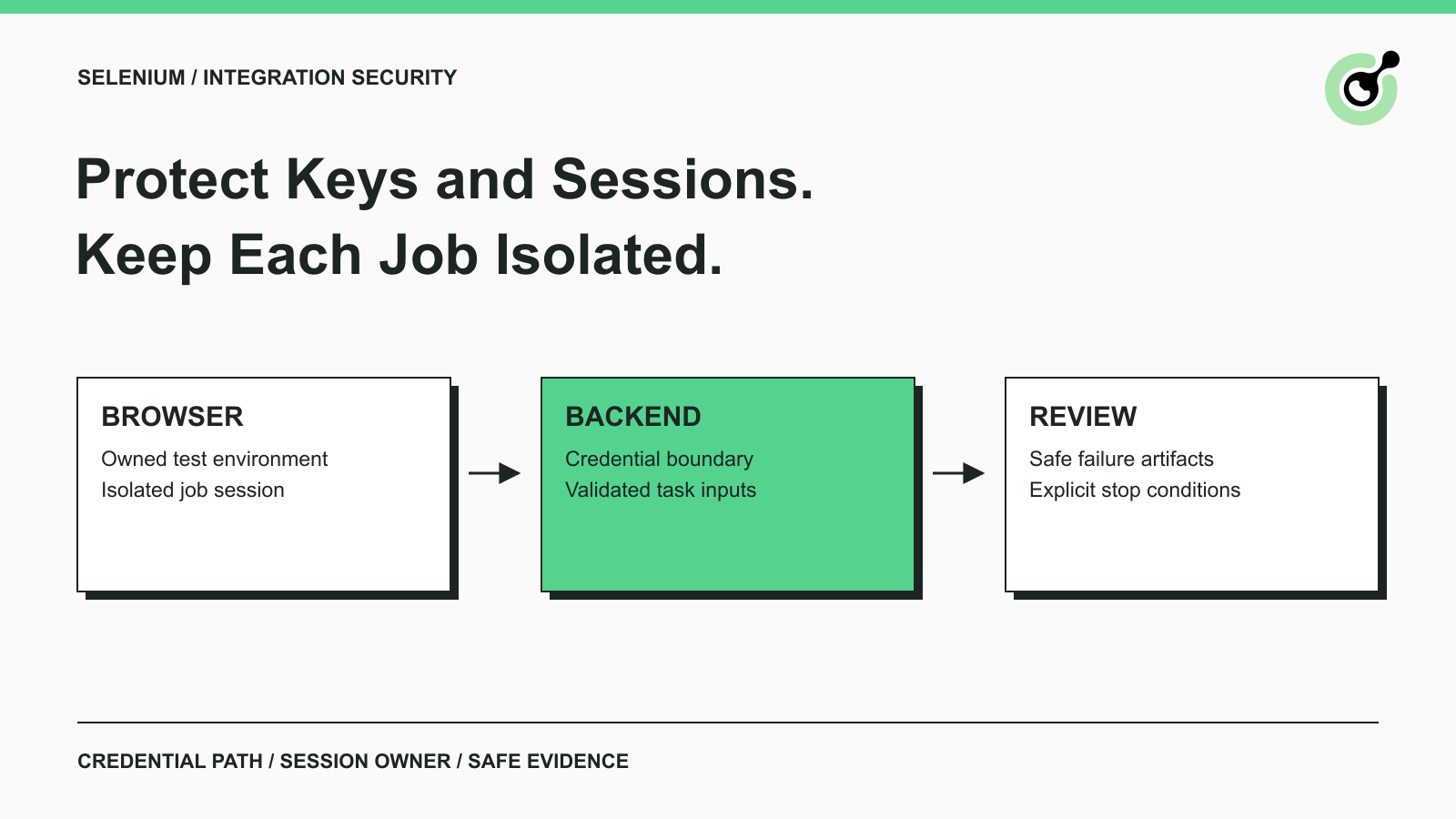
- Place paid-service credentials in a backend boundary; page scripts and browser artifacts should never receive them.
- Give each test worker an isolated session and a clear cleanup owner, especially when retries or parallel jobs are involved.
- Review failure logs and screenshots as potential data exports, and test what happens when credentials are revoked.
What Makes a Selenium CAPTCHA Integration Secure?
A secure Selenium CAPTCHA integration limits each component to the data and actions it needs. The browser drives the authorized application, the backend handles service credentials, and the application decides whether the resulting operation succeeded. CapSolver can handle documented challenge tasks within that boundary, but it does not replace session isolation or your application's authorization decisions.
Consider a test that submits a form and saves a screenshot when the submission fails. The screenshot may contain personal information, while the exception may contain a request body. A successful test run tells you little about those failure paths. Review the data that crosses each boundary before adding more retries or enabling the same workflow in a shared worker pool.
Separate Application Testing from Challenge Evaluation
Application testing and challenge evaluation need different success criteria. A checkout validation test should tell you whether the application handles the expected input. A dedicated challenge evaluation should tell you whether the documented challenge workflow behaves correctly in a controlled environment.
The Selenium guidance on CAPTCHA testing discourages attempting to solve real CAPTCHAs as part of routine automated tests. For an application you own, design a test environment that can exercise success and failure deterministically. Keep the mechanism separate from production configuration and make its activation visible to your release process.
Cloudflare provides documented Turnstile testing facilities for predictable outcomes. Use the appropriate test configuration when testing your own Turnstile integration. Test results from that configuration demonstrate application behavior; they are not evidence of real-world challenge-solving accuracy.
Make the environment decision explicit
Record the environment, application hostname, account purpose, and challenge mode in the test configuration. A worker should reject an unexpected production hostname when it is configured for a test-only workflow. That check belongs before navigation or submission, not in the final report.
Keep negative tests in the plan. The application should respond usefully when challenge validation fails or is unavailable. If your test configuration can only produce success, it may hide the path that users encounter during an outage.
Keep the API Key Outside the Browser
The API key should remain with the backend component authorized to call the service. An API key identifies access to a service; placing it in a page, screenshot, or downloadable artifact can expose that access beyond the intended worker.
For a CapSolver workflow, the backend should construct the documented request using the task creation interface. Treat page-derived values as inputs to validate. They do not authorize the page to choose an arbitrary service endpoint or supply a different account credential.
Use your existing secret-management system to supply credentials to the worker that needs them. The OWASP secrets-management guidance covers restricted access, rotation, revocation, and auditing. The implementation details depend on your deployment system, so this article does not prescribe an unverified environment-variable name or SDK option.
Review the entire credential path
Trace how a key moves from storage to the outgoing request. Include debugging middleware, HTTP exceptions, test attachments, and support exports. Masking the value in the final console output does not remove a copy already written by an earlier component.
Use separate credentials where the service and your operational model permit it. A shared credential across unrelated jobs makes attribution and revocation harder. Record the account owner and the procedure for replacing access without giving every test author access to the secret itself.
Isolate Sessions Before Running Jobs in Parallel
Session isolation means one job cannot inherit another job's authenticated browser state or unfinished challenge. Start with a clear ownership rule: one worker owns the session until the job finishes or an explicit transfer occurs.
A challenge result should be associated with the intended job, current page, and application operation. Do not keep a global variable called “latest token” that any worker can consume. Such a variable hides the relationship between the result and the browser state that produced the request.
The existing Selenium and Cloudflare integration guide covers a challenge-specific workflow. The security review adds a separate question: which worker may use each piece of state, and what happens when that worker exits unexpectedly?
Define cleanup and handoff behavior
A cleanup owner should close the browser, remove temporary session material according to policy, and mark unfinished work for review. A retry should not silently adopt another worker's session because a file happens to exist in a shared directory.
For a deliberate handoff, transfer a reference to the job and its allowed next action. Avoid copying cookies, credentials, or broad browser profiles into a ticket. If the reviewer needs a screenshot, capture only the relevant page area and check it before sharing.
Redeem Your CapSolver Bonus Code
Boost your automation budget instantly!
Use bonus code CAP26 when topping up your CapSolver account to get an extra 5% bonus on every recharge — with no limits.
Redeem it now in your CapSolver Dashboard

Make Failure Evidence Useful Without Exposing Data
Failure evidence should describe the failed operation without reproducing sensitive payloads. A useful event includes the job reference, stage, permitted target category, error classification, and whether a retry is allowed. Store detailed evidence only where access and retention are appropriate.
The OWASP logging guidance discusses excluding or protecting sensitive information in logs. Apply that principle to browser automation artifacts as well as server logs. Screenshots, traces, saved HTML, and network archives can carry information that a short exception message does not reveal.
Use an allowlist of fields for routine events. Constructing an event from known-safe fields is easier to review than serializing an entire request and hoping a later redaction pattern catches every secret. Preserve enough context for diagnosis without including the service credential or complete challenge response.
Inspect the failure paths intentionally
Run a controlled failure using disposable test data and inspect every artifact the job produces. Check the terminal output, CI attachment store, browser trace, and error-reporting destination. A clean application log does not establish that the trace archive is clean.
Document who can download those artifacts and how long they remain available. If the job touches authenticated pages, treat artifact access as part of the application's data-access boundary. Technical capability does not grant permission to collect private, restricted, sensitive, or unauthorized data.
Review Retries, Revocation, and Unexpected Results
A security review should include the conditions under which the integration refuses to continue. Repeating a failed operation is safe only when the application understands the previous attempt's state and the next action remains authorized.
For asynchronous CapSolver tasks, the task result interface separates processing from a ready result or an error. A ready challenge task still needs application-level verification. The browser may have navigated away, the session may have ended, or the intended form may no longer be present.
Use the following review cases as an application-owned test plan. They are proposed cases, not claimed results from an executed CapSolver integration:
| Review case | Expected application behavior | Evidence to retain |
|---|---|---|
| Credential unavailable | Stop before a paid request | Safe error category and job reference |
| Job targets the wrong environment | Reject the operation | Expected and observed environment names |
| Worker receives another job's result | Refuse to apply the result | Correlation mismatch without token contents |
| Browser state changes during the task | Recheck the intended operation | Current page identity and pending action |
| Access is revoked | Stop new work and reconcile outstanding work | Revocation time and remaining task references |
| Failure artifact contains a secret | Restrict the artifact and follow incident procedures | Location and exposure scope, not the secret |
Treat an uncertain submission separately
If the request times out after submission, the remote operation may or may not have started. Do not describe a local timeout as proof of cancellation. Reconcile what the service and application can establish before creating another paid task or replaying a form submission.
The same principle applies when the worker is terminated. Record enough non-sensitive state to identify unfinished operations. A replacement worker should not assume that “no local result” means “nothing happened.”
Decide Whether the Integration Is Ready to Operate
An integration is ready to operate when the team can explain its credential path, session ownership, failure evidence, and stop conditions. Passing a successful challenge once is useful functional evidence, but it does not answer those operational questions.
Ask the application owner to review the intended task and the infrastructure owner to review the worker environment. Resolve any disagreement about which component enforces a boundary. A browser script should not rely on a backend check that nobody implemented, and a backend should not assume the browser already approved the operation.
Maintain a short release record with the version reviewed, environment used, cases executed, and unresolved limits. Revisit that record when the browser runner, secret delivery mechanism, or challenge integration changes. Review scope should follow the changed boundary rather than a calendar alone.
Keep the Security Boundary Visible
Secure Selenium automation makes ownership visible at each step: the worker owns its session, the backend owns its credential, and the application owns acceptance. Use CapSolver for documented challenge handling inside that design, and keep routine QA evidence separate from any controlled evaluation of a live service.
FAQ
Q: Should every Selenium test solve a real CAPTCHA?
No. Routine application tests should use an owned test environment and a documented testing mechanism where available. Evaluate live challenge handling separately with permission and clearly defined acceptance criteria.
Q: Can the service API key be passed into page JavaScript?
The service credential should remain in the backend boundary that calls the API. Page JavaScript, screenshots, and browser traces are poor places to store a credential intended for a trusted worker.
Q: Does a ready challenge result mean the form was submitted?
No. A ready result describes the challenge task. The application must verify that the intended browser operation completed in the correct session and environment.
Q: What should a security review test first?
Start with wrong-environment rejection, credential exposure in artifacts, and cross-job session or result mixing. These checks reveal whether the integration's basic ownership boundaries match its design.
More
The Other CAPTCHASep 08, 2026
Node.js CAPTCHA APIs: Open Source vs Managed Services
Compare Node.js CAPTCHA API options by separating generators, open-source clients and managed solving, then evaluate workload fit, ownership and real cost.

The Other CAPTCHASep 07, 2026
Image CAPTCHA API Cost at Scale: Price Accepted Results
Calculate image CAPTCHA API cost at scale with billable attempts, accepted results and operating costs. Use a tested Python model and current CapSolver pricing.