
🎉NEWCapSolver for AI agents-MCP, agent tools, and SDK integrations

Emma Foster
Machine Learning Engineer
Published Nov 20, 2026
Updated Nov 20, 2026 · min read
CAPTCHA solver API inputs are the credentials, task identifier, and challenge data that a solving service uses to process one CAPTCHA request. In CapSolver, the createTask request separates your account credential, clientKey, from the task object that describes the challenge.
The distinction matters when connecting a solver to an existing application. A browser may be handling a service request with dozens of fields, but those fields do not automatically belong in a CAPTCHA task. Start with the challenge type and its documented requirements. Decide what to send from that contract, rather than serializing everything the browser or agent currently knows.
This guide explains the input categories for image-to-text, reCAPTCHA v2, and standalone Cloudflare Turnstile tasks. It is a field-selection reference, not a claim that one request shape supports every challenge or that a solver controls the destination website.
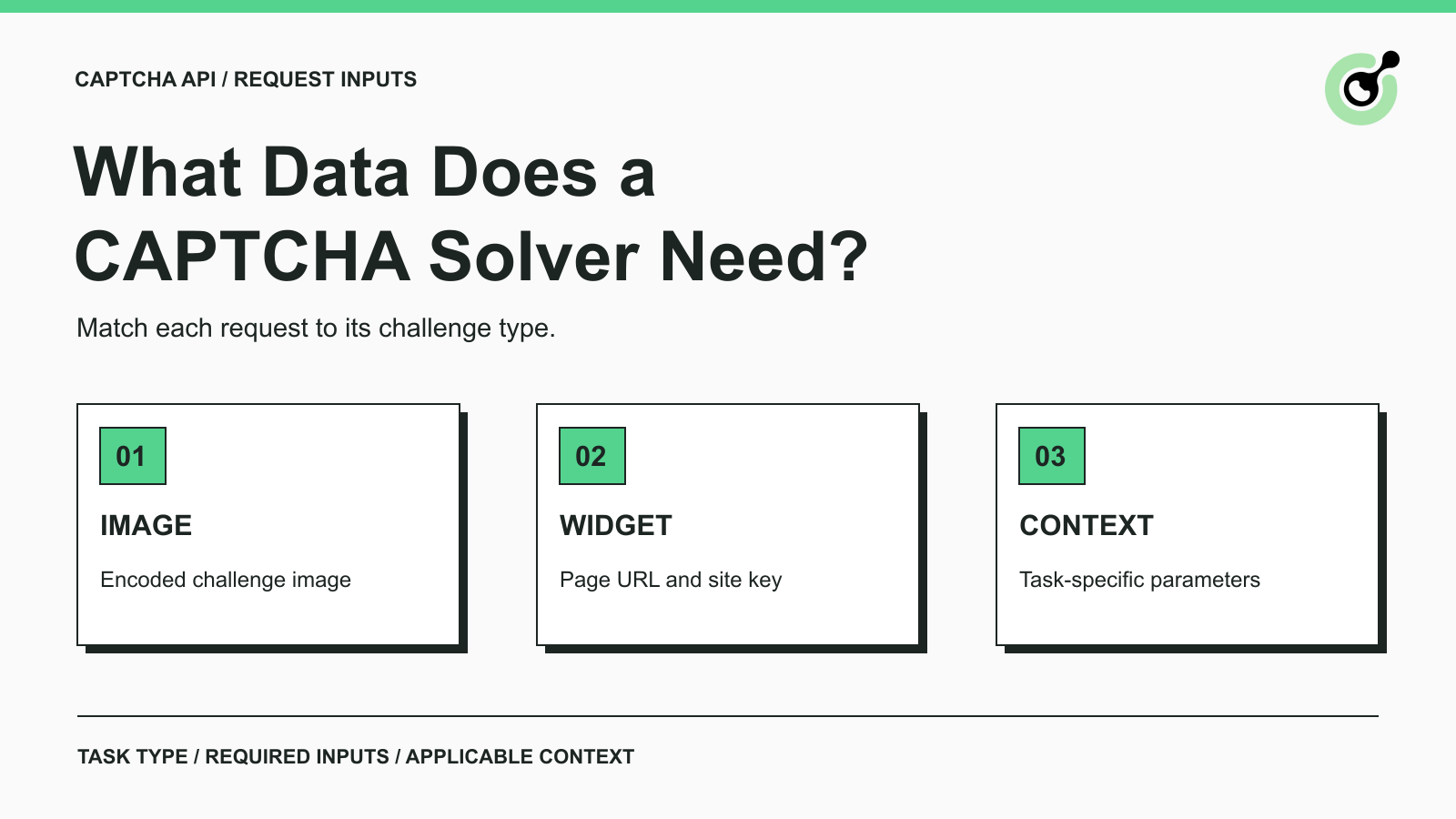
The required data depends on whether the solver receives an image or information about a widget-based challenge. The table below compares selected CapSolver task types; it is not a complete inventory of every supported task.
| Challenge | Task type | Core task inputs | Additional context |
|---|---|---|---|
| Text inside an image | ImageToTextTask |
Image data in body |
Documented options such as the recognition module or page source URL |
| Standard reCAPTCHA v2 | ReCaptchaV2TaskProxyLess |
websiteURL and websiteKey |
Documented fields that match the actual challenge configuration |
| Standalone Turnstile | AntiTurnstileTaskProxyLess |
websiteURL and websiteKey |
metadata.action and metadata.cdata when applicable |
Each task also needs its type, and the enclosing request needs your solver credential. Avoid treating optional fields as a shopping list: adding every available parameter does not establish that the request describes the current challenge correctly.
An ImageToTextTask takes the image as Base64 data in body. The documented format excludes the data:image/...;base64, prefix and line breaks. A local filename alone is not the image content.
For a permitted service form with a small text CAPTCHA, prepare the CAPTCHA image itself. Do not replace it with a full-page screenshot containing the customer's enquiry, contact details, or order history. That surrounding material is unrelated to recognizing the characters.
Image preparation still has to preserve the information needed to read the challenge. A crop that cuts off characters is incomplete input. A screenshot of a failed image load is also the wrong input, even if its Base64 encoding is valid. Those are content-selection problems, distinct from request formatting.
A reCAPTCHA v2 task uses websiteURL for the page containing the challenge and websiteKey for the widget's site key. The page address should describe the relevant page; a remembered homepage URL is not always a useful substitute.
Depending on the configuration, the documentation describes additional fields such as pageAction, recaptchaDataSValue, or an Enterprise payload. Use the applicable task variant and its current schema. Do not copy Enterprise parameters into a standard task merely because a sample request contains them.
Google's reCAPTCHA widget configuration shows the site key in page-side settings such as data-sitekey. This public widget identifier should not be confused with your private solver account credential.
The standalone Turnstile task requires a page URL and site key. Its schema also supports an action and cdata inside metadata. Supply those values when they belong to the challenge being handled; do not invent labels to make a request look more complete.
A Cloudflare page mentioning a security check is not sufficient evidence that this exact task applies. Standalone Turnstile and a full-page Cloudflare challenge have separate documentation and requirements. Identify which flow your application encounters before selecting its input fields.
These keys identify different parties and should stay in their respective parts of the workflow. Mixing them up can turn an otherwise correct request into an authentication or configuration error.
| Value | Purpose | Where it belongs |
|---|---|---|
| Solver API key | Authorizes your application to use the solving service | Solver request authentication, as documented by that service |
| CAPTCHA site key | Identifies the widget being used on the page | The relevant task's widget parameters |
| Website owner's verification secret | Lets the site validate a CAPTCHA response with the challenge provider | The website's server-side validation process |
The API key glossary explains why API credentials need protection. Keep the solver credential in your application's controlled server-side configuration rather than placing it in a public form or browser-delivered script. OWASP's secrets management guidance provides the broader principles for controlling access to such credentials.
The website owner's verification secret is a separate concept. Cloudflare's Turnstile validation documentation, for example, describes a server submitting its secret and the response token to Siteverify. That secret is not the websiteKey requested by a standalone solver task.
If your application is an authorized client of someone else's website, do not assume that you need access to the site's private verification secret. Use the documented solver task inputs and let the destination perform its own validation.
Redeem Your CapSolver Bonus Code
Boost your automation budget instantly!
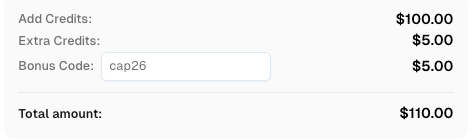
Use bonus code CAP26 when topping up your CapSolver account to get an extra 5% bonus on every recharge — with no limits.
Redeem it now in your CapSolver Dashboard
The selected task schemas above do not require an entire business form, page HTML, or an agent's conversation history. Build the outgoing request around the documented fields instead of forwarding the complete application state.
Consider an authorized business enquiry form. Your application may hold a product identifier, requested quantity, contact address, and message. If the page presents a text-image CAPTCHA, the recognition request can be prepared from the challenge image. The enquiry remains in the application's own form-handling workflow. This is an example of separating responsibilities, not a tested integration with a particular website.
A widget-based task changes what the challenge portion contains: a page URL, a site key, and applicable context replace the image. The business enquiry still does not become a solver input just because it appears on the same screen.
Apply the same scrutiny to fields that look harmless. A page URL may contain account references or other information in its query string. Review whether sharing the required URL is appropriate for the authorized workflow. Do not silently remove required challenge context or substitute a different page to conceal a mismatch. If the required data cannot be shared, resolve that constraint before making the call.
For supported task families beyond this article, check their own documentation. Some tasks need other environment or session information. The absence of a field in this comparison does not mean that the field is unnecessary everywhere.
Input is incomplete when it fails to describe the challenge required by the chosen task, even if the request is valid JSON. Review the task selection and actual values before adding unrelated data or retrying the same request.
| Symptom in your request | What to examine |
|---|---|
| A Base64 field contains a file path | Whether image bytes were supplied rather than a reference to a local file |
| The image shows the whole form | Whether the intended CAPTCHA is readable and unrelated business information was included unnecessarily |
| A widget task has a URL but no site key | The widget identifier required by that task |
| Parameters came from a different page or environment | Whether the URL, site key, and relevant context describe the same challenge |
| A standard task includes copied Enterprise fields | Whether the task variant and parameter names match the current documentation |
| An optional field contains a guessed value | Whether the challenge actually provides that context |
For problems specifically involving reCAPTCHA identifiers and returned tokens, the invalid site key and token troubleshooting guide covers that narrower diagnostic task.
A useful request review can record the task type, which required fields are present, and which documentation justified each optional field. You do not need to paste credentials, raw images, or complete tokens into a review ticket to explain those decisions. This keeps the review focused on the request contract rather than accumulating another copy of the payload.
An input schema tells you what the API accepts; it does not establish a provider's retention policy, contractual commitments, or the destination's final decision. Keep those questions separate when reviewing a solver integration.
Before production use, assess the actual data your application will transmit and consult the relevant provider policies or agreements for handling requirements. Do not infer a deletion schedule, data residency guarantee, or training restriction from a short task example. None of those assurances follows from the presence of websiteURL or body alone.
Likewise, a returned answer or token is one component of the workflow. Your application must check whether the intended page or service accepted the next authorized action. A successful solver request cannot establish that a business enquiry was submitted, that a document was retrieved, or that the destination granted permission for further activity.
A clear CAPTCHA request starts with the supported challenge type, then includes its required inputs and applicable context. Keep solver credentials, widget identifiers, and business data distinct throughout that process.
This approach makes request reviews easier: every outgoing field has a documented purpose, and missing challenge context can be investigated without forwarding the entire browser state. Use the current task documentation whenever the challenge type or page configuration changes.
Use CapSolver for the supported CAPTCHA step in your authorized automation workflow. Start with the relevant task schema, prepare only the required and applicable inputs, and keep destination-result checks in your application.
Q: Does every CAPTCHA solver task need an image?
No. Image-to-text recognition uses image data, while the reCAPTCHA v2 and standalone Turnstile tasks described here use page and widget parameters. Select the task before preparing the payload.
Q: Can I use my solver API key as the websiteKey?
No. The solver API key authorizes your request to the service; websiteKey identifies the CAPTCHA widget. These values are not interchangeable.
Q: Should I send optional fields if I do not know their values?
No. Use optional fields when the current challenge and task documentation justify them. Guessing an action or copying unrelated context does not repair missing input.
Q: Does the API need customer details from the form?
The selected task schemas in this guide do not require customer contact details, enquiry text, or order records. Keep that application data separate from the challenge inputs and review any sensitive information embedded in a required field.
Q: Does sending fewer fields guarantee a successful result?
No. The goal is a correct, task-specific request, not the smallest possible request at any cost. Omitting required data or applicable challenge context can make a request incomplete, and the destination still determines whether the subsequent action is accepted.
Emma Foster
Machine Learning Engineer
Where machine learning meets practical AI tooling.
ABOUT THE AUTHOR