Measure the cost of completing a collection job, including unsuccessful attempts. A cheap solver task can still sit inside an expensive retry loop.
Separate browser runtime, billed solver work, and repeated processing. Use actual usage records instead of assuming every error creates a charge.
Link each retry to its original job and failure stage. This shows whether the next attempt produced useful data or simply repeated the same failure.
Reduce avoidable work before changing providers or prices. Stop invalid-input retries, avoid overlapping task creation, and keep successful stages from running again unnecessarily.
Compare costs at the same output quality and workload. Lower spend is not an improvement if fewer valid records reach the customer.
Where CAPTCHA retry costs come from
A failed scraping job can consume resources even when it returns no usable data. The browser may have spent time loading the page, a CAPTCHA task may already have completed, and a queue worker may then restart the entire job because the final extraction failed.
For a permitted product-data collection workflow, that can mean paying for another browser session and another solve to retrieve a page whose first solve was already successful. The useful question is therefore: which part of this retry was necessary, and what did it cost?
This guide gives you a small cost worksheet for that decision. It does not compare advertised CAPTCHA prices or promise a specific saving. All numerical examples below are illustrative, not CapSolver prices or customer results.
Start with one useful output
Define the work unit before counting requests. For example, use one validated product observation containing the expected product ID, price, currency, source URL, and collection time. Several HTTP requests may be needed to produce that single observation.
Give the job a stable identifier, then assign a separate attempt number to each run. Associate any solver task with the attempt that created it. That relationship matters when the browser succeeds on the second run but both runs used resources.
A practical job record should answer three questions:
Did the requested observation reach your validation step?
Which attempts contributed to it?
What resources did those attempts consume?
Keep unsuccessful jobs in the calculation. Removing them from the numerator makes the surviving records appear cheaper than the collection operation actually was. If a batch produced no valid outputs, report its total cost and zero accepted outputs; do not report a meaningful cost per completed observation.
Separate the three costs you can measure
Build a worksheet from usage records for a defined batch. Start with the items your team can reconcile, then add broader operating costs separately.
Cost component
Evidence to collect
Common source of avoidable spend
Browser runtime
Metered browser minutes or allocated worker runtime
Reloading a job from the beginning after a later-stage failure
CAPTCHA solving
Actual billed tasks and account usage
Creating a replacement while an existing task is still being followed
Repeated processing
Worker time, request charges, or other measured compute
Re-running extraction or transformation that already completed correctly
Engineering investigation
Time spent diagnosing the incident
Repeated failures without a useful task-to-job history
Choose non-overlapping boundaries. If your browser plan already includes the worker executing extraction, do not add that worker's full runtime again as a separate compute expense. Likewise, distinguish a prepaid plan's allocated cost from additional cash spend: reducing runtime may free capacity without reducing this month's invoice.
For the worked example, use just the first three components. Engineering time is valuable, but combining it with uncertain estimates can hide the smaller changes you can verify immediately.
Batch cost per accepted observation = all measured batch costs ÷ accepted observations.
Use actual charges for the solver column. The CapSolver error reference specifically describes ERROR_CAPTCHA_UNSOLVABLE as having no deduction. That is a rule for that documented error, not proof that any failed application workflow is uncharged. A solver may return a result successfully before your application encounters a different failure.
Work through a small example
Suppose an authorized collection batch contains 10,000 jobs. Its first attempts cost $24 in the three categories above and produce 9,600 accepted observations. A retry group then handles the remaining 400 jobs and produces 300 additional accepted observations.
The following assumptions are invented solely to demonstrate the arithmetic:
Retry worksheet item
Quantity
Illustrative unit cost
Amount
Browser runtime
400 minutes
$0.015 per minute
$6.00
Billed solver tasks
250 tasks
$0.002 per task
$0.50
Separate processing runtime
500 minutes
$0.001 per minute
$0.50
Total retry cost
$7.00
Do not equate 400 retried jobs with 400 billed solves. In this example, the billed-task count comes from a separate usage record; it is not inferred from the job count.
The batch ends with 9,900 accepted observations and 100 unresolved jobs. Its measured cost is $31: the original $24 plus $7 of retry work. Cost per accepted observation is approximately $0.00313. Within the retry group, the cost per additional accepted observation is approximately $0.02333: $7 divided by 300.
Those figures answer different questions. The first describes the batch's overall economics. The second shows how expensive the additional output was. Neither tells you that the retry was wrong: a business may value those missing observations enough to justify it.
Now imagine a second, hypothetical run with the same workload and accepted-output count. Avoiding unnecessary browser restarts reduces retry runtime to 200 minutes, while the other two retry costs stay unchanged. Retry cost becomes $4, and total cost becomes $28. That is an illustrative $3 reduction with unchanged output, not a predicted performance gain from any particular setting.
Compare real runs only after checking that the page mix, deadlines, validation rules, and freshness requirements are comparable.
Redeem Your CapSolver Bonus Code
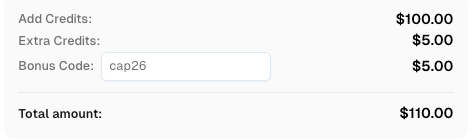
Use bonus code CAP26 when topping up your CapSolver account to get an extra 5% bonus on every recharge — with no limits. Redeem it in your CapSolver Dashboard.
Locate the expensive failure stage
Group retries by their first unresolved stage. A single “CAPTCHA failed” label is too broad for cost attribution.
Observed condition
What to investigate
Cost decision
Invalid task inputs
Current task type and required parameters
Correct the request before authorizing another attempt
Existing asynchronous task is still processing
Original task ID and the application's wait deadline
Follow the existing task within documented limits instead of submitting overlapping work
Solver returned a result, but the page did not accept it
Current page state and how the result was consumed
Investigate result use before buying another solve
Page loaded, but parsing failed
Extraction rules and the available page evidence
Determine whether extraction can be rerun without another permitted page visit
Output was rejected by validation
Wrong entity, stale data, missing field, or genuine access failure
Retry only the stage that can resolve the specific defect
The task-result documentation distinguishes following an asynchronous task from creating one. That distinction is useful for accounting as well as control flow. A result lookup is not another solver task. Conversely, an application timeout is not proof that the original request was never accepted.
Avoid automatic resubmission when acceptance is uncertain. Preserve the identifiers and investigate the outcome. Do not assume an API has idempotent creation unless its current contract explicitly provides that behavior.
For the implementation side, see the existing guide to CAPTCHA handling in browser automation. Here, the aim is to attach a measured cost to each decision, rather than reproduce another retry loop.
Put a budget around the whole job
Set the overall attempt and time budget where the complete job can be observed. If the browser runner, queue, and solver wrapper each retry independently, the total work can exceed the limit that any single component appears to enforce.
AWS describes this general failure mode in its guidance on retries and backoff: retries can increase load on a struggling dependency. For your worksheet, the practical consequence is to count all attempts under one job, including those initiated by infrastructure outside your application function.
Record why an additional attempt was allowed. Useful reasons include corrected task inputs or a verified transient service problem. “The previous attempt failed” is not enough to explain why the next one is likely to produce value.
Also separate expired results from slow tasks. For example, Google's reCAPTCHA verification documentation specifies a two-minute, single-use response token. Cloudflare's Turnstile validation documentation specifies five-minute validity and single-use tokens. These are different contracts, not a universal CAPTCHA timeout. An expired response may explain wasted work, but it does not justify repeated submission of the same response.
Review the worksheet before changing the system
Use the following fields for a weekly review. They can live in a spreadsheet or your existing job telemetry; no new monitoring platform is required.
Field
Purpose
Batch and job ID
Reconcile attempts with the intended output
Attempt count and reason
Distinguish justified retries from automatic repetition
First unresolved stage
Assign the work to the right component owner
Solver task ID and recorded outcome
Connect provider activity to the job without exposing credentials
Metered or allocated resource cost
Keep usage assumptions explicit
Accepted-output count
Prevent apparent savings caused by dropping difficult jobs
Missing-output count and deadline
Show what the cheaper process did not deliver
Redact API keys and response tokens from shared reports. Keep only the identifiers and operational details needed to reconcile usage.
Choose one expensive failure group, make one change, and compare a similar batch. Start with a small, reversible improvement such as preventing overlapping task creation or correcting an invalid-input retry. Evaluate both spend and useful output before rolling it out more widely.
If the retry group stays expensive but reliably delivers valuable missing data, retain it with an explicit budget. If it mostly reproduces the same error, stop the loop and route that failure for investigation. The worksheet makes that choice visible without assuming the lowest request count is always best.
For terminology, the CapSolver glossary provides background on CAPTCHA and automation concepts. The goal is straightforward: pay for useful work, identify unnecessary repetition, and preserve the evidence needed to tell the two apart.
Build Reliable Automation Workflows with CapSolver
Use CapSolver for the supported CAPTCHA step in your authorized workflow. Start with the matching task documentation, verify the page outcome, and measure the completed work. Try CapSolver to configure your account.
FAQ
Q: Does a failed scraping job always create a CAPTCHA charge?
No. An application job and a solver task have separate outcomes. Reconcile actual account usage and the relevant error documentation rather than treating every failed job as a billed solve.
Q: What is the best metric for CAPTCHA retry cost?
Use both total retry spend and cost per additional accepted observation. Also report unresolved outputs. A single cost-per-request figure cannot show whether retries delivered useful data.
Q: Should every retry restart the browser?
No universal rule applies. Inspect the failure stage and session state. Reusing a valid stage can avoid unnecessary work, but stale page state or an expired response may require a fresh attempt.
Q: Are the example prices actual CapSolver prices?
No. Every price in the worksheet is an illustrative assumption. Replace them with your actual browser, solver, and processing charges.
Q: Can costs fall without the monthly invoice falling?
Yes. On a fixed plan, reduced usage may create spare capacity rather than an immediate cash saving. Label allocated cost and marginal spend separately.
Nikolai Smirnov
Software Development Lead
Building dependable software for complex automation.