
🎉NEWCapSolver for AI agents-MCP, agent tools, and SDK integrations

Ethan Collins
AI Agent Workflow Engineer
Published Nov 02, 2026
Updated Nov 02, 2026 · min read
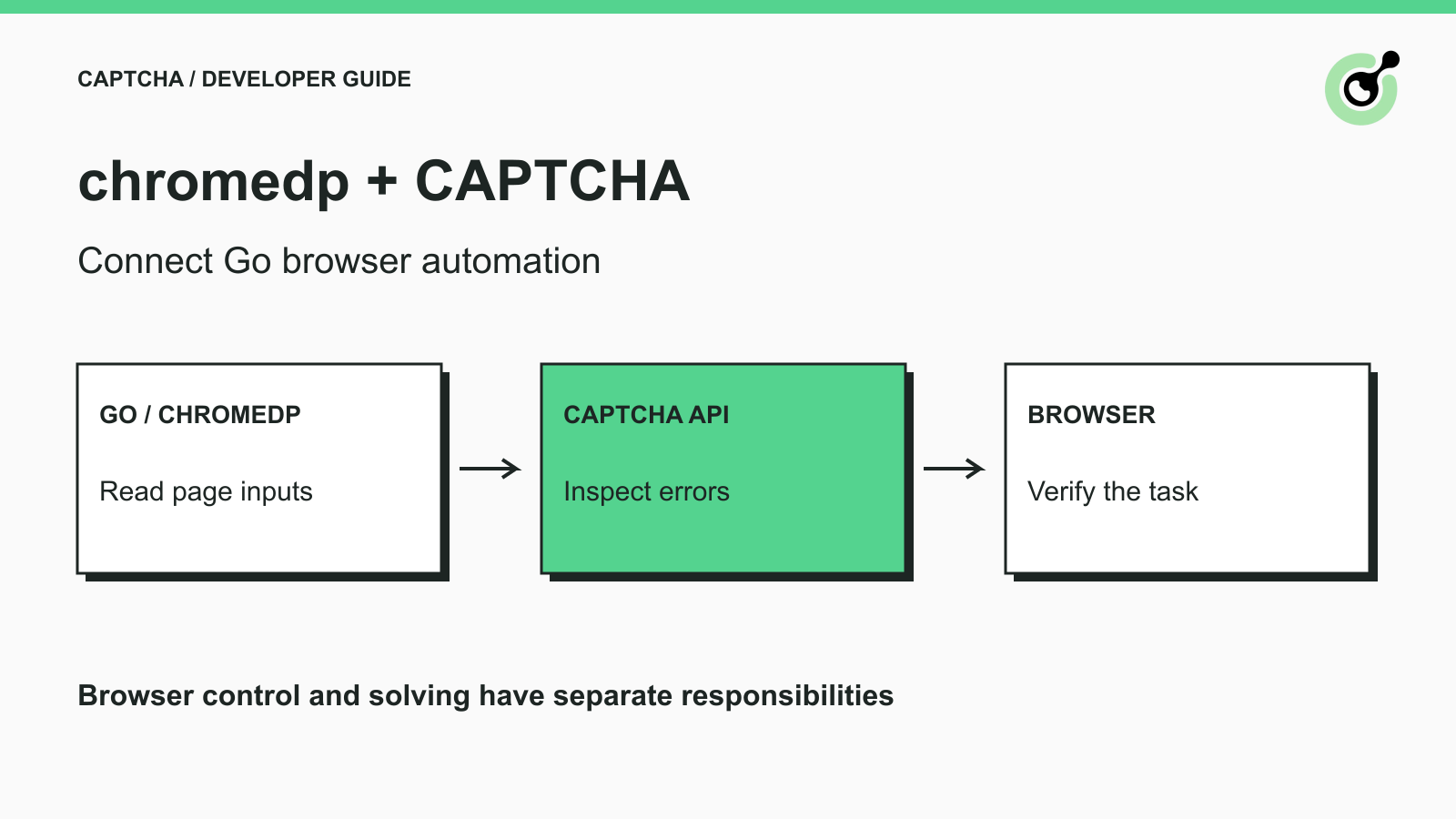
ErrorId; a nil Go error does not prove service success.chromedp is a Go library for controlling browsers through the Chrome DevTools Protocol. Developers use it for browser testing and automation without introducing a Python or JavaScript controller. When an approved browser task encounters a supported CAPTCHA, the Go application can call a solver and continue managing the same page.
CapSolver provides an official Go SDK and documented task APIs for the solving step. This guide connects those responsibilities without presenting the browser library as a solver. The runnable check uses an owned local browser fixture and a real API request with a deliberately invalid placeholder key. It verifies wiring and error handling, not a paid solve.
CAPTCHA solving fits between collecting the current challenge parameters and continuing the browser operation that needs the result.
The official chromedp repository provides the browser controller. Your Go program opens the permitted page, reads relevant state, and decides when a supported challenge needs handling. The solver supplies its documented output; chromedp remains responsible for subsequent page actions.
A CAPTCHA is not proof that every stalled browser operation requires a solving request. A missing field, failed navigation, or application error may require another fix. Identify the actual challenge before choosing a task type.
For an owned QA form, the sequence is straightforward: open the form, identify its CAPTCHA configuration, request a solution when appropriate, apply it through the application's expected integration path, and check the form's confirmation. This guide does not provide a universal callback or submission script for arbitrary websites.
Use an isolated Go module and pinned dependencies so the article's API calls match your build.
The checked environment used Go 1.27.3, github.com/chromedp/chromedp@v0.21.0, and github.com/capsolver/capsolver-go@v0.0.0-20251204081438-e4e07af23eae. Chrome was installed locally and launched in a separate temporary browser context.
Create a working directory, initialize its module with go mod init captcha-browser-check, then run:
go get github.com/chromedp/chromedp@v0.21.0 github.com/capsolver/capsolver-go@v0.0.0-20251204081438-e4e07af23eae
The v0.21.0 release notes state that Go 1.25 and later are supported. Use that version's documentation when adapting an older browser script. Mixing old pointer-output examples with the newer typed action API can produce compilation errors before any browser or solver request runs.
The official balance API documentation includes the Go SDK's Balance() method. A balance call is useful for separating account/API access from challenge-specific solving. It does not create a CAPTCHA task.
Run a small check that proves Chrome can read an owned page and the Go SDK can receive an actual API response.
Save this as main.go and run go run . from the initialized module. The local FIXTURE_ONLY attribute is test data, not a real sitekey. The API key is deliberately invalid, and the program expects the service to reject it.
package main

import (
    "context"
    "fmt"
    "log"
    "net/http"
    "net/http/httptest"
    "time"
    "github.com/chromedp/chromedp"
    capsolver "github.com/capsolver/capsolver-go"
)

func main() {
    // A local fixture checks browser wiring. It is not a real CAPTCHA.
    fixture := httptest.NewServer(http.HandlerFunc(func(w http.ResponseWriter, r *http.Request) {
        fmt.Fprint(w, `<title>Owned QA fixture</title><div id="widget" data-sitekey="FIXTURE_ONLY"></div>`)
    }))
    defer fixture.Close()
    ctx, cancel := chromedp.NewContext(context.Background())
    defer cancel()
    ctx, deadline := context.WithTimeout(ctx, 30*time.Second)
    defer deadline()
    if err := chromedp.Do(ctx, chromedp.Navigate(fixture.URL)); err != nil { log.Fatal(err) }
    sitekey, err := chromedp.Run(ctx, chromedp.AttributeValue("#widget", "data-sitekey"))
    if err != nil { log.Fatal(err) }
    if !sitekey.Exists || sitekey.Value != "FIXTURE_ONLY" { log.Fatal("Fixture key not found") }; fmt.Println("Fixture key:", sitekey.Value)
    // Deliberately invalid credential: checks a real API error, not an account.
    solver := capsolver.CapSolver{ApiKey: "YOUR_API_KEY"}
    result, err := solver.Balance()
    if err != nil { log.Fatal(err) }
    fmt.Println("API error:", result.ErrorId, result.ErrorCode)
    if result.ErrorId == 0 { log.Fatal("Expected the placeholder credential to be rejected") }
}
The verified run printed Fixture key: FIXTURE_ONLY, followed by an API error with ErrorId equal to 1 and ERROR_KEY_DOES_NOT_EXIST. Treat that exact code as the observed response to this placeholder check, not a promised response for every invalid credential.
This establishes local browser access and an actual request-response path to the API. No real account was queried, no challenge was solved, and no form submission was performed.
The current AttributeValue action returns an AttributeResult containing the attribute value and an existence flag.
The example checks both fields before proceeding. A missing attribute should stop parameter collection rather than becoming an empty sitekey in a paid request. A selector that works on this owned fixture is not a universal selector for every CAPTCHA integration.
The checked SDK can return a parsed service response without returning a Go error.
That is why the example checks result.ErrorId after handling err. A network failure, JSON parsing failure, and a valid response describing an account error are different conditions. Read the exact returned response instead of assuming err == nil means the account or task succeeded.
Redeem Your CapSolver Bonus Code
Boost your automation budget instantly!
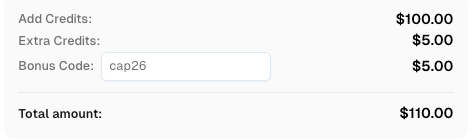
Use bonus code CAP26 when topping up your CapSolver account to get an extra 5% bonus on every recharge — with no limits.
Redeem it now in your CapSolver Dashboard
Use the selected CAPTCHA's current task reference to build the solving request from the page you actually inspected.
For reCAPTCHA v2, the official task documentation specifies the task family and fields such as websiteURL and websiteKey. Use the documented spelling and capitalization. Do not construct a task name from memory or copy an old SDK example without checking the current contract.
The official Go SDK exposes Solve() for a task map. A production implementation should supply the real credential securely, pass current task parameters, and inspect the returned result or error according to the pinned SDK version.
The connection check above is intentionally not a complete paid-solving program. Before deploying the solving step, run one permitted challenge with your own funded account and validate the result against the owned application. That credential-dependent step was not executed for this article, so no success rate or end-to-end completion is claimed.
Keep the page URL, challenge family, public key, and required optional parameters associated with the same browser operation. If navigation replaces the page or regenerates the challenge, re-inspect the inputs before starting another attempt.
Use the solution in the way the owned application expects, then verify that application behavior changed as intended.
A token-based result is not an instruction to click any visible verification button. Some applications use callbacks, others bind the result to a form, and the final server-side validation still matters. Consult the application's implementation rather than guessing a JavaScript callback name.
Google's response verification documentation explains the server-side verification step for reCAPTCHA. Browser automation reaching a line of code after solving is not the same as that server accepting the response.
Keep your test's success condition specific. For an owned form, inspect its confirmation or test record. For a permitted read workflow, inspect the expected content. Avoid treating a disappeared widget as the only completion signal when the application has a more reliable result.
Diagnose the component that failed before re-running navigation, account checks, and solving together.
A compilation error points to code and dependency compatibility. A browser-start failure points to the executable or runtime environment. A missing key points to page inspection. A service error points to the documented API response. A rejected form after a solution points to result application and the application itself.
For input-contract failures, the invalid-task-data troubleshooting guide shows how to compare the actual request with the selected task. More browser retries will not correct a misspelled field in that request.
Retain a small diagnostic record containing the package versions, failed stage, task identifier when available, and redacted error information. Do not log the real account key or full solution token. When escalating, describe what the browser check and API check established separately.
Keep chromedp in charge of the browser and place the documented solver call at the actual CAPTCHA step. CapSolver supplies the solving interface; your application owns page state, error decisions, and the final completion check.
Q: Does chromedp include CAPTCHA solving?
chromedp is a browser controller. This workflow adds a separate solver service for supported challenges encountered during permitted tasks.
Q: Does the example spend solver credit?
No paid task is created. The example sends a balance request with a deliberately invalid placeholder key and checks the resulting error.
Q: Why can the API reject a request when the Go error is nil?
The SDK may have successfully received and parsed a response that contains a service-level error. Inspect the response's error fields as well as the Go error.
Q: Can I use FIXTURE_ONLY as my sitekey?
No. It is local test data used to verify browser attribute reading. A real solving task needs the current public key from the permitted page.
Q: Has a complete paid CAPTCHA solve been tested here?
No. The verified scope is the chromedp browser fixture and an actual API rejection. Paid solving and acceptance by an owned application require your account and a separate end-to-end test.
Ethan Collins
AI Agent Workflow Engineer
Building clearer handoffs between AI agents and tools.
ABOUT THE AUTHOR
Learn scalable Rust web scraping architecture with reqwest, scraper, async scraping, headless browser scraping, proxy rotation, and compliant CAPTCHA handling.

Learn the best techniques to scrape job listings without getting blocked. Master Indeed scraping, Google Jobs API, and web scraping API with CapSolver.