
🎉NEWCapSolver for AI agents-MCP, agent tools, and SDK integrations

Lucas Mitchell
Automation Engineer
Published Nov 25, 2026
Updated Nov 25, 2026 · min read
A review monitor requests the next page of feedback and receives a verification screen. The parser finds no review cards. If that empty result becomes “no new reviews,” the monitoring report looks complete even though part of the source was never checked.
For brands and review analytics providers, CAPTCHA solving for review monitoring is therefore a collection-quality problem as well as an access step. CapSolver handles documented CAPTCHA types; your application must still confirm the requested reviews and decide which observations can enter a report. This guide explains that division of responsibility for permitted product review collection. The examples are illustrative operating scenarios, not customer deployments or a tested integration with a particular retailer.
The solver belongs at the point where a supported challenge interrupts an otherwise permitted review request, before the application accepts the page as review data.
A CAPTCHA is a verification challenge. It is not a review page, an empty review set, or evidence that the product has disappeared. Your monitoring workflow should identify which of those states it actually received before extracting ratings and text.
Use an approved review feed or official API when it supplies the required data. For a browser collection workflow, record the product identifier, source URL, market, language, sort order, and any review filters. A request for recent reviews in one market is a different observation from a default page showing selected reviews across several markets.
This is a narrower task than the price, stock, and catalog deliveries covered in our e-commerce data provider use cases. Here, the important boundary is whether the monitor reached the intended portion of the review history after verification.
Save the last confirmed review position before attempting the CAPTCHA step. Do not advance the checkpoint just because the browser completed a navigation.
For a paginated list, preserve the current page or cursor together with the filters that produced it. For a “load more” interface, preserve enough confirmed review identifiers to recognize the boundary if the interface resets. The exact checkpoint mechanism depends on the source; a page number alone may be insufficient when the list changes between visits.
Also retain a concise failure reason. “CAPTCHA encountered on the next review page” tells the operator where to resume. “No records returned” hides the cause and can send the wrong signal to the analytics team.
An empty response, expired permission, failed script, and rate limit require different handling. A solver should be called only after the workflow has identified a supported challenge and has the inputs required by its documented task.
For example, an HTTP 429 response indicates rate limiting and may include a Retry-After instruction. Respect that delay and the agreed request limits. Creating more CAPTCHA tasks will not repair a rate-limited review request.
If the source no longer permits access, stop the collection and review the approved source arrangement. A CAPTCHA result does not grant additional access rights.
Select the solver task from the challenge observed on the review request, rather than assuming that every page on a product domain uses the same method.
CapSolver documents reCAPTCHA v2 inputs and results separately from its Cloudflare Turnstile task. Check the current task documentation for required page parameters and task-specific conditions. Do not reuse a configuration from another product page without confirming that it still describes the current challenge.
The API sequence has a clear boundary. createTask starts the selected task. For an asynchronous task, the application retains the returned task ID and requests its result through getTaskResult. Some synchronous tasks return their result directly. The application then uses the documented result in its authorized page integration and checks the review content again.
Keep the API credential in server-side secret storage and exclude it from browser screenshots and collection logs. A task ID can help correlate a failed observation with a solving attempt without exposing the credential.
A returned token is associated with a verification flow; it is not a reusable pass for the entire review history. Google's reCAPTCHA verification documentation states that response tokens are single-use and expire after two minutes. Avoid saving one token for later review pages or scheduled runs. Other challenge types have their own rules.
After the page consumes the result, confirm the expected product, review filters, and review section. A visible page shell or disappearance of the challenge alone does not prove that pagination succeeded.
Redeem Your CapSolver Bonus Code
Boost your automation budget instantly!
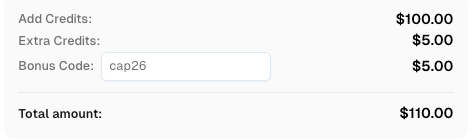
Use bonus code CAP26 when topping up your CapSolver account to get an extra 5% bonus on every recharge — with no limits.
Redeem it now in your CapSolver Dashboard
Resume only when the returned content matches the requested review scope, and commit the next checkpoint after that content passes your checks.
Start with identity. Confirm the product and whether the review section combines variants. Then check the selected language, date filter, and sorting. If verification returned the browser to a default product view, restore the permitted request context before accepting the next batch.
For each accepted review, retain the source identifier when available, the product association, publication date as displayed, rating, text needed for the analysis, source URL, and collection time. The Schema.org Review vocabulary describes concepts such as itemReviewed, reviewBody, and reviewRating. It can inform your field mapping, but structured markup is not a guarantee that a page exposes the entire review set.
Deduplicate against previously accepted review identifiers. Where stable identifiers are unavailable, document a source-specific matching rule and its uncertainty. Identical short text alone is weak evidence that two observations represent the same review. Likewise, an edited review should not automatically become a new review merely because its text changed.
A list sorted by newest reviews can change while collection is paused. Resuming at the same numeric page may overlap with earlier results or leave a gap. Recheck a bounded overlap around the last confirmed boundary, within the source's allowed request limits, and reconcile the identifiers before moving on.
If the source cannot provide a stable traversal, label the result as a snapshot of the reviews observed during that run. Do not claim a complete review history simply because all attempted requests returned content.
Report collection completeness alongside review findings so a CAPTCHA interruption cannot silently change the meaning of the report.
Consider an illustrative run intended to inspect three review pages. The first page returns reviews, the second presents a CAPTCHA, and the third has not been attempted. Until the interruption is resolved and the remaining scope is checked, the run is partial. The accepted reviews remain useful observations, but they do not establish that the full requested period contains no additional feedback.
| Observed outcome | What the monitoring report should say |
|---|---|
| Requested review scope checked, with no unseen reviews found | No new reviews observed within the checked scope |
| CAPTCHA remains on a required page | Partial collection; review coverage is incomplete |
| CAPTCHA cleared, but the product or filters changed | Observation needs validation before acceptance |
| Previously collected reviews appear again | Repeated observations; reconcile before counting |
Keep the displayed aggregate product rating separate from statistics calculated from your collected review sample. A sample of recent written reviews may have a different scope from the rating shown on the product page. An access interruption can further change which reviews enter that sample.
Publication time and collection time also answer different questions. A review discovered after an interrupted run may have been published earlier. Store both times when available, and label later arrivals as backfilled observations rather than assigning them all to today's feedback volume.
Send an operational coverage alert when collection is incomplete. A product-quality or sentiment alert can still describe what was observed, but should disclose the limited scope. For comparisons across products, use comparable source coverage or explain where coverage differs.
Define when an interrupted review job will stop, when it may retry, and which data it is allowed to retain.
Keep a limited retry budget for each observation. If the same supported challenge continues to interrupt the request, preserve the checkpoint and diagnostic reason for inspection. Repeatedly solving without validating the page adds activity without proving that the review data became available.
Retain only the fields needed for the agreed analysis. Product review monitoring generally does not require collecting reviewer profiles, contact details, or unrelated account information. Apply the source terms and your team's retention policy to review text, and redact unnecessary personal details from troubleshooting evidence.
Before enabling a schedule, test a small permitted sample against three acceptance conditions: the matching CAPTCHA flow works, the intended review section returns, and repeated or incomplete pages are recorded correctly. A solver-only result verifies none of the review parser's assumptions. This guide provides the checks to use; it does not claim that a particular site's workflow has passed them.
A useful review-monitoring delivery contains both the accepted feedback and an honest account of what was checked. Keep the checkpoint, handle the supported CAPTCHA, verify the returned reviews, and expose unresolved gaps to the team using the results.
CapSolver can supply the documented solving step in that workflow. Your monitor remains responsible for product matching, pagination, and the evidence behind each reported change. Try CapSolver with a small authorized review task and assess the complete observation before expanding its schedule.
Q: Can a CAPTCHA solver collect product reviews by itself?
No. A solver returns a result for a supported challenge. Your collection application still needs to access the permitted source, apply the result correctly, extract reviews, and validate the output.
Q: Does an empty review result mean there are no new reviews?
Only after the intended review scope has been checked successfully. A CAPTCHA screen, failed request, or unparsed page leaves the result unknown or incomplete.
Q: Can one CAPTCHA token be reused across review pages?
Do not assume it can. Token rules depend on the challenge type, and reCAPTCHA response tokens are single-use. Follow the documented verification flow for each challenge actually encountered.
Q: How should a monitor resume after a CAPTCHA interruption?
Resume from the last confirmed checkpoint, verify the product and filters, and reconcile any overlapping reviews before advancing. If the list changed during the pause, recheck the boundary within permitted request limits.
Q: Should sentiment reporting stop whenever a page is missing?
Observed reviews can still be reported with a clear coverage limitation. Avoid presenting an incomplete sample as the full review population or interpreting missing collection as a change in customer opinion.
Lucas Mitchell
Automation Engineer
Helping browser automation recover and continue.
ABOUT THE AUTHOR
Learn scalable Rust web scraping architecture with reqwest, scraper, async scraping, headless browser scraping, proxy rotation, and compliant CAPTCHA handling.
Learn the best techniques to scrape job listings without getting blocked. Master Indeed scraping, Google Jobs API, and web scraping API with CapSolver.