🎉NEWCapSolver for AI agents-MCP, agent tools, and SDK integrations

Ethan Collins
AI Agent Workflow Engineer
Published May 27, 2026
Updated May 27, 2026 · min read
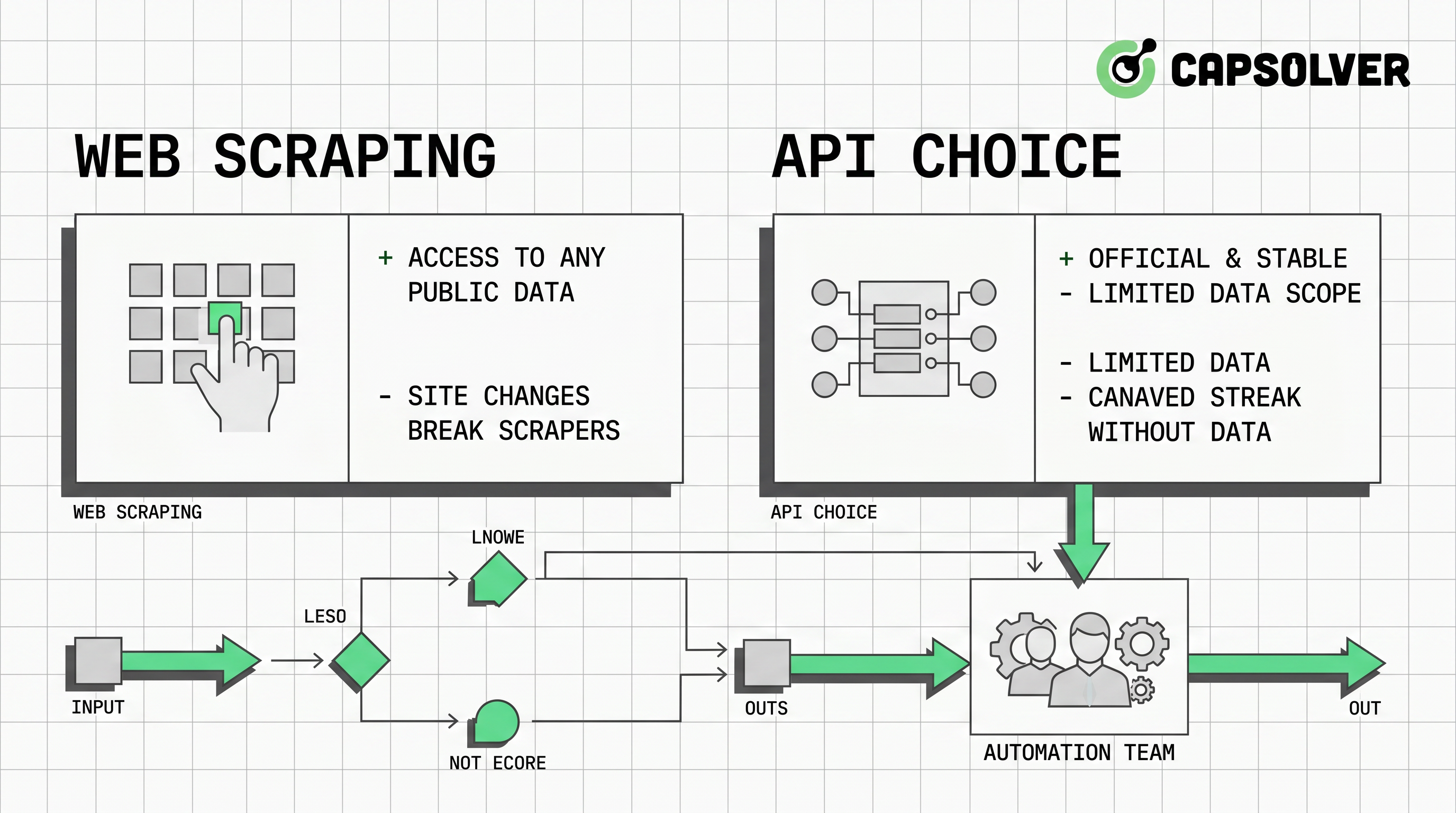
Best web scraping vs API choices are rarely about which method is more powerful. They are about which method is more reliable, permitted, maintainable, and auditable for the data your team needs. APIs should usually come first when they provide the required fields, freshness, and terms. Web scraping becomes useful when permitted public pages are the only practical source or when teams need to monitor presentation-layer changes. If an approved scraping or browser automation flow encounters a CAPTCHA challenge, CapSolver’s CAPTCHA solving while scraping guide can provide a documented solving path that fits into a broader automation process.
APIs are usually the default choice because they express a provider-supported contract. A well-designed API gives teams predictable fields, authentication, rate limits, error codes, and versioning. Those properties make engineering reviews easier and reduce the need for fragile parsing. APIs also simplify data lineage because each record can be tied to an endpoint, timestamp, request ID, or documented schema.
The REST API tutorial and reference explains common API design ideas such as resources, methods, and representations. The GitHub REST API rate limit documentation shows why rate limits are not an obstacle but an operating contract. In many automation programs, a slower official API is better than a faster scraper because the API is easier to defend in audits and easier to maintain when data consumers grow.
| Decision factor | API advantage | Web scraping advantage |
|---|---|---|
| Data contract | Stable schemas and documented errors | Can collect visible fields not exposed by an endpoint |
| Maintenance | Versioning and support channels | Works when no suitable API exists |
| Freshness | Predictable polling and rate limits | Can reflect page-level updates quickly |
| Dynamic pages | Less browser overhead | Browser automation can inspect rendered states |
| Challenge events | Usually avoided | May require controlled CAPTCHA-solving workflows |
The key is not to reject scraping. The key is to prove that scraping is needed before adding operational complexity.
Web scraping is the better fit when the data is public, permitted, not available through a suitable API, and valuable enough to justify monitoring. Common examples include public price pages, product availability pages, public job listings, public directories, and website change monitoring. Even then, the team should document the data fields, source pages, crawl frequency, exclusion rules, and the business owner responsible for the workflow.
The RFC 9309 Robots Exclusion Protocol defines how websites can communicate crawling rules to automated clients. The MDN URL reference is useful for URL normalization, which is a basic requirement for deduplication and crawl boundaries. These references support a practical rule: web scraping should be treated as an engineering system with permissions and boundaries, not as an informal script.
Web scraping also benefits from layered design. Static pages can often be handled with HTTP requests and parsers. JavaScript-heavy pages may require browser automation. Pages with traffic validation may need a documented challenge-handling policy. CapSolver’s Playwright integration guide is useful when the automation layer needs both extraction and controlled challenge handling.
CAPTCHA solving belongs late in the best web scraping vs API decision tree. If an API exists and meets the need, use it. If the public page can be collected through permitted static extraction, use that. If browser automation is necessary, add rendering and interaction controls. Only after those choices should the team decide how to handle a supported CAPTCHA or traffic validation event.
CapSolver’s reCAPTCHA glossary and CAPTCHA terminology guidance help teams identify common challenge families before they choose a solving path. The decision should include approval scope, supported domains, retry limits, logging, proxy policy, and a page-level success check. A solved challenge is not enough; the workflow must confirm that the approved task completed correctly.
Redeem Your CapSolver Bonus Code
Boost your automation budget instantly!
Use bonus code CAP26 when topping up your CapSolver account to get an extra 5% bonus on every recharge — with no limits.
Redeem it now in your CapSolver Dashboard
A strong architecture separates access method, execution, validation, and governance. The access method may be an API, static scraper, browser automation script, or hybrid workflow. Execution should apply rate limits, retries, and safe stop conditions. Validation should compare record counts, required fields, source timestamps, and schema changes. Governance should record who approved the source, what data is allowed, and when the workflow must be reviewed again.
For browser-heavy workflows, the Playwright documentation provides a practical starting point for controlled page rendering and interaction. For crawler-heavy workflows, the Scrapy documentation explains spiders, items, and pipelines. For challenge-heavy approved workflows, CapSolver’s browser extension guide can help engineers diagnose real-page behavior before they design a repeatable API-first path.
| Architecture pattern | Use it when | Add this control |
|---|---|---|
| API-only | Required fields are available and terms allow use | Endpoint monitoring and rate-limit handling |
| Static scraping | Public pages are stable and permitted | robots.txt review and selector tests |
| Browser automation | Rendering or interaction is required | Timeout budgets and page-state validation |
| Hybrid API plus scraping | API covers most fields but pages add context | Source-of-truth rules and deduplication |
| Scraping plus CapSolver | Approved pages present CAPTCHA challenges | Approval tickets, redacted logs, and retry limits |
This structure makes the best web scraping vs API choice transparent. It also reduces the risk that teams add browser automation or CAPTCHA solving before they have proven that simpler methods cannot meet the business requirement.
A responsible automation program starts with source review. Confirm that the data is public or otherwise authorized, that the collection purpose is legitimate, and that sensitive personal or restricted data is out of scope unless a legal basis and security controls exist. Then review robots.txt, site terms, API documentation, and contractual obligations. Finally, test at low volume and make the workflow stop when unexpected login walls, permission changes, challenge spikes, or schema drift appear.
The OWASP Automated Threats project is a useful reminder that the same automation techniques can be misused. Your internal standard should require permission, proportional request rates, clear identification where appropriate, and human review when a workflow changes. CapSolver should be used only for owned, staged, client-approved, or otherwise permitted targets where challenge handling is part of a legitimate automation process.
Best web scraping vs API decisions should be made with a simple hierarchy: use an API when it meets the requirement, use permitted static scraping when it does not, use browser automation when rendering is necessary, and add CAPTCHA solving only as a documented exception path. For teams that need reliable challenge handling in approved automation, CapSolver’s web scraping legal guide can help place solving inside a governed workflow alongside APIs, crawlers, browser automation, monitoring, and compliance review.
The best rule is API first, scraping second. Use an API when it provides the data under acceptable terms, and use scraping only when permitted pages are the practical source.
Web scraping is better when public, permitted page data is not available through a suitable API, or when the page presentation itself is the data your team needs to monitor.
Add browser automation only when static HTTP extraction cannot capture rendered content, user interactions, or post-load data needed for the approved workflow.
CapSolver fits when an approved web scraping or browser automation workflow encounters a supported CAPTCHA or traffic validation challenge and needs a documented solving path.
Teams should check permission, robots.txt, terms, data sensitivity, request rate, and monitoring rules. They can also review CapSolver’s web scraping FAQ when challenge handling is part of the approved plan.
Ethan Collins
AI Agent Workflow Engineer
Building clearer handoffs between AI agents and tools.
ABOUT THE AUTHOR
Learn scalable Rust web scraping architecture with reqwest, scraper, async scraping, headless browser scraping, proxy rotation, and compliant CAPTCHA handling.

Learn the best techniques to scrape job listings without getting blocked. Master Indeed scraping, Google Jobs API, and web scraping API with CapSolver.